
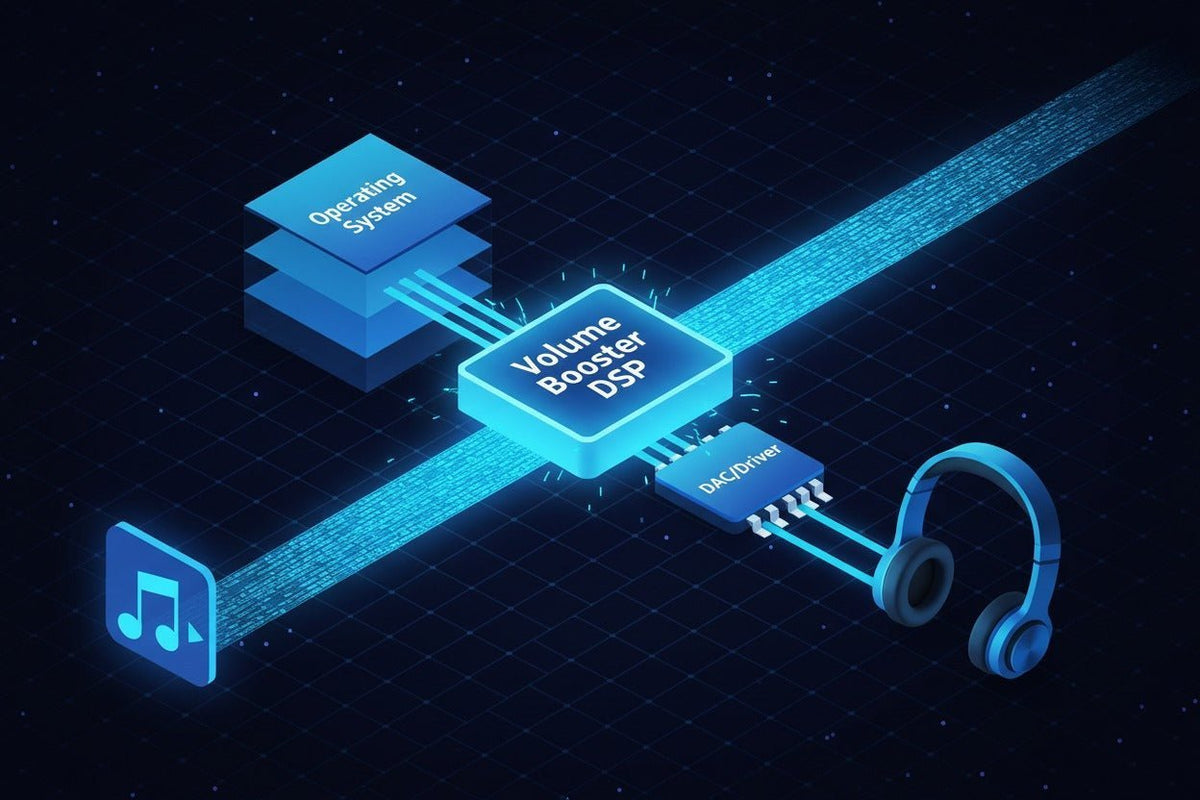
Una aplicación de aumento de volumen puede hacer que el audio bajo sea más fácil de escuchar, pero la solución adecuada depende de dónde se origine el nivel bajo. Windows puede admitir el procesamiento de audio a nivel del sistema, las aplicaciones de refuerzo de Android pueden afectar la reproducción multimedia en dispositivos compatibles, y las herramientas para iPhone a menudo funcionan a través de la configuración de audio integrada de Apple o dentro de un flujo de trabajo de una aplicación específica en lugar de actuar como un interruptor universal de "volumen superior al 100%".
Respuesta rápida: primero revise la aplicación de origen, el mezclador del sistema, el dispositivo de salida y la configuración de audio integrada. Si la señal sigue siendo demasiado baja, utilice ganancia de software controlada o ecualización. Si la ganancia adicional provoca distorsión (clipping) o el dispositivo de salida ya está en su límite físico, el software ya no es la solución correcta.

Lo que realmente hace una aplicación de aumento de volumen
La mayoría de los reforzadores de software funcionan cambiando la señal digital antes de que llegue a sus altavoces o auriculares. El enfoque más simple añade ganancia. Las herramientas más avanzadas también pueden utilizar ecualización, limitación, compresión, enrutamiento o ajustes preestablecidos.
Esa distinción es importante porque más alto no siempre significa más claro. Si la señal original ya está cerca de su techo digital, añadir ganancia puede empujar los picos hacia la distorsión. Un limitador puede controlar los picos, pero no puede convertir un altavoz de baja potencia, una salida de auriculares débil o un controlador dañado en un hardware más capaz.
| Tipo de herramienta | Ejemplo | Qué cambia | Limitación principal |
|---|---|---|---|
| Procesador de Windows | FxSound | Añade EQ, efectos, ajustes preestablecidos y control de volumen a la reproducción de Windows. | Solo Windows; el procesamiento adicional no puede exceder la capacidad de salida limpia del hardware. |
| EQ de Windows | Equalizer APO | Aplica ecualización paramétrica o gráfica a través de la ruta de efectos de audio de Windows. | Las aplicaciones que usan ASIO o el modo exclusivo WASAPI pueden omitirlo. |
| Reforzador de Android | Volume Booster GOODEV | Aumenta la reproducción multimedia en altavoces o auriculares compatibles. | El soporte varía; el desarrollador indica que no es para el volumen de llamadas por altavoz. |
| Configuración de audio de iPhone | Ajustes de audio de Apple | Amplifica sonidos suaves y ajusta frecuencias en auriculares Apple y Beats compatibles. | Funciona con auriculares compatibles; no es un reforzador genérico para cualquier salida. |
| Navegador o herramienta multimedia | Extensión, reproductor o editor | Cambia la reproducción dentro de un navegador, reproductor o flujo de trabajo de medios importados. | Puede no afectar a otras aplicaciones o a todo el sistema. |
| Amplificador de hardware | Dispositivo de audio USB o amplificador de auriculares | Cambia la ruta de reproducción física, no solo el nivel de la señal digital. | No soluciona un archivo de origen bajo, un mezclador de aplicación o un problema de configuración. |
¿Qué enfoque de aumento de volumen debería utilizar?
PC con Windows: solucione el mezclador y la ruta de salida antes de añadir ganancia
En Windows 11, comience por Configuración > Sistema > Sonido > Mezclador de volumen. Microsoft recomienda comprobar tanto el nivel del sistema como la aplicación afectada, confirmando que ninguno esté silenciado, y realizar pruebas con las mejoras de audio desactivadas si la salida es inesperadamente baja o está distorsionada. Cambiar el formato de audio o actualizar el controlador de audio también puede ayudar cuando el problema está relacionado con la configuración. Consulte la guía de solución de problemas de sonido bajo en Windows de Microsoft.
Si los niveles del sistema y de la aplicación son correctos pero aún necesita más procesamiento, FxSound proporciona una interfaz de Windows más sencilla para volumen, EQ, efectos y ajustes preestablecidos. Equalizer APO es una opción más técnica para la ecualización a nivel del sistema y el control de preamplificación. Su propia documentación señala que las aplicaciones que utilizan rutas de audio exclusivas pueden omitir el procesamiento.
Android: verifique el volumen multimedia, Bluetooth y el comportamiento de la aplicación
El comportamiento de los reforzadores de Android varía según el dispositivo y la ruta de audio. Un ejemplo actual es Volume Booster GOODEV, cuya lista en Google Play indica que aumenta la reproducción multimedia a través de altavoces o auriculares en dispositivos compatibles. La misma lista advierte que niveles muy altos pueden dañar los altavoces o la audición, que no todos los dispositivos admiten la aplicación y que no está diseñada para aumentar el volumen del altavoz durante las llamadas.
Considere esos límites como parte del proceso de selección. Si solo una aplicación de transmisión tiene un volumen bajo, repare primero esa aplicación. Si la salida Bluetooth es baja en todas las aplicaciones, compare el teléfono, los auriculares y otro dispositivo de salida antes de instalar un reforzador.
iPhone y iPad: utilice primero los controles integrados
Apple ofrece varios controles que deben verificarse antes de instalar un reforzador de terceros. El volumen multimedia estándar se puede ajustar a través de los controles de volumen o del Centro de control, mientras que Seguridad de los auriculares puede reducir el audio fuerte por encima de un nivel seleccionado.
Para auriculares Apple y Beats compatibles, las Adaptaciones de auriculares pueden amplificar sonidos suaves y ajustar frecuencias seleccionadas para audio de llamadas y multimedia. Las aplicaciones para iPhone de terceros varían en alcance, así que verifique la descripción cuidadosamente en lugar de asumir que una aplicación puede aumentar la salida del sistema de todas las demás aplicaciones.
Solo navegador o un archivo bajo: solucione el problema más específico
Si el problema existe solo en una pestaña del navegador, en un video o en una grabación, un control específico del navegador, reproductor multimedia, editor o la normalización a nivel de origen suele ser más específico que alterar todo el sistema. Esto también reduce la posibilidad de que todas las demás notificaciones, juegos o llamadas se vuelvan inesperadamente fuertes.
El volumen, la EQ, la normalización y el audio espacial son diferentes
Varias funciones de audio a menudo se agrupan, aunque resuelven problemas diferentes. La ganancia aumenta o disminuye el nivel de la señal. La EQ cambia rangos de frecuencia seleccionados. La normalización tiene como objetivo hacer que el volumen del programa sea más consistente. El audio espacial cambia la presentación direccional o inmersiva en lugar de simplemente hacer que la señal sea más fuerte.

Es por eso que un ajuste preestablecido de EQ puede hacer que el habla parezca más fácil de entender sin producir el mismo resultado que un gran aumento de ganancia de banda ancha. También es la razón por la cual el sonido envolvente virtual o el procesamiento espacial no deben juzgarse como un reforzador de volumen por sí solos.
Cuándo el software es la solución incorrecta
Un reforzador es útil solo cuando la capa de software es realmente el cuello de botella. Si el problema persiste con un par de auriculares, un cable, un puerto o una salida analógica, añadir más ganancia digital solo puede hacer que la debilidad sea más evidente.
- Solo una aplicación tiene un volumen bajo: verifique la configuración de volumen, normalización, accesibilidad o reproducción de esa aplicación.
- Todas las aplicaciones tienen un volumen bajo en un dispositivo de salida: pruebe con otros auriculares, altavoces, puerto u ordenador antes de cambiar la ganancia de todo el sistema.
- Una salida de 3,5 mm parece débil: el DAC y el amplificador de auriculares del dispositivo anfitrión son parte del resultado. La guía de auriculares USB vs. 3,5 mm explica cómo mover la conversión y la amplificación a una ruta de audio USB cambia qué hardware influye en la señal.
- Los propios auriculares ya no son adecuados: utilice la guía de selección de auriculares para comparar compatibilidad, factor de forma, sonido, comodidad y funciones prácticas en lugar de comprar accesorios para compensar un desajuste de hardware persistente.
Un orden de solución de problemas más seguro
Identifique el alcance del problema.
Determine si el nivel bajo afecta a un archivo, una aplicación, un dispositivo de salida o a todo el sistema.
Verifique los controles de volumen y mezclador integrados.
Confirme los controles del sistema, la aplicación, los medios, Bluetooth y accesibilidad que se aplican al dispositivo que está utilizando realmente.
Pruebe otra ruta de salida.
Compare otros auriculares, altavoces, cables, puertos o dispositivos. Si el problema se traslada con un componente, es posible que el software no sea la causa.
Use EQ solo cuando el problema sea la claridad tonal.
Ajuste las frecuencias que están enmascarando el habla o los detalles en lugar de aumentar cada frecuencia en la misma cantidad.
Añada ganancia gradualmente.
Aumente el nivel solo hasta que el contenido sea cómodamente inteligible. Si escucha distorsión, aspereza, bombeo o ruido obvio, reduzca la ganancia.
Cambie la ruta del hardware cuando sea necesario.
Si la ganancia de software limpia se ha agotado, aborde el hardware de salida, la conexión o los auriculares en lugar de seguir forzando la señal.
La escucha segura es más importante que el porcentaje en el control deslizante
Un ajuste de software del “100%” o “150%” no le indica el nivel de presión sonora que llega a sus oídos. El riesgo auditivo depende del nivel real y de cuánto tiempo escuche.
La guía de escucha segura de la Organización Mundial de la Salud utiliza 80 dB durante 40 horas por semana como la exposición de referencia para adultos en su estándar OMS-UIT, con un tiempo de escucha permitido que disminuye a medida que aumenta el nivel. Consulte el estándar de escucha segura de la OMS. Apple también proporciona control del nivel de auriculares y controles de Reducir sonidos fuertes en el iPhone.
Para las aplicaciones de refuerzo, la regla práctica es simple: no trate la distorsión como una prueba de que la aplicación está “trabajando más”. La distorsión es una razón para reducir la ganancia y volver a verificar la fuente, la cadena de procesamiento o el hardware.
Preguntas frecuentes
¿Son seguras las aplicaciones de aumento de volumen?
Se pueden usar de manera conservadora, pero la ganancia añadida puede causar distorsión y puede aumentar el nivel de escucha. Use el ajuste útil más pequeño, deténgase si el audio se distorsiona y supervise la exposición de los auriculares cuando su dispositivo proporcione esa función.
¿Puede Windows sonar más fuerte que el control deslizante de volumen normal?
Las herramientas de procesamiento de audio de Windows pueden aplicar ganancia o EQ adicional, pero primero verifique el Mezclador de volumen, el nivel de la aplicación, el dispositivo de salida, las mejoras, el formato y el controlador. La ganancia de software adicional no garantiza una salida acústica limpia adicional.
¿Funcionan las aplicaciones de aumento de volumen para iPhone en todo el sistema?
No asuma que lo hacen. Las capacidades de las aplicaciones varían. Las opciones integradas documentadas de Apple incluyen controles de volumen normales, Seguridad de los auriculares y Adaptaciones de auriculares para auriculares compatibles. Verifique el alcance de reproducción exacto de cada aplicación de terceros.
¿Por qué el audio potenciado suena distorsionado?
La ganancia digital adicional puede empujar los picos más allá del margen disponible y crear distorsión. La limitación o compresión pueden controlar los picos, pero el procesamiento excesivo aún puede reducir la dinámica y hacer que el sonido sea poco natural.
¿Puede un reforzador arreglar auriculares de bajo volumen?
A veces, si el problema es el nivel de la fuente. Si los auriculares están limitados por la salida del anfitrión, la conexión, la sensibilidad, el estado del hardware o el ajuste, es posible que la ganancia de software no resuelva el problema subyacente.
¿Es la EQ lo mismo que un reforzador de volumen?
No. La EQ cambia bandas de frecuencia seleccionadas, mientras que un reforzador de volumen normalmente aumenta la ganancia general. La EQ puede mejorar la claridad percibida cuando un rango de frecuencia está enmascarando el contenido que desea escuchar.
Conclusión
Elija un reforzador de volumen basado en la capa que sea realmente demasiado baja. Windows ofrece las opciones de procesamiento del sistema más amplias, las aplicaciones de Android pueden funcionar para medios en dispositivos compatibles, y los usuarios de iPhone deben comenzar con los controles integrados de Apple y verificar el alcance exacto de cualquier aplicación de terceros. Si la ganancia añadida produce distorsión o el hardware ya está en su límite, deje de potenciar y corrija la fuente o la ruta de salida en su lugar.

