
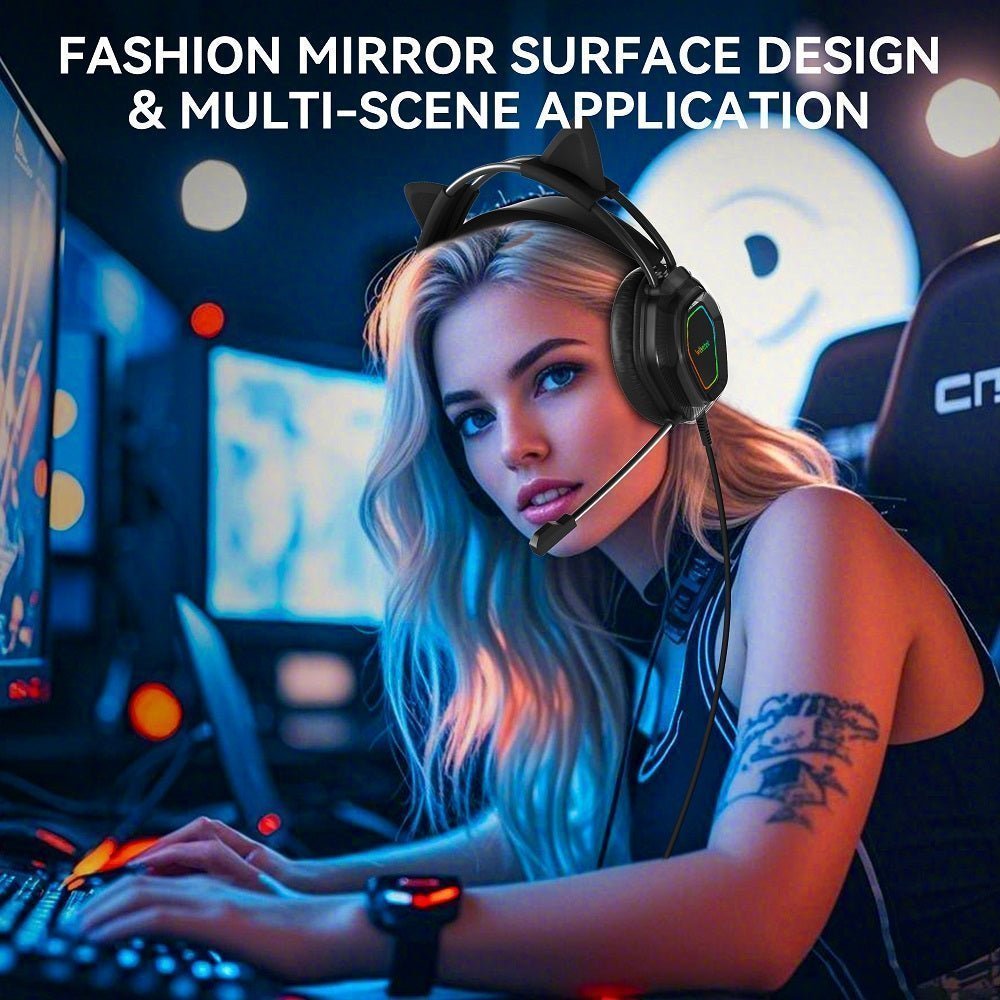
Cat ear headphones come in 3.5 mm wired, USB wired, Bluetooth, and 2.4 GHz wireless designs. Start with the audio connection your device supports, then compare microphone behavior, battery needs, lighting power, fit, and whether the cat ears are removable.
Quick answer: choose by the audio path, not the cat-ear design. A 3.5 mm or USB headset uses a wired connection; Bluetooth pairs wirelessly; some gaming models use a dedicated 2.4 GHz USB receiver. A USB plug may power LEDs without carrying audio.

Wired vs Wireless Cat Ear Headphones

| Type | Best fit for | What to check |
|---|---|---|
| 3.5 mm wired | Controllers, laptops, and devices with compatible analog headset jacks | TRRS microphone support, controller/adapter requirements, cable length, and whether USB is only used for lighting |
| USB wired | PC and supported console setups | USB-A/USB-C compatibility, software requirements, microphone controls, and platform support |
| 2.4 GHz wireless receiver | PC and supported consoles using the headset's dedicated USB receiver | Receiver type, exact platform and microphone support, charging needs, and whether the receiver must remain connected |
| Bluetooth | Phones, tablets, laptops, and casual wireless use | Bluetooth version, latency mode, battery life, microphone behavior, and console limitations |
Check the Audio and Microphone Path Before You Buy
The connector name alone is not a compatibility guarantee. Identify both where sound enters the headset and how your voice returns to the device, especially if you plan to use game chat.
- PC or laptop: Check whether it has a combined 3.5 mm headset jack, separate headphone and microphone jacks, or a compatible USB audio port. A headset with one 3.5 mm plug may need a splitter when the computer has separate jacks.
- PlayStation, Xbox, or Switch: Check the exact console and controller model against the headset's supported audio and microphone connections. A 3.5 mm controller jack, USB headset, 2.4 GHz wireless receiver, and Bluetooth headset are not interchangeable connection paths.
- Phone or tablet: Confirm Bluetooth audio and microphone behavior, or verify that a wired adapter supports headset audio and the microphone—not just music playback.
- LED lighting: Find out whether USB carries audio, powers the lights, or both. On the Wantek V10, 3.5 mm carries audio while USB powers the LEDs.
These checks matter more than the ear shape: a headset that lights up is not necessarily sending game audio or microphone input to the device.
Some wireless cat-ear headsets use a dedicated 2.4 GHz USB receiver rather than Bluetooth for game audio. For example, the Razer Kraken Kitty V3 Pro offers 2.4 GHz wireless, Bluetooth, and USB wired modes. Check the supported devices for each mode; the presence of a USB receiver does not guarantee compatibility with every console.
Current Cat-Ear Headset Examples

Wantek V10: 3.5 mm Wired Gaming
Wantek V10 is a dual-ear wired gaming headset with a 3.5 mm audio connection, adjustable boom microphone, inline volume and mute controls, removable cat ears, and LED lighting. The current product page lists a 1.2 m cable and Pink, Blue, and Black color options.
The USB connection is used to power the lighting while the 3.5 mm plug carries audio. That distinction matters if you are connecting through a console controller or another device with a headset jack.
Razer Kraken Kitty V2 BT: Bluetooth 5.2
Razer Kraken Kitty V2 BT is the wireless reference point. Razer lists Bluetooth 5.2 with Gaming Mode and TriForce 40 mm drivers.
Bluetooth makes it convenient for compatible phones and computers, but do not assume native Bluetooth headset audio works on every console. Check the exact platform and connection path first.
Razer Kraken Kitty V2: Wired USB
Razer Kraken Kitty V2 is a separate wired RGB model with kitty ears and a HyperClear cardioid microphone. It uses USB rather than Bluetooth, so it belongs in a different compatibility branch from the V2 BT.
How to Choose Cat Ear Headphones
- Match the connection first. A headset can look perfect and still be unusable if its 3.5 mm, USB, Bluetooth, or 2.4 GHz receiver path does not match the device.
- Separate microphone noise reduction from ANC. A “noise-cancelling mic” describes what callers may hear, not necessarily active noise cancellation for the wearer.
- Check the cat-ear construction. Removable ears give you the option to use a simpler headset profile; fixed ears prioritize the visual design.
- For wireless models, verify battery and latency mode. Published maximum battery figures depend on lighting, volume, and other settings.
- For gaming, check platform support. PC, PlayStation, Xbox, Switch, and mobile devices do not use identical audio paths.
Choosing Cat-Ear Headphones for a Child or Adult
Cat ears do not tell you whether a headset will fit a smaller head or offer volume-management features. If the buyer is a child, check the manufacturer's stated age range, earcup fit, headband adjustment, and any documented volume limits. Do not assume an adult gaming headset has child-specific listening controls.
For adults, prioritize earcup space, pressure around glasses, total weight, and whether the ears are removable. The same decorative style can feel very different depending on headband and cushion design.
If you are building a character-themed setup rather than choosing the headset alone, Wantek's Hello Kitty gaming gear guide separates licensed collaborations from generic pink or cat-ear accessories and checks the required device connections.
Frequently Asked Questions
Are cat ear headphones always wireless?
No. Current cat-ear designs include 3.5 mm wired, USB wired, and Bluetooth models. Choose by device compatibility before choosing the visual design.
Is the Wantek V10 wireless?
No. V10 is a wired 3.5 mm gaming headset. Its USB connection powers the LED lighting; it is not the audio connection.
Can Bluetooth cat ear headphones connect to every game console?
No. Console Bluetooth audio support varies. Verify the exact console, headset, and any required adapter before buying.
Is a 2.4 GHz wireless receiver the same as Bluetooth?
No. A 2.4 GHz gaming headset typically uses its supplied USB receiver, while a Bluetooth headset pairs with the device's Bluetooth radio. Check device and microphone support for each mode.
Do cat ear headphones have active noise cancellation?
Not automatically. Cat ears are a design feature. Check the exact headset specification instead of assuming ANC from the appearance or microphone description.
Want a Wired Cat-Ear Gaming Headset?
Wantek V10 combines removable cat ears, LED lighting, a boom microphone, and 3.5 mm wired audio.

