- 22% off
Wantek
6.7 oz
In stock (488 units)Sale price $2900 Regular price $3699Unit priceUnavailable - Up to 17% off
Wantek
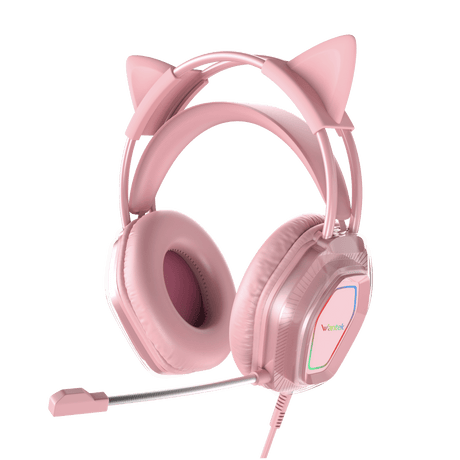
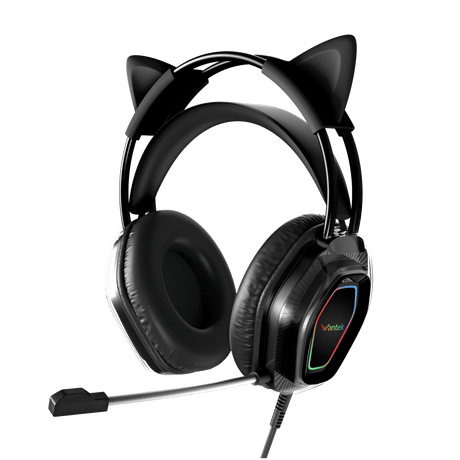
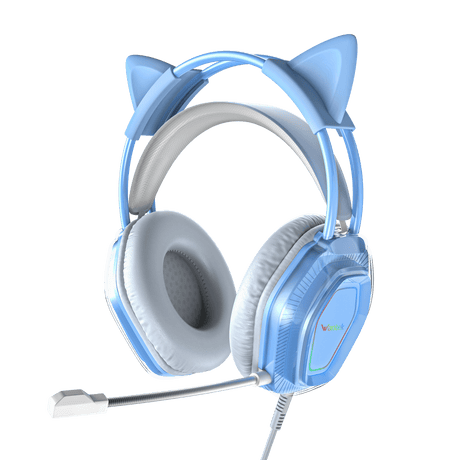
Wantek® V10 Cat Ear Gaming Headphones with LED Lights & Noise-Canceling Mic
In stock (29 units)Sale price $2500 Regular price $3000Unit priceUnavailable - 13% off
Wantek
Wantek® h600 3.5 mm jack headset with mic - Crystal Clear Calls for PC, Laptop & Phone
3.0 lb
In stock (191 units)Sale price $2600 Regular price $2999Unit priceUnavailable - Sold out17% off
Wantek
Wantek® h783 mono 3-in-1 USB Headsets with Microphone for Crystal-Clear Remote Work Calls
7.0 oz
Sale price $2900 Regular price $3499Unit priceUnavailable - Up to 14% off
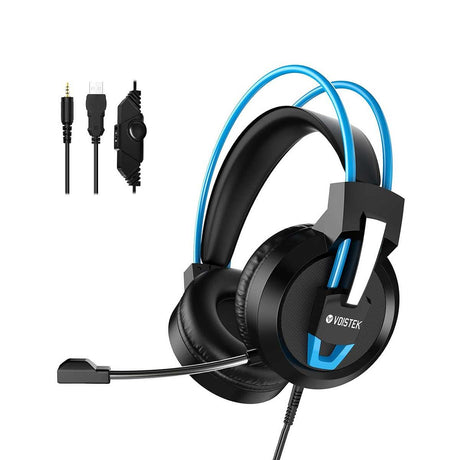
Voistek
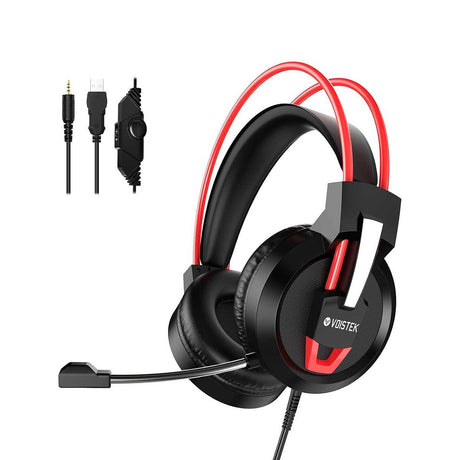
Voistek ™ V9 Pro Computer Gaming Headphones with Microphone | Cross-Platform Compatible
In stock (1090 units)Sale price $3000 Regular price $3500Unit priceUnavailable - 20% off
Wantek
Wantek® h881 mono 3-in-1 USB Noise Cancelling Headset – Ultimate Office & Home Solution
6.5 oz
In stock (495 units)Sale price $2800 Regular price $3499Unit priceUnavailable - 12% off
Wantek
Wantek® h602 Headphones with Mic and USB – Plug-and-Play for Calls & Remote Work
3.0 oz
In stock (94 units)Sale price $2800 Regular price $3199Unit priceUnavailable - 19% off
Wantek
Wantek® h786 dual 3-in-1 Wired Headset USB – Professional Computer Headset for Zoom, Teams & Calls
In stock (497 units)Sale price $3000 Regular price $3699Unit priceUnavailable - 12% off
Wantek
Wantek® h602 3.5 mm Headset Microphone with Noise Cancellation – PC, Mac & Phone Compatible
3.0 oz
In stock (99 units)Sale price $2800 Regular price $3199Unit priceUnavailable - 13% off
Wantek
Wantek® h600 USB Headset with Mic – Crystal-Clear Calls for Remote Work & Call Centers
3.0 oz
In stock (99 units)Sale price $2600 Regular price $2999Unit priceUnavailable
Whether you're deep in a late-night raid, hosting a podcast, crushing a client Zoom call, or streaming to thousands of fans — the quality of your audio can make or break the experience. Wantek's curated collection of PC microphone and headset is engineered for people who refuse to compromise on sound quality, comfort, or reliability.
Why Audio Quality Matters for Your PC Setup
Most people spend hundreds — sometimes thousands — upgrading their PC's graphics card, RAM, or monitor. Yet audio is often the last thing on the list. That's a mistake. Audio quality directly impacts communication clarity, gaming performance, streaming production value, and remote work professionalism.
A headset with a poor boom mic introduces background noise, echo, and distortion that erodes trust on calls and kills immersion in games. A great PC microphone, on the other hand, makes every word you say crystal clear — whether you're calling in on Zoom, recording a podcast episode, or communicating in-game on Discord.
Gaming Headsets with Pro-Grade Microphones
Wantek's gaming headsets are built from the ground up for PC gamers who need both immersive audio and a mic that picks up every callout without broadcasting keyboard clatter to their teammates.
What Makes a Great Gaming Headset Mic?
- Boom mic with flexible positioning for optimal mic-to-mouth distance
- Unidirectional (cardioid) polar pattern to isolate your voice and reject room noise
- Built-in noise suppression or hardware noise cancellation
- Clear voice reproduction in the 200Hz–8kHz vocal frequency range
- Discord- and TeamSpeak-certified for guaranteed compatibility
Wired vs. Wireless Gaming Headsets for PC
Both options have their place in a serious PC audio setup:
|
Feature |
Wired (USB / 3.5mm) |
Wireless (USB Dongle / Bluetooth) |
|---|---|---|
|
Latency |
Ultra-low (~1–5ms) |
Low with 2.4GHz dongle (~10–20ms) |
|
Audio Quality |
Consistent, no interference |
Near-lossless with 2.4GHz dongle |
|
Freedom |
Limited by cable |
Full freedom of movement |
|
Best For |
Competitive gaming, studio use |
Streaming, casual play, WFH |
|
Battery Life |
No battery needed |
15–50 hours depending on model |
Dedicated PC Microphones: When You Need More Than a Boom Mic
If you're a content creator, streamer, podcaster, or remote professional who demands broadcast-quality audio, a dedicated USB or XLR microphone is a game-changing upgrade over a headset mic. The diaphragm size, capsule quality, and preamp circuitry inside a standalone condenser mic simply can't be replicated in a tiny headset boom.
USB vs. XLR Microphones for PC — Which Should You Choose?
- USB Microphones: Plug-and-play convenience. No audio interface required. Perfect for beginners, streamers, and remote workers.
- XLR Microphones: Professional-grade with an audio interface. Higher dynamic range, lower noise floor, and superior upgrade path. Best for podcasters and advanced creators.
- Dynamic Microphones: Rugged and reject background noise naturally — ideal for untreated rooms or loud environments.
- Condenser Microphones: Higher sensitivity and detail — ideal for quiet, treated rooms where capturing nuance matters.
Headset + Mic Combos: The Best of Both Worlds
One content gap almost all competitors miss: most PC audio guides treat headsets and microphones as separate purchasing decisions. But many users — particularly streamers, content creators, and power users — need both simultaneously. You need studio-quality monitoring headphones to hear your mix, game audio, or recorded track clearly, while a dedicated condenser mic captures your voice in full fidelity.
Wantek's range allows you to build the perfect PC audio combo: pair a high-fidelity over-ear headset for monitoring and communication with a cardioid USB microphone for capture. This is the setup used by professional streamers and podcasters worldwide, and it's far more powerful than relying on a headset mic alone.
- Best For Streamers: Closed-back monitoring headset + cardioid USB condenser mic
- Best For Gamers: Wireless gaming headset with noise-cancelling boom mic
- Best For Remote Workers: Wired headset with omni mic + inline mute/volume controls
- Best For Podcasters: Open-back reference headphones + XLR dynamic microphone
How to Choose the Right PC Headset or Microphone
Use this quick decision framework to find your ideal Wantek product:
5 Key Factors to Consider
- Primary Use Case: Gaming, streaming, remote work, podcasting, or all of the above?
- Connectivity Preference: USB (plug-and-play) vs. 3.5mm (universal) vs. wireless dongle vs. Bluetooth?
- Mic Requirement: Built-in boom mic sufficient, or do you need a dedicated standalone microphone?
- Comfort & Fit: Over-ear, on-ear, or in-ear? Memory foam or leatherette cushions for long sessions?
- Budget Tier: Entry level (<$50), mid-range ($50–$150), or premium ($150+)?
Pro Tip: Don't Overlook Your Acoustic Environment
A $200 microphone in a reflective, untreated room will often sound worse than a $60 mic in a well-damped space. Before upgrading hardware, consider adding a foam panel or recording corner to your desk setup. Wantek's cardioid microphones already do heavy lifting to reject off-axis room noise — but mic placement matters too. Keep the mic 6–12 inches from your mouth and positioned slightly off-axis to reduce plosives.
How to Set Up Your Wantek Headset or Mic on PC (Windows 10/11)
A key question competitors fail to answer in depth: how do I actually set this up? Here's a quick guide:
- Plug In Your Device: Connect via USB or 3.5mm TRRS jack. Windows will auto-install drivers for most plug-and-play devices.
- Set as Default Device: Right-click the speaker icon in the taskbar → Sound Settings → Choose your Wantek device as both the Output (playback) and Input (microphone) device.
- Adjust Input Volume: In Sound Settings → Input → Device Properties → set microphone volume to 75–85% to prevent clipping.
- Enable Noise Suppression: In Windows Settings → System → Sound → Microphone, enable 'Noise suppression' to filter background hum.
- Test Your Setup: Open Sound Recorder or use the Windows mic test (Settings → System → Sound → Test your microphone) to confirm audio levels are clean and strong.
- Game/App-Specific Settings: In Discord, Steam, or your streaming app, select your Wantek device explicitly — don't rely on 'Default' which may point elsewhere.
Final Thoughts: Upgrade Your PC Audio with Wantek
Your PC audio setup is more than just a peripheral — it's how you communicate, compete, create, and connect. Whether you need a gaming headset with a pro-grade noise-cancelling microphone, a USB condenser mic for streaming, a wireless headset for remote work freedom, or a complete headset and mic combo for content creation — Wantek has a purpose-built solution for your exact setup.
Every product in the Wantek PC audio collection is designed with three non-negotiables in mind: crystal-clear audio reproduction, durable build quality built to last, and plug-and-play ease that doesn't require an engineering degree to configure.
Ready to upgrade? Browse the full Wantek PC Headset and Microphone collection at www.iwantek.com/collections/pc-headset and find the perfect audio solution for your PC setup today.
Frequently Asked Questions
Is a gaming headset mic good enough, or do I need a standalone microphone?
For casual gaming, Discord calls, and video meetings, a quality gaming headset mic is perfectly adequate. However, if you stream, record podcasts, create YouTube content, or make professional calls regularly, a dedicated USB condenser microphone will deliver dramatically better clarity, a lower noise floor, and a more natural vocal sound.
What is the difference between USB and 3.5mm headsets?
USB headsets use a built-in digital audio converter (DAC) and bypass your PC's onboard sound card, which often produces cleaner audio with less interference. 3.5mm headsets use your PC's audio jack and are more universally compatible across devices including phones, consoles, and laptops. USB is generally recommended for desktop PC setups; 3.5mm for multi-device users.
Can I use a gaming headset for Zoom and remote work calls?
Absolutely. Any headset with a microphone will work with Zoom, Teams, Google Meet, and similar platforms. For professional calls, look for headsets with active noise cancellation (ANC) or noise-suppressing boom mics to minimize background interference during important meetings.
Why is my PC headset microphone not working?
The most common causes are: (1) the wrong device is set as default in Windows Sound Settings; (2) microphone access is blocked in Windows Privacy Settings (Settings → Privacy → Microphone); (3) the app being used hasn't been granted mic permissions; or (4) the headset mic input is muted in the physical inline control. Check these four in order before assuming a hardware fault.
What does 'noise cancellation' mean on a headset microphone?
Noise cancellation on a headset mic (also called noise suppression) refers to the microphone's ability to reject background sounds — keyboard typing, fan noise, ambient room sounds — while isolating your voice. It can be achieved through hardware (directional cardioid capsule design) or software (AI-powered noise filtering). The best setups use both.
What's the best budget PC headset with a microphone under $50?
Wantek's entry-level headset lineup offers surprising audio performance at sub-$50 price points. Look for USB connectivity, a flexible unidirectional boom mic, and 50mm drivers for the best sound-per-dollar value in this range.
Are Wantek headsets compatible with PS5, Xbox, and Switch?
Most Wantek PC headsets with 3.5mm TRRS connections are compatible with PS5, Xbox Series X/S (via controller jack), and Nintendo Switch in handheld mode. USB-only models are designed specifically for PC/Mac. Check the individual product compatibility notes for confirmed multi-platform support.
What is 7.1 surround sound on a gaming headset?
7.1 surround sound on a gaming headset is a virtual spatial audio effect that simulates multi-speaker positioning through software DSP processing. It creates the perception that sounds are coming from specific directions — front, rear, left, right — which improves spatial awareness in games. True 7.1 requires multiple physical drivers; virtual 7.1 achieves a similar effect with stereo drivers and signal processing.