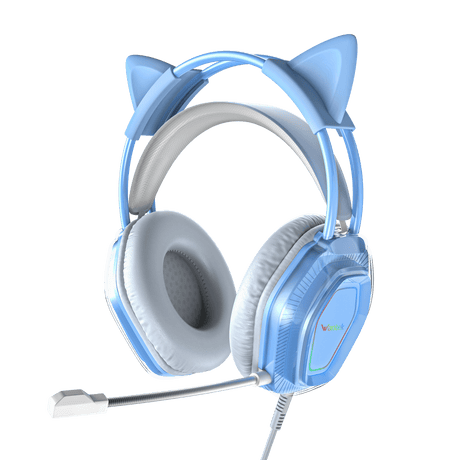
Gaming Headsets with Mic for PC, PS5, Xbox & Switch
(3 products)
Compare Wantek and Voistek gaming headsets with microphones for PC and compatible console or controller setups. Choose between wired 3.5mm models such as V9 Pro and V10 and the Bluetooth-focused T2L design.
Connections and voice-chat support depend on the exact headset, controller and platform. For V9 Pro and V10, USB powers lighting rather than game audio. Check the model's audio and microphone connection before purchasing; Bluetooth alone does not ensure console compatibility.
Compare Gaming Headsets by Connection and Playing Style
Choose a gaming headset by checking two things first: how game audio reaches your device and whether the microphone works for chat. Compare the wired Voistek V9 Pro and Wantek V10 with the Bluetooth Wantek T2L, then weigh comfort, controls and playing style.
These three models serve different setups. The V9 Pro and V10 use 3.5 mm connections for game sound; the T2L uses Bluetooth. Driver size alone does not establish which headset sounds better. Check the connection and voice-chat path before comparing other features.
Wired gaming
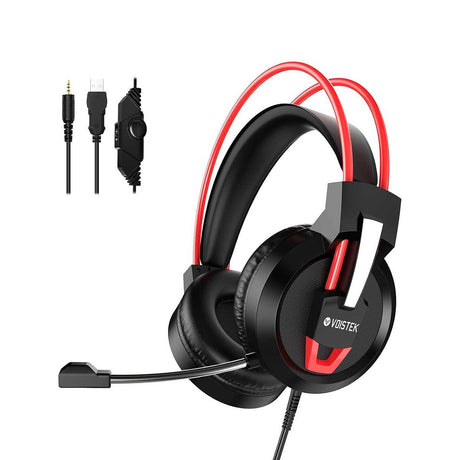
Voistek V9 Pro
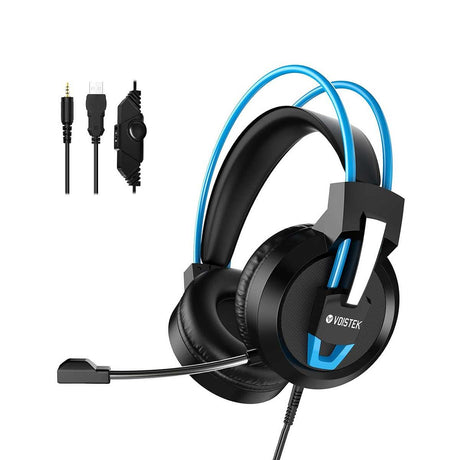
The V9 Pro uses a 3.5 mm connection for game audio and a separate USB connection to power its RGB lighting; USB is not its game-audio input. It has 50 mm drivers, a flexible boom mic, and inline volume and mic-mute controls. No headset battery or Bluetooth pairing is required for wired audio.
Connection3.5 mm audio; USB powers lights
Drivers50mm
ControlsInline volume and mic mute
Best fit: PC or console players with a compatible 3.5 mm headset jack who want inline mute and volume.
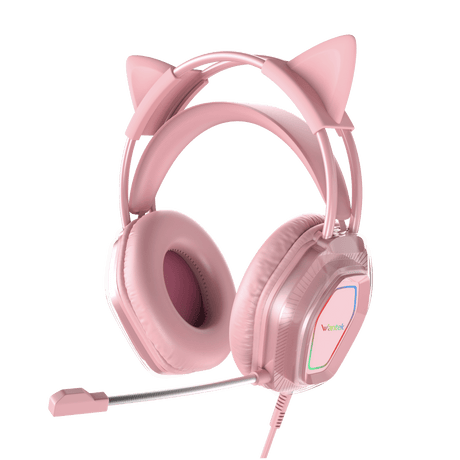
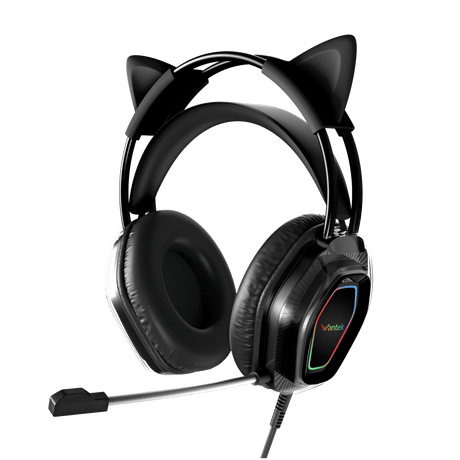
The V10 is a dual-ear, 3.5 mm wired headset with an adjustable boom mic, removable cat ears and LED lights. Its USB connection powers the lights, not game audio. Inline volume and mic-mute controls are listed on its product page. Confirm the headset jack and microphone path on your PC or controller before ordering.
Connection3.5 mm audio; USB powers lights
DesignRemovable cat ears and LEDs
MicrophoneBoom mic; inline volume/mute
Best fit: Players who want a cat-ear look and have a compatible 3.5 mm audio-and-chat connection.
The T2L is listed as a Bluetooth headset with 40 mm drivers, a flip-to-mute boom mic and up to 20 hours of battery life. Its product page mentions several gaming platforms but does not identify a complete wireless game-audio and chat connection for each one. Bluetooth capability alone does not confirm direct PS5 or Xbox support.
TypeBluetooth headset
Drivers40mm
BatteryUp to 20 hours
Best fit: Players using a supported Bluetooth audio path who can confirm microphone operation and acceptable game-audio delay.
A 3.5 mm headset is a practical choice when your PC or controller has a compatible headset jack. A single headphone-only socket may play sound without accepting a boom mic; PCs with separate headphone and microphone jacks may need the appropriate splitter. The V9 Pro and V10 also have USB plugs for lighting, not for game sound.
Choose Wireless When Mobility Matters
Wireless removes the audio cable but adds questions about the Bluetooth or dedicated receiver path, audio delay and voice chat. A Bluetooth headset may play sound on one device yet lack microphone support on another. For the T2L, confirm the actual pairing route and whether the intended game and chat app both recognize it before purchasing.
Beyond wired vs wireless
What Should You Compare in a Gaming Headset?
Microphone
All three listed models have boom microphones, but a boom alone does not prove voice clarity or platform compatibility. Check mute behavior and whether your game or chat app can select the microphone as an input.
Comfort
For long sessions, check clamp pressure, earcup depth, cushion heat and clearance around eyeglass arms. A lighter headset is not automatically more comfortable for every player.
Controls
The V9 Pro and V10 list inline volume and microphone mute. The T2L lists a flip-to-mute boom mic. Make sure the controls you need operate with your device and chat application.
Game-audio delay
Wired audio avoids Bluetooth transmission delay. Wireless latency depends on the headset, device and connection mode; do not infer gaming performance from a Bluetooth label or driver diameter.
Platform checks
Which Connection Works With Your Gaming Device?
The same headset can have different audio and microphone capabilities on different platforms. Check the route you will actually use.
Windows PC
Check whether you have one combined 3.5 mm headset jack or separate headphone and mic sockets. For Bluetooth, pair the headset and test sound, microphone selection and any game-audio delay.
PS5
A compatible wired headset can use the DualSense controller's 3.5 mm jack. PS5 does not support ordinary Bluetooth audio headsets directly. See the PS5 headset setup and compatibility guide for connection checks.
Xbox Series X|S
Compatible wired headsets can connect to the Xbox controller's 3.5 mm jack. Standard Bluetooth headsets do not pair directly to Xbox game audio; wireless models need documented Xbox support. For a wired-controller example, see Xbox’s official 3.5 mm headset guidance.
Nintendo Switch
Nintendo Switch supports Bluetooth listening on updated systems, but Bluetooth microphone input is not supported and audio delay can occur. Check Nintendo's Bluetooth audio guidance before relying on voice chat.
Before you order
Gaming Headset Compatibility
A gaming label or console name in a product listing does not establish that game sound and voice chat work through the same connection. Identify the headset plug or wireless protocol, then check both audio output and microphone input on your actual device.
For the T2L in particular, request the exact PS5 or Xbox connection method and whether voice chat is supported. Do not assume a generic Bluetooth USB adapter will work.
Identify the exact PC, controller or console and its headset port.
Match the audio route: 3.5 mm headset jack or documented wireless mode, not USB lighting power.
Confirm that your device and game/chat app accept the headset microphone.
Check any required splitter or receiver and whether audio delay matters for your games.
Quick answers
Gaming Headset FAQs
Will a gaming headset work with both PC and console?
Some wired 3.5 mm headsets can work with PCs and compatible console-controller jacks. Wireless support is different: verify the exact protocol or receiver, and check game audio and microphone chat separately for each device.
Is a wired or wireless gaming headset better?
A wired model avoids charging and Bluetooth pairing; a wireless model allows more movement. Choose based on your platform, chat requirements and tolerance for audio delay rather than assuming either connection always performs better.
Why can I hear game audio but my microphone does not work?
If audio works but your voice does not, check whether the port accepts a headset microphone, whether a splitter is needed, and whether the microphone is muted or selected in game and chat settings.
Do I need surround sound for gaming?
Not necessarily. Stereo can carry directional game cues, while spatial processing depends on the game and device. A larger driver or a surround-sound label does not, by itself, establish better positioning accuracy.
Can I use a gaming headset for Discord or voice calls?
Yes, if your computer and app recognize both audio output and microphone input. In Discord or your call application, select the headset as each device, then test the mic and mute control before a session.
Does the USB plug on the V9 Pro or V10 carry game audio?
No. On these two wired models, game audio uses the 3.5 mm connection. The USB connection supplies power to the headset lighting, so a USB port alone is not enough for their game audio.
Can the Bluetooth T2L connect directly to PS5 or Xbox for voice chat?
Do not assume so. Those consoles do not accept ordinary Bluetooth headset audio directly. The T2L listing does not specify a verified game-audio and voice-chat connection path for each console; request that detail before ordering.
Buying guides
Learn More Before You Choose
For broader buying criteria, see the gaming headset guide. The PS5 and Xbox articles provide more platform-specific background; confirm any device-specific claims against the console manufacturer before choosing a wireless model.