
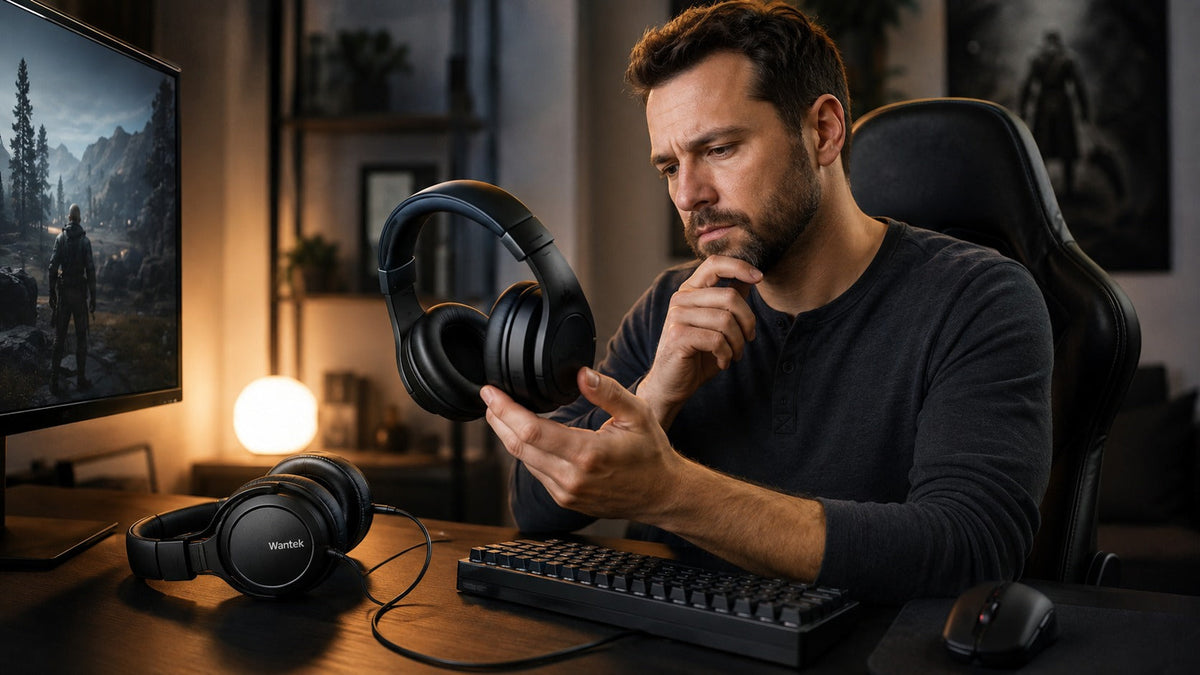
The best gaming headset in 2026 is not simply the model with the largest drivers, the most RGB lighting, or the longest feature list. Start with your platform and connection method, then compare microphone quality, comfort, latency, controls, and the features you will actually use.
The fastest way to narrow the field
- Confirm whether you need PC, PlayStation, Xbox, Switch, or multi-platform support.
- Choose wired audio or a verified low-latency wireless connection.
- Prioritize comfort and microphone design if you play long multiplayer sessions.
- Check whether important features actually work on your platform.
- Only then compare extra features such as ANC, spatial processing, software, or RGB lighting.
Best Gaming Headset Options for 2026: Quick Reference
We have not independently laboratory-tested the competitor products below. They are included as current reference models using recent specialist recommendations and current manufacturer specifications.
| Buying Priority | Reference Model | Why It Is Relevant |
|---|---|---|
| Audio-focused wireless | Audeze Maxwell 2 | 90mm planar-magnetic design, low-latency USB wireless, Bluetooth 5.3, and more than 80 hours of listed wireless playback. |
| Competitive wireless | Razer BlackShark V2 Pro (2023) | 2.4GHz wireless, Bluetooth 5.2, detachable boom microphone, onboard FPS profiles, and up to 70 hours of listed battery life. |
| Straightforward wired | HyperX Cloud III | Wired 3.5mm, USB-C and USB-A connection options with 53mm drivers and a detachable 10mm microphone. |
| Multi-system premium | SteelSeries Arctis Nova Pro Omni | Designed around multi-system connectivity, ANC, interchangeable batteries, software control, and multiple USB-C connections. |
| Simple Wantek-group wired option | Voistek V9 Pro | 3.5mm game audio, 50mm drivers, flexible boom microphone, and inline volume and microphone-mute controls. |

What Actually Matters When Choosing a Gaming Headset?
Gaming-headset specifications are useful only when they connect to a real requirement. Driver diameter alone does not tell you whether a headset has accurate positional audio, and a “7.1” label does not prove that spatial processing will improve every game.
1. Platform and Connection
Start with the device that will actually produce the game audio. PC users usually have the widest choice of 3.5mm analog, USB, Bluetooth, and dedicated wireless receivers. Console users need to pay more attention to the exact supported connection path.
A headset can support basic audio on a platform without supporting every feature. Microphone input, game/chat mixing, spatial processing, software controls, mute behavior, and firmware tools may vary.
2. Low-Latency Audio
For latency-sensitive games, wired audio or a headset using a well-implemented dedicated wireless receiver is generally the safer starting point. Current wireless gaming guides also place significant emphasis on low-latency dongle connections rather than treating standard Bluetooth as interchangeable with gaming wireless.
See the current RTINGS wireless gaming headset guide for one current example of how specialist testing separates gaming wireless from general Bluetooth use.
3. Microphone Design
A boom microphone remains one of the most practical designs for team communication because it places the microphone closer to the mouth. Placement, pickup pattern, processing, connection quality, room noise, and microphone gain all affect the final result.
A physical mute button or flip-to-mute boom can also be more useful during a match than an extra software effect because it provides immediate control.
4. Comfort and Fit
Weight is only part of comfort. Headband pressure, ear-cup depth, pad material, heat, eyeglass interaction, hinge movement, and weight distribution can matter just as much.
For long sessions, a slightly heavier headset with good weight distribution may be easier to wear than a lighter design that concentrates pressure in one area.
Wired vs. Wireless Gaming Headsets
| Factor | Wired | Wireless |
|---|---|---|
| Charging | No headset battery required. | Battery capacity and charging behavior matter. |
| Latency | Straightforward low-latency path. | Depends on the wireless implementation and connection mode. |
| Movement | Cable limits movement. | Greater freedom around the gaming setup. |
| Platform support | Still requires correct port and microphone support. | Requires exact platform and receiver compatibility verification. |
| Complexity | Usually simpler. | May involve receivers, pairing, firmware, batteries, or software. |
Neither connection is automatically better. Competitive PC players may value a low-latency wired or dedicated wireless path, while players who move between gaming, calls, and mobile listening may place more value on wireless flexibility.
Current 2026 Gaming Headset Reference Models
Audio-focused wireless reference
Audeze Maxwell 2
Audeze lists the Maxwell 2 with 90mm planar-magnetic transducers, low-latency USB-C wireless, Bluetooth 5.3, 3.5mm analog audio, and more than 80 hours of wireless playback at its stated test condition.
Its listed weight is 560g, so buyers who are sensitive to headset weight should consider fit alongside the audio specifications. RTINGS' September 2026 general gaming-headset guide currently places the Maxwell family at the top of its recommendation set.
Sources: Audeze Maxwell 2 specifications and RTINGS 2026 gaming guide.
Competitive wireless reference
Razer BlackShark V2 Pro (2023)
Razer lists 50mm drivers, 2.4GHz wireless, Bluetooth 5.2, a detachable microphone, onboard controls, and up to 70 hours of battery life for this generation.
Tom's Hardware continues to use the 2023 BlackShark V2 Pro as its current overall gaming-headset reference in its August 2026 guide, despite newer models existing.
Sources: Razer specifications and Tom's Hardware 2026 guide.
Wired reference
HyperX Cloud III
HyperX lists 53mm angled drivers, a detachable 10mm microphone, and wired 3.5mm, USB-C, and USB-A connectivity. The manufacturer currently lists support across PC and several console and mobile platforms.
Its main appeal is architectural simplicity: no wireless battery or radio connection is required when you choose the appropriate wired path.
Source: HyperX Cloud III specifications.
Multi-system premium reference
SteelSeries Arctis Nova Pro Omni
The newer Arctis Nova Pro Omni is positioned around multi-system use. SteelSeries lists OmniPlay platform support, ANC, ClearCast Pro microphone processing, software control, interchangeable batteries, and multiple USB-C system connections.
This type of design makes more sense for a user who needs one premium setup across several systems than for someone who only needs simple 3.5mm game audio.
Source: SteelSeries Arctis Nova Pro Omni.
Current Wantek and Voistek Gaming Options
The current Wantek gaming collection covers three different starting points rather than one universal gaming-headset design.
| Model | Connection | Verified Details | Starting Point |
|---|---|---|---|
| Voistek V9 Pro | 3.5mm game audio; USB powers RGB lighting | 50mm drivers, flexible boom mic, inline volume and mic mute | Simple wired gaming |
| Wantek V10 | 3.5mm wired audio; USB lighting power | Dual-ear design, boom mic, removable cat ears, inline controls | Style-led wired setup |
| Wantek T2L | Bluetooth headset; verify exact platform connection path | 40mm drivers, flip-to-mute boom mic, up to 20 hours battery | Wireless-focused gaming |
Important platform check: do not assume that a Bluetooth label means direct wireless game-audio support on every console. Verify the exact connection path for the headset and platform before ordering.
PC, PlayStation, and Xbox Compatibility Needs Separate Verification
PC
PC generally provides the broadest range of gaming-headset connection options. Depending on the system, you may have 3.5mm, USB-A, USB-C, Bluetooth, or a dedicated wireless receiver available.
Even on PC, check whether microphone input, software, spatial processing, chat mixing, and other features work through the connection you plan to use.
PlayStation 5
Do not assume that a standard Bluetooth headset can connect directly to PS5 for game audio. PlayStation explicitly states that unsupported Bluetooth audio devices are not compatible with PS5.
Review PlayStation's Bluetooth audio guidance and verify the headset's supported USB, adapter, or controller connection.
Xbox
Xbox compatibility should also be checked model by model. A headset designed for PC wireless use should not automatically be treated as an Xbox wireless headset simply because both products use radio technology.
For a deeper platform-specific explanation, use the Wantek Xbox wireless headset guide .
Do You Need Surround Sound or Spatial Audio?
Not automatically. Many gaming headsets use two physical drivers and software processing to create virtual surround or spatial effects.
Spatial processing can improve immersion or directional perception in some games, but the result depends on the game mix, processing method, headset tuning, and individual preference. Good stereo reproduction can also provide useful positional information.
Treat spatial processing as a feature to evaluate rather than a requirement that automatically makes one headset better than another.
Gaming Headset Microphone: What Should You Look For?
For multiplayer voice chat, microphone placement and control are usually more useful buying criteria than a marketing phrase such as “studio quality.”
- A boom that can be positioned near the mouth.
- A physical mute button or clear flip-to-mute position.
- Enough adjustment to avoid breathing directly into the microphone.
- Reasonable rejection of keyboard, fan, and room noise.
- Correct microphone support on the platform and connection you use.
For a deeper microphone-specific comparison, see gaming headsets with good microphones .
Final Buying Checklist
- Identify the exact platform or platforms you use.
- Confirm the supported audio and microphone connection.
- Choose wired or verified low-latency wireless based on how you play.
- Check headset weight, pad material, headband pressure, and adjustment range.
- Confirm microphone controls and placement.
- Check battery behavior if the headset is wireless.
- Verify whether software-dependent features work on your platform.
- Do not pay extra for spatial audio, ANC, RGB, or multi-device features you will not use.
The best gaming headset is the model that satisfies those requirements with the fewest unnecessary compromises—not simply the headset with the longest specification sheet.
Frequently Asked Questions
Is a wired or wireless gaming headset better?
Wired headsets avoid charging and wireless setup. Wireless models provide greater movement, but latency, battery life and platform compatibility depend on the specific connection implementation.
Is Bluetooth good enough for gaming?
Bluetooth can work well for casual use, but latency and platform support vary. For competitive gaming, a wired connection or verified low-latency gaming receiver is usually safer.
Do larger headset drivers always sound better?
No. Driver size alone does not determine sound quality. Tuning, distortion, enclosure design, fit, frequency response and signal processing also affect what you hear.
Do I need 7.1 surround sound for gaming?
No. Virtual surround can improve immersion in some games, but good stereo imaging may work better for others. Treat spatial processing as an optional preference.
Can any Bluetooth gaming headset connect directly to PS5?
No. PS5 does not support ordinary Bluetooth audio devices directly for game audio. Verify the headset's supported USB, adapter, controller, or other documented connection path.
Continue Your Gaming Headset Research
Narrow the broad buying decision by the requirement that matters most to your setup.

