Shop the collection
Find Headsets for Sale by Call Setup
Compare the headsets and current prices shown in this collection, starting with the device that handles your calls. Match its supported connection first, then choose a wearing style and the correct product variant. A listed headset is not automatically compatible with every device.
For a PC or laptop
Match the headset to your computer’s audio connection.
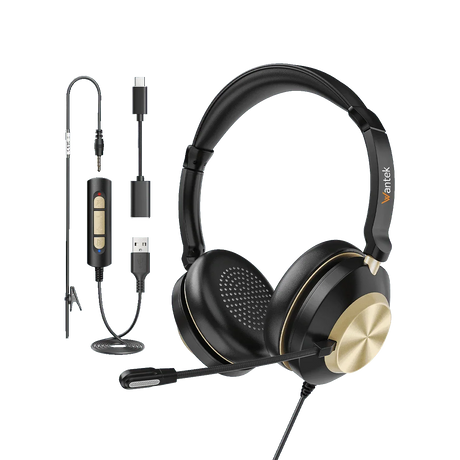
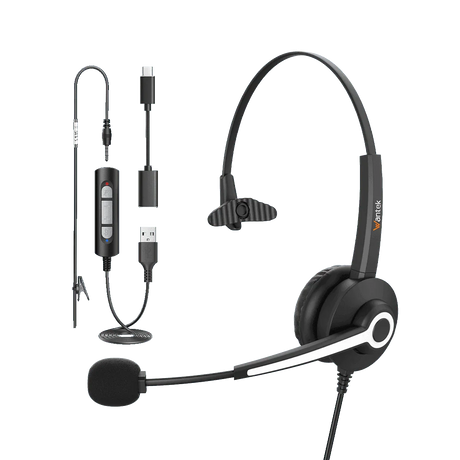
For PC calls, check whether the computer offers USB-A, USB-C or a 3.5 mm headset jack. A 3.5 mm audio jack must support microphone input if you need to speak on calls; a headphone-only output is not enough.
The Hot Sale range includes wired H600, H602, H681, H682, H881 and H882 options, but connectors vary by listing and variant. For analog connections, compare the 3.5 mm headsets with microphones; for USB, select the exact plug and configuration on the product page.
Browse USB Headsets →
For wireless work calls
Check the wireless path before choosing a model.
The Hot Sale range includes WK881BT and WK882BT wireless work headsets. Identify whether calls happen on a computer, mobile device or physical desk phone before selecting one.
Check the supported Bluetooth or other wireless connection path, any required base or adapter, and charging needs. A wireless label does not establish compatibility with a particular desk phone or calling application; check the chosen product and device together.
Browse Wireless Headsets →
For a desk phone
Match the phone model and the wired connector.
H681 and H682 phone-headset listings include 2.5 mm and RJ9-style variants. A 2.5 mm phone jack is different from a 3.5 mm computer headset jack. You can compare 2.5 mm phone headsets when that is the connection documented for your device.
For RJ9-style connections, a matching plug shape is not enough: wiring options such as RJ1, RJ2 and RJ4 can differ. Record the full phone brand and model, then confirm the required configuration before ordering.
Check Desk Phone Compatibility →