1
Exact Phone Model
Use the complete manufacturer and model number—not only Cisco, Poly, Yealink or another brand.

A desk-phone headset must match the exact phone model, supported connection and required wiring or accessories. A matching modular plug alone does not confirm compatibility.
Start with your phone model and calling setup before choosing an RJ9, USB or wireless headset.

Choose how you take calls and the connection you see. The tool will show the safest next step without treating an unverified phone model as compatible.
Complete steps 2 and 3 above. Your recommended compatibility path will appear here immediately.
Your setup points toward a modular wired desk-phone connection. Verify the exact phone model and required RJ1, RJ2 or RJ4 wiring before choosing a headset.
A modular plug that physically fits the port does not confirm electrical or wiring compatibility.
You are using a physical desk phone with a USB connection. Confirm that the exact phone model explicitly supports USB headsets before selecting a USB product.
The presence of a USB port alone should not be treated as confirmation of headset support.
Your calls happen on a computer and the connection path is USB. Compare USB headset options, then verify the computer port and calling application requirements for the product you choose.
Mobility is part of your setup. Verify the exact phone or computer, supported wireless connection method, and any required base, adapter or EHS accessory before choosing.
You take calls on both a desk phone and computer. Treat them as two separate compatibility requirements before choosing a headset or multi-device setup.
A headset that works with one device does not automatically provide the required connection to the other.
The current information is not enough to select a safe headset path. Identify the exact device model and available ports, or send Wantek a clear photo of the phone and connections.
Two desk-phone headset plugs can look identical while requiring different wiring, phone settings or accessories.
Use the complete manufacturer and model number—not only Cisco, Poly, Yealink or another brand.
Identify the phone's documented headset connection rather than relying on the connector's appearance.
Confirm whether calls happen on the physical desk phone, a computer softphone, or both.
Not sure? Send Wantek your complete phone model, a clear photo of the available ports, where calls happen, any adapter already in use and your preferred wearing style. Check an unlisted phone model .
Start with the device handling the call, then verify the connector and accessories required by that exact device.
| Connection | Start here when | Verify before choosing |
|---|---|---|
| RJ9 / modular wired | Calls happen on a compatible physical desk phone. | Exact model, headset port, RJ wiring and phone settings. |
| USB-A / USB-C | Calls happen on a computer or a phone with documented USB-headset support. | Device port, calling application and headset requirements. |
| Wireless / EHS path | Mobility or remote call control is required. | Phone support, accessories, base or adapter requirements and firmware. |
| Unknown | Phone, connection or workflow is unclear. | Full model and clear port photo before choosing. |
A manufacturer name is not enough to establish compatibility. Models within the same phone family can support different connections, accessories or settings.
Check the phone label, device menu or administration interface.
Physical phone, computer softphone, or both.
Do not infer compatibility from the connector's appearance.
If the setup requires an RJ-style headset, confirm the correct wiring configuration before selecting a product.
Wantek uses RJ1, RJ2 and RJ4 labels for different wiring configurations used by selected desk-phone systems. They should not be treated as interchangeable simply because their plugs appear similar.
Choose an RJ1 Wantek headset only when the compatibility information confirms that configuration for the phone.
Check RJ1 Compatibility →Choose RJ2 only after verifying the exact phone model and required wiring.
Check RJ2 Compatibility →Choose RJ4 only when that configuration is verified for the phone model.
Check RJ4 Compatibility →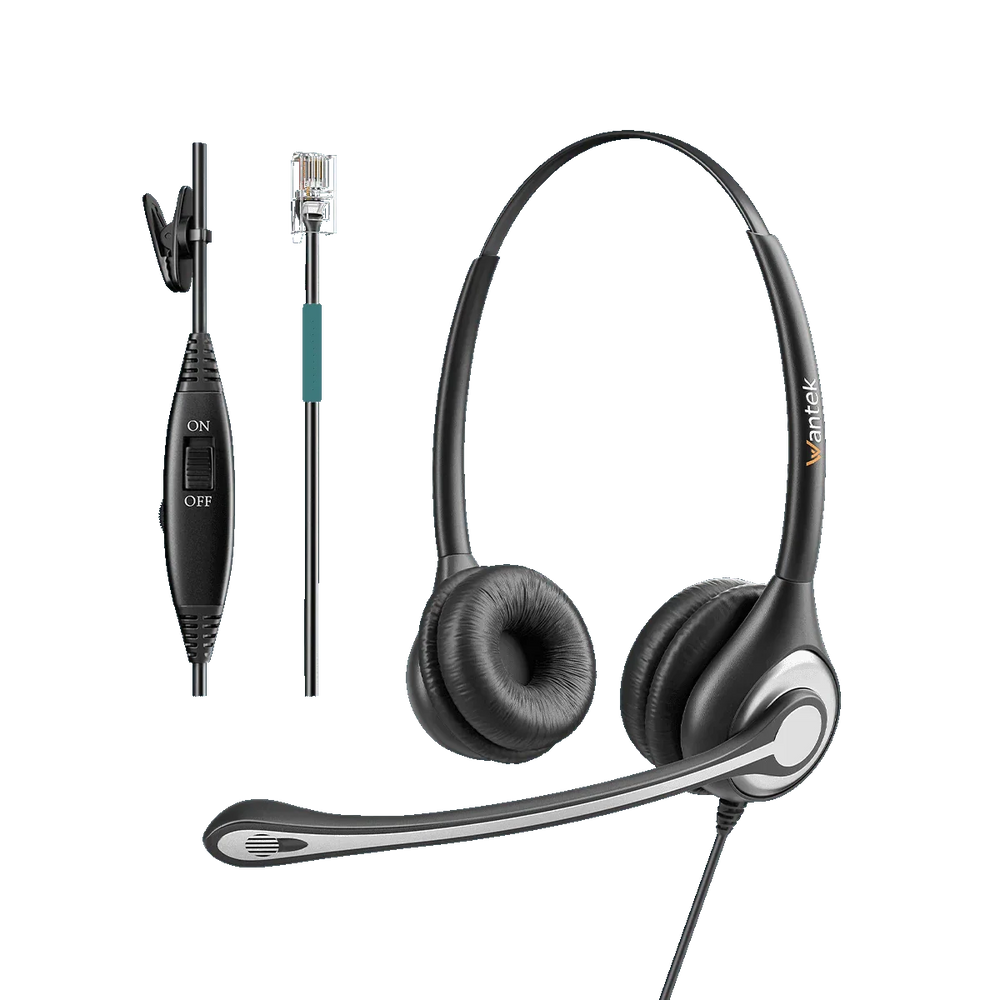
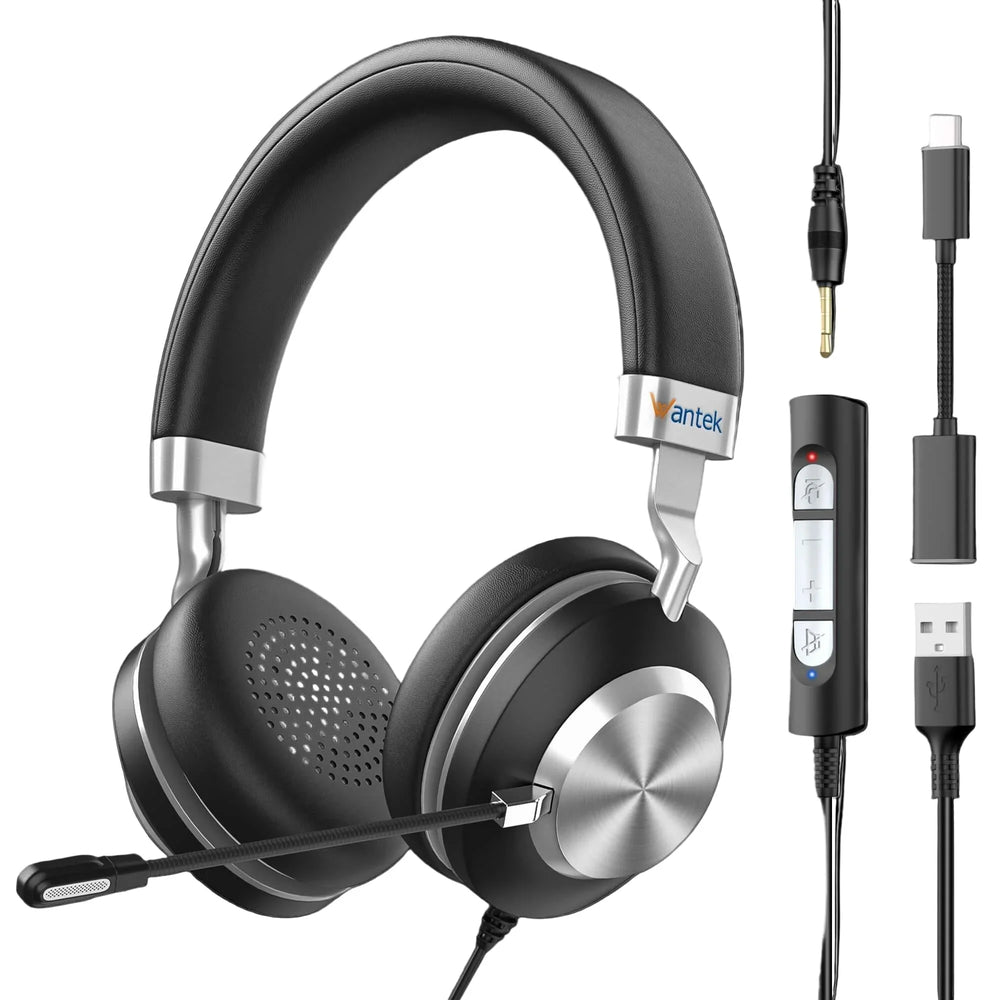
Treat the desk phone and computer as two separate compatibility requirements.
A headset that connects correctly to a computer does not automatically connect to a desk phone, and a wired desk-phone headset does not automatically provide a computer connection.
Depending on the devices and headset, a multi-device headset, base, adapter or separate connection may be required.
Before choosing, verify:A compatible wired headset is a practical path when calls remain at a fixed desk and the user does not require wireless mobility.
Compared with a wireless setup, a wired RJ-style headset does not require headset charging or Bluetooth pairing. Compatibility still must be verified against the phone model and wiring configuration.
| Need | Starting path |
|---|---|
| Fixed reception desk | Verify wired desk-phone compatibility. |
| Phone-based call center | Verify model and RJ wiring. |
| Computer softphone | Check USB options . |
| Movement away from desk | Investigate a supported wireless path. |
| Phone + computer | Verify both devices before choosing. |
Do not standardize a headset until the phone models and required connection paths have been confirmed.
Wantek can use these details to help identify the appropriate purchasing path.
Request a Volume QuoteCheck these items in order before replacing equipment.
Make sure the compatibility information applies to the complete model number.
Identify the phone's documented headset connection rather than relying on plug size.
RJ1, RJ2 and RJ4 configurations are not interchangeable.
Some connection paths can depend on additional hardware or device configuration.
If the configuration remains unclear, send the model number and a clear port photo to Wantek.
No. Similar modular connectors can use different wiring or phone configurations. Confirm the exact desk-phone model and required headset variant before ordering.
Start with the complete phone model and compare it with Wantek's compatibility information. Do not choose RJ1, RJ2 or RJ4 from connector appearance alone.
Only when the exact desk-phone model documents direct USB headset support. Otherwise, USB headsets are generally used with computers and computer-based calling applications.
Possibly. The setup may require a multi-device headset, base, adapter or separate connections. Verify both devices and the intended switching workflow first.
Provide the complete phone brand and model, clear photos of the available ports, where calls happen, any existing adapter, required quantity and your preferred wearing style.
Do not choose a headset by plug appearance. Send the model number and port photo to Wantek so the connection path can be checked before ordering.
Start with the exact phone model. Wantek can help identify whether you should investigate an RJ9, USB or another supported connection path before you choose a headset.
Confirm the phone model, connector and complete cable path before choosing a headset variant.

Únase hoy a nuestra lista de correo y disfrute de un 15% de descuento exclusivo en nuestras últimas novedades.
Al enviar su suscripción, acepta nuestra Política de privacidad.