
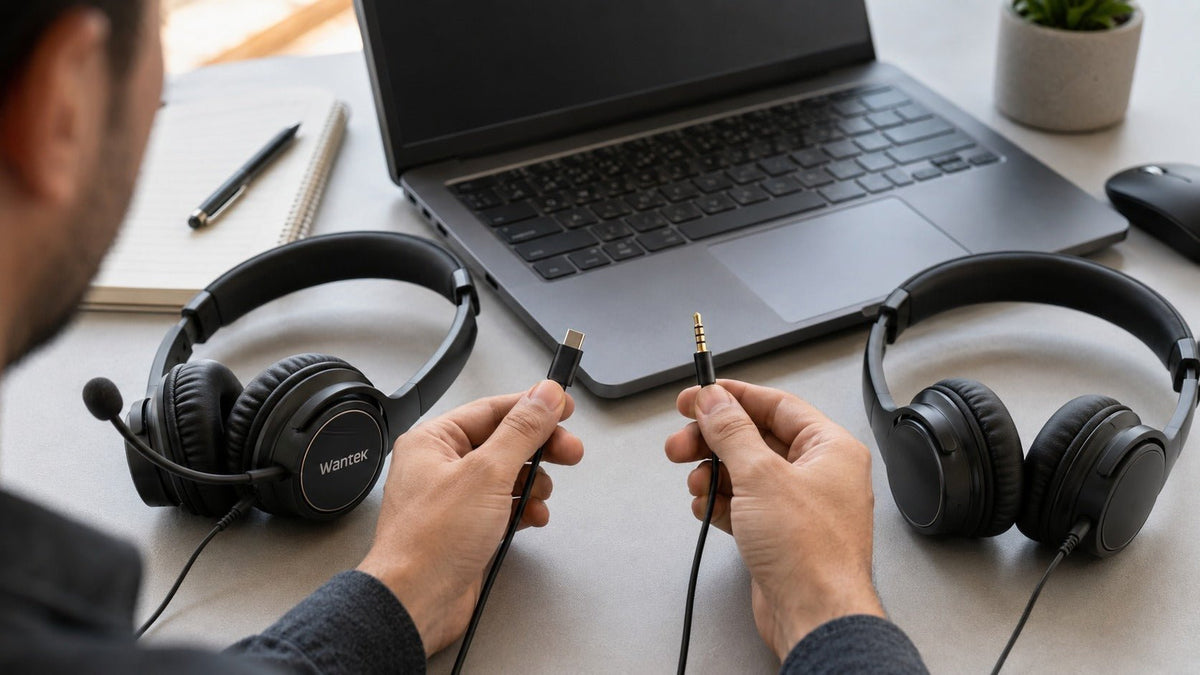
Ni USB ni 3.5 mm ofrecen automáticamente un mejor sonido o un mejor micrófono.
Un auricular de 3.5 mm suele ser el punto de partida más sencillo cuando necesitas una conexión analógica compatible entre mandos, interfaces de audio, ordenadores u otros dispositivos con la toma de auriculares adecuada. Un auricular USB suele ser más práctico para llamadas desde el ordenador cuando el auricular o su electrónica integrada gestionan la conversión de audio, los controles o el procesamiento digital específico del modelo.
La mejor elección depende de tu dispositivo, los requisitos del micrófono, los controles y la ruta completa de la señal de audio, no solo del conector.
USB frente a 3.5 mm de un vistazo
Utiliza esto como punto de partida y luego verifica el auricular y el dispositivo anfitrión exactos antes de comprar.
| Factor de decisión | Auricular USB | Auricular 3.5 mm |
|---|---|---|
| Ruta de la señal | Audio USB digital en un auricular USB digital | Audio analógico entre el auricular y el anfitrión |
| Conversión de audio | Generalmente gestionada en el auricular, la electrónica del cable o el módulo de control USB | Gestionada principalmente por el dispositivo conectado o la interfaz de audio |
| Calidad de audio | Depende de la electrónica del auricular, los transductores, la afinación, la amplificación y el procesamiento | Depende del auricular, además del DAC de origen, el amplificador y la entrada/salida analógica |
| Micrófono | Puede integrar ADC, controles y procesamiento específico del modelo | Depende más de la entrada de micrófono del anfitrión y de la cadena de procesamiento |
| Compatibilidad | Requiere un anfitrión, puerto e implementación de auricular compatibles | Requiere una toma analógica y un cableado compatibles |
| Latencia | Depende del hardware, los controladores, los búferes y el procesamiento | El transporte analógico es muy rápido, pero la latencia total del sistema sigue dependiendo de la ruta completa |
Regla práctica: comprueba primero el dispositivo y, a continuación, compara las características del auricular.

Cómo gestionan el audio de forma distinta los auriculares USB y de 3.5 mm
La diferencia principal es dónde se realiza la conversión entre audio digital y analógico.
Con un auricular analógico típico de 3.5 mm, el ordenador, el mando, el teléfono, la interfaz de audio u otra fuente convierte el audio de reproducción digital en una señal analógica antes de enviarla al auricular. El micrófono del auricular envía una señal analógica de vuelta a la fuente, donde puede ser amplificada y convertida a audio digital.
Con un auricular USB digital, el anfitrión envía datos de audio digitales a través de USB. La conversión puede tener lugar dentro del auricular, en un módulo de control integrado o en otros componentes electrónicos del accesorio USB. El audio del micrófono se convierte de nuevo en datos digitales antes de llegar al ordenador.
El Android Open Source Project distingue los auriculares de audio USB digitales de los accesorios analógicos y documenta el comportamiento estandarizado de los auriculares USB. Consulta la especificación de auriculares USB de Android.
Esa arquitectura cambia qué hardware influye en el resultado. Un auricular de 3.5 mm depende en mayor medida de los circuitos analógicos del anfitrión; un auricular USB digital lleva consigo más electrónica de conversión y procesamiento propia. Ninguna arquitectura garantiza un mejor rendimiento.
¿Suena mejor el USB que el 3.5 mm?
No intrínsecamente. El conector no es un indicador de calidad de audio.
¿Qué afecta a un auricular de 3.5 mm?
- Transductores del auricular, afinación, ajuste, sensibilidad e impedancia
- El DAC de origen, el amplificador de auriculares, la potencia de salida y la impedancia de salida
- Ruido eléctrico y calidad de la salida analógica del anfitrión
¿Qué afecta a un auricular USB?
- Transductores del auricular, afinación, ajuste y diseño acústico
- El DAC, el ADC, la amplificación y otros componentes electrónicos dentro del sistema de auriculares USB
- Cualquier DSP específico del modelo o procesamiento por software
Un auricular analógico capaz conectado a una buena interfaz puede superar a una implementación USB débil. Un auricular USB bien diseñado también puede superar a una salida analógica ruidosa o con poca potencia. Elige basándote en el sistema completo en lugar de asumir que lo digital es automáticamente superior.
¿Qué conexión es mejor para la calidad del micrófono?
USB no significa automáticamente un mejor micrófono.
Con un micrófono de auricular de 3.5 mm, la calidad final de la voz puede depender de la cápsula del micrófono, la posición de la varilla, la entrada del micrófono, la ganancia, la preamplificación, la conversión de analógico a digital, el ruido eléctrico y el procesamiento por software.
Un auricular USB puede integrar el preamplificador del micrófono, el ADC, los controles físicos y el procesamiento digital en el propio sistema del auricular. Dependiendo del modelo exacto, esto puede incluir reducción de ruido del micrófono, tono lateral (sidetone), controles de silencio o configuración por software. Estas son características del producto, no propiedades del conector USB en sí.
Para llamadas de trabajo, compara la posición de la varilla, la captación de voz, el manejo del ruido de fondo, el comportamiento del silencio físico, la compatibilidad con el software y la consistencia en los ordenadores que realmente utilizas.
La compatibilidad suele importar más que la especificación del conector
Un auricular que no puede realizar las funciones de audio y micrófono requeridas en tu dispositivo es la elección equivocada, independientemente de la calidad de sonido teórica.
PCs con Windows
Los dispositivos compatibles con USB Audio Class pueden utilizar la compatibilidad de audio USB de Windows, aunque es posible que se requiera software del fabricante para funciones adicionales. Un auricular de 3.5 mm necesita la conexión y el cableado analógicos correctos. Microsoft documenta el controlador de clase USB Audio 2.0 de Windows.
Mac
Comprueba el modelo exacto de Mac y la conexión del auricular. No asumas que todos los Mac proporcionan los mismos puertos analógicos o que todos los auriculares USB exponen controles idénticos en todas las aplicaciones.
PlayStation 5
Sony documenta la compatibilidad con auriculares compatibles a través de la toma de auriculares del mando y con auriculares USB compatibles. Consulta la guía de auriculares para PS5 de Sony.
Xbox
El mando inalámbrico Xbox incluye una toma de auriculares estéreo de 3.5 mm para auriculares compatibles. La compatibilidad con auriculares USB debe verificarse para el producto exacto compatible con Xbox en lugar de inferirse por el conector. Consulta las especificaciones del mando inalámbrico Xbox.
Teléfonos y tabletas
La compatibilidad varía según el dispositivo. USB-C puede transportar audio USB digital en dispositivos compatibles, pero el ajuste del conector por sí solo no garantiza la compatibilidad total del micrófono, los controles, el comportamiento de la alimentación o el auricular. Un auricular de 3.5 mm requiere una toma analógica compatible o un adaptador adecuado.
¿No estás seguro de qué conexión se ajusta a tu configuración?
Responde a cinco preguntas rápidas sobre tu caso de uso, dispositivo, conexión y preferencia de cableado o inalámbrica para limitar las opciones de auriculares Wantek que vale la pena comparar.
¿Tiene el USB más latencia que el 3.5 mm?
No existe un número universal útil para la "latencia de los auriculares USB".
El audio USB digital puede involucrar transporte USB, búferes, controladores, procesamiento del sistema operativo, etapas DAC/ADC, DSP del auricular y procesamiento de aplicaciones. Una conexión analógica de 3.5 mm evita el transporte USB, pero el sistema completo puede incluir procesamiento digital, conversión, almacenamiento en búfer de software o latencia de monitorización en otra parte de la ruta.
La documentación de audio de Windows de Microsoft muestra que la latencia depende del motor de audio, el procesamiento, el controlador, el hardware y la configuración del búfer en lugar de un número único a nivel de conector. Revisa la documentación de audio de baja latencia de Microsoft.
Para llamadas ordinarias y uso general del ordenador, el tipo de conector por sí solo no suele ser suficiente información para predecir si la latencia será un problema. Para grabaciones, monitorización en directo, juegos de ritmo u otro trabajo sensible a la latencia, utiliza mediciones de la configuración exacta de hardware y software.
¿Qué cambia cuando el conector USB es USB-C?
USB-C cambia la conexión física disponible para el auricular, pero no crea una nueva regla para la calidad del sonido.
Un auricular USB-C digital puede transportar audio USB y situar la conversión o el procesamiento en el sistema del auricular en lugar de depender totalmente de la salida analógica del ordenador. Eso sigue sin significar que el USB-C suene automáticamente mejor, tenga menor latencia o proporcione un comportamiento de auricular idéntico en todos los puertos USB-C.
Trata la compatibilidad con USB-C y la calidad del audio como preguntas separadas. Primero confirma que el dispositivo y el auricular funcionan juntos. Luego compara el rendimiento del micrófono, los controles, la calidad de audio y otras características.
Para profundizar en los criterios de compra específicos de USB-C, consulta la guía de auriculares USB-C de Wantek.
¿Cuál deberías elegir para trabajar?
Empieza por la conexión que admite realmente tu dispositivo de trabajo, luego compara las características exactas del auricular que necesitas.
Elige USB como punto de partida cuando:
- Tus llamadas se gestionan principalmente en un ordenador de sobremesa o portátil compatible
- Quieres que el sistema de auriculares lleve su propia electrónica de conversión de audio
- Los controles digitales específicos del modelo o el procesamiento del micrófono son importantes para tu flujo de trabajo
- Quieres una menor dependencia de la calidad de salida analógica de diferentes ordenadores compatibles
Elige 3.5 mm como punto de partida cuando:
- Utilizas mandos, interfaces de audio o tomas de auriculares analógicas compatibles
- Quieres una ruta de señal analógica directa
- Ya utilizas un DAC, tarjeta de sonido o interfaz de audio que quieres conservar
- No necesitas procesamiento digital en el auricular ni integración de software
Si tu auricular de 3.5 mm utiliza un conector de cuatro contactos, la guía sobre TRS frente a TRRS explica por qué un enchufe que encaja físicamente puede no proporcionar la función de micrófono que esperas.
Una comprobación de cinco pasos antes de comprar
Identifica el dispositivo exacto al que te conectarás.
Comprueba si la conexión requerida USB-A, USB-C o 3.5 mm está disponible y es compatible.
Confirma que tanto el audio de los auriculares como la entrada del micrófono funcionan a través de la conexión prevista.
Comprueba los controles del auricular, las características del micrófono, los requisitos de software y las notas de compatibilidad.
Realiza una breve llamada de prueba real en la configuración que planeas usar siempre que sea posible.
Para un despliegue en equipo, repite la comprobación en ordenadores representativos en lugar de asumir que una estación de trabajo exitosa garantiza la compatibilidad en todas partes.
¿Listo para comparar auriculares reales?
Una vez que sepas qué conexión requiere tu ordenador, compara los auriculares de PC de Wantek por conexión, estilo de uso, micrófono y controles.
Preguntas frecuentes
¿Es el USB mejor que el 3.5 mm para la calidad de audio de los auriculares?
No. La calidad del sonido depende del auricular, el DAC, el amplificador, la afinación, el procesamiento y el hardware de origen. El USB cambia la ubicación de algunos componentes electrónicos de audio, pero no garantiza un mejor sonido.
¿Es el USB mejor que el 3.5 mm para la calidad del micrófono?
No automáticamente. El USB puede integrar la conversión del micrófono y el procesamiento digital, mientras que el 3.5 mm depende más de la entrada del anfitrión. El diseño y el procesamiento real del micrófono determinan el resultado.
¿Tienen los auriculares USB más latencia que los de 3.5 mm?
El audio USB utiliza transporte digital y almacenamiento en búfer, pero la latencia total depende del hardware, los controladores, el software y el procesamiento. No hay una diferencia de latencia universal que se aplique a todos los auriculares.
¿Puedo usar un auricular de 3.5 mm con PS5 o Xbox?
Los auriculares de 3.5 mm compatibles pueden conectarse a través de la toma de auriculares del mando DualSense de PS5 o el mando inalámbrico Xbox. Verifica el auricular exacto y las funciones de micrófono requeridas antes de comprar.
¿Puedo usar un auricular USB-C con un teléfono?
A veces. El teléfono debe admitir la implementación de audio USB del auricular y las funciones requeridas. El ajuste del conector por sí solo no establece una compatibilidad completa de audio, micrófono o control.

