
Single-ear
H600 and H681 use single-ear designs that keep one ear open. See the broader single-ear headset collection if that wearing style is your priority.



Wantek
Wantek® h602 Auriculares de doble oreja de 3,5 mm con micrófono
3.0 oz

Wantek
Auriculares mono Wantek® h600 de 3,5 mm con micrófono para llamadas de oficina
3.0 lb


Wantek
Wantek® h681 Auriculares Mono de 3,5mm con Micrófono con Cancelación de Ruido
3.7 oz

Wantek
Auriculares de oficina Wantek® h682 de doble oído de 3,5 mm con micrófono
3.7 oz


Wantek
Auriculares Wantek® wK882 estéreo 3 en 1 de USB C a 3,5 mm
6.7 oz
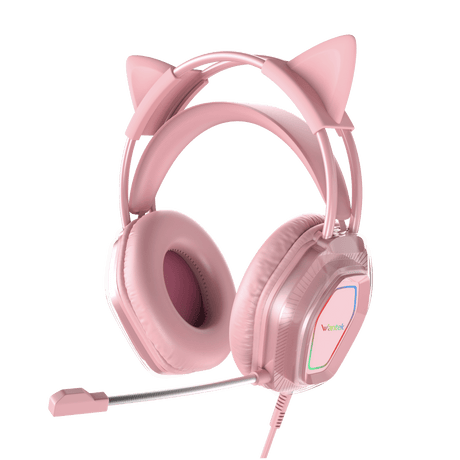

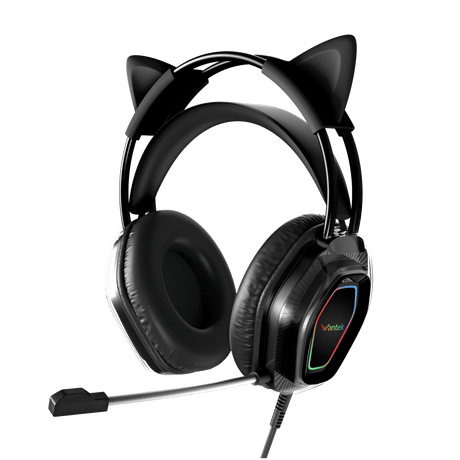

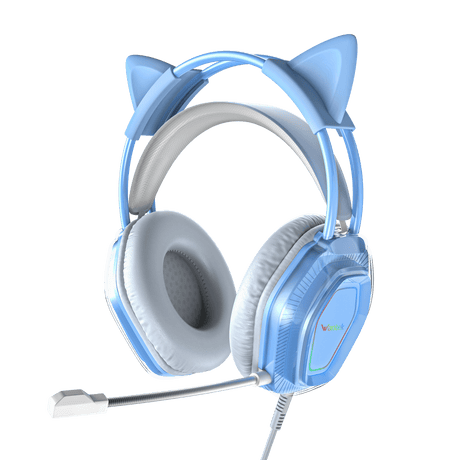

Wantek
Auriculares de juego Wantek® V10 con orejas de gato, micrófono y luces LED
3.5mm headset guide
Start by confirming that your device supports the headset audio and microphone functions you need through its 3.5mm interface. Then compare single-ear or dual-ear wearing style and the verified microphone and inline controls for each model.
Product comparison
| Model | Wearing style | Connection | Verified mic / controls |
|---|---|---|---|
| H600 | Single-ear | 3.5mm | Rotatable boom microphone |
| H681 | Single-ear | 3.5mm | Boom mic; PNC; volume + one-key mute |
| H602 | Dual-ear | 3.5mm | Boom mic; PNC; volume + one-key mute |
| H682 | Dual-ear | 3.5mm | Boom mic; PNC; volume + one-key mute |
| WK882 | Dual-ear | USB-C / USB-A / 3.5mm | Boom mic; PNC; volume + one-key mute |
| V10 | Dual-ear gaming | 3.5mm audio; USB powers LED lighting | Boom mic; volume + one-key mute |
Connection type does not by itself guarantee compatibility with every device. Verify the exact headset interface before ordering.
Compatibility first
A 3.5mm connector can be physically present without supporting the exact headset audio and microphone functions required by a particular headset. For supported desk phones, use Wantek's 3.5mm compatibility list and verify the complete phone model.
3.5mm
H600, H681, H602 and H682 are listed with 3.5mm wired connections. Confirm that the target device supports the required headset and microphone interface.
USB-C / USB-A
WK882 lists USB-C, USB-A and 3.5mm connection options. If your main device is USB-based, you can also compare Wantek USB headsets.
V10 USB
On the V10, the 3.5mm plug carries audio while the USB connection powers the LED lighting.

Wearing style
H600 and H681 use single-ear designs that keep one ear open. See the broader single-ear headset collection if that wearing style is your priority.

H602 and H682 are dual-ear 3.5mm work headsets. WK882 is also dual-ear, while V10 is a dual-ear gaming model. See the broader dual-ear headset collection for more options.
Buying questions
No. Confirm that the device supports the required headset audio and microphone functions. For supported desk phones, verify the complete phone model against Wantek's compatibility information.
H600 and H681 are single-ear. H602, H682 and WK882 are dual-ear work headsets, and V10 is a dual-ear gaming model.
WK882 lists all three wired connection options: 3.5mm, USB-A and USB-C.
The V10 uses its 3.5mm plug for audio. Its USB connection powers the LED lighting.
Final check
If you are buying for a supported desk phone, confirm the exact phone model before choosing the headset from the product grid above.

Únase hoy a nuestra lista de correo y disfrute de un 15% de descuento exclusivo en nuestras últimas novedades.
Al enviar su suscripción, acepta nuestra Política de privacidad.