
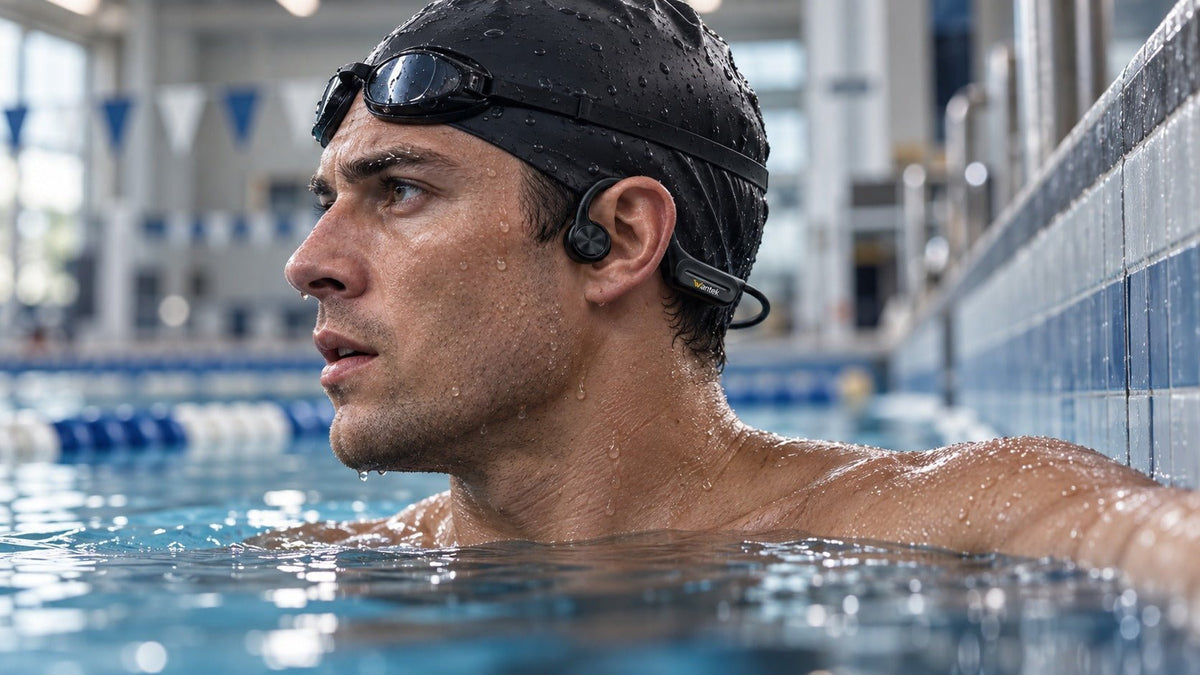
The best underwater headphones for swimming are not simply the pair with the highest waterproof number. Start by checking whether the exact model is approved for your type of swimming, how audio plays once your head is submerged, whether the fit works with your goggles and cap, and whether you can operate the controls with wet hands.
Quick answer: for most lap swimmers, local MP3 or other onboard playback matters more than Bluetooth version. Standard phone-to-headphone Bluetooth is not a dependable underwater listening method, so swimming-focused models commonly rely on internal storage below the surface.
Start With These Five Buying Checks
| Buying check | What to verify | Why it matters |
|---|---|---|
| Water use | Approved activity, depth, duration, water type, and care instructions | An IP code does not replace the exact model's use limits. |
| Playback method | Onboard MP3, another documented local mode, or a specialized system | Ordinary Bluetooth from a phone is unreliable underwater. |
| Fit | Compatibility with your goggles, cap, head shape, and turns | A secure dry-land fit can still shift during repeated laps. |
| Controls | Play, pause, volume, track change, and mode switching | Small or poorly placed controls are harder to use when wet. |
| Battery and care | Runtime in your swim mode, charging method, drying, and maintenance | Headline battery figures and care steps can differ by mode and model. |
1. Verify the Water-Use Instructions, Not Just the IP Rating

IP ratings are useful, but the number alone is not a complete swimming specification. The IEC 60529 IP Code classifies enclosure protection, while the manufacturer still defines the conditions that apply to the finished product.
For a swimming purchase, check the exact model documentation for whether swimming is an approved use, any stated depth and exposure limits, supported water environments, required accessories, and after-use care. Do not assume that a sweat-resistant sports headset is suitable for lap swimming, and do not treat IPX8 or IP68 as permission for unlimited depth or duration.
Product-specific instructions can be much more useful than the rating alone. For example, Shokz documents OpenSwim Pro as IP68, limits underwater use to MP3 mode, and publishes a specific fresh-water submersion limit. That is the kind of model-level guidance worth looking for before you buy.
2. Decide How Your Audio Will Reach the Headphones Underwater
Local MP3 or onboard playback
For straightforward lap swimming, onboard storage is often the simplest setup. You transfer supported files before entering the water, switch to the local playback mode, and control audio directly from the headset.
This removes dependence on a live phone connection. It also means you should check supported audio formats, transfer method, folder or playlist behavior, and whether the supplied charging cable also handles data transfer.
Bluetooth from a phone
Bluetooth is useful on land, but a newer Bluetooth version does not make ordinary phone-to-headphone streaming dependable underwater. Swim-oriented hybrid models therefore commonly separate Bluetooth listening on land from local playback in the pool.
If a headset advertises both Bluetooth and swimming use, verify which mode the manufacturer actually instructs you to use below the surface. Do not assume that “wireless” means live streaming from a phone across the pool deck.
For a deeper explanation of why ordinary Bluetooth behaves differently underwater and how swim-focused models work around that limitation, see bone-conduction headphones underwater and Bluetooth.
Dedicated or specialized systems
Some underwater audio products use a separate player, transmitter, or wearable source rather than relying on a phone-to-headset Bluetooth link. These systems can solve different needs, but they add their own compatibility, charging, placement, and accessory requirements. Treat them as a separate architecture and follow the manufacturer's setup rather than generalizing from ordinary Bluetooth headphones.
3. Choose a Wearing Style That Works With Your Swim Gear
Bone conduction
Bone-conduction headphones sit outside the ear canal and transmit vibration through contact near the cheekbones. For swimming, that can pair naturally with a wraparound design and onboard playback while leaving the ear canal open.
Open-ear construction does not guarantee awareness or a perfect fit. Water noise, playback volume, goggle straps, swim caps, hair, head shape, and transducer placement can all affect what you hear and how securely the headset sits. If you want a model-by-model comparison within this format, see Wantek's bone conduction headphones for swimming guide.
Sealed in-ear and goggle-mounted designs
Sealed in-ear swimming headphones use ear tips or other seals to keep the listening interface stable in water. They can feel more familiar to users who prefer an in-ear fit, but the seal, cable routing, and water-use instructions need to match your stroke and gear.
Goggle-mounted players take another approach. The FINIS Duo technical sheet, for example, documents a bone-conduction player that clips to goggle straps and stores audio locally. The important point is not that one mounting style is universally better; it is that the device should integrate with the equipment you already wear.
4. Treat Storage Capacity and File Support as Separate Questions
Storage size is easy to compare because it produces a single number. In practice, supported formats and transfer behavior can matter just as much.
- Check which audio file types the exact model accepts.
- Confirm whether a computer sees the headset as transferable storage or whether it requires a specific app, cable, or dock.
- Do not assume an offline download inside a streaming app can be copied to a separate music player.
- Check whether playback order, folders, playlists, shuffle, or resume behavior matters for your workouts.
- Verify that the included cable supports the transfer workflow you plan to use.
If you mostly listen to podcasts or audiobooks, navigation and resume behavior may matter more than maximum gigabytes. If you keep a large local music library, capacity becomes more important.
5. Test Fit and Controls With Your Real Goggles and Cap
A swimming headset is part of a system: headphones, goggles, cap, hair, and repeated head movement all interact. Put on the exact goggles and cap you normally use before judging fit.
Check whether a strap pushes the transducer or ear tip out of position, whether the band creates a pressure point, and whether controls remain reachable. Then rehearse the actions you will need in the water: play or pause, change tracks, adjust volume, and switch to the correct playback mode.
For lap swimming, stability during push-offs and turns matters more than how the headset feels while you are standing still on the pool deck.
6. Compare Battery Life in the Mode You Will Actually Use
Battery figures are not automatically comparable. One manufacturer may publish separate Bluetooth and MP3 runtimes, while another may list only one maximum figure. Use the number that matches your intended swim playback mode whenever the manufacturer provides mode-specific data.
Also check charging time and the model's instructions for wet contacts, docks, or ports. Care guidance varies: some products call for a fresh-water rinse or soak after specific use, while others provide different drying or storage instructions. Follow the exact manual instead of applying one maintenance routine to every “waterproof” headset.

Where Wantek BC3 Pro Fits
Wantek's current BC3 Pro swimming headphone page lists IP68 protection, 32GB of onboard MP3 storage, Bluetooth 5.3, a built-in microphone, up to six hours of battery life, and a 1.5-hour charge time. The page directs swimmers to local MP3 playback because water disrupts Bluetooth signals.
The current page does not publish a specific swimming depth or duration. That limit should not be invented from the IP68 label. BC3 Pro is most relevant to a swimmer who wants an open-ear bone-conduction design with substantial local storage and Bluetooth available for supported use away from the pool.
Check the BC3 Pro Against Your Swim Routine
Review the current storage, battery, controls, water-use information, and available options before deciding whether it matches your pool setup.
A Practical Pre-Purchase Checklist
- Does the manufacturer explicitly support the way and place I plan to swim?
- What depth, duration, water type, and care limits apply to this exact model?
- What playback method works when my head is submerged?
- Can I transfer and navigate the audio files I actually use?
- Will the headset fit with my normal goggles and cap?
- Can I operate the controls without looking at them?
- Is the published battery figure relevant to the mode I will use in the water?
If any answer is unclear, resolve it before treating a marketing label such as “waterproof,” “Bluetooth,” or a large storage number as enough information to make the purchase.
Frequently Asked Questions
Do Bluetooth headphones work underwater?
Ordinary phone-to-headphone Bluetooth is unreliable once the signal must pass through water. Swimming-focused models commonly use onboard MP3 or another documented local playback method below the surface.
Is IPX8 or IP68 enough for swimming?
Not by itself. The rating describes a protection class, while the exact model documentation defines approved use, depth, duration, water type, and care requirements.
Are bone conduction headphones better for swimming than earbuds?
Neither format is universally better. Bone conduction keeps the ear canal open, while sealed in-ear designs use a different fit; stability, playback method, and documented water use matter more.
How much storage do swimming headphones need?
There is no universal minimum. Choose enough capacity for your library, then verify supported formats, transfer method, navigation, and whether your audio files can actually be moved to the device.
What should I test before the first swim?
Confirm local playback, fit the headset with your usual goggles and cap, practice the controls, and review the exact model's water-use and after-swim care instructions.

