
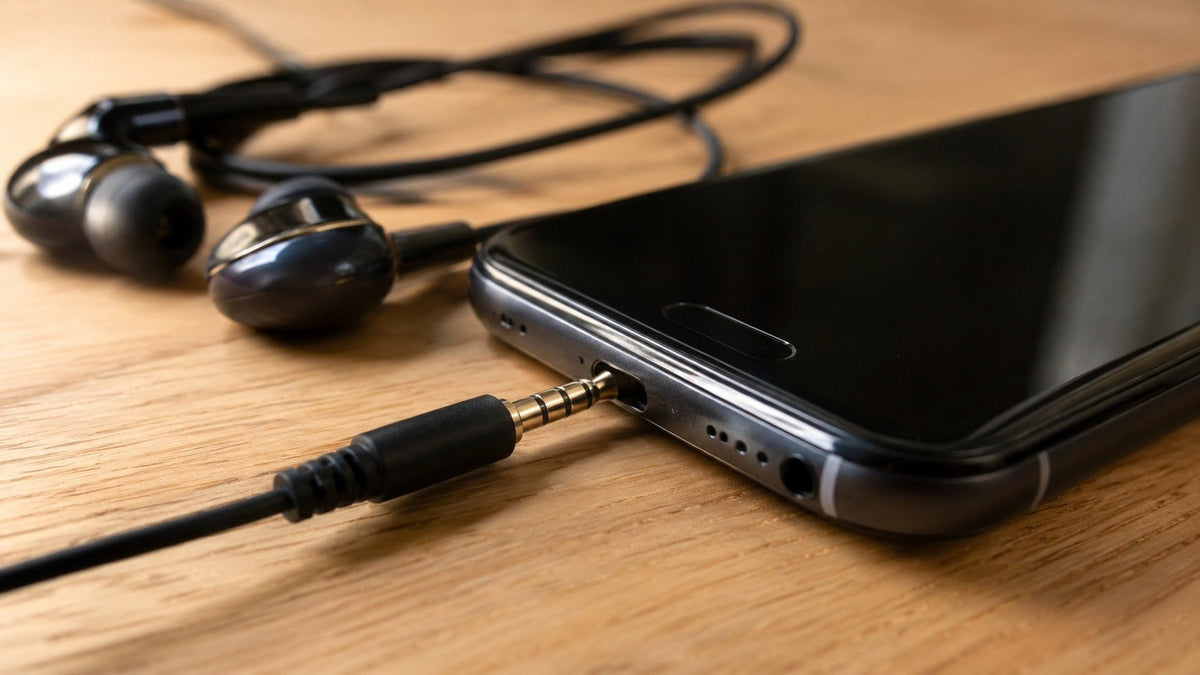
Un puerto de auriculares es la entrada en un dispositivo que acepta un conector de audio cableado. En muchas computadoras portátiles, controladores, dispositivos de audio y teléfonos antiguos, esa entrada es un conector analógico de 3.5 mm. Una toma exclusiva para auriculares puede transmitir audio de reproducción, mientras que una toma compatible para auriculares de cuatro contactos también puede transmitir la señal del micrófono. Si el puerto está sucio o el audio es intermitente, comience con el método de limpieza menos invasivo y siga las instrucciones exactas del fabricante del dispositivo antes de usar aire comprimido, líquidos o herramientas dentro de la abertura.
Respuesta rápida: Apague el dispositivo, desconecte los cables, inspeccione el puerto con una luz y retire solo los residuos sueltos en la abertura sin raspar los contactos. No inserte agujas, clips, herramientas de extracción de tarjetas SIM ni material de limpieza húmedo en la toma. La guía del fabricante varía: Dell permite el uso de aire comprimido para algunos puertos de audio de computadoras, mientras que Apple indica a los usuarios de iPhone que no utilicen aire comprimido en el dispositivo.
¿Qué es un puerto de auriculares?
Un puerto de auriculares (también llamado jack de auriculares o jack de audio) es el receptáculo integrado en el dispositivo fuente. El conector metálico en el cable de los auriculares es el enchufe. En el uso diario, la gente suele llamar a ambos lados "jack de auriculares", pero distinguir el puerto del enchufe facilita la compatibilidad y la resolución de problemas.
La versión de consumo más común es el jack de 3.5 mm. Los conectores más grandes de 6.35 mm son comunes en algunos equipos de audio profesionales y domésticos, mientras que los conectores de 2.5 mm aparecen en algunos dispositivos antiguos o especializados. Esta guía se centra en el puerto de 3.5 mm porque es la conexión a la que se refieren la mayoría de los lectores cuando preguntan cómo limpiar un jack de auriculares.
TRS frente a TRRS: por qué es importante el número de contactos
Un conector TRS típico de 3.5 mm tiene tres secciones conductoras: punta (Tip), anillo (Ring) y funda (Sleeve). En el cableado habitual de auriculares estéreo, esos contactos suelen transmitir el audio izquierdo, el audio derecho y un retorno compartido. Un conector TRRS tiene cuatro secciones conductoras y se utiliza comúnmente para audio de auriculares estéreo más un micrófono.
Para los jacks de auriculares de cuatro conductores compatibles con Android, el Proyecto de Código Abierto de Android documenta la salida estéreo, la entrada de micrófono, la tierra y el orden de contacto CTIA LRGM. Eso no significa que todas las tomas de 3.5 mm admitan un micrófono o utilicen el mismo cableado, por lo que un enchufe que encaja físicamente aún puede ser funcionalmente incompatible. Consulte la especificación del jack de auriculares de 3.5 mm de Android y la guía de conectores TRS vs. TRRS de Wantek para conocer los detalles del cableado.

Por qué un jack de auriculares puede dejar de funcionar
El polvo o la pelusa pueden interferir con la conexión, pero un puerto sucio es solo una de las posibles causas. Un cable dañado, un enchufe desgastado, un cableado TRS/TRRS incompatible, una configuración de audio incorrecta, una toma suelta o un daño interno en el hardware pueden producir síntomas similares. Diagnostique la ruta de la señal antes de asumir que el puerto necesita una limpieza agresiva.
| Síntoma | Comprobar primero | Qué puede indicar |
|---|---|---|
| No hay sonido después de conectar | Pruebe los auriculares en otro dispositivo, confirme la selección de volumen/salida e inspeccione el puerto en busca de residuos visibles. | Fallo de los auriculares, configuración de audio, inserción incompleta, residuos o daño en el puerto. |
| El audio se corta o funciona solo en un lado | Pruebe otros auriculares que sepa que funcionan y verifique suavemente si el enchufe se siente inusualmente flojo. | Daño en el cable o enchufe, contaminación, contactos desgastados o una toma dañada. |
| Los auriculares funcionan pero el micrófono no | Confirme que el puerto es un jack combinado para auriculares (no solo auriculares) y verifique el cableado TRRS y la configuración de entrada. | Desajuste TRS/TRRS, desajuste CTIA/OMTP, problema de divisor, permisos o selección de entrada. |
| El dispositivo sigue actuando como si los auriculares estuvieran conectados | Reinicie el dispositivo, inspeccione el puerto y pruebe con un enchufe que sepa que funciona. | Residuos, problema de detección del jack, estado del software o fallo de hardware. |
Si la reproducción funciona pero el micrófono no, utilice la guía de solución de problemas del micrófono de los auriculares antes de reemplazar los auriculares o limpiar el puerto nuevamente.
Cómo limpiar un jack de auriculares de forma segura
No existe un procedimiento de limpieza único que sea correcto para todos los teléfonos, computadoras portátiles, controladores, mezcladores u otros dispositivos. La regla general más segura es comenzar con una inspección en seco y un contacto mínimo, luego seguir las instrucciones del fabricante para el dispositivo exacto.
Apague el dispositivo y desconecte los cables
Apague el dispositivo si es posible y desenchufe la alimentación y los accesorios conectados. La guía actual de audio de computadora de Dell indica específicamente a los usuarios que apaguen la computadora y desconecten los cables antes de limpiar un puerto de audio.
Inspeccione el puerto con una linterna
Busque pelusa, polvo, objetos extraños, corrosión visible, un contacto doblado o una toma suelta. Si el enchufe no se inserta normalmente, no lo fuerce.
Comience con la limpieza en seco menos invasiva
Sujete el puerto de modo que los residuos sueltos puedan caer hacia afuera. Si hay material en la entrada del puerto, retírelo suavemente sin empujar más profundamente ni raspar los contactos internos. No convierta la limpieza en una operación de excavación o palanca.
No inserte herramientas afiladas o metálicas
Una aguja, un clip, un alfiler, pinzas metálicas o una herramienta de extracción de tarjetas SIM pueden rayar los contactos, deformar el jack, hacer un puente entre los contactos eléctricos o compactar los residuos más hacia adentro. Si los residuos no se pueden eliminar sin sondear el puerto, deténgase y utilice la guía de servicio del fabricante del dispositivo.
Considere el aire comprimido y los líquidos como específicos del dispositivo
No asuma que ninguno de los dos métodos es universalmente seguro. La guía de solución de problemas de puertos de audio de Dell permite el uso de aire comprimido suave para los residuos en computadoras compatibles y advierte contra el agua, los aerosoles de limpieza o los paños húmedos. La guía de manejo de iPhone de Apple dice que se debe evitar la humedad en las aberturas y no utilizar productos de limpieza ni aire comprimido. Siga la regla para su dispositivo específico.
Vuelva a conectar y pruebe con unos auriculares que funcionen
Después de limpiar, vuelva a conectar solo cuando el puerto esté seco y limpio. Pruebe con unos auriculares que sepa que funcionan, luego verifique la reproducción y la entrada del micrófono por separado si el jack admite ambas funciones.
Evite la limpieza agresiva. No introduzca alcohol u otro líquido en el jack, no raspe los contactos con una herramienta de extracción de SIM u otro objeto metálico, y no utilice aire comprimido a menos que el fabricante del dispositivo permita explícitamente ese método.
¿Debería limpiar también el enchufe de los auriculares?
Sí, inspeccione el enchufe siempre que solucione problemas del puerto. Limpie el conector metálico con un paño limpio, seco y sin pelusas, y verifique si está doblado, muy desgastado o contaminado. Evite empapar el enchufe y no lo vuelva a conectar mientras haya humedad de limpieza.
Si los mismos auriculares hacen ruidos extraños en varios dispositivos, el cable o el enchufe son sospechosos principales antes que el puerto. Si varios auriculares que funcionan correctamente fallan en el mismo dispositivo, céntrese en la toma del dispositivo, la configuración o el hardware de audio interno.
Si la limpieza no arregla el jack de auriculares
La limpieza debe ser un paso de resolución de problemas, no todo el diagnóstico. Realice estas comprobaciones antes de decidir que el jack ha fallado:
- Pruebe los auriculares en otro lugar. Esto separa un problema de los auriculares de un problema del dispositivo fuente.
- Pruebe unos auriculares que funcionen en el dispositivo. Si varios auriculares fallan, el dispositivo fuente se convierte en el sospechoso principal.
- Compruebe la salida y la entrada seleccionadas. Las computadoras y los teléfonos pueden dirigir el sonido a altavoces, dispositivos Bluetooth, estaciones de acoplamiento, monitores u otros terminales de audio.
- Confirme la función del jack. Un puerto exclusivo para auriculares no proporciona automáticamente entrada de micrófono. Un jack combinado aún requiere un cableado TRRS compatible.
- Elimine adaptadores o extensiones innecesarios. Pruebe primero la conexión directa más simple.
- Deténgase si la toma está suelta o visiblemente dañada. El daño mecánico no es un problema de limpieza y puede requerir reparación.
Si está decidiendo si quedarse con el analógico de 3.5 mm o pasar a una conexión digital, la guía de auriculares USB frente a 3.5 mm explica las diferencias en la ruta de la señal y la compatibilidad sin tratar a ninguno de los conectores como automáticamente mejor.

¿Qué pasa si su dispositivo no tiene un puerto de 3.5 mm?
Un adaptador de audio USB-C, Lightning o USB compatible puede proporcionar una ruta cableada cuando el dispositivo fuente no tiene un jack de auriculares analógico. La compatibilidad depende tanto del dispositivo anfitrión como del adaptador: la forma del conector por sí sola no prueba que la salida de auriculares, la entrada de micrófono, los controles integrados o todas las funciones de los auriculares funcionen.
Para unos auriculares de trabajo, comience con el puerto y las funciones que su dispositivo real admite, luego compare la conexión de los auriculares, el micrófono, los controles y el estilo de uso. Si ya sabe que necesita unos auriculares de trabajo analógicos, puede comparar los auriculares de trabajo Wantek de 3.5 mm.
¿Necesita auriculares cableados para una configuración de trabajo de 3.5 mm?
Compare las opciones actuales de auriculares Wantek de 3.5 mm por estilo de uso, micrófono, controles y conexión de dispositivo antes de elegir un modelo.
Preguntas frecuentes
¿Cuál es la diferencia entre un puerto de auriculares y un jack de auriculares?
En el uso diario, los términos son intercambiables. Más precisamente, el jack o puerto es la toma en el dispositivo, mientras que el conector en el cable de los auriculares es el enchufe.
¿Puedo limpiar un jack de auriculares con alcohol isopropílico?
No trate el alcohol dentro del puerto como un método de limpieza universal. Los fabricantes de dispositivos difieren, así que utilice líquidos solo cuando las instrucciones exactas del fabricante para ese dispositivo lo permitan explícitamente.
¿Puedo usar aire comprimido para limpiar un jack de auriculares?
Solo cuando el fabricante del dispositivo lo permita. Dell permite el uso de aire comprimido suave para algunos puertos de audio de computadoras, mientras que la guía de iPhone de Apple dice que no se debe usar aire comprimido.
¿Por qué funcionan mis auriculares pero el micrófono no?
El puerto puede ser solo para auriculares, los auriculares pueden usar un cableado TRS/TRRS incompatible o la entrada del micrófono puede estar seleccionada incorrectamente o bloqueada por permisos de software.
¿Cómo sé si el puerto de auriculares está dañado?
Una toma suelta, daños visibles o caídas de audio repetibles con varios auriculares que funcionan correctamente, después de comprobar la configuración y los residuos, apuntan más fuertemente a daños en el hardware que a suciedad común.

