
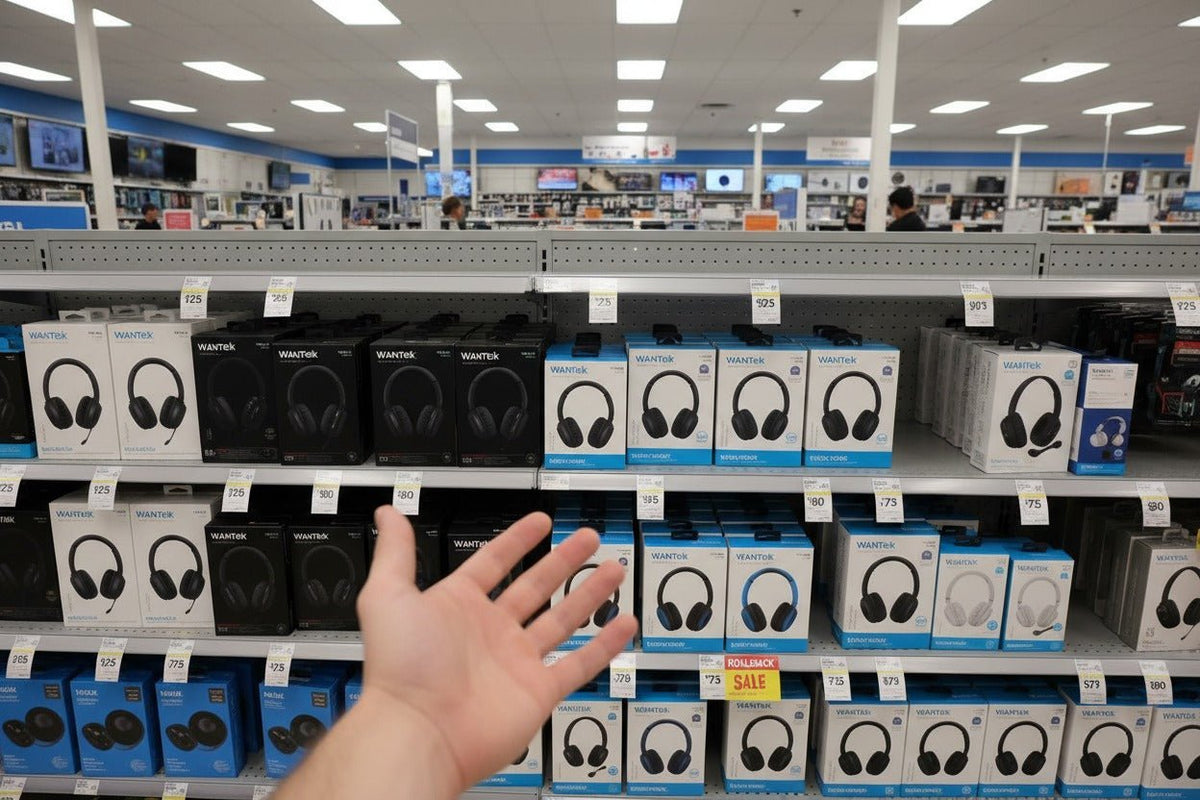
Cheap wireless headphones can be a sensible buy when you choose around the job they need to do. Under $50, the useful question is not which model has the longest feature list; it is whether the fit, battery behavior, connection, controls, microphone, and return policy match how you will actually use the headphones.
Quick answer: start with form factor and use case, then verify battery conditions, noise control, call quality, and device compatibility. Treat Bluetooth version, driver size, and marketing labels as supporting details rather than proof of sound quality.

What “cheap” should mean when you shop for wireless headphones
A low price should narrow the feature set, not lower the standard for basic usability. A pair that costs less is still a poor value if it is uncomfortable, disconnects from your devices, has controls you dislike, or cannot cover a normal listening session.
Use price as a filter, then compare only the features that matter for your routine. If you are still deciding between over-ear, on-ear, and in-ear designs, start with form factor: fit, isolation, portability, and how long you expect to wear the headphones can change the decision before any advanced feature does.
| Budget band | A sensible shopping goal | What to verify carefully |
|---|---|---|
| Under $25 | Simple everyday listening or a backup pair | Fit, charging reliability, basic controls, warranty, and return terms |
| $25–$50 | Everyday wireless use with a more selective feature set | Battery conditions, microphone quality, app support, isolation or ANC, and device switching |
| $50–$100 | Broader choice among comfort, noise control, codecs, multipoint, and build | Whether the extra features solve a real need rather than simply increasing the specification list |
These price bands are shopping ranges, not performance guarantees. Sale pricing changes, and a more expensive model is not automatically better for your ears, devices, or use case.
Six checks that matter more than a long specification sheet
1. Choose the form factor before comparing features
Over-ear headphones usually offer more room for large pads and controls, but they are bulkier. On-ear models are easier to carry but press directly on the outer ear. Earbuds are compact and can be secure for exercise, but their sound and isolation depend heavily on fit and seal.
2. Read battery claims with the test conditions in mind
Battery ratings can change with volume, ANC, calls, codecs, temperature, and other processing. Compare runtime in the mode you expect to use rather than comparing the largest number on two product pages. Also check charging time and whether the headphones can still play through a cable when the battery is empty, if wired fallback matters to you.
3. Do not use the Bluetooth version as a sound-quality score
Bluetooth version, codec support, source-device support, and the headphone implementation are separate variables. A newer version can bring platform capabilities, but it does not by itself prove better tuning, lower latency, or stronger call quality. Bluetooth LE Audio adds a newer audio architecture built around the LC3 codec, according to the Bluetooth SIG’s LE Audio specifications; both ends of a connection still need the relevant support for a feature to matter.
4. Separate ANC from passive isolation and microphone noise reduction
Active noise cancellation changes what the wearer hears. Passive isolation comes from the physical seal. Microphone noise reduction changes what the person on the other end of a call hears. A product can be strong in one area and mediocre in another, so compare the feature that matches your actual problem.
5. Treat comfort as a performance requirement
A headphone that sounds good for ten minutes can still be a bad purchase if the clamp, pad opening, heat, or earbud fit becomes uncomfortable during a normal session. If possible, buy from a retailer with a clear return policy and test the headphones for the same length of time you usually listen.
6. Verify microphone quality separately if calls matter
Consumer headphones often use compact microphone arrays rather than a boom positioned near the mouth. That can be convenient for casual calls, but performance varies with wind, traffic, keyboards, and nearby voices. If work calls are the main job, compare products designed for that purpose; Wantek’s wireless headsets for work and office calls are a more relevant starting point than a general music-first headphone list.

Match the feature to the use case
The cheapest option that works well is different for a commuter, a student, a gamer, and someone who spends hours on calls. Use the following filters to avoid paying for features that do not solve your problem.
- Commuting and travel: prioritize fit, passive isolation, useful ANC if available, physical controls you can operate quickly, and enough battery for the full trip.
- Exercise: prioritize secure fit, manufacturer-stated sweat or water resistance appropriate to the activity, easy-to-use controls, and environmental awareness when needed.
- Video and casual gaming: check real latency behavior on your device. A “gaming mode” label is less useful than a review that measures or demonstrates synchronization.
- Work and calls: prioritize microphone performance, comfort, mute behavior, connection stability, and device switching before music-oriented extras.
- Everyday music and podcasts: prioritize comfort, a sound profile you enjoy, stable Bluetooth, battery life under your normal settings, and uncomplicated controls.
How to compare low-priced wireless headphones without guessing
Set the non-negotiables.
Write down your maximum price, preferred form factor, main device, primary use case, and one or two features you actually need.
Eliminate incompatible options first.
Check device support, charging connector, required app, codec or multipoint requirements, microphone behavior, and any platform-specific limitations.
Cross-check manufacturer claims with independent testing.
Measurements and controlled comparisons can expose differences that a feature list cannot. For example, RTINGS’ current budget wireless headphone testing evaluates multiple models instead of treating price or Bluetooth version as a shortcut for performance.
Check support and return terms before checkout.
Low-priced headphones can still be a poor value if replacement, warranty, or returns are difficult. Verify the seller, warranty scope, and return window for the exact listing you plan to buy.
Red flags in cheap wireless headphone listings
- Huge numbers with no conditions: battery, range, latency, and noise-reduction claims need a stated mode or test condition to be meaningful.
- “Hi-fi” or “studio” used as proof: those words do not substitute for frequency-response, distortion, fit, or listening comparisons.
- ANC and call noise reduction treated as the same feature: they solve different problems.
- A long codec list without device compatibility: an optional codec is useful only when the source and headphones both support it.
- No clear warranty or return path: that raises the cost of a bad fit, battery problem, or early hardware failure.
Simple rule: spend first on fit, reliability, and the feature that solves your main use case. Add convenience features only after those basics are covered.
FAQ
Are cheap wireless headphones worth buying?
They can be. Value depends on fit, connection stability, battery behavior, controls, and your use case. A lower price is worthwhile when those basics are reliable and you are not paying for features you will not use.
Can wireless headphones under $50 have active noise cancellation?
Some models do, but ANC quality varies widely. Compare independent tests and remember that passive isolation, fit, and microphone noise reduction are separate from the ANC that reduces sound reaching the listener.
Is Bluetooth 5.3 automatically better for sound than Bluetooth 5.0?
No. Bluetooth version alone does not determine tuning or sound quality. Check the actual audio codec, source-device compatibility, connection behavior, and headphone implementation rather than treating the version number as a quality score.
Should I choose cheap earbuds or cheap over-ear headphones?
Choose by fit and use case. Earbuds favor portability and exercise; over-ear models can offer larger pads and easier physical controls. Neither form factor is automatically better at the same price.
What should I check before buying budget wireless headphones online?
Confirm device compatibility, battery conditions, charging method, microphone needs, fit, water-resistance claims if relevant, warranty coverage, seller identity, and return terms for the exact product listing.

