
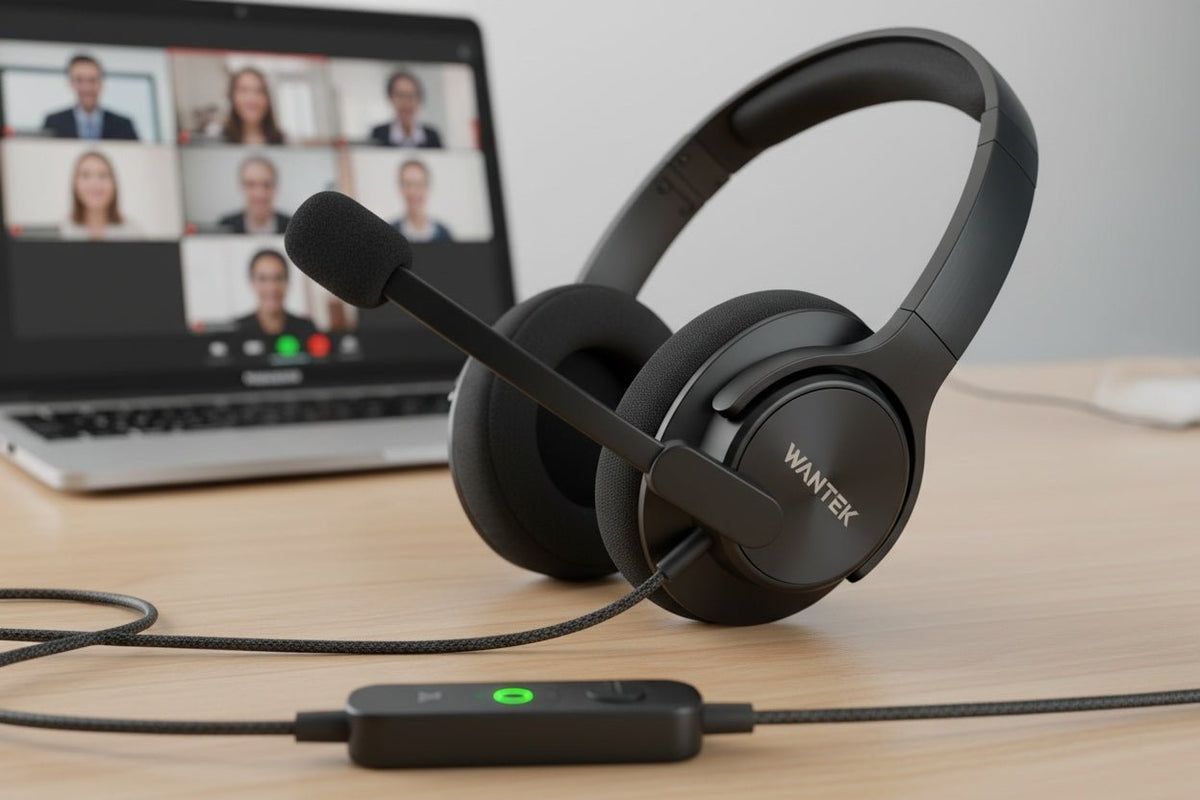
A good USB headset for a home office should match the computer you use, keep your microphone predictable during calls, stay comfortable through your normal meeting length, and give you the controls you actually need. Start with those requirements before comparing driver size, frequency ranges, or marketing labels.
Quick answer: for a fixed home-office desk, a wired USB headset is often a practical starting point because it removes headset charging and Bluetooth pairing from the daily workflow. The better choice still depends on your available ports, microphone needs, wearing style, meeting software, and whether you need to move away from the computer during calls.
Start with your home-office workflow
Do not choose a headset by asking which model has the longest feature list. Choose by asking what would make a headset fail in your actual workday.
| Work situation | Check first | Why it matters |
|---|---|---|
| Fixed desk, one computer | USB connection, boom microphone, mute and volume controls | A wired setup can keep the daily connection path simple and avoids headset battery management. |
| Shared room or frequent household noise | Microphone pickup plus listening-side noise control | The sound coworkers hear and the sound you hear are separate problems and should be checked separately. |
| Long blocks of meetings | Fit, pressure, heat, and control placement | A headset that becomes uncomfortable or awkward to mute will be frustrating even if its specifications look strong. |
| Need to hear people nearby | Single-ear or lighter-isolation design | Leaving one ear open can make room awareness easier when that is part of the job. |
| Regular movement away from the desk | Whether wired USB still fits the workflow | If mobility is essential, a wireless design may be more practical despite the added charging and connection management. |
If you are comparing USB headsets across several work environments rather than only a home office, use the broader USB headset with microphone buying guide. This page stays focused on the decisions that matter most at a home workstation.
1. Confirm the connection before comparing audio features
USB-A and USB-C describe connector types. They do not guarantee a particular level of sound quality, microphone quality, call-control support, or software integration. Check the exact computer ports you have and the exact connection path supported by the headset.
On Windows, Microsoft provides an in-box USB Audio 2.0 class driver for compatible devices. That helps explain why many standard USB audio devices can work without a separate audio driver, but it does not prove that every headset feature or hardware button will work in every application.
A 3.5 mm headset can also be a valid choice when the computer provides a compatible analog headset connection. USB is not automatically better simply because it is digital. If you are deciding between those two wired paths, compare the complete signal and compatibility requirements in the USB vs. 3.5 mm headset guide.
Practical check: confirm both playback and microphone input through the exact port, adapter, or inline USB module you plan to use. A connector that physically fits does not by itself establish full headset functionality.
2. Treat microphone performance and headphone noise control as separate decisions
For calls, microphone placement can matter as much as the microphone specification. A boom microphone places the capsule closer to your mouth than a microphone located on an ear cup or cable, which can make positioning more consistent. The exact pickup quality still depends on the microphone design, processing, room, application, and placement.
Do not confuse three different forms of noise control:
- Microphone noise reduction affects the sound sent to other participants.
- Passive isolation comes from the physical fit and materials around your ears.
- Active noise cancellation (ANC) uses microphones and signal processing to reduce some surrounding sound heard by the wearer.
A headset can have microphone noise reduction without having listening-side ANC. It can also have ANC without being optimized for professional voice calls. For a home office, decide which problem you actually need to solve before paying for both.

3. Choose single-ear or dual-ear by how you work in the room
A single-ear headset leaves one ear open to the room. That can suit home offices where you need to hear a doorbell, family member, coworker, or another nearby signal while staying on a call. A dual-ear headset sends audio to both ears and can create more physical separation from surrounding activity.
Neither style guarantees comfort. Headband pressure, cushion shape, heat, adjustability, glasses, hairstyle, and individual anatomy all affect the result. OSHA's computer-workstation checklist specifically notes that a headset should have a comfortable fit that is neither too tight nor too loose.
Try to evaluate fit for the length of a normal meeting rather than for a few minutes. Turn toward a second monitor, look down at notes, and check whether the boom stays in position. If you wear glasses, test the headset with the frames you normally use.
4. Check mute, volume, and meeting-app controls
Physical controls can be more useful than a long list of secondary audio specifications during a busy workday. At minimum, determine how you will mute the microphone and change listening volume without hunting through software menus.
Basic USB audio and application-integrated controls are not the same thing. Microsoft states that personal peripherals certified for Microsoft Teams are designed for plug-and-play use with Teams and provide call-control behavior on supported configurations. Certification should be checked for the exact product and variant rather than inferred from a family name.
Zoom separately maintains a list of supported USB HID devices and documents limitations for headset-button behavior. If mute synchronization, answer/end controls, or other hardware integration matters to you, verify the exact headset and connection method against the current platform documentation.

5. Compare real product configurations, not generic USB claims
Once your requirements are clear, compare the exact product pages. Wantek's current USB range includes both single-ear and dual-ear wired models, with connection options that vary by SKU. For example, the Wantek H681 product page lists a single-ear wired design, Type-C/USB/3.5 mm connection options, a boom microphone, and inline volume and mute controls.
That makes the H681 a relevant example for a fixed-desk user who wants room awareness and direct wired controls. It does not establish that the model is the best choice for every home office, and it does not prove application-specific call-control behavior beyond what the product and platform documentation support.
When comparing any USB headset with a microphone, keep the same checklist:
- Connect: verify the exact USB-A, USB-C, 3.5 mm, adapter, or receiver path.
- Speak: confirm microphone position and make a test call in your normal room conditions.
- Listen: decide whether passive isolation or ANC is actually necessary for your environment.
- Control: test mute and volume, then verify any Teams or Zoom button behavior you depend on.
- Wear: keep the headset on for a representative meeting and note pressure, heat, slipping, or repeated adjustment.
When a wired USB headset is not the right home-office choice
Wired USB is a strong starting point when you mainly work at one computer and want to avoid charging or Bluetooth pairing. It becomes less attractive when your workday requires frequent movement away from the desk, regular switching between a laptop and phone, or a cable-free setup.
In those cases, compare wireless headsets using the same requirements rather than assuming wireless is automatically better. Mobility comes with its own questions about battery life, receiver or Bluetooth behavior, device switching, and platform controls.
Compare Wantek USB Headsets
Filter current wired USB options by connection, single-ear or dual-ear wearing style, microphone design, and inline controls.
Frequently Asked Questions
Is a USB headset better than Bluetooth for a home office?
Not universally. Wired USB removes headset charging and pairing from a fixed workstation, while Bluetooth is more useful when mobility or wireless device switching matters. Choose by workflow and exact compatibility.
Does USB-C sound better than USB-A?
No connector shape guarantees better audio. Sound and microphone performance depend on the headset, conversion electronics, processing, tuning, operating system, and application rather than USB-A versus USB-C alone.
Do I need ANC for home-office calls?
Only if listening-side noise is a real problem in your room. ANC reduces some sound heard by the wearer; it does not automatically improve the microphone audio sent to coworkers.
Should I choose a single-ear or dual-ear USB headset?
Choose single-ear when room awareness is important. Choose dual-ear when you prefer call audio in both ears. Comfort and isolation still depend on the exact fit and cushion design.
Will every USB headset button work in Teams or Zoom?
No. Basic microphone and speaker audio can work even when mute synchronization, answer/end controls, or application-specific buttons do not. Verify the exact headset, connection method, and current platform support.

