
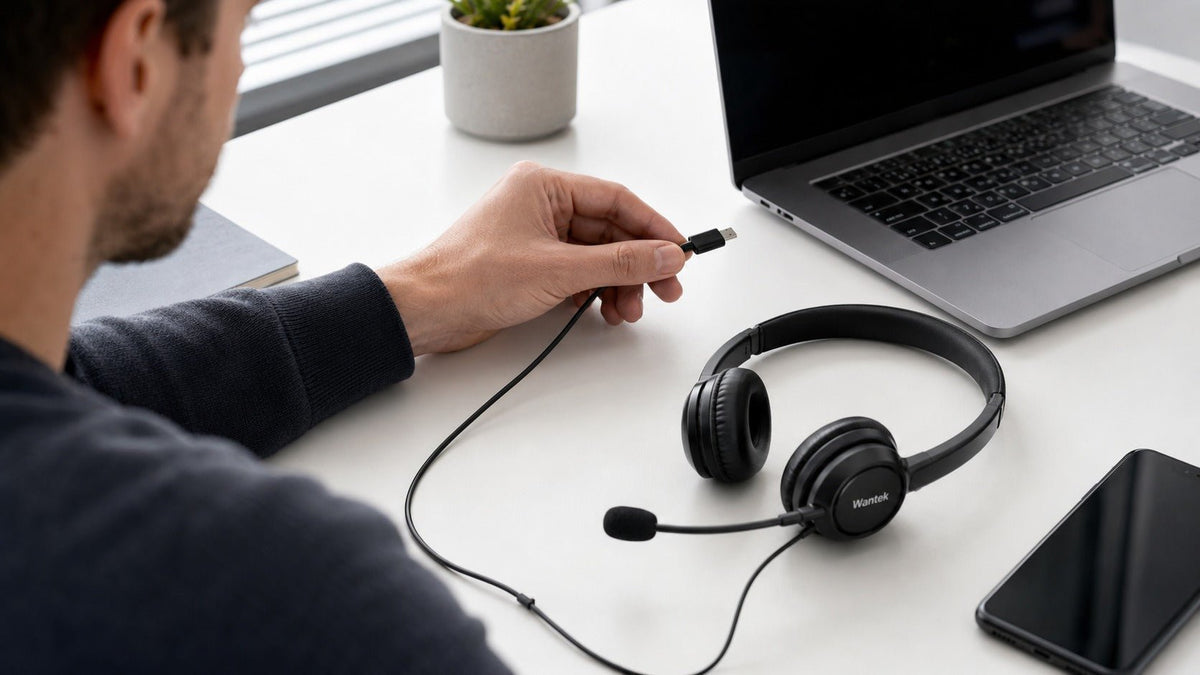
A USB-C plug is only the starting point when choosing a headset. For work calls, first confirm that your computer, phone, or tablet can use the headset for both audio output and microphone input. Then compare microphone design, mute and volume controls, wearing style, and the exact connection options of the model you are considering.
For a fixed desk, a wired USB-C headset avoids battery charging and Bluetooth pairing. That simplicity can be useful for meetings, customer support, remote work, and other call-heavy tasks. It does not mean every USB-C headset works identically with every USB-C device.
This guide focuses on practical buying decisions rather than ranking products by unsupported performance claims. Wantek model details below come from current product specifications; device compatibility and platform-specific controls still need to be checked for the exact setup you use.
Start with USB-C compatibility, not the connector alone

USB-C describes the connector and connection system. The USB Type-C specification covers several possible capabilities, while the USB Audio Device Class specification defines standardized USB audio-device behavior. The practical result is simple: the same connector shape does not guarantee the same audio implementation.
A digital USB headset normally appears to the host as a USB audio device, with digital-to-analog conversion occurring somewhere in the headset, inline electronics, or adapter before the headphone drivers receive an analog signal. A DAC is therefore part of a digital audio path, but its presence does not prove sound quality, latency, device compatibility, or microphone performance.
Before buying, verify four things:
- Audio input and output: confirm the device can recognize the headset as both a speaker or headphone output and a microphone input.
- Direct connection: if you plan to use a dock or hub, confirm that the selected port carries USB data rather than charging only.
- Controls: check whether hardware mute, volume, answer, or other call controls behave as required in your operating system and meeting app.
- Exact model: do not carry compatibility, certification, or connection claims from a similar SKU to the version you are ordering.
What matters most for work calls
Microphone placement and noise control
For frequent calls, microphone placement is often more actionable than a broad “noise cancelling” label. A boom microphone places the capsule closer to the mouth, while microphone noise reduction, passive isolation, and active noise cancellation address different problems.
Microphone noise reduction targets the sound transmitted to the other participant. Passive isolation comes from the headset's physical fit. ANC reduces some sound heard by the wearer. Do not assume one of these terms proves the others.
Mute, volume, and call controls
Inline mute and volume controls are useful when calls are frequent because they reduce dependence on software controls. If synchronized mute indicators, answer/end buttons, or platform-specific controls matter, verify those behaviors separately.
For managed business deployments, certification can matter more than generic compatibility wording. Microsoft's Teams peripheral certification program lists tested devices and describes requirements such as plug-and-play operation and supported Teams call controls. Certification must be checked by exact model or variant.
Single-ear or dual-ear
Choose a single-ear headset when keeping one ear open to coworkers, visitors, or the surrounding workspace is part of the job. Choose dual-ear when you prefer audio in both ears and more separation from nearby conversation. Neither wearing style is automatically more comfortable for every user.
Compare current Wantek wired USB-C headset options
The following specifications are taken from current Wantek product pages. They are useful for narrowing a shortlist, but they do not establish universal compatibility with every USB-C computer, phone, dock, or application.
| Model | Wearing style | Listed connections | Microphone and noise control | Controls and weight |
|---|---|---|---|---|
| Wantek H600 | Single-ear corded | Type-C / USB / 3.5 mm | Boom mic; PNC listed | Volume + one-key mute; 3 oz / 85 g |
| Wantek H602 | Dual-ear corded | Type-C / USB / 3.5 mm | Boom mic; PNC listed | Volume + one-key mute; 3 oz / 85 g |
| Wantek WK882 | Dual-ear corded | Type-C / USB / 3.5 mm | Boom mic; PNC listed | Volume + one-key mute; 6.7 oz / 189 g |
The H600 is the single-ear option in this group, while the H602 and WK882 use dual-ear designs. Connection choices overlap, so wearing style, weight, fit, microphone positioning, and the exact device you will connect become useful differentiators.
Check your device before buying
| Device or platform | What to verify |
|---|---|
| Windows PC | The headset appears as the intended input and output device; microphone, volume, mute, and meeting-app behavior work as required. |
| Mac | macOS recognizes the required input and output path, and any hardware controls you depend on behave correctly in the apps you use. |
| Android phone or tablet | The exact device supports the headset's USB audio implementation, including microphone input and any controls that matter to your workflow. |
| USB-C iPhone | Apple states that USB-C-equipped iPhones can use wired headphones and other audio accessories; confirm the third-party headset and controls you need with the exact iPhone and accessory. |
| Dock or USB hub | The selected port carries USB data and the headset remains available as the intended microphone and output device. Test a direct connection if detection is inconsistent. |
Apple's current USB-C iPhone guidance explicitly lists wired headphones and other audio accessories among supported USB-C uses. That supports USB-C audio as a device capability, not a claim that every third-party headset or every inline control works with every iPhone.
USB-C vs. 3.5 mm and wired vs. wireless
USB-C is not automatically “better” than 3.5 mm. A digital USB headset uses a digital audio path before conversion to analog inside the headset or its electronics. A 3.5 mm headset relies on the analog audio path provided by the source device or adapter. Either can perform well when the implementation and device match are good.
If your main question is connector choice, see the USB-C vs. 3.5 mm headset guide. If the bigger decision is whether a cable fits your workday, compare the wired vs. wireless office headset guide.
For a fixed workstation, wired headsets remove headset battery charging and Bluetooth pairing from the workflow. For users who regularly stand, walk, or move between rooms while talking, a wireless headset may be more practical despite the added battery and connection management.
Daily-use details that matter after compatibility

- Weight and fit: compare pressure, headband adjustment, ear-cushion feel, glasses interaction, and heat during your normal meeting length.
- Cable and strain relief: inspect the points where the cable enters the headset, controller, and connector, especially for desks where the cable is moved frequently.
- Replaceable wear parts: replaceable cushions or microphone covers can be useful for long-term office or team deployment.
- Control placement: make sure mute and volume controls are easy to identify without interrupting the call.
- Microphone position: choose a boom that can be placed consistently near the mouth without interfering with normal head movement.
Frequently asked questions
Why is my USB-C headset not working on my laptop?
Confirm the headset is selected for both input and output, then test a direct USB connection instead of a hub. Also check the meeting app's microphone and speaker selections.
Can I use a USB-C headset on an iPhone?
USB-C-equipped iPhones support wired headphones and other USB-C audio accessories. Confirm the exact third-party headset, microphone, and inline controls with your iPhone before relying on them.
Are USB-C headsets better than 3.5 mm headsets?
Not inherently. Choose between USB-C and 3.5 mm by device support, microphone quality, controls, audio implementation, and the connection path your workstation actually provides.
Does USB-C guarantee that the microphone and controls will work?
No. The connector alone does not guarantee microphone input, call-control behavior, or software integration. Verify the exact headset, device, operating system, and meeting application.
Is “Teams compatible” the same as “Teams certified”?
No. Generic compatibility and Microsoft's certification program are different claims. If certification matters for deployment, check Microsoft's current certified-device list for the exact model or variant.

