
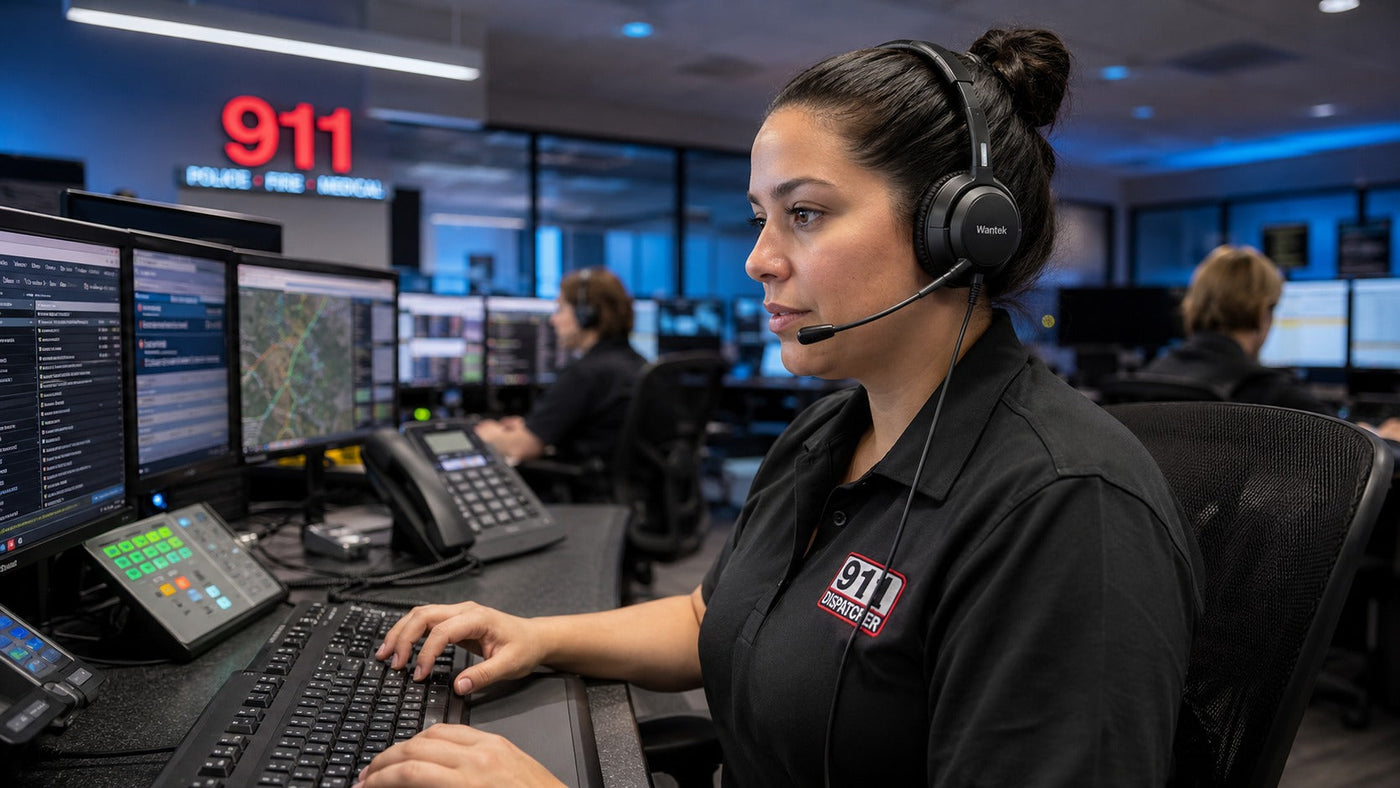
The sudden squeal of a fax tone, feedback burst, or other sharp audio event can be jarring through a headset. At the same time, a dispatcher may be trying to understand a quiet caller, confirm an address, or separate speech from radio traffic and room noise. In that environment, the headset is not a convenience. It is part of the communication chain.
A public safety answering point (PSAP) can involve overlapping phone calls, radio traffic, keyboard activity, HVAC noise, alarms, and nearby conversations. NIOSH has specifically addressed call and dispatch center noise hazards, including risks associated with sound from headsets. The practical goal is not to eliminate every sound in the room. It is to improve speech intelligibility, control excessive sound exposure, and give the dispatcher a comfortable, reliable interface for long periods of work.
The Acoustic Battlefield: Why Everything You Think You Know Is Wrong
A common mistake is assuming that any headset with a microphone is suitable for dispatch work. Gaming, consumer, office, and professional communication headsets can have very different priorities in microphone design, connection type, durability, controls, and listening features.
The important question is not whether a headset is labeled "gaming," "office," or "professional." The question is whether it performs well in the actual dispatch environment.
A suitable model should help the dispatcher understand speech without requiring excessive listening volume. Its boom microphone should keep the dispatcher's voice clear while reducing unwanted room noise reaching the caller or radio system. The headset also has to work correctly with the console, telephone interface, push-to-talk workflow, and any required lower cable or audio interface.
The Three Pillars of Dispatch Audio
We can break the essential requirements into three practical pillars: clarity, comfort, and durability. None should be evaluated in isolation.
Clarity is not just about volume. It is about speech intelligibility. A dispatcher may need to distinguish similar-sounding numbers, street names, letters, or short phrases under poor line conditions or competing background noise.
A directional or noise-reducing boom microphone can help reduce off-axis workplace noise transmitted from the dispatch position. But microphone noise reduction and listener-side noise reduction are different functions. A microphone may make the dispatcher's voice clearer to the far end without making the room quieter for the dispatcher.
Comfort matters because the headset may be worn for extended shifts. Weight, clamping pressure, headband adjustment, ear-cushion material, heat buildup, and wearing style all affect comfort. There is no universal weight threshold that guarantees comfort, so procurement teams should evaluate fit over realistic wear periods instead of relying on a specification sheet alone.
Durability matters because dispatch equipment may be used continuously across shared workstations. Look at cable strain relief, boom construction, connector design, replaceable cushions or windscreens, and the availability of replacement parts. A rugged-looking frame is less useful than a headset that can be maintained and supported over its service life.

The Big Question: What Are the Best 911 Dispatch Headsets?
This is the question every procurement team eventually reaches, and the answer is still: it depends.
There is no single headset that is best for every PSAP. The best choice depends on the console, connector, push-to-talk setup, room noise, wearing preference, shift length, maintenance requirements, and budget. If you are comparing 911 dispatch headsets, begin with compatibility and workflow before comparing comfort or price.
For readers asking what are the best 911 dispatch headsets?, the more useful question is: which models meet the technical and ergonomic requirements of this specific workstation?
Several established professional-headset brands may appear in procurement comparisons, including Poly and EPOS, alongside lower-cost suppliers such as Wantek. Brand reputation can be useful as a starting point, but it should not replace model-level testing.
Let's look at the practical breakdown of when to choose what:
- For a budget-conscious agency: Compare wired professional headsets that meet the required connector, microphone, wearing-style, and maintenance needs before paying for features the workstation does not use.
- For a high-noise center: Compare microphone noise reduction, ear-cup isolation, and—where available and appropriate—listener-side active noise cancellation (ANC). Do not assume that a "noise-canceling microphone" also reduces noise heard by the dispatcher.
- For a quieter center: A lightweight mono or dual-ear professional headset may be sufficient if speech remains clear and the microphone performs well in the actual room.
The core question is whether you need greater isolation from the room, better rejection of noise at the microphone, or both.
Compare 911 Dispatch Headsets for Your Setup
Start with the connection path, wearing style, and workflow your workstation requires. Compare Wantek’s current 911 headset options, then verify the exact interface before ordering.
- Connection path
- Wearing style
- Workstation verification
The Dispatcher Difference: More Than Just a Headset
Why not simply use a standard headset from an electronics store?
Because dispatch procurement has requirements that ordinary consumer purchasing often does not: console compatibility, push-to-talk behavior, connector wiring, acoustic output, long-duration wear, shared-workstation hygiene, replacement parts, and predictable support.
A sales or office user may spend the day on software calls or meetings. A dispatcher works inside a communications system where audio paths and controls can be more specialized. The headset must fit that system rather than forcing the system to fit the headset.
A directional boom microphone can be particularly useful in a room with multiple operators because it is designed to favor sound arriving from the intended direction. It will not erase every nearby voice, but good positioning and microphone design can reduce the amount of off-axis noise transmitted.
There is also the issue commonly described as acoustic shock or excessive acoustic pressure. Sudden tones, feedback, or other high-level signals can be unpleasant and, at sufficient levels, can create hearing risk. ITU-T P.360 addresses excessive acoustic pressure from telephone receivers and the use of limiting measures in telephone terminal equipment.
For procurement, the practical step is to verify what acoustic-limiting or output-control features are implemented by the headset, amplifier, console interface, or terminal system rather than assuming every professional headset provides the same protection.
How to Choose 911 Dispatch Headsets? The Definitive Checklist
If you are evaluating how to choose 911 dispatch headsets?, do not start with brand rankings. Start with the system.
Step 1: The Console Compatibility Hunt
Record the exact dispatch console, workstation, telephone interface, and headset connection in use. Do not assume that a connector that physically fits is electrically or functionally compatible.
Dispatch systems may use dedicated headset jacks, USB audio devices, analog interfaces, quick-disconnect lower cables, or other hardware. Motorola Solutions, for example, documents an Audio Interface Module that can support headset jacks as part of a dispatch-console configuration in its dispatch console audio interface documentation.
Confirm:
- Console and workstation model
- Headset jack or interface type
- Required lower cable or adapter
- Push-to-talk behavior
- Microphone and receive-audio path
- Whether USB audio is actually supported
- Any vendor-approved configuration requirements
A headset can be excellent acoustically and still be the wrong purchase if it does not integrate correctly with the workstation.
Step 2: Test Microphone Quality in the Real Workspace
Do not judge microphone performance from a product label alone.
Select a small number of technically compatible candidates and test them at representative workstations. Use normal room activity rather than an artificial stunt test. Have users speak at normal levels while nearby keyboards, conversations, ventilation, and other ordinary background sounds are present.
Then evaluate the transmitted audio. The goal is not total silence behind the speaker. The goal is clear, intelligible speech with an acceptable level of background-noise pickup.
Test microphone position as well. A strong boom microphone can perform poorly if it is placed too far from the mouth or pointed incorrectly.
Step 3: The Four-Hour Comfort Gauntlet
A headset that feels comfortable for five minutes can become distracting after several hours.
Have representative dispatchers wear each candidate through a meaningful portion of a normal shift. Evaluate:
- Pressure at the temples and ears
- Headband pressure
- Heat buildup
- Cushion feel
- Stability when turning the head
- Boom placement
- Cable pull
- Interaction with glasses, earrings, or other worn equipment
Do not treat weight alone as the comfort metric. A slightly heavier headset with better weight distribution may be more comfortable than a lighter model with excessive clamping pressure.
Step 4: The Quick Disconnect Maneuver
A Quick Disconnect, or QD, connection separates the headset from a compatible lower cable without requiring the wearer to remove the headset. In fixed communications environments, that can simplify workstation movement, headset replacement, or shared cable arrangements.
QD is not a universal connector standard across every manufacturer and system. Confirm that the headset, lower cable, amplifier or interface, and console are designed to work together.
If you are evaluating cables, QD configurations, and replacement components for 911 dispatcher headsets, treat the accessory path as part of the system rather than an afterthought.
Step 5: The Durability Audit
Inspect the areas that receive repeated mechanical stress:
- Cable exits and strain relief
- QD or other connectors
- Headband adjustment points
- Boom microphone joints
- Ear-cushion attachment
- Inline controls
- Replaceable windscreens and cushions
Then check whether replacement parts are available for the expected service life. For shared or high-use workstations, maintainability can matter as much as initial build quality.
The Wantek Factor: Value Meets Reliability
Wantek is one of the brands agencies may consider when comparing wired office, call-center, and dispatch-oriented headsets. Its 911-focused lineup includes wired models intended for compatible desk-phone or dispatch-style connections, including QD-equipped options.
The useful way to evaluate Wantek is the same way you should evaluate any brand: model by model.
Check the exact connector, wearing style, microphone design, weight, included cable, replaceable parts, and compatibility information for the model under consideration. A lower purchase price only creates value if the headset works correctly with the workstation and remains comfortable enough for sustained use.
For a small agency or a larger deployment, standardize only after representative users have tested the actual headset and connection path.
Wired vs. Bluetooth vs. DECT for Dispatch
Wireless is not automatically wrong for a PSAP, and wired is not automatically right. Each architecture introduces different operational trade-offs.
A wired headset avoids battery charging and wireless pairing. At a fixed workstation, that simplicity can be attractive. But wired systems still depend on compatible cables, connectors, interfaces, and software or console configuration.
A Bluetooth headset introduces battery management and a radio link. Bluetooth operates in the 2.4 GHz ISM band, but modern Bluetooth is specifically designed with interference-mitigation mechanisms such as Bluetooth adaptive frequency hopping. That means Bluetooth should not be dismissed as inherently unreliable; suitability depends on the specific headset, host device, radio environment, battery strategy, latency requirements, and dispatch workflow.
A DECT-based headset system uses a dedicated base or gateway architecture rather than a direct Bluetooth-style connection to every endpoint. DECT-family implementations are commonly used for professional voice applications, and DECT ULE operates in DECT's 1.9 GHz spectrum. For dispatch use, confirm the regional radio implementation, security features, battery behavior, base-station integration, and console compatibility of the actual system.
For a fixed dispatch position, wired equipment may still offer the simplest deployment. For environments that genuinely require mobility, wireless options should be evaluated through the same compatibility, reliability, audio, and operational testing as wired models.
The Neck Pain Conundrum
A headset should not be evaluated separately from the workstation.
Dispatchers may spend long periods seated, looking between monitors, typing, and operating controls. Poor monitor position, awkward neck rotation, excessive clamping pressure, or an unstable headset can all contribute to discomfort and fatigue.
Instead of choosing an arbitrary maximum headset weight, evaluate the complete ergonomic fit:
- Headset weight and balance
- Clamping pressure
- Headband adjustment
- Ear-cushion pressure and heat
- Monitor height and placement
- Chair and desk position
- Range of head movement required by the workstation
Comfort is ultimately a human-factors issue. The best specification sheet cannot tell you whether a particular head shape, wearing style, and workstation layout will remain comfortable through a long shift.
The Demo Culture: Field Testing in the Trenches
One of the best procurement practices is to compare several technically compatible candidates before standardizing a model.
Put the shortlisted headsets into real workstations. Use a simple scorecard and ask dispatchers to rate:
- Incoming speech clarity
- Microphone clarity
- Background-noise pickup
- Comfort after extended wear
- Stability and fit
- Ease of mute and other controls
- Cable or wireless behavior
- Ease of putting on and removing the headset
User feedback is valuable because comfort and workflow cannot be fully captured by laboratory specifications. But subjective feedback should complement—not replace—technical compatibility, audio performance, acoustic-safety features, durability, and support information.
A headset that wins a five-minute comfort test but fails the console-integration test is not the winner. Neither is a technically impressive model that dispatchers cannot tolerate for a full shift.

Why Speech Intelligibility Matters More Than Loudness
Critical communication is not improved simply by making the headset louder.
Speech intelligibility depends on the quality of the source signal, frequency response, competing noise, microphone placement, receive level, connection path, and the listener's environment. Increasing volume may make both speech and unwanted noise louder.
The better procurement target is intelligible speech at a comfortable listening level, with consistent microphone pickup and predictable behavior across the dispatch system.
That is why headset selection should be treated as a communications-system decision rather than an accessory purchase.
Final Thoughts and Recommendations
Stop searching for a universal winner. Start with the application.
A good dispatch headset should disappear into the workflow. The dispatcher should not have to fight the cable, adjust the boom every few minutes, compensate for poor microphone pickup, or raise the listening level unnecessarily.
My practical recommendations are:
- For value: Compare technically compatible wired models from Wantek and other professional-headset vendors, then make the decision from real workstation testing rather than price alone.
- For established enterprise options: Evaluate current Poly or EPOS professional communication models that match the required connector and wearing style.
- For noisy environments: Evaluate microphone noise rejection and listener-side isolation separately. If ANC is available, test whether it improves concentration without compromising situational awareness required by the center.
- For fixed workstations: Give wired models serious consideration because they remove battery and pairing management from the operating workflow.
- For wireless deployments: Validate battery procedures, radio behavior, latency, security, base or host integration, and failover procedures before standardizing.
The right headset is the one that fits the console, preserves intelligible communication, remains comfortable through the workday, and can be maintained across the life of the deployment.
FAQ: Complete Guide to 911 Dispatch Headsets
1. What are the most important features to look for in a 911 dispatch headset?
Prioritize console compatibility, clear receive audio, a well-positioned noise-reducing boom microphone, long-wear comfort, durable connectors, and maintainable components. Where relevant, also evaluate documented acoustic-limiting features and listener-side noise reduction separately from microphone noise cancellation.
2. Can I use a standard gaming or office headset for 911 dispatch work?
Possibly, but only if it meets the technical and operational requirements of the dispatch workstation. Do not assume a consumer or office headset will support the required console interface, push-to-talk workflow, connector wiring, acoustic controls, durability, or replacement-part needs.
3. What is the difference between single-ear and dual-ear 911 dispatch headsets, and which should I choose?
A single-ear headset leaves one ear open to the room, which may help when dispatchers need frequent communication with nearby colleagues. A dual-ear headset can provide greater passive isolation and listening focus. The right choice depends on room noise, center procedures, situational-awareness needs, and user comfort.
4. How do I maintain and clean my 911 dispatch headset to ensure it lasts and stays hygienic?
Follow the cleaning instructions for the exact headset model. Approved disinfectants, removable-cushion cleaning methods, moisture limits, and replacement intervals vary by material and manufacturer. Regularly inspect cushions, windscreens, cables, connectors, and boom joints, and replace worn components when needed.
Verify the Connection Before You Order
Using a desk phone or modular headset connection? Check the exact phone model, connection type, and RJ wiring before choosing a headset. Dispatch-console interfaces should be verified separately.
- Exact phone model
- Connection type
- RJ wiring path

