
Willkommen im Wantek-Onlineshop!

Ankündigung: Kostenloser Versand in USA, UK, FR, DE, IT, ES

Kopfhörer und Mikrofon für PC

(10 produkte)

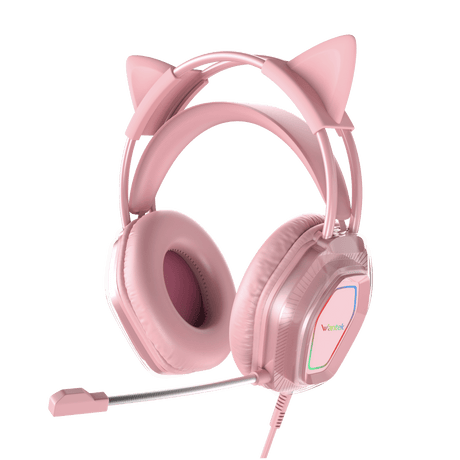
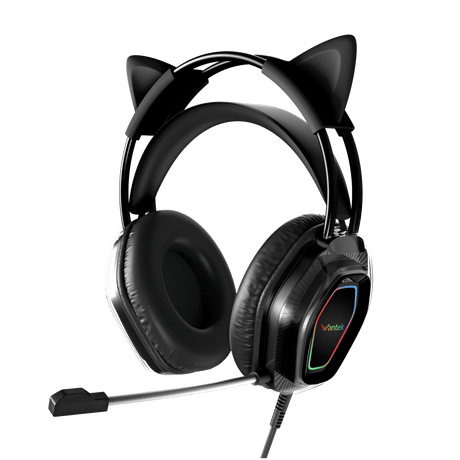
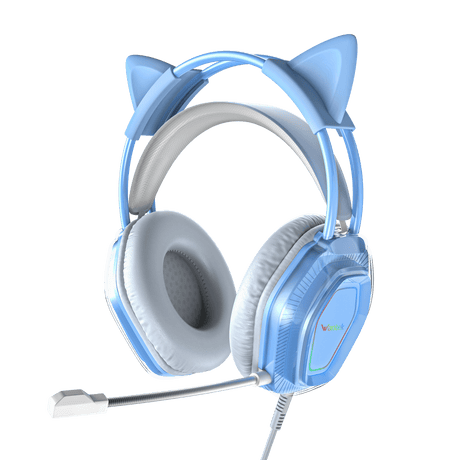
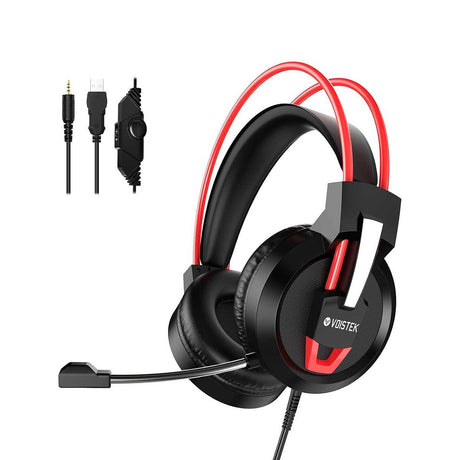
Verbessern Sie Ihr PC-Setup mit einem Wantek-Kopfhörer und -Mikrofon. Erleben Sie immersiven Klang für Gaming und Musik sowie kristallklare Kommunikation. Entwickelt für ganztägigen Tragekomfort.

Ansicht als

Whether you're deep in a late-night raid, hosting a podcast, crushing a client Zoom call, or streaming to thousands of fans — the quality of your audio can make or break the experience. Wantek's curated collection of PC microphone and headset is engineered for people who refuse to compromise on sound quality, comfort, or reliability.

Why Audio Quality Matters for Your PC Setup

Most people spend hundreds — sometimes thousands — upgrading their PC's graphics card, RAM, or monitor. Yet audio is often the last thing on the list. That's a mistake. Audio quality directly impacts communication clarity, gaming performance, streaming production value, and remote work professionalism.

A headset with a poor boom mic introduces background noise, echo, and distortion that erodes trust on calls and kills immersion in games. A great PC microphone, on the other hand, makes every word you say crystal clear — whether you're calling in on Zoom, recording a podcast episode, or communicating in-game on Discord.

Gaming Headsets with Pro-Grade Microphones

Wantek's gaming headsets are built from the ground up for PC gamers who need both immersive audio and a mic that picks up every callout without broadcasting keyboard clatter to their teammates.

What Makes a Great Gaming Headset Mic?

  • Boom mic with flexible positioning for optimal mic-to-mouth distance
  • Unidirectional (cardioid) polar pattern to isolate your voice and reject room noise
  • Built-in noise suppression or hardware noise cancellation
  • Clear voice reproduction in the 200Hz–8kHz vocal frequency range
  • Discord- and TeamSpeak-certified for guaranteed compatibility

Wired vs. Wireless Gaming Headsets for PC

Both options have their place in a serious PC audio setup:

Feature

Wired (USB / 3.5mm)

Wireless (USB Dongle / Bluetooth)

Latency

Ultra-low (~1–5ms)

Low with 2.4GHz dongle (~10–20ms)

Audio Quality

Consistent, no interference

Near-lossless with 2.4GHz dongle

Freedom

Limited by cable

Full freedom of movement

Best For

Competitive gaming, studio use

Streaming, casual play, WFH

Battery Life

No battery needed

15–50 hours depending on model


Dedicated PC Microphones: When You Need More Than a Boom Mic

If you're a content creator, streamer, podcaster, or remote professional who demands broadcast-quality audio, a dedicated USB or XLR microphone is a game-changing upgrade over a headset mic. The diaphragm size, capsule quality, and preamp circuitry inside a standalone condenser mic simply can't be replicated in a tiny headset boom.

USB vs. XLR Microphones for PC — Which Should You Choose?

  • USB Microphones: Plug-and-play convenience. No audio interface required. Perfect for beginners, streamers, and remote workers. 
  • XLR Microphones: Professional-grade with an audio interface. Higher dynamic range, lower noise floor, and superior upgrade path. Best for podcasters and advanced creators.
  • Dynamic Microphones: Rugged and reject background noise naturally — ideal for untreated rooms or loud environments.
  • Condenser Microphones: Higher sensitivity and detail — ideal for quiet, treated rooms where capturing nuance matters.

Headset + Mic Combos: The Best of Both Worlds

One content gap almost all competitors miss: most PC audio guides treat headsets and microphones as separate purchasing decisions. But many users — particularly streamers, content creators, and power users — need both simultaneously. You need studio-quality monitoring headphones to hear your mix, game audio, or recorded track clearly, while a dedicated condenser mic captures your voice in full fidelity.

Wantek's range allows you to build the perfect PC audio combo: pair a high-fidelity over-ear headset for monitoring and communication with a cardioid USB microphone for capture. This is the setup used by professional streamers and podcasters worldwide, and it's far more powerful than relying on a headset mic alone.

  • Best For Streamers: Closed-back monitoring headset + cardioid USB condenser mic
  • Best For Gamers: Wireless gaming headset with noise-cancelling boom mic
  • Best For Remote Workers: Wired headset with omni mic + inline mute/volume controls
  • Best For Podcasters: Open-back reference headphones + XLR dynamic microphone

How to Choose the Right PC Headset or Microphone

Use this quick decision framework to find your ideal Wantek product:

5 Key Factors to Consider

  1. Primary Use Case: Gaming, streaming, remote work, podcasting, or all of the above?
  2. Connectivity Preference: USB (plug-and-play) vs. 3.5mm (universal) vs. wireless dongle vs. Bluetooth?
  3. Mic Requirement: Built-in boom mic sufficient, or do you need a dedicated standalone microphone?
  4. Comfort & Fit: Over-ear, on-ear, or in-ear? Memory foam or leatherette cushions for long sessions?
  5. Budget Tier: Entry level (<$50), mid-range ($50–$150), or premium ($150+)?

Pro Tip: Don't Overlook Your Acoustic Environment

A $200 microphone in a reflective, untreated room will often sound worse than a $60 mic in a well-damped space. Before upgrading hardware, consider adding a foam panel or recording corner to your desk setup. Wantek's cardioid microphones already do heavy lifting to reject off-axis room noise — but mic placement matters too. Keep the mic 6–12 inches from your mouth and positioned slightly off-axis to reduce plosives.

How to Set Up Your Wantek Headset or Mic on PC (Windows 10/11)

A key question competitors fail to answer in depth: how do I actually set this up? Here's a quick guide:

  1. Plug In Your Device: Connect via USB or 3.5mm TRRS jack. Windows will auto-install drivers for most plug-and-play devices.
  2. Set as Default Device: Right-click the speaker icon in the taskbar → Sound Settings → Choose your Wantek device as both the Output (playback) and Input (microphone) device.
  3. Adjust Input Volume: In Sound Settings → Input → Device Properties → set microphone volume to 75–85% to prevent clipping.
  4. Enable Noise Suppression: In Windows Settings → System → Sound → Microphone, enable 'Noise suppression' to filter background hum.
  5. Test Your Setup: Open Sound Recorder or use the Windows mic test (Settings → System → Sound → Test your microphone) to confirm audio levels are clean and strong.
  6. Game/App-Specific Settings: In Discord, Steam, or your streaming app, select your Wantek device explicitly — don't rely on 'Default' which may point elsewhere.


Final Thoughts: Upgrade Your PC Audio with Wantek

Your PC audio setup is more than just a peripheral — it's how you communicate, compete, create, and connect. Whether you need a gaming headset with a pro-grade noise-cancelling microphone, a USB condenser mic for streaming, a wireless headset for remote work freedom, or a complete headset and mic combo for content creation — Wantek has a purpose-built solution for your exact setup.

Every product in the Wantek PC audio collection is designed with three non-negotiables in mind: crystal-clear audio reproduction, durable build quality built to last, and plug-and-play ease that doesn't require an engineering degree to configure.

Ready to upgrade? Browse the full Wantek PC Headset and Microphone collection at www.iwantek.com/collections/pc-headset and find the perfect audio solution for your PC setup today.

Häufig gestellte Fragen

Sind diese PC-Headsets mit PlayStation, Xbox und Mac kompatibel?

Ja, unsere Wantek PC-Headsets sind universell kompatibel. Sie sind zwar für PCs optimiert, funktionieren aber auch nahtlos mit Mac-Computern, PlayStation- und Xbox-Konsolen, wenn sie über die Standard-3,5-mm-Klinkenbuchse angeschlossen werden. So bieten sie vielseitige Audio- und Chat-Funktionen auf all Ihren Geräten.

Wie funktioniert das Mikrofon mit Geräuschunterdrückung bei diesen PC-Kopfhörern?

Das Mikrofon mit Geräuschunterdrückung nutzt eine Richtcharakteristik, um Ihre Stimme aus nächster Nähe optimal aufzunehmen. Es filtert aktiv Umgebungsgeräusche wie Tastaturklicks und Lüftergeräusche heraus und sorgt so für kristallklare Kommunikation bei Anrufen und im In-Game-Chat.

Sind diese Headsets auch für den ganztägigen Gebrauch bei der Arbeit oder langen Gaming-Sessions geeignet?

Absolut. Wir legen großen Wert auf Tragekomfort und bieten daher Funktionen wie verstellbare Kopfbügel, weiche, an die Kopfform angepasste Ohrpolster und leichte Materialien. Dieses ergonomische Design minimiert den Druck auf Ohren und Kopf und macht unsere Headsets ideal für längeres, komfortables Tragen.

Wie hoch ist die durchschnittliche Lebensdauer und Haltbarkeit dieser PC-Headsets?

Unsere Wantek-Headsets werden aus hochwertigen, langlebigen Materialien gefertigt, darunter verstärkte Kabel und eine robuste Konstruktion an Belastungspunkten. Die Lebensdauer hängt zwar von Nutzung und Pflege ab, sie sind jedoch auf langfristige Zuverlässigkeit ausgelegt und bieten über viele Jahre hinweg konstant hohe Leistung im täglichen Gebrauch.

Ist die Einrichtung dieser Kopfhörer und des Mikrofons für den PC Plug-and-Play-fähig?

Ja, die Einrichtung ist kinderleicht. Die meisten Modelle sind echte Plug-and-Play-Geräte. Schließen Sie einfach den 3,5-mm-Klinkenstecker an den Audioanschluss Ihres PCs an oder verwenden Sie den USB-Anschluss. Das Headset mit Mikrofon wird automatisch von Ihrem Computer erkannt und benötigt keine zusätzliche Software oder komplizierte Treiber, um sofort loszulegen.

What's the best budget PC headset with a microphone under $50?

Wantek's entry-level headset lineup offers surprising audio performance at sub-$50 price points. Look for USB connectivity, a flexible unidirectional boom mic, and 50mm drivers for the best sound-per-dollar value in this range.

Are Wantek headsets compatible with PS5, Xbox, and Switch?

Most Wantek PC headsets with 3.5mm TRRS connections are compatible with PS5, Xbox Series X/S (via controller jack), and Nintendo Switch in handheld mode. USB-only models are designed specifically for PC/Mac. Check the individual product compatibility notes for confirmed multi-platform support.

What is 7.1 surround sound on a gaming headset?

7.1 surround sound on a gaming headset is a virtual spatial audio effect that simulates multi-speaker positioning through software DSP processing. It creates the perception that sounds are coming from specific directions — front, rear, left, right — which improves spatial awareness in games. True 7.1 requires multiple physical drivers; virtual 7.1 achieves a similar effect with stereo drivers and signal processing.


Vergleichen /3

Wird geladen...