
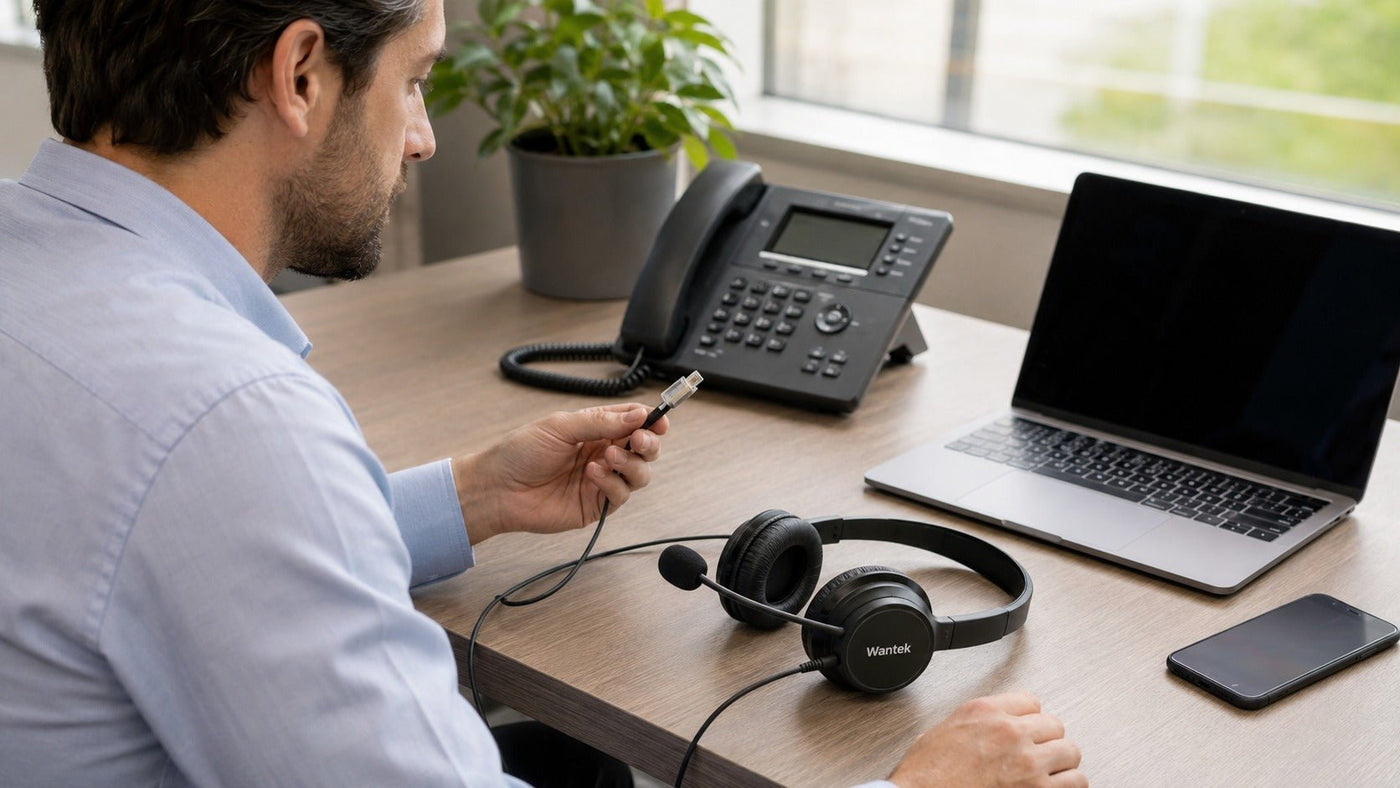
The best office phone headset in 2026 depends first on your phone system and connection method—not on brand or wireless technology. For physical desk phones, verify the exact phone model, headset port, and wiring before buying. Wired RJ9-style headsets are strong choices for battery-free reliability, while DECT systems add mobility for desk-phone users. Bluetooth and USB headsets are better suited to PCs and mobile devices unless the desk phone or an optional base explicitly supports them.
For straightforward wired desk-phone use, compatible Wantek H600/H602 variants are practical options. For wireless setups, the Yealink WH62 supports desk-phone and PC workflows, while the Poly Voyager 4320 can add desk-phone connectivity through the optional Voyager Office base. Jabra Engage 55 is better understood as a DECT solution for computer-based calls, and Logitech Zone Wireless 2 is primarily a Bluetooth/USB option for softphones and mobile devices.
Choosing an Office Phone Headset in 2026
Modern business calling spans physical desk phones, Microsoft Teams, Zoom Workplace, Cisco Webex, mobile phones, and mixed-device setups. That makes choosing an office phone headset less about finding the model with the longest feature list and more about matching the headset to the actual calling system.
A physical office phone and a computer softphone often require different connections. Even two desk phones with similar-looking modular headset ports may use different wiring or accessories. Before comparing microphone technology, wireless range, or comfort, identify:
- The exact phone or computer you use.
- Where the headset will connect.
- Whether you need wired or wireless mobility.
- Whether calls also need to move between a PC or mobile phone.
- Which call controls and collaboration platforms must work.
This guide explains those decisions and compares practical options from Wantek, Jabra, Poly (HP), Yealink, and Logitech.

Entity Landscape: Key Players and Technologies
Manufacturers and Their Positioning
- Wantek: Focuses heavily on affordable wired office, desk-phone, USB, and multi-connector headsets, including several RJ9 wiring variants for different phone systems.
- Jabra (GN Group): Offers professional UC, Bluetooth, and DECT headsets for computer-based and enterprise communications.
- Poly (HP): Provides business headsets spanning Bluetooth, USB, office-base connectivity, conferencing, and enterprise device management.
- Yealink: Combines its IP-phone ecosystem with USB, Bluetooth, and DECT headset products, including models designed to connect to PCs and desk phones.
- Logitech: Concentrates primarily on USB and Bluetooth headsets for PCs, mobile devices, and collaboration platforms.
The important distinction is not simply which manufacturer is "best." Each product family may target a different connection architecture.
Connectivity Standards and Protocols
DECT (Digital Enhanced Cordless Telecommunications): Professional DECT systems operate in dedicated spectrum around 1.9 GHz in many markets rather than the crowded 2.4 GHz band used by Bluetooth and much Wi-Fi traffic. The DECT Forum describes professional DECT as combining dedicated spectrum, predictable latency, security features, and long-range capability. Actual headset range still varies by product, building layout, walls, and interference conditions. DECT professional applications provide the underlying technical context.
Bluetooth: Bluetooth is appropriate for computers, smartphones, tablets, and supported desk phones or bases. Do not judge a headset primarily by whether it advertises Bluetooth 5.2, 5.3, or 5.4. Codec support, radio implementation, microphone processing, software, and the connected device all influence actual call performance.
RJ9-style connectors: Four-conductor modular connectors are common on business phones, but identical-looking plugs are not automatically electrically interchangeable. Phone model, port type, and wiring must be checked.
Quick Disconnect (QD): QD systems let a user separate the headset from its lower cable without taking off the headset. QD interfaces are not universally interchangeable across manufacturers.
USB-A and USB-C: Both can carry digital USB audio. USB-C's broader data-transfer and power capabilities do not inherently make headset voice quality better than USB-A.
Regulatory and Privacy Considerations
Wireless products sold in the United States are subject to applicable radio-frequency equipment requirements, but regulatory compliance does not mean a device will be "interference-free."
Healthcare use also requires more precise language than simply calling a headset "HIPAA compliant." HIPAA is technology-neutral: organizations subject to the Security Rule must evaluate how communications and systems protect electronic protected health information.
“The Security Rule requires regulated entities to implement reasonable and appropriate administrative, physical, and technical safeguards for protecting ePHI.” — U.S. Department of Health and Human Services, Summary of the HIPAA Security Rule
A wired headset is therefore not automatically "HIPAA compliant," nor is a wireless headset automatically unsuitable. Security depends on the complete communications environment and the safeguards implemented around it.
Software and Platform Ecosystems
Microsoft Teams: Teams certification is useful when reliable hardware call controls and predictable platform behavior matter. Microsoft states that certified personal peripherals undergo testing for the Teams experience and support relevant integration.
Microsoft describes the benefit directly:
“Certified devices work (plug & play) with no extra configuration required, and offer call control with Microsoft Teams.” — Microsoft, Personal peripherals certified for Microsoft Teams
Zoom Workplace and Cisco Webex: Compatibility should be checked by exact headset model and deployment method. Avoid assuming that any USB or Bluetooth headset provides every mute, answer/end, presence, or platform-control function.
Typical User Profiles
- Call center agents: Need consistent microphone pickup, comfortable fit, durable controls, and reliable connection during long calling periods.
- Receptionists: Often benefit from a mono headset or DECT mobility while remaining aware of nearby activity.
- Hybrid workers: May need one headset for computer calls and mobile calls, or a base that also supports a desk phone.
- Healthcare and financial teams: Should evaluate privacy and security at the system level rather than relying on unsupported "compliant headset" labels.
- IT administrators: Need predictable compatibility, manageable firmware, replacement parts, and standardized deployment.
Key Subtopic 1: Wired vs. Wireless vs. DECT
The best connection type depends on what the headset needs to connect to and how much mobility the user actually needs.
1. Wired Headsets: Simple and Battery-Free
For a dedicated landline or IP desk phone, a wired headset remains one of the simplest solutions.
Pros:
- No charging requirement.
- No wireless pairing.
- No radio-range limitation.
- Direct, predictable connection when correctly matched to the phone.
- Often lower acquisition cost than wireless systems.
Cons:
- Movement is limited by cable length.
- Cables add desk clutter.
- Compatibility can be confusing because modular connectors that look identical may use different wiring.
Best for: Reception desks, customer-service teams, administrative offices, and other environments where users normally remain close to the phone.
Connectivity: Common options include direct modular connections and QD-based systems. The exact phone model matters more than the visual appearance of the connector.
2. Wireless DECT Headsets: Mobility for Professional Calling
DECT is distinct from Bluetooth and Wi-Fi. Its dedicated spectrum is one reason it is widely used in professional cordless voice systems.
Pros:
- Longer practical working range than many conventional Bluetooth headset setups.
- Designed around professional voice communication.
- Suitable for users who need to leave the immediate desk area during calls.
- Enterprise models may support dense deployments and additional security features.
Cons:
- Requires a compatible base or adapter.
- Battery management becomes part of daily use.
- Advertised maximum range normally assumes favorable conditions; walls and building materials reduce real-world range.
- Some DECT models support only one type of host connection, while others support both a desk phone and computer.
Best for: Receptionists, office managers, warehouse staff, healthcare teams, and other users who need mobility without abandoning a desk-phone workflow.
3. Bluetooth and USB Headsets: Best for PCs and Mobile Devices
Bluetooth and USB dominate modern softphone workflows.
Pros:
- Strong fit for PCs, Macs, smartphones, and tablets.
- Many Bluetooth models support two active connections.
- USB dongles can simplify PC deployment and improve consistency compared with relying on the computer's built-in Bluetooth radio.
- Broad choice of mono, stereo, ANC, and portable designs.
Cons:
- A standard Bluetooth headset cannot automatically pair with an analog office phone.
- A USB headset works only if the host device supports USB audio through that port.
- Battery life matters for wireless users.
- Bluetooth multipoint does not mean the headset can connect to every type of desk phone.
Best for: Teams, Zoom, Webex, softphone, mobile, and hybrid-PC users.
Key Subtopic 2: Compatibility with Desk Phones vs. Softphones
A frequent buying mistake is treating every office headset as interchangeable.
Desk Phone Headsets: Check the Exact Phone
Physical desk phones can be analog phones or IP phones from brands such as Cisco, Avaya, Poly, Yealink, Panasonic, Mitel, and others. Their available headset connections vary significantly.
Before choosing a desk phone headset, verify:
- Full phone brand and model.
- Whether the phone has a dedicated headset port.
- Whether it supports USB audio.
- Required modular wiring where RJ-style connections are used.
- Whether an EHS cable, handset lifter, amplifier, base, or other accessory is needed.
- Whether remote answer/end controls are required.
Wantek's current compatibility guidance makes the core issue explicit: a matching modular plug alone does not establish compatibility.
RJ9 Does Not Mean Universal Compatibility
"RJ9" is widely used as a convenient market label for four-conductor telephone headset connectors, but buyers should not assume all RJ9-labeled headsets have the same pinout.
For example, Wantek currently separates compatible wired phone headsets into RJ1, RJ2, and RJ4 wiring variants. Its live office and RJ9 collections list different variants for different compatible phone families.
That is why the correct purchase workflow is:
Phone model → supported port → wiring/accessory requirements → headset
—not:
Connector looks right → buy headset
Softphone Communication: USB or Bluetooth
If your calls primarily happen through Microsoft Teams, Zoom Workplace, Cisco Webex, a browser-based contact center, or another computer application, USB or Bluetooth is usually the more natural connection.
Do not plug a modular telephone headset directly into a computer and assume it will work. A PC normally needs a supported USB audio interface, Bluetooth connection, or an appropriate QD-to-USB/analog-to-digital adapter designed for the headset.
The quality and controls available through an adapter depend on the complete headset-and-adapter combination, so compatibility should be verified rather than assumed.
Compatibility first
Check your phone before choosing a headset.
Use the exact desk-phone model and connection type to narrow the right path before comparing RJ9, USB, or wireless options. Similar-looking modular plugs can use different wiring.
Check Desk-Phone CompatibilityKey Subtopic 3: What Makes a Good Office Headset?
1. Microphone Design
For business calls, microphone performance is usually more important than music-oriented specifications.
Directional microphones: A directional pickup pattern is more sensitive to sound from intended directions and rejects more off-axis sound than an omnidirectional microphone. It does not literally capture "only your voice."
Microphone noise reduction: Modern business headsets may combine directional capsules, multiple microphones, beamforming, digital signal processing, or machine-learning algorithms. "Noise-cancelling microphone" is therefore a broad product category, not a guarantee of one specific microphone design.
Boom placement: A properly positioned boom generally improves the ratio between the user's voice and surrounding sound. Follow the manufacturer's placement instructions rather than relying on a universal one- or two-inch rule.
2. Speaker ANC vs. Microphone Noise Reduction
These technologies solve different problems.
Active Noise Cancellation (ANC): Reduces ambient sound reaching the wearer's ears. It is primarily a listening-comfort feature.
Microphone noise reduction: Attempts to reduce unwanted environmental sound transmitted to the person on the other end of the call.
A headset can have excellent microphone noise reduction without having speaker ANC, and vice versa.
For call centers, reception desks, and customer-facing roles, transmitted microphone quality is usually the first priority. For users working in noisy open offices, speaker ANC can also improve concentration and reduce the temptation to increase listening volume.
3. Wearing Style and Comfort
There is no universal headset-weight threshold that guarantees eight-hour comfort. Weight matters, but so do:
- Clamping force.
- Cushion shape and material.
- Headband pressure distribution.
- Ear temperature.
- Adjustability.
- Mono versus stereo design.
- Eyeglass interaction.
- Individual head and ear shape.
Mono headsets keep one ear open and are useful when the wearer needs environmental awareness.
Stereo headsets provide greater passive isolation and are often preferable when concentration is the priority.
Convertible headsets can support multiple wearing configurations where the product design allows it.
Comfort should be treated as a fit decision, not reduced to a single gram measurement.
4. Wideband Audio and Call Quality
Wideband telephony increases the speech bandwidth available compared with traditional narrowband calling, which can make voices sound more natural and easier to distinguish.
However, a wideband-capable headset cannot create a wideband call by itself. The phone, application, codec, network path, and remote endpoint must also support the appropriate audio mode.
Other useful technologies include:
- Acoustic echo cancellation: Reduces audible echo in supported communications systems.
- Sidetone: Feeds a controlled amount of the user's own voice into the headset, helping speech feel more natural.
- Hearing protection controls: Some professional models provide acoustic-event limiting or configurable exposure features.
Key Subtopic 4: Spotlight on Wantek – Wired Desk-Phone Options
Wantek maintains a relatively broad selection of wired telephone headsets alongside USB and wireless work-headset models.
The most useful distinction within its desk-phone range is not simply mono versus stereo. It is connection compatibility.
Wantek H602 RJ9 Variants
The current H602 desk-phone range includes different RJ wiring variants rather than one claimed universal model.
For example, the H602 RJ1 dual-ear model is listed at approximately 85 g, with a 1.2 m cable, boom microphone, inline volume/mute controls, and a direct wired connection. Wantek separately offers an H602 RJ4 version for a different set of compatible phones.
That distinction matters. Buyers looking for a headset for office phone systems should match the specific variant to the phone rather than buying based only on "RJ9" in the product name.
Mono vs. Dual-Ear Wantek Models
Wantek also offers H600 mono variants for users who want one ear open and H602 dual-ear variants for greater isolation during calls. Current office-headset listings show both configurations across multiple desk-phone wiring types.
A landline phone headset is therefore best selected by:
- Phone model and wiring.
- Mono or dual-ear preference.
- Inline control requirements.
- QD requirement, if applicable.
- Individual or team deployment size.
The advantage of a wired model is simplicity: no battery, no wireless pairing, and no radio base. The tradeoff is reduced mobility.
Key Subtopic 5: Recommended Office Headsets by Use Case
These recommendations are organized around connection requirements rather than a claim that one headset is objectively best for every office.
1. Simple Wired Desk-Phone Choice: Wantek H602
Connectivity: Wired modular connection; available in different RJ wiring variants.
Key characteristics: Dual-ear design, boom microphone, inline volume and mute controls, battery-free operation, and compatibility-specific variants. Current H602 RJ1 and RJ4 listings show an 85 g headset and 1.2 m cable.
Best for: Reception, customer service, administrative teams, and other users who remain close to a compatible desk phone.
Important: Choose the variant from the exact phone model rather than assuming universal RJ9 compatibility.
2. Premium Hybrid Option with Desk-Phone Support: Poly Voyager 4320
The Poly Voyager 4320 is a Bluetooth 5.2 business headset rather than a DECT headset. In its standard UC configuration, it connects to PCs through the BT700 Bluetooth adapter or USB and to smartphones through Bluetooth. With the optional Voyager Office base, it can also connect to a desk phone.
HP lists up to 24 hours of talk time with the online indicator off, Acoustic Fence microphone noise cancellation, and up to 91 m/300 ft wireless range when used with the Voyager Office base. Poly Voyager 4320 specifications document the current connection options.
Best for: Users who need one headset architecture spanning computer, mobile, and—in the Office-base configuration—a physical desk phone.
3. DECT for Desk Phone + PC: Yealink WH62
The Yealink WH62 is a genuine DECT office headset available in mono and dual-ear configurations.
Its full base supports connection to a PC and desk phone, including simultaneous PC/IP-phone workflows. Yealink lists up to 160 m/525 ft maximum range under favorable conditions and up to 13 hours of talk time for the mono model or 14 hours for the dual model.
For non-Yealink desk phones, compatibility and any required EHS accessory should be checked against Yealink's current compatibility information.
Best for: Offices that specifically want DECT mobility while maintaining PC and physical desk-phone connectivity.
4. DECT for Computer Softphones: Jabra Engage 55
The Jabra Engage 55 is useful when "office phone" primarily means a computer-based Teams or UC calling environment.
It uses the Jabra Link 400 DECT USB adapter rather than Bluetooth. Jabra's current documentation specifies a computer connection, secure DECT Level C, and a maximum stated range of up to 150 m/490 ft under suitable conditions. It is a single-host computer solution rather than a direct desk-phone/mobile multipoint headset.
Best for: Users who want DECT range and security characteristics for PC softphone calls without a conventional desktop DECT base.
Not ideal for: Buyers whose primary requirement is direct connection to a traditional desk phone.
5. Bluetooth/USB Softphone Choice: Logitech Zone Wireless 2
Logitech Zone Wireless 2 is primarily a PC/mobile business headset rather than a traditional landline headset.
Current specifications list Bluetooth 5.2, USB-C receiver connectivity, USB-A adapter support, multipoint Bluetooth, hybrid ANC, a flip-to-mute microphone, and up to 15 hours of talk time with ANC enabled or 18 hours with ANC disabled.
Best for: Teams, Zoom, Google Meet, computer softphones, and mobile users who prioritize Bluetooth flexibility and listening ANC.
Not ideal for: Direct connection to an analog office phone unless a supported external system provides that capability.
Ready to compare
Compare office headsets by connection and work style.
Browse Wantek RJ9, USB, and wireless office headsets, then confirm the exact connector and supported devices on the individual product page before choosing.
Key Subtopic 6: Deployment and Lifecycle Considerations
For larger office deployments, the purchasing decision extends beyond individual headset features.
Standardize Compatibility
Using a smaller number of verified headset-and-phone combinations reduces troubleshooting. IT teams should document:
- Phone models.
- Headset variants.
- Required cables or EHS accessories.
- USB adapters or bases.
- Supported collaboration platforms.
Plan for Replaceable Parts
Ear cushions, microphone covers, lower cables, batteries where serviceable, and charging accessories affect total ownership cost. A headset that can be maintained easily may be more practical than one with slightly better headline specifications.
Account for Firmware and Device Management
USB, Bluetooth, and DECT systems increasingly rely on management software for firmware updates, configuration, hearing-protection settings, and platform integration. Confirm that the management environment fits organizational IT policies before standardizing a model.
Keep Spare Units for Critical Roles
Reception, contact-center, dispatch, and other high-call-volume environments should consider spare compatible units. A predictable replacement process is more valuable operationally than an unsupported claim that any headset is "mission critical" or universally reliable.

Common Office Phone Headset Questions
What is the difference between a mono and stereo office headset?
A mono headset leaves one ear uncovered, making it useful for receptionists and users who must remain aware of nearby conversations.
A stereo headset covers both ears, providing greater passive isolation and making it easier to concentrate in busy environments.
Neither is inherently better. The choice depends on environmental awareness versus focus.
Why does my headset sound poor on a desk phone?
First verify:
- The headset is intended for the exact phone model.
- The correct headset or handset port is being used.
- Modular wiring is compatible.
- Any compatibility switch is set correctly.
- Required EHS, amplifier, base, or adapter hardware is installed.
- Microphone position and call volume are adjusted correctly.
A physical connector fitting into the socket does not prove electrical compatibility.
Should I choose a noise-cancelling microphone or speaker ANC?
For customer-facing calls, prioritize microphone performance because it affects what the other person hears.
Speaker ANC addresses a different problem: reducing the environmental noise that reaches your ears. It is useful in open offices, travel, and other noisy surroundings but is not a substitute for a good microphone.
Frequently Asked Questions (FAQs)
1. Are wireless office headsets worth it if I only use a landline phone?
Yes, if mobility is useful—but verify how the wireless system connects to the phone.
A conventional Bluetooth headset cannot directly pair with a desk phone that has no Bluetooth capability. A DECT system designed for desk phones uses a compatible base connection. Some Bluetooth business headsets can also reach a desk phone through a dedicated office base.
If you rarely leave the desk, a wired model is usually simpler and removes battery management from the equation.
2. Will a desk-phone headset work with my computer?
Sometimes, but not automatically.
A modular telephone headset generally cannot be connected directly to a computer's USB port. You need a compatible USB adapter, QD-to-USB interface, multi-device base, or a headset that already supports both connection types.
Check the specific headset system instead of assuming that every wired office headset can be converted.
3. Is microphone noise cancellation or speaker ANC more important?
They solve different problems.
Microphone noise reduction improves the audio sent to the caller.
Speaker ANC reduces environmental noise heard by the headset wearer.
For call clarity, start with microphone performance. Add speaker ANC when the user's environment makes concentration or comfortable listening difficult.
4. What is the ideal weight for an office headset?
There is no evidence-based universal weight cutoff that guarantees comfort.
A lighter headset may reduce total load, but clamping pressure, cushion design, headband shape, wearing style, heat buildup, and individual fit can matter just as much.
For long daily use, test fit whenever possible and prioritize adjustability and pressure distribution over an arbitrary gram threshold.
5. Can I use an office headset with an iPhone?
Bluetooth business headsets can generally connect to compatible iPhones using supported Bluetooth profiles.
A wired RJ-style desk-phone headset cannot plug directly into an iPhone. If you need both desk-phone and mobile connectivity, choose a headset system whose base explicitly supports both devices.
Do not assume that every DECT headset also includes Bluetooth. For example, Jabra Engage 55 uses a DECT USB adapter for computer connectivity rather than serving as a Bluetooth mobile headset.
6. What is the difference between DECT and Bluetooth for office headsets?
DECT: Designed around cordless voice communication and typically uses dedicated spectrum around 1.9 GHz. Professional headset implementations can provide long range and enterprise-focused security features.
Bluetooth: Operates in the 2.4 GHz ISM band and is deeply integrated into computers, smartphones, and tablets. It is generally more versatile for personal multi-device use.
Security should not be reduced to "DECT secure, Bluetooth insecure." Both technologies have security mechanisms, and the actual risk depends on protocol version, product implementation, configuration, surrounding systems, and organizational requirements.
For regulated environments, select technology as part of a broader security assessment rather than treating radio type as a compliance certificate.
How to Choose the Best Office Phone Headset
Selecting the right office phone headset in 2026 is primarily a compatibility and workflow decision.
Step-by-Step Decision Guide
- Identify the calling system. Determine whether calls happen on a physical desk phone, computer softphone, mobile phone, or a combination.
- Verify exact compatibility. Record the desk-phone brand and model before choosing modular wiring, USB, DECT, Bluetooth, or accessories.
- Determine mobility requirements. If you remain at the desk, wired is simple and battery-free. If movement matters, consider a compatible DECT or office-base wireless system.
- Evaluate the environment. Prioritize strong microphone performance in noisy offices; add speaker ANC when listening isolation is also important.
- Assess comfort for actual call duration. Consider weight, pressure, cushions, wearing style, adjustability, and battery runtime instead of relying on a single ergonomic specification.
- Check platform controls. Teams, Zoom, Webex, and other softphone users should verify current device certification and call-control support.
- Plan for deployment. For teams, include accessories, replacement parts, firmware management, and spare units in the decision.
Final Recommendations
- Dedicated desk-phone users: Start with a correctly matched wired Wantek H600/H602 variant if simplicity and battery-free operation are priorities.
- Desk-phone users who need DECT mobility: Consider Yealink WH62 where its PC/phone connection and compatibility requirements match the environment.
- Users who need desk phone + PC + mobile flexibility: Poly Voyager 4320 with the appropriate Voyager Office base provides a broader hybrid connection architecture.
- PC softphone users who want DECT: Jabra Engage 55 is designed around a DECT USB connection to the computer.
- Bluetooth-first hybrid workers: Logitech Zone Wireless 2 is better suited to computer and mobile workflows than to direct traditional desk-phone connection.
The Takeaway
The most important specification is not Bluetooth version, maximum range, ANC strength, or brand name. It is compatibility with the system you actually use.
For a physical desk phone, verify the exact model and supported headset connection before purchasing. Then choose between wired simplicity and wireless mobility. For computer and mobile calling, prioritize platform integration, microphone performance, comfort, and appropriate Bluetooth or USB connectivity.
Once those fundamentals are correct, features such as ANC, multipoint, wideband audio, call controls, and device management become useful differentiators rather than marketing distractions.
That approach makes it far easier to choose an office phone headset that fits today's calling environment without relying on unsupported claims of universal compatibility, security, or performance.
Continue your research
Choose the next guide for your office setup
Start with the broader phone-and-computer workflow, then narrow your decision by compatibility, connection type, mobility, or call-center requirements.
- Compatibility Check Desk Phone Headset Compatibility Verify the exact phone model, supported connection, RJ wiring, and any required accessories before choosing.
- Comparison Compare Wired and Wireless Office Headsets Compare fixed-desk simplicity with wireless mobility, charging, range, and connection requirements.
- Call centers Choose a Call Center Headset Narrow USB, RJ9, wireless, mono, and dual-ear options around the devices and workflows used by agents.
- Connections Compare USB and 3.5mm Headsets Compare two common wired connection paths for computers and other compatible devices.
Already confirmed the phone model and required RJ wiring? Browse RJ9 Headsets →

