
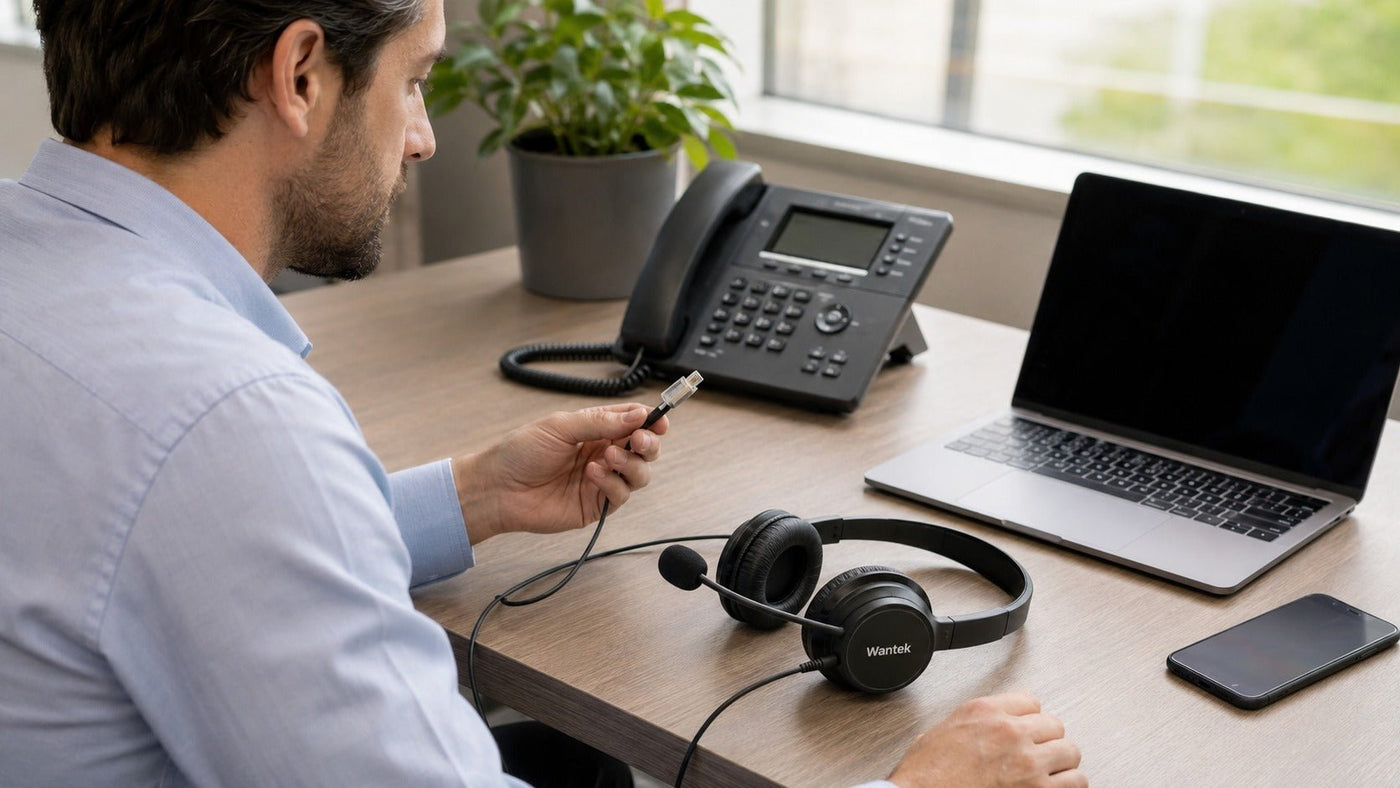
The best office phone headset in 2026 depends first on your phone system and connection method—not on brand or wireless technology. For physical desk phones, verify the exact phone model, headset port, and wiring before buying. Wired RJ9-style headsets are strong choices for battery-free reliability, while DECT systems add mobility for desk-phone users. Bluetooth and USB headsets are better suited to PCs and mobile devices unless the desk phone or an optional base explicitly supports them.
For straightforward wired desk-phone use, compatible Wantek H600/H602 variants are practical options. For wireless setups, the Yealink WH62 supports desk-phone and PC workflows, while the Poly Voyager 4320 can add desk-phone connectivity through the optional Voyager Office base. Jabra Engage 55 is better understood as a DECT solution for computer-based calls, and Logitech Zone Wireless 2 is primarily a Bluetooth/USB option for softphones and mobile devices.
Match Your Headset to Your Office Phone
Choose the connection for the device that handles your calls. An office phone headset for a physical desk phone may need different wiring or accessories from a computer softphone headset.
| Calling setup | Connection path | Check first |
|---|---|---|
| Desk phone with RJ headset port | Wired RJ headset | Phone model and RJ wiring |
| Phone with 2.5mm jack | 2.5mm wired headset | Exact phone compatibility |
| USB-capable IP phone | Supported USB headset | USB audio and controls |
| Handset port only | Compatible office base or adapter | Port wiring; EHS or lifter if needed |
| Computer softphone | USB, Bluetooth or computer DECT | Host and call-control support |
For wireless desk-phone use, check audio compatibility and remote call control separately.

Office Headset Brands and Connection Technologies
Manufacturers and Their Positioning
- Wantek: Wired RJ-style and 2.5mm desk-phone headsets, plus USB options. Phone-model compatibility varies by product variant.
- Jabra (GN Group): Business Bluetooth, USB and DECT options, including computer-based UC solutions.
- Poly (HP): Bluetooth and USB business headsets, with desk-phone connectivity on supported Office-base systems.
- Yealink: USB and DECT headsets within its IP-phone and computer-calling ecosystem.
- Logitech: Primarily computer and mobile calling headsets using USB and Bluetooth.
Compare the connection architecture and exact product model rather than choosing by brand alone.
Connectivity Standards and Protocols
DECT: Professional DECT systems use dedicated radio spectrum around 1.9 GHz in many markets. They normally connect through a compatible base or computer adapter. Range depends on the model, walls and interference; see the DECT Forum’s Classic DECT overview.
Bluetooth: Common on phones and computers, and on some desk phones or office bases. Bluetooth version alone does not establish microphone quality, usable range or desk-phone compatibility.
RJ-style connectors: Similar-looking four-conductor telephone plugs can have different wiring. Match the exact phone and headset variant.
Quick Disconnect (QD): Allows separation of a compatible headset from its lower cable. QD connections are not necessarily interchangeable between brands.
USB-A and USB-C: Both can carry digital headset audio. USB-C does not inherently sound better; the host must support the headset and its desired controls.
Regulatory and Privacy Considerations
Radio-equipment compliance does not mean interference-free calling. Similarly, a headset by itself is not “HIPAA compliant.” Organizations subject to the HIPAA Security Rule must assess safeguards for the wider communications system, as explained in the HHS Security Rule summary.
Software and Platform Ecosystems
For Microsoft Teams, verified device certification can matter when answer/end and mute controls are required; check Microsoft’s certified peripherals guidance. For Zoom Workplace and Cisco Webex, confirm the exact headset model, adapter and supported call-control functions instead of assuming every Bluetooth or USB headset offers full integration.
Which Setup Fits Your Work?
Desk-phone teams should verify phone-specific wiring and accessories. Computer and mobile callers can prioritize USB or Bluetooth, while mixed-device teams may need a compatible base. IT buyers should standardize only combinations whose call controls and replacement parts have been checked.
Wired vs. DECT vs. Bluetooth Headsets
Choose a connection method for the device and mobility you actually need.
1. Wired Headsets: Simple and Battery-Free
Wired headsets are practical for desk-based calls: no charging or pairing, typically lower purchase costs, and consistent audio when correctly matched to the phone.
Tradeoffs: Cable length limits movement, and RJ-style connectors may require phone-specific wiring. Direct modular and QD-based setups are not automatically interchangeable.
Best for: Reception desks, administrative teams and call-center stations with compatible phone ports.
2. Wireless DECT Headsets: Mobility for Professional Calling
DECT systems can extend calling away from the desk and often offer more practical range than ordinary Bluetooth headsets. Professional versions may support dense deployments and additional security features.
Tradeoffs: A compatible base or adapter and regular charging are required. Walls reduce real-world range, and some systems connect only to computers, while others support desk phones and PCs.
Best for: Staff who need to move around while handling calls through a supported desk-phone or PC system.
3. Bluetooth and USB Headsets: Best for PCs and Mobile Devices
USB is convenient for compatible computer softphones; Bluetooth suits mobile and supported computer connections. Some Bluetooth headsets support multipoint, but actual switching depends on the model. A USB wireless receiver may simplify computer deployment.
Tradeoffs: Bluetooth cannot pair directly with a desk phone lacking Bluetooth or a compatible base. USB audio requires a supported host, and wireless headsets need charging. Multipoint does not guarantee landline compatibility.
Best for: Teams, Zoom, Webex, mobile calling and hybrid workers primarily using computers.
Compatibility with Desk Phones vs. Softphones
A frequent buying mistake is treating every office headset as interchangeable.
Desk Phone Headsets: Check the Exact Phone
Physical desk phones can be analog phones or IP phones from brands such as Cisco, Avaya, Poly, Yealink, Panasonic, Mitel, and others. Their available headset connections vary significantly.
Before choosing a desk phone headset, verify:
- Full phone brand and model.
- Whether the phone has a dedicated headset port.
- Whether it supports USB audio.
- Required modular wiring where RJ-style connections are used.
- Whether an EHS cable, handset lifter, amplifier, base, or other accessory is needed.
- Whether remote answer/end controls are required.
Wantek's current compatibility guidance makes the core issue explicit: a matching modular plug alone does not establish compatibility.
RJ9 Does Not Mean Universal Compatibility
"RJ9" is widely used as a convenient market label for four-conductor telephone headset connectors, but buyers should not assume all RJ9-labeled headsets have the same pinout.
For example, Wantek currently separates compatible wired phone headsets into RJ1, RJ2, and RJ4 wiring variants. Its live office and RJ9 collections list different variants for different compatible phone families.
Match the phone model, port, wiring and any required accessories before choosing a headset. Connector shape alone does not establish compatibility.
2.5mm Headsets for Landline and Cordless Phones
Some compatible desk and cordless phones use 2.5mm headset jacks. These are not interchangeable with 3.5mm, modular RJ or USB connectors; matching the plug size is not enough to confirm compatibility.
Wantek offers H600 and H681 single-ear and H602 and H682 dual-ear 2.5mm variants for selected phone models. Check your exact phone against the Wantek 2.5mm phone headset range before ordering.
Headset Port, Handset Port and Call Control
- Dedicated headset port: Confirm its documented wiring or USB-audio support; the phone's headset button may still be needed.
- Handset port only: Some compatible office bases route audio through a handset connection using a telephone interface cable. Do not plug an ordinary headset directly into an unverified handset socket.
- Remote answer/end: Audio working does not prove remote call-control support. A compatible EHS cable or handset lifter may be needed; otherwise you may have to press the phone's headset button or lift the handset manually.
See the Poly Voyager Office Base guide for documented examples of these different connections.
Softphone Communication: USB or Bluetooth
If your calls primarily happen through Microsoft Teams, Zoom Workplace, Cisco Webex, a browser-based contact center, or another computer application, USB or Bluetooth is usually the more natural connection.
Do not plug a modular telephone headset directly into a computer and assume it will work. A PC normally needs a supported USB audio interface, Bluetooth connection, or an appropriate QD-to-USB/analog-to-digital adapter designed for the headset.
The quality and controls available through an adapter depend on the complete headset-and-adapter combination, so compatibility should be verified rather than assumed.
Compatibility first
Check your phone before choosing a headset.
Use the exact desk-phone model and connection type to narrow the right path before comparing RJ9, USB, or wireless options. Similar-looking modular plugs can use different wiring.
Check Desk-Phone CompatibilityWhat Makes a Good Office Headset?
1. Microphone Design
For voice calls, start with microphone quality. A directional pickup pattern can reject some off-axis noise but does not capture only your voice. Headsets may also use multiple microphones, beamforming or digital signal processing; the label “noise-cancelling microphone” does not guarantee a particular design or result.
A properly positioned boom can improve voice pickup. Follow the product's microphone-placement instructions rather than relying on a universal distance.
2. Speaker ANC vs. Microphone Noise Reduction
Speaker ANC reduces surrounding noise heard by the wearer. Microphone noise reduction targets unwanted sound transmitted to callers. A headset can offer one without the other.
For customer-facing work, prioritize intelligible transmitted speech. In a noisy office, speaker ANC may also help the wearer concentrate.
3. Wearing Style and Comfort
There is no universal weight limit for all-day comfort. Evaluate clamping pressure, cushion material, headband adjustment, heat, eyeglass fit and individual head shape alongside headset weight.
Single-ear headsets leave one ear open for awareness. Dual-ear headsets offer greater passive isolation, but two earpieces do not necessarily mean stereo telephone audio. Convertible models may offer multiple wearing configurations.
For long shifts, assess the actual fit rather than relying on grams alone.
4. Wideband Audio and Call Quality
Wideband voice can sound clearer than narrowband telephony, but the phone, application, codec, network and other endpoint must also support it. Headset capability alone cannot upgrade the complete call.
Other useful features include acoustic echo cancellation in supported systems, sidetone to hear your own voice naturally, and hearing-protection controls on some professional models.
Spotlight on Wantek – Wired Desk-Phone Options
Wantek maintains a relatively broad selection of wired telephone headsets alongside USB and wireless work-headset models.
Choose the verified connector and wiring first, then compare single-ear and dual-ear fit.
Wantek H602 RJ9 Variants
The current H602 desk-phone range includes different RJ wiring variants rather than one claimed universal model.
For example, the H602 RJ1 dual-ear model is listed at approximately 85 g, with a 1.2 m cable, boom microphone, inline volume/mute controls, and a direct wired connection. Wantek separately offers an H602 RJ4 version for a different set of compatible phones.
Buyers choosing a headset for an office phone should match the exact variant to the phone rather than rely on "RJ9" in the product name.
Single-Ear vs. Dual-Ear Wantek Models
H602 also has a separate 2.5mm version for selected phones; it is not a universal multi-connector headset. Wantek also offers 2.5mm H600, H681 and H682 versions. Confirm the precise product variant and its compatibility list.
Wantek also offers H600 mono variants for users who want one ear open and H602 dual-ear variants for greater isolation during calls. Current office-headset listings show both configurations across multiple desk-phone wiring types.
A landline phone headset is therefore best selected by:
- Phone model and wiring.
- Mono or dual-ear preference.
- Inline control requirements.
- QD requirement, if applicable.
- Individual or team deployment size.
Wired models avoid battery charging but limit movement.
Office Headset Recommendations by Connection
For physical desk phones: Verify the phone model, wiring and required accessories; the options below are not universally interchangeable.
1. Wired Landline Choice: Wantek H600/H602 Variants
RJ-style connection: Choose the confirmed RJ1, RJ2 or RJ4 wiring version for your desk phone. H602 RJ1 and RJ4 are separately configured dual-ear models.
2.5mm connection: The separate H600 single-ear and H602 dual-ear 2.5mm variants suit selected compatible phones. H681 and H682 provide additional 2.5mm options.
Best for: Fixed reception and landline calls where a battery-free connection is preferred. Match the precise product variant to the phone before ordering.
2. Premium Hybrid Option with Desk-Phone Support: Poly Voyager 4320
The Poly Voyager 4320 is a Bluetooth 5.2 business headset rather than a DECT headset. In its standard UC configuration, it connects to PCs through the BT700 Bluetooth adapter or USB and to smartphones through Bluetooth. With the optional Voyager Office base, it can also connect to a desk phone.
HP lists up to 24 hours of talk time with the online indicator off, Acoustic Fence microphone noise cancellation, and up to 91 m/300 ft wireless range when used with the Voyager Office base. Poly Voyager 4320 specifications document the current connection options.
Best for: Users who need one headset architecture spanning computer, mobile, and—in the Office-base configuration—a physical desk phone.
3. DECT for Desk Phone + PC: Yealink WH62
The Yealink WH62 is a genuine DECT office headset available in mono and dual-ear configurations.
Its full base supports connection to a PC and desk phone, including simultaneous PC/IP-phone workflows. Yealink lists up to 160 m/525 ft maximum range under favorable conditions and up to 13 hours of talk time for the mono model or 14 hours for the dual model. See the Yealink WH62 datasheet.
For non-Yealink desk phones, verify whether the setup requires a supported USB, telephone or EHS cable, and which call controls are available. See Yealink's connection guidance.
Best for: Offices that specifically want DECT mobility while maintaining PC and physical desk-phone connectivity.
Computer softphone alternatives—not direct traditional landline connections:
4. DECT for Computer Softphones: Jabra Engage 55
The Jabra Engage 55 is useful when "office phone" primarily means a computer-based Teams or UC calling environment.
It uses the Jabra Link 400 DECT USB adapter rather than Bluetooth. Jabra's current documentation specifies a computer connection, secure DECT Level C, and a maximum stated range of up to 150 m/490 ft under suitable conditions. It is a single-host computer solution rather than a direct desk-phone/mobile multipoint headset. See the Jabra Engage 55 datasheet.
Best for: Users who want DECT range and security characteristics for PC softphone calls without a conventional desktop DECT base.
Not ideal for: Buyers whose primary requirement is direct connection to a traditional desk phone.
5. Bluetooth/USB Softphone Choice: Logitech Zone Wireless 2
Logitech Zone Wireless 2 is primarily a PC/mobile business headset rather than a traditional landline headset.
Logitech lists Bluetooth 5.2, multipoint Bluetooth, hybrid ANC, a flip-to-mute microphone, and USB-C receiver/USB-A adapter options on receiver-equipped versions. Stated talk time is up to 15 hours with ANC on or 18 hours with ANC off; with Advanced Call Clarity enabled, those limits are 12 and 14 hours, respectively. See the Logitech Zone Wireless 2 specifications.
Best for: Teams, Zoom, Google Meet, computer softphones, and mobile users who prioritize Bluetooth flexibility and listening ANC.
Not ideal for: Direct connection to an analog office phone unless a supported external system provides that capability.
Ready to compare
Compare office headsets by connection and work style.
Browse Wantek RJ9, USB, and wireless office headsets, then confirm the exact connector and supported devices on the individual product page before choosing.
Deployment and Lifecycle Considerations
For larger office deployments, the purchasing decision extends beyond individual headset features.
Standardize Compatibility
Using a smaller number of verified headset-and-phone combinations reduces troubleshooting. IT teams should document:
- Phone models.
- Headset variants.
- Required cables or EHS accessories.
- USB adapters or bases.
- Supported collaboration platforms.
Plan for Replaceable Parts
Ear cushions, microphone covers, lower cables, batteries where serviceable, and charging accessories affect total ownership cost. A headset that can be maintained easily may be more practical than one with slightly better headline specifications.
Account for Firmware and Device Management
USB, Bluetooth, and DECT systems increasingly rely on management software for firmware updates, configuration, hearing-protection settings, and platform integration. Confirm that the management environment fits organizational IT policies before standardizing a model.
Keep Spare Units for Critical Roles
Reception, contact-center, dispatch, and other high-call-volume environments should consider spare compatible units. A predictable replacement process is more valuable operationally than an unsupported claim that any headset is "mission critical" or universally reliable.

Desk Phone Setup and Call-Control Questions
What if my desk phone has only a handset port?
Check whether a compatible office base, amplifier or adapter can use that port. A headset that fits a handset socket is not necessarily electrically compatible. Some office bases use a handset interface cable and separate call-control accessories.
Why does my headset sound poor on a desk phone?
Verify the exact phone model, correct port, RJ wiring or 2.5mm support and any adapter settings. Then check microphone position and separate speaking/listening volume controls.
Why can't I answer calls from the headset button?
Two-way audio does not guarantee remote answer/end control. Your phone or wireless base may need a supported EHS cable or handset lifter; otherwise use the phone's headset button or pick up the handset.
Frequently Asked Questions
1. Are wireless office headsets worth it if I only use a landline phone?
They can be if you need mobility. Use a DECT system with a compatible desk-phone base or a Bluetooth headset with a supported Office base. If you stay at your desk, a matched wired headset avoids charging and base setup.
2. Will a desk-phone headset work with my computer?
Not directly in many cases. A modular desk-phone headset may require a compatible USB interface or QD adapter; alternatively, choose a headset or base designed for both devices. Check the actual headset-and-adapter combination.
3. What is the ideal weight for an office headset?
There is no universal ideal. Clamping force, ear cushions, pressure distribution, heat and adjustability all affect comfort. Try the headset during a typical call session where possible.
4. Can I use an office headset with an iPhone?
Many compatible Bluetooth business headsets can connect to iPhones. An RJ desk-phone headset does not plug directly into an iPhone. For desk-phone and mobile use, verify support on the entire headset/base system; Jabra Engage 55, for example, uses a DECT USB computer adapter, not mobile Bluetooth.
5. What is the difference between DECT and Bluetooth for office headsets?
DECT commonly uses dedicated voice spectrum around 1.9 GHz, often with a base and professional-range features. Bluetooth uses 2.4 GHz and is widely supported by mobile devices and computers.
Neither radio technology automatically guarantees security or regulatory compliance; evaluate the exact product, configuration and communications environment.
Final Office Phone Headset Compatibility Checklist
Before You Order
- Record the full phone model. Identify whether calls occur on the physical phone, a computer or both.
- Verify the connection. Match RJ wiring, 2.5mm, a supported USB headset port or the correct wireless base.
- Check call controls and accessories. Confirm any required interface cable, amplifier, EHS or handset lifter.
- Choose wearing style and mobility. Compare single-ear versus dual-ear fit and wired versus wireless after compatibility is established.
- Check the exact headset SKU. Do not combine specifications from different connector variants.
Confirm Compatibility Before Buying
Keep your phone model and headset variant together, including any required accessory part numbers. If unsure about wiring or the phone port, use the Wantek desk-phone compatibility guide.
The Takeaway
Get the phone connection and required call controls right first; range, ANC and other extras matter only after that.

