
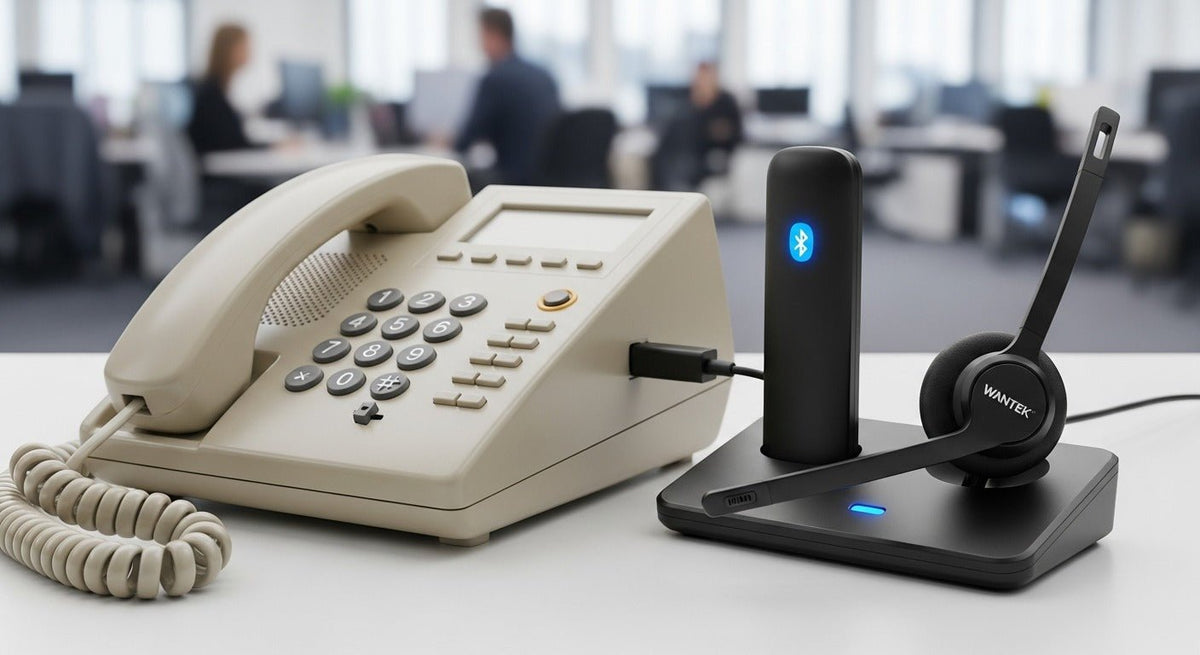
Choose a wireless headset by the exact model of your landline phone. Check how the headset carries calls and whether you can answer and end them from the headset before comparing range or battery life.
Quick answer: Look up your exact phone model. For an office desk phone, verify the headset base and any cable or adapter it needs. For a home cordless phone, check the manual for headset pairing and confirm it works for landline calls.

Identify the Phone Before Shopping
On an office desk phone, check the manual for the headset port and supported accessories. On a home cordless system, check the base or system model in the manual. A Bluetooth or Link2Cell label alone does not tell you whether the system supports a headset for landline calls. Panasonic’s pairing instructions show how headset support and setup vary by model.
Wireless Office Headsets Usually Use a Base
Many desk-phone wireless systems connect through a base station rather than pairing directly to the phone over ordinary Bluetooth. The base handles the telephone interface and radio link to the headset.
A DECT headset uses a compatible DECT base or adapter. For direct Bluetooth pairing, confirm that the exact phone model supports two-way headset audio for the calls you take. Check answer and end controls separately.
| Connection path | Verify before ordering |
|---|---|
| DECT headset with a base | Confirm the base supports the exact desk phone, the required phone cable, and any EHS adapter or handset lifter for remote call control. |
| Direct Bluetooth headset | The phone must support compatible Bluetooth headset audio and microphone input. Check pairing and call controls separately. |
| Bluetooth gateway or adapter | Verify that the gateway supports both the phone and headset. Audio and remote answer/end may have separate requirements. |
Remote Call Control May Need Extra Hardware
Electronic hook switch (EHS) support or a mechanical handset lifter can be required for remote answer/end. The correct accessory depends on the phone and headset system.
Check whether you can answer and end calls from the headset while away from the desk. Headset audio may work even if remote call control does not. EHS cables and control protocols are phone- and headset-specific, so do not assume an adapter works across brands or models.
For a manufacturer-specific example, Yealink’s cable and EHS adapter guide separates adapters by headset series and directs readers to phone-model compatibility checks.
Use a Compatibility Check Before Ordering
Use Wantek’s desk-phone compatibility guide to identify the phone’s headset port and check wired RJ9 or USB options. For a wireless base or remote call controls, use the wireless headset manufacturer’s compatibility list.
Before ordering, confirm which base, cable or call-control accessory your setup requires and what comes in the box. Once the connection path is confirmed, compare rated talk time, wireless range in your work environment, microphone performance, and single-ear versus dual-ear comfort. Published range and battery figures depend on the specific model and test conditions.
FAQ
Can any Bluetooth headset pair directly with a landline phone?
A compatible headset can pair if the phone explicitly supports Bluetooth headset audio for landline calls. Check the pairing instructions for your model and confirm whether the headset can answer and end calls.
What is EHS?
Electronic hook switch is a phone/headset control interface that can enable remote answer and end functions on compatible equipment.
Why do I need the exact phone model?
Port type and call-control compatibility can differ by model even within the same phone brand.
Check Desk-Phone Compatibility
Look up your office phone model to check its headset port and wired RJ9 or USB options.

