
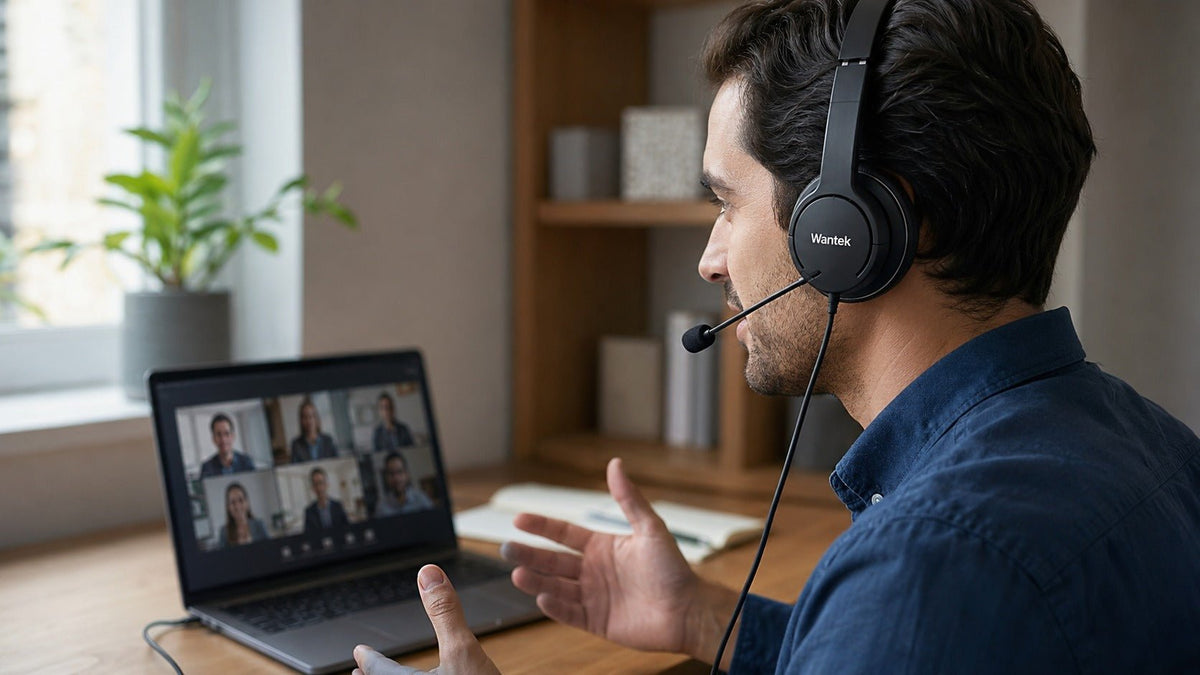
The best headphones for Zoom meetings are the ones that match your real call setup: a clear microphone, a reliable connection, comfortable fit, and the level of Zoom integration you actually need. For a fixed desk, wired USB is usually the simplest choice. For hybrid work, Bluetooth or a business wireless headset with a USB adapter can add mobility without making every meeting depend on a cable.
Quick decision: prioritize microphone intelligibility first, connection reliability second, and comfort third. Treat listener-side active noise cancellation (ANC), microphone noise reduction, and Zoom-certified hardware controls as separate features rather than one generic “noise cancelling” benefit.
What Zoom Actually Requires From a Headset
Zoom does not require a proprietary headset for normal meeting audio. Its current desktop requirements support speakers and microphones that are built in, connected by USB, or connected over Bluetooth. That means many wired and wireless headsets can work as standard audio devices when the operating system recognizes them. See Zoom’s current desktop system requirements.
Certification is a separate question. Zoom maintains lists of certified and supported devices for users who need tighter hardware integration, such as synchronized mute status, answer/end controls, and other supported HID functions. If those controls matter to your organization, verify the exact model and connection method against Zoom Workspace Certified Hardware instead of assuming that basic audio compatibility equals certification.

How to Choose Headphones for Zoom Meetings
- Start with microphone placement. A well-positioned boom microphone can keep voice pickup more consistent because the capsule stays closer to the mouth.
- Match the connection to the workstation. Wired USB removes charging and pairing from the daily routine; Bluetooth adds movement and multi-device flexibility.
- Separate the noise problems. ANC reduces some sound reaching your ears. Microphone noise reduction affects what the other participants hear.
- Choose a wearing style you can tolerate for long sessions. Dual-ear designs favor listening focus; single-ear designs preserve more awareness of the room.
- Verify the integration level you need. Standard audio, hardware mute sync, native Bluetooth call control, and Zoom certification are not the same thing.
Wired USB vs. Bluetooth vs. a USB Wireless Adapter
Wired USB: Best for a Fixed Desk
A wired USB headset is usually the lowest-maintenance option for a laptop or desktop used in the same place every day. It avoids headset battery management and Bluetooth pairing, while keeping the microphone and speaker on a direct computer audio path.
If you are comparing ports, controls, wearing styles, and platform support, the USB headset with microphone buying guide goes deeper into fixed-workstation decisions.
Bluetooth: Best When Mobility Matters
Bluetooth makes sense when you need to move during meetings or use one headset with more than one device. Multipoint behavior, call switching, microphone mode, and battery life still vary by model, operating system, and application, so test your exact laptop-and-phone combination before relying on it for important calls.
Bluetooth LE Audio includes the LC3 codec, but a recent Bluetooth version by itself does not prove better Zoom microphone quality or lower latency. Support depends on the headset, computer, operating system, drivers, and audio profile in use. The Bluetooth SIG publishes the LC3 specification for the underlying codec.
Business Wireless With a USB Adapter: Best for Managed Call Workflows
Many professional wireless headsets include a vendor USB adapter. The adapter can make pairing, firmware management, and supported call controls more predictable than relying on a computer’s built-in Bluetooth implementation alone. For a broader workflow comparison, see wired vs. wireless office headsets.
Microphone Noise Reduction and ANC Solve Different Problems
For Zoom calls, the far end hears the microphone signal, not the ANC inside your earcups. A headset can have excellent ANC for the wearer while still using a mediocre call microphone, or it can use a strong boom microphone without any listener-side ANC at all.
Directional microphone design, boom position, microphone arrays, beamforming, and signal processing can all affect how much surrounding noise reaches the call. None guarantees that every keyboard click, nearby conversation, or HVAC sound will disappear. The noise-cancelling headset with mic guide explains ANC, passive isolation, and microphone noise reduction as separate layers.

Four Headset Options for Different Zoom Workflows
No single model is the best fit for every Zoom user. The four options below represent different decision paths: portable business wireless, simple wired value, certified enterprise wired, and premium consumer listening with call capability.
| Model | Connection | Best fit | Zoom / noise notes |
|---|---|---|---|
| Jabra Evolve2 65 Flex | Bluetooth + USB adapter | Hybrid professionals who move between workspaces | Zoom-certified configuration; Hybrid ANC; boom mic |
| Wantek H882 | USB / 3.5 mm | Fixed desks, training, support, online meetings | Wired; PNC; boom mic; no listener-side ANC claim |
| Poly Blackwire 3325 | Wired USB variants + 3.5 mm | Enterprise wired deployment | Listed by Zoom as certified; noise-cancelling mic |
| Sony WH-1000XM6 | Bluetooth / 3.5 mm audio input | Travel, focused listening, music, and calls | Advanced ANC; AI beamforming call processing; no boom mic |
Jabra Evolve2 65 Flex: Portable Business Wireless
The Jabra Evolve2 65 Flex is a foldable professional headset with Hybrid ANC, a boom microphone, a 360-degree busylight, and business call controls. Zoom’s certified hardware list includes the Evolve2 65 Flex with Jabra Link 380/390 USB adapters, which makes it a strong fit when platform-tested call control matters as much as portability.
Wantek H882: Simple Wired Value for a Fixed Workstation
The Wantek H882 is a dual-ear wired headset with a boom microphone, inline volume and one-key mute, USB and 3.5 mm connectivity, and passive noise control in the current product specifications. It avoids charging and wireless pairing, which can be useful for customer service, virtual teaching, training, and repeat meetings at one workstation.
The H882 should be evaluated as a standard compatible audio headset rather than presented as Zoom Certified unless that exact certification is separately documented for the model and connection in use.
Poly Blackwire 3325: Certified Wired Enterprise Option
The Poly Blackwire 3325 is a wired stereo business headset. HP lists USB and 3.5 mm connectivity on current variants, a noise-cancelling microphone, and physical call controls. Zoom’s current certified hardware page also lists the Blackwire 3325 among certified wired workplace headsets.
This is a practical choice when a managed organization wants a straightforward wired design with documented Zoom certification rather than wireless mobility or premium listener-side ANC.
Sony WH-1000XM6: Premium Listening Plus Calls
The Sony WH-1000XM6 is primarily a premium over-ear consumer headphone. Sony lists Bluetooth 5.3, multipoint support, ANC, and MEMS microphones, while its support documentation describes multi-microphone voice capture using AI beamforming and noise-reduction algorithms.
That makes it attractive to people who want one headset for focused work, travel, music, and meetings. Its microphone geometry is still different from a dedicated mouth-positioned boom, so users who spend most of the day on business calls should compare microphone behavior in their actual room before treating it as a direct substitute for a communication-focused headset.
Comfort Matters More Than One Specification
Headset weight matters, but it does not determine comfort by itself. Clamp pressure, cushion material, headband padding, heat buildup, glasses, earcup size, and how the weight is distributed all change how a headset feels after several meetings.
Dual-ear designs can provide more physical separation from the room, while single-ear designs preserve more situational awareness. If you regularly talk with nearby coworkers, greet visitors, or monitor your surroundings while on calls, a mono headset may be the better work tool even if a stereo model provides more listening focus.
How to Test a Headset Before an Important Zoom Meeting
Connect the headset before opening the meeting.
Give the operating system time to recognize the device and avoid changing the audio path after the call starts unless necessary.
Select the headset for both speaker and microphone.
Do not assume Zoom automatically selected the same device for input and output.
Run Zoom’s audio test.
Use Zoom’s speaker and microphone test to confirm both directions before the meeting.
Record a short sample in your real room.
Check speech level, boom position, keyboard noise, nearby voices, HVAC noise, and whether your voice becomes clipped or distant.
Verify hardware controls if they matter.
Test mute sync, answer/end behavior, and any USB-adapter or native Bluetooth controls instead of assuming basic audio compatibility includes them.
Videoconferencing can add technical and cognitive friction when lag, background noise, and other irrelevant signals compete with the task. A 2025 Scientific Reports study on videoconferencing fatigue discusses these factors as potential contributors to extraneous cognitive load.
FAQ: Headphones for Zoom Meetings
Does a headset need to be Zoom Certified to work with Zoom?
No. Standard USB and Bluetooth audio devices can work with Zoom when the computer recognizes them. Certification matters more when you need verified hardware integration such as synchronized mute or supported call controls.
Is USB better than Bluetooth for Zoom meetings?
Neither is universally better. USB is simpler for a fixed workstation and needs no headset battery. Bluetooth adds mobility and multi-device flexibility but introduces pairing, battery, driver, and switching variables.
Does ANC improve what other people hear on Zoom?
Not automatically. ANC mainly reduces ambient sound reaching the wearer. The far end depends on microphone placement, microphone noise reduction, signal processing, room acoustics, and the connection path.
Can Bluetooth earbuds work for Zoom meetings?
Yes, when the operating system recognizes them as both a microphone and speaker. For frequent calls, compare real microphone behavior and comfort against a headset with a dedicated boom microphone.
Should I choose USB-A or USB-C?
Choose the connector your actual computer, dock, or adapter supports. The plug shape alone does not guarantee that every mute, call-control, or compatibility feature will behave identically.
Is a single-ear or dual-ear headset better for Zoom?
Choose single-ear when room awareness matters and dual-ear when listening focus matters more. Comfort and job requirements are more useful decision factors than treating one wearing style as universally superior.
Not Sure Which Work Headset Fits Your Setup?
Start with the device, connection, wearing style, and mobility you actually need for calls.

