
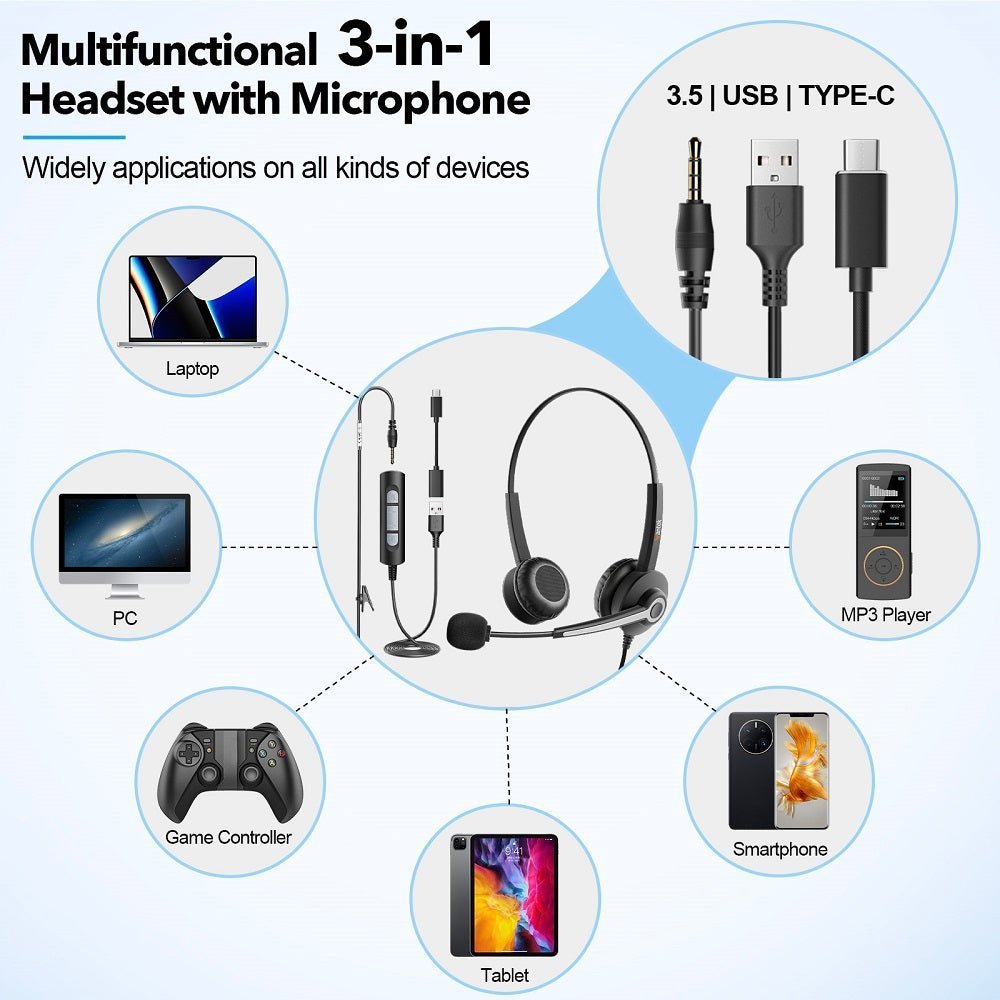
A USB-to-headphone converter, also sold as a USB-to-3.5 mm audio adapter or external USB sound card, turns digital USB audio into an analog signal for wired headphones or speakers. The adapter typically has a DAC for playback; headset-compatible models can also include an ADC for microphone input. What matters most is whether it supports your device, headphone plug, and intended audio functions.
Quick answer: For a computer with USB-A, choose a USB-A sound adapter with a 3.5 mm jack. For a USB-C phone or laptop, check for a digital USB-C audio adapter with a built-in DAC. If you're using a headset for calls, verify TRRS microphone input and operating-system support. Most USB-to-3.5 mm converters work from a USB host to analog headphones, not in the reverse direction.

Start With the Two Ends of the Connection
| Check | Why it matters | Common mistake |
|---|---|---|
| USB connector | The source may use USB-C or USB-A | Buying the wrong physical plug |
| 3.5 mm wiring | Stereo headphones and TRRS headsets do not require the same signal set | Assuming every 3.5 mm socket supports a microphone |
| Microphone input | Calls and gaming may need bidirectional audio | Choosing an output-only DAC |
| Operating system | Some devices are class-compliant; others need software | Assuming identical behavior on Windows, macOS, Android, iOS, or consoles |
| Controls | Volume, mute, and inline headset buttons may depend on implementation | Assuming basic audio means every control works |
USB-A vs. USB-C: Choose the Right Audio Converter
USB-A computers: Look for a USB-A external sound card or audio adapter with a 3.5 mm output jack. It receives digital sound from the computer and converts it for analog headphones. A passive cable that simply changes connector shape cannot do that job.
USB-C phones and laptops: Choose a USB-C digital audio adapter with a DAC when the device supplies digital USB audio. Google's Android USB-C audio adapter specification calls for digital-to-analog adapters rather than analog-only dongles. USB-C device implementations vary, so check compatibility with your exact model. For microphone, inline-control, or charging requirements, see the USB-C headphone adapter guide.
Check the direction: The common path is USB-A or USB-C host → USB audio converter → 3.5 mm headphones. If you have headphones with a USB plug but only an analog 3.5 mm audio socket on the source, a standard USB-to-3.5 mm dongle will not make that reverse connection work.
USB-C to 3.5 mm: A Simple Example
Apple’s current USB-C to 3.5 mm Headphone Jack Adapter is a straightforward example of the category. Apple states that it connects devices using a standard 3.5 mm audio plug to USB-C devices. See Apple’s USB-C to 3.5 mm adapter product page.
That example proves the basic connection purpose, not that every USB-C adapter has the same electronics, output level, microphone support, controls, or device compatibility.
Headphones vs. Headsets: Check the 3.5 mm Side
Stereo headphones commonly use a TRS plug for left audio, right audio, and return. Headsets with a microphone commonly use TRRS, but wiring and device support still matter. A socket that accepts a 3.5 mm plug physically does not guarantee microphone input.
One plug for headphones and mic: Choose a USB adapter with a combo headset jack and explicit microphone input. Check CTIA or OMTP wiring compatibility when the headset or adapter specifies it. Two separate 3.5 mm plugs: Look for a USB sound adapter with separate headphone-output and microphone-input jacks. A compatible headset splitter may be an option for a supported combo jack; a headphone-only DAC still cannot capture microphone audio.
For the connector details, see the 3.5 mm TRS/TRRS compatibility guide.
Do You Need a “Hi-Res” Adapter?
High sample-rate or bit-depth support can be relevant for particular playback workflows, but those numbers alone do not establish audible quality. Output level, noise, distortion, headphone impedance and sensitivity, source material, and the headphone itself all matter. For ordinary calls and general listening, correct compatibility is usually the first requirement.
Microphone and Call Support Need Explicit Verification
If the adapter is for meetings, gaming chat, or a wired headset, look for explicit microphone-input or headset support. Output-only adapters can play sound to headphones while leaving the microphone unavailable. Inline volume or call buttons can also behave differently across devices.
When a USB Audio Adapter Is Useful
- A laptop or phone lacks a compatible analog headphone jack.
- The built-in analog jack is damaged or noisy and a USB audio path is available.
- You need a replaceable external audio interface for basic headphones or a headset.
- You are moving a known 3.5 mm headset between systems with different USB ports.
Troubleshooting
No sound
Make sure the USB adapter is selected as the sound output, not the computer's speakers. In Windows 11, open Settings → System → Sound → Output; on a Mac, open System Settings → Sound → Output. Reseat the adapter, then test the same headphones on a known-good analog source if possible.
Headphones work but the microphone does not
Confirm that the adapter supports microphone input and that the headset uses compatible TRRS wiring. Then choose the USB adapter under Sound → Input and in the calling app. If the adapter offers only an output device, check its published microphone specifications before changing more software settings.
Static or intermittent audio
Test a different USB port and a known-good adapter or headset to isolate the failing component. Avoid stacking unnecessary hubs and adapters while diagnosing the problem.
USB to Headphone Jack Adapter FAQ
Is a USB-to-3.5 mm adapter passive?
Usually no. USB carries digital data, while normal 3.5 mm headphones use analog audio, so the adapter typically contains audio-conversion electronics.
Will every adapter support a headset microphone?
No. Some adapters provide headphone output only. Look for explicit headset or microphone-input support and compatible TRRS wiring.
Does USB 3.0 improve headphone sound?
Not by itself. USB data-generation labels do not establish DAC quality, output power, noise, or headphone performance.
Can I use a USB-C adapter on every USB-C device?
Not automatically. Confirm that the device supports USB audio and that the operating system, adapter, and required microphone or control functions are compatible.
Need a Headset Without an Extra Audio Dongle?
If your main use is computer calls, a native USB headset can remove the separate 3.5 mm adapter from the signal path.

