
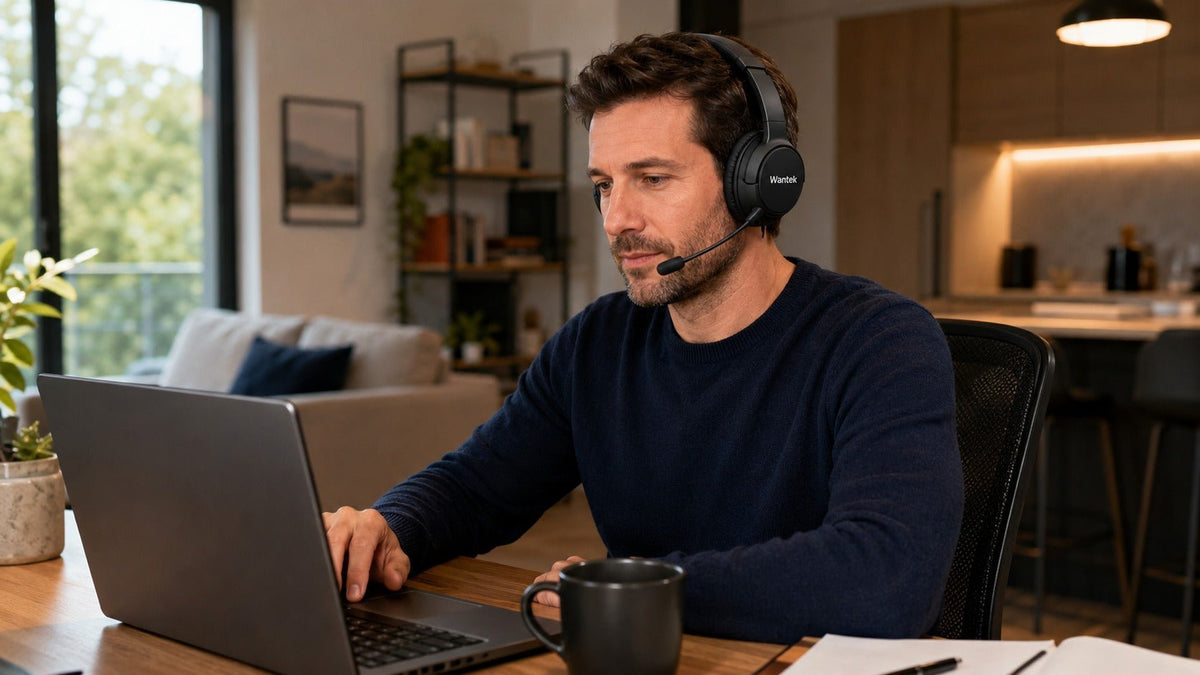
The best headphones for working from home depend on the work. A person trying to concentrate around household noise needs different features from someone spending six hours a day in client calls. Start with the workflow: listener-side noise control, outgoing microphone quality, long-session comfort, connection reliability, or multi-device switching.
Quick answer: Choose consumer ANC headphones when focus and general listening are the priority. Choose a work-focused headset when microphone position, physical mute controls, and predictable call handling matter more. Treat the models below as workflow-based candidates built from documented specifications, not as a hands-on ranking.
Remote work remains a meaningful part of the U.S. labor market. In the Bureau of Labor Statistics' 2025 annual averages, 22.4% of people at work teleworked or worked from home for pay. For management, professional, and related occupations, the share was 37.2%.

Define Your Work-From-Home Priority First
The most useful way to compare home-office audio is to separate what the wearer hears from what the other people on the call hear. Wantek's guide to home-office headset features follows the same device-and-workflow approach.
Focus Priority: Reduce What You Hear
If traffic, HVAC noise, conversations, pets, or household activity make concentration difficult, active noise cancellation can reduce some environmental sound reaching the wearer. Over-ear cushions also provide passive isolation. A transparency or awareness mode is useful when you need to hear the room without removing the headphones.
Communication Priority: Improve What Others Hear
If the day is dominated by meetings, support calls, sales conversations, or customer service, microphone placement and controls move higher on the list. A boom microphone can sit closer to the mouth, while accessible mute and volume buttons reduce friction during frequent calls.
Consumer headphones and earbuds can use beamforming and digital signal processing to improve voice pickup, but performance varies by model and environment. If calls are the primary task, compare a dedicated headset with a microphone for work calls rather than assuming a premium music headphone is automatically the better communication tool.
Features That Translate Into a Real Workday Advantage
| Feature | Why it matters | What to look for |
|---|---|---|
| Noise reduction | Reduces environmental distraction for the wearer. | ANC plus a useful transparency or awareness mode when the environment requires it. |
| Microphone quality | Determines how clearly other participants hear your voice. | Directional boom microphone or well-implemented beamforming and DSP. |
| Sidetone | Lets you hear some of your own voice naturally during calls. | Adjustable sidetone where the headset and calling path support it. |
| Connectivity | Determines whether the headset works reliably with your actual devices. | Verified USB, Bluetooth, analog, or desk-phone support. |
| Multi-device use | Helps when calls alternate between a laptop and phone. | Documented multipoint or device-switching behavior. |
| Comfort | Matters during long meetings and focused work sessions. | Weight distribution, cushion fit, clamp pressure, heat, and adjustability. |
| Controls | Reduces call-management friction. | Easy-to-find mute, volume, and call controls that work with your calling setup. |
| Battery | Determines whether a wireless model lasts through the intended routine. | Manufacturer-rated runtime in the mode you actually use, with charging time considered. |
Four 2026 Candidates for Different Workflows
These examples are deliberately organized by use case. They do not establish a universal performance ranking because the products use different form factors and are optimized for different jobs.
Sony WH-1000XM6: Consider It for ANC, Calls, and General Listening
Sony's WH-1000XM6 combines over-ear ANC with a QN3 processor that Sony says optimizes 12 microphones in real time for noise cancellation, sound quality, and call clarity. Sony rates battery life at up to 30 hours with noise cancellation on and documents multipoint support.
That makes it a strong candidate for someone who wants one premium headphone for focused work, calls, music, and travel. The tradeoff is form factor: it is still a consumer over-ear headphone rather than a purpose-built business headset with a mouth-level boom microphone.
Wantek Office Headsets: Consider Them for Desk-Based Business Calls
The Wantek office headset range includes wired and wireless models for different computer and phone connections. A work-focused design can be more practical than a premium music headphone when the main task is voice communication, especially when a boom microphone and physical mute controls are part of the workflow.
The H882 is one example of the wired approach: Wantek lists a dual-ear corded design, USB and 3.5 mm connections, a boom microphone, passive noise control, and inline volume plus one-key mute. Exact model and connector compatibility should still be checked before purchase.
AirPods Pro 3: Consider Them for Apple-Centered Mobile Work
Apple's AirPods Pro 3 specifications list the H2 headphone chip, ANC, Transparency mode, Conversation Awareness, Voice Isolation, dual beamforming microphones, an inward-facing microphone, Bluetooth 5.3, and up to eight hours of listening with ANC enabled.
The compact format is useful for people who move between an iPhone, iPad, and Mac and do not want a full-size headset. The limitation for call-heavy work is microphone geometry: the microphones are not positioned at mouth level like a dedicated boom microphone.
Bose QuietComfort Ultra Headphones (2nd Gen): Consider Them for Around-Ear ANC and USB-C Audio
Bose's QuietComfort Ultra Headphones (2nd Gen) specifications list Bluetooth 5.4, a built-in microphone, USB-C input, and up to 30 hours of battery life. Bose also documents USB-C audio on the second-generation model.
This makes the Bose a useful candidate when you want an around-ear ANC headphone that can also use a wired USB-C audio path with compatible devices. Comfort is still personal; head shape, glasses, cushion depth, temperature, and clamp pressure can change long-session fit.
Prefer a Work-Focused Headset?
Compare Wantek office headsets by connection, wearing style, microphone design, and work setup, then verify the exact device path before ordering.
Bluetooth Behavior Matters More During Calls Than During Music
Bluetooth audio can change modes when the microphone is in use. Microsoft's current Windows Bluetooth Classic audio documentation explains that A2DP is used for stereo playback, while HFP is used when the headset microphone is needed. Windows can switch profiles automatically depending on microphone use.
Microsoft lists SBC and AAC for Windows 11 A2DP playback, aptX Classic, and aptX Adaptive lossless on select Windows 11 24H2 systems with compatible Qualcomm Bluetooth radios. Codec support depends on both the computer and the headphones; buying a headset with a specific codec does not guarantee the computer can use it.
For latency-sensitive work, a wired USB or other verified wired audio path is generally more predictable than a standard Bluetooth path. That does not mean the entire call becomes delay-free because applications, networks, and remote endpoints add their own latency.
Multipoint Is Useful, but Bluetooth Version Does Not Guarantee It
Multipoint can reduce friction when a work laptop and phone are both part of the day. Some headsets maintain two device connections and prioritize calls; others require manual switching or support different behavior.
Check the exact model documentation. If two-device switching is central to your workflow, Wantek's multipoint Bluetooth guide explains why pairing with two devices is not the same thing as mixing audio from both at once.
Wired or Wireless for a Home Office?
Choose wired when the workstation is fixed and you want to remove headset charging and Bluetooth pairing from the routine. Choose wireless when moving around the room or home is worth the added battery and connection management.
The decision should follow the actual devices. If you are choosing between direct USB and analog audio, see the USB versus 3.5 mm headset guide. If you are choosing the broader connection model, use the wired versus wireless office headset comparison.
Comfort Is a System, Not a Weight Number
There is no universal weight threshold that makes a headset comfortable. A slightly heavier headset with better weight distribution can feel easier to wear than a lighter model with concentrated clamp pressure.
- Weight distribution across the headband and earcups
- Clamping pressure
- Ear-cushion depth and opening size
- Heat buildup during long sessions
- Headband adjustment range
- Fit with glasses
- Whether you prefer one ear open or both ears covered

Do Not Confuse ANC With Microphone Noise Reduction
ANC primarily changes what the wearer hears. Microphone noise reduction changes the outgoing signal that coworkers or clients hear. A work-from-home headset can be strong in one area and ordinary in the other.
For a shared room, street-facing office, or noisy household, evaluate both sides separately. Wantek's noise-cancelling headset guide for working from home focuses on that distinction.
Work-From-Home Headphone Checklist
- Write down the main task. Focused listening, meetings, support calls, mixed work, or frequent movement.
- Identify every device. Laptop, desktop, phone, tablet, desk phone, dock, or more than one device.
- Confirm the connection. USB-A, USB-C, 3.5 mm, Bluetooth, or another verified path.
- Separate listener noise control from microphone noise control. ANC and outgoing voice processing solve different problems.
- Decide whether a boom microphone matters. Call-heavy work often benefits from consistent mouth-level positioning.
- Check the controls you use repeatedly. Mute, volume, answer/end, and platform integration can vary.
- Verify multipoint behavior if two devices matter. Do not infer it from the Bluetooth version.
- Read the battery condition attached to the rating. ANC, calls, and other modes can change runtime.
- Plan for real comfort. Fit, heat, clamp, glasses, and session length matter more than a single weight figure.
- Choose the product category before the brand. A consumer ANC headphone and a business headset can both be good products while solving different work problems.
Frequently Asked Questions
Are noise-cancelling headphones good for working from home?
They can be useful when household or environmental noise disrupts concentration. ANC mainly reduces sound for the wearer, so check microphone performance separately if calls are important.
Is a boom microphone better for work calls?
A boom microphone has a useful physical advantage because it can sit closer to the mouth. Actual call quality still depends on the microphone, processing, placement, room, and calling platform.
Should I use wired or Bluetooth headphones for remote work?
Use wired when connection simplicity and no charging matter most. Use Bluetooth when mobility matters and your devices support the required headset features and switching behavior.
Does Bluetooth 5.4 mean a headset supports multipoint?
No. Bluetooth version and multipoint are separate specifications. Confirm two-device connection behavior in the exact model documentation.
How much battery life do I need?
Choose a rating that exceeds your normal workday with margin for calls, ANC, volume, signal conditions, and battery aging. Compare the manufacturer's stated test mode, not only the largest number.
Are consumer headphones or office headsets better for work?
Consumer headphones often prioritize ANC and general listening. Office headsets often prioritize boom-mic placement, physical controls, and predictable call workflows. Choose according to the job.

