
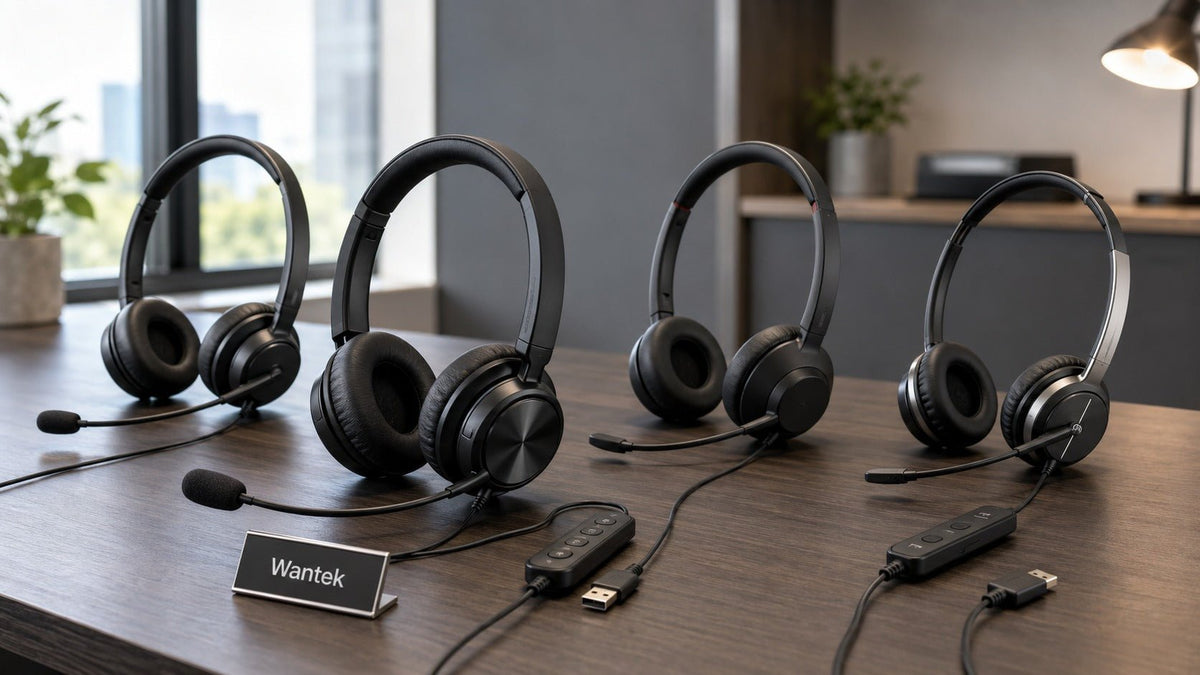
The Wantek WK882 is the more flexible wired option when you need USB-C, USB-A, and 3.5 mm connections, while the Logitech H390 is a simpler USB-focused headset. In my informal calls, I preferred the WK882's microphone tone and long-session comfort, but those observations were not produced with calibrated acoustic or ergonomic testing.
Quick answer: Choose the WK882 when multiple wired connector options and straightforward inline controls matter. Consider the H390 when a USB headset with Logitech's documented bidirectional noise-canceling microphone covers your setup. Jabra Evolve2 40 and Poly Blackwire 5220 remain useful professional reference points when comfort, call controls, noise reduction, or enterprise features justify moving beyond the budget comparison.
This comparison comes from informal real-world use rather than a laboratory test. I bought the Wantek, tested the Logitech, borrowed a Jabra Evolve2 40, and used a Poly Blackwire 5220 supplied by a former call-center worker. Microphone tone, noise reduction, and comfort comments below are therefore personal observations; manufacturer specifications are identified separately.
If the larger question is whether a cable fits your workflow at all, compare the wired vs. wireless office headset trade-offs before narrowing the decision to individual wired models.

Wantek WK882 vs Logitech H390: Key Differences
| Feature | Wantek WK882 | Logitech H390 |
|---|---|---|
| Wired connections | USB-C, USB-A, and 3.5 mm | USB-A or USB-C, depending on the exact version |
| Weight | 189 g / 6.7 oz | 197 g / 6.9 oz |
| Microphone specification | Boom microphone with up to 330° rotation; product page separately lists PNC | Bidirectional noise-canceling microphone |
| Inline controls | Volume control and one-key mute | Volume and microphone mute |
| Best starting point | Users who need multiple wired connector options | Users who only need the appropriate USB version |
Noise-control terms are not interchangeable. Wantek's current WK882 page lists PNC, while Logitech specifically describes the H390 microphone as bidirectional and noise canceling. Neither statement should be converted into an ANC claim for the listener.
First Impressions: Build and Everyday Use
Wantek WK882: Functional and Flexible
The WK882 presentation is basic and work-focused rather than elaborate. The frame felt more substantial than I expected in this price range, and the padded ear cushions were comfortable during my initial session.
The microphone boom allows flexible positioning. The current Wantek WK882 specifications list a 330-degree microphone rotation, USB-C, USB-A, and 3.5 mm connections, inline volume and one-key mute controls, and a weight of 189 grams.
The design is practical rather than decorative. For a fixed work setup, the important advantage is that one headset gives you three documented wired connection options without requiring Bluetooth pairing or headset charging.
Logitech H390: Familiar USB Simplicity
The H390 felt lighter in construction than the other headsets in this comparison, although its official weight is actually slightly higher than the WK882. During longer sessions, the headband padding created more pressure for me, and the leatherette ear pads became warm in my room.
My reviewed unit used a left-side microphone boom and inline volume and mute controls. Logitech's current H390 specifications list a weight of 197 grams, USB-A or USB-C connection versions, a bidirectional noise-canceling microphone, a 30 mm driver, and inline controls.
That makes the H390 straightforward when the correct USB version matches your computer. Buyers who also need a 3.5 mm connection have a clearer reason to consider the WK882.
Jabra Evolve2 40: A More Feature-Rich Reference Point
The Jabra felt more refined in materials and cushioning. Its memory-foam ear cushions were softer for me during longer use, and the visible busylight adds a feature the budget models do not attempt to replicate.
Jabra's Evolve2 40 documentation lists soft memory-foam ear cushions, a boom arm that can activate mute when raised, a busylight, three digital MEMS microphones, and USB-A or USB-C variants.
That extra feature set makes the Evolve2 40 useful as a professional benchmark, but it does not automatically make it the right value for someone who only needs a simple wired headset.
Poly Blackwire 5220: Business-Oriented Controls
The Blackwire 5220 felt sturdy without becoming excessively bulky. Its inline controller provided dedicated call, mute, and volume functions, while the fit felt firmer than the Jabra during my extended use.
HP Poly's Blackwire 5220 USB-A specifications list USB-A and 3.5 mm wired connections, call answer/end, mute and volume controls, a noise-canceling microphone, and SoundGuard Digital acoustic-protection technology. USB-C variants also exist, so the exact SKU matters.
Microphone and Call Experience
Speaker quality matters for speech, music, and multimedia, but for a headset used primarily on calls, microphone placement and background-noise handling often have a larger effect on whether other people can understand you comfortably.
Wantek WK882: Clearer Voice Tone in My Calls
During a Zoom call, my colleague described the WK882 voice pickup as clear and close. A lawnmower outside was still faintly audible, so I would not describe the headset as eliminating environmental sound.
I also noticed that the microphone became more sensitive to plosive sounds when I positioned it directly in front of my mouth. Moving it slightly to the side reduced the popping in my test.
The inline volume and mute controls kept the workflow simple: connect the headset, select it as the computer's input and output device, position the boom, and start the call.
Logitech H390: Usable but Thinner in My Setup
The H390 worked for ordinary calls, but my voice sounded thinner to me than it did through the WK882, Jabra, or Poly. A ceiling fan and other room sounds were also more noticeable to the people on the call.
That result is specific to my setup. USB connection, microphone level, room acoustics, boom placement, and conferencing software can all affect what another participant hears.
Jabra Evolve2 40: More Detail in My Informal Test
The Evolve2 40 captured more vocal detail and reduced surrounding noise more effectively in my calls. Its speakers also sounded more controlled to me when I increased the volume or switched from speech to music.
I previously tried to describe that gap with a percentage. That was not defensible because I had no scoring system or calibrated measurement behind it. The useful conclusion is simply that the Jabra performed better in my informal comparison, while the WK882 remained understandable and simpler.
Poly Blackwire 5220: Stronger Suppression in My Calls
The Blackwire 5220 made sudden background sounds less noticeable in my calls than the WK882. The WK882 let more room sound through, while its voice reproduction sounded less processed to me.
I would not convert that observation into an absolute noise-reduction claim. In a busy office, stronger microphone suppression may be more useful; in a quiet room, some users may care more about natural voice character.

Comfort for Longer Calls
Comfort is highly individual. Head shape, glasses, ear size, room temperature, cushion material, adjustment range, and clamping pressure can all change how the same headset feels after several hours.
For people who spend long periods on calls, the broader workstation setup matters too. OSHA's telephone-workstation guidance recommends using a headset or speakerphone for long conversations instead of pinching a phone between the head and shoulder.
Wantek WK882
I wore the WK882 during a six-hour training session without developing significant ear pain or a headache. Its padding distributed pressure reasonably well for me, although at 189 grams it is not an exceptionally light headset.
Logitech H390
The H390 weighs 197 grams. In my use, weight distribution and padding mattered more than the number itself: pressure became noticeable after roughly two hours, and the leatherette cushions felt warmer than I preferred.
Jabra Evolve2 40
The Evolve2 40's memory-foam cushions were the most comfortable for me in this comparison. Pressure felt more evenly distributed during longer sessions, although fit remains personal rather than universal.
Poly Blackwire 5220
The Poly felt stable and suited to desk-based work, but its cushions were firmer than the Jabra's. I wanted a break after roughly three hours even though I would not describe the headset as uncomfortable.
Controls and Connectivity
Wantek WK882
- USB-C, USB-A, and 3.5 mm wired connection options
- Inline volume adjustment
- One-key microphone mute
- 330-degree rotating boom microphone
- No Bluetooth pairing or headset battery to manage
That makes the WK882 especially straightforward for fixed desks, shared workstations, remote work, and other environments where a direct wired connection is preferable.
Logitech H390
The H390 provides inline volume and microphone mute controls. Logitech currently documents USB-A and USB-C versions, so buyers should confirm which connector is included with the exact product they are ordering.
Jabra Evolve2 40
Jabra adds a busylight, call controls, boom-arm mute behavior, USB-A or USB-C variants, and device-management support. Those features become more relevant when the headset is part of a high-call-volume or managed business environment.
Poly Blackwire 5220
The Blackwire 5220 family includes dedicated answer/end, mute, and volume controls. Connection details vary by version; the USB-A model documented by HP Poly also provides a 3.5 mm audio connection.
Price and Value: Compare the Features You Will Actually Use
Exact retail prices change with seller, region, availability, and promotion. Rather than freezing a price into this comparison, it is more useful to compare what each model adds to the workday.
| Headset | Primary value in this comparison | Best starting point for |
|---|---|---|
| Wantek WK882 | Three wired connection options with simple inline controls | Fixed workstations needing USB-C, USB-A, or 3.5 mm flexibility |
| Logitech H390 | Simple USB headset design with a documented bidirectional noise-canceling microphone | Users whose computer matches the selected USB version |
| Poly Blackwire 5220 | Business call controls, microphone noise cancellation, and SoundGuard Digital | Professional wired-call workflows needing those documented features |
| Jabra Evolve2 40 | Memory-foam cushions, busylight, boom-arm mute, and a three-microphone system | Frequent professional calls where the additional features are useful |
In my setup, the WK882 offered the most useful balance of flexible wired connectivity, simple controls, microphone performance, and comfort. The Logitech remained functional but suited my comfort and microphone preferences less well.
Which Headset Should You Choose?
Choose the WK882 when flexible wired connectivity is the priority and USB-C, USB-A, and 3.5 mm support can simplify the devices you use. In my calls, it also produced the fuller microphone tone and more comfortable long-session fit of the two primary budget models.
Choose the H390 when you want a straightforward USB headset and the correct Logitech connector version matches your computer. Its official specification includes a bidirectional noise-canceling microphone and simple inline controls.
Consider the Evolve2 40 when memory-foam comfort, a busylight, boom-arm mute behavior, and its additional professional features solve a real requirement.
Consider the Blackwire 5220 when business call controls, its documented microphone noise cancellation, SoundGuard Digital, or the USB-plus-3.5 mm workflow of the appropriate SKU is a better match.
For longer listening sessions, sound level and exposure time matter as well as headset fit. WHO safe-listening guidance recommends managing listening level and duration and taking listening breaks.
Wantek WK882 vs Logitech H390 FAQs
Which headset is better for a computer that has both USB-C and a 3.5 mm jack?
The WK882 gives you USB-C, USB-A, and 3.5 mm connection options. The H390 is offered in USB-A or USB-C versions, so WK882 provides more documented wired connector choices.
Which headset is lighter, Wantek WK882 or Logitech H390?
Wantek lists the WK882 at 189 g, while Logitech lists the H390 at 197 g. Comfort still depends on fit, pressure distribution, cushion material, and the individual user.
Do WK882 and H390 use the same type of noise cancellation?
No. Wantek lists PNC for the WK882, while Logitech describes the H390's microphone as bidirectional and noise canceling. These terms refer to different noise-control functions and should not be treated as equivalent to wearer-side ANC.
Can these headsets work with every computer or mobile device?
No connector alone proves universal compatibility. Confirm the exact headset version, device port, audio-input support, operating system, and any required call-control behavior before purchasing.

