
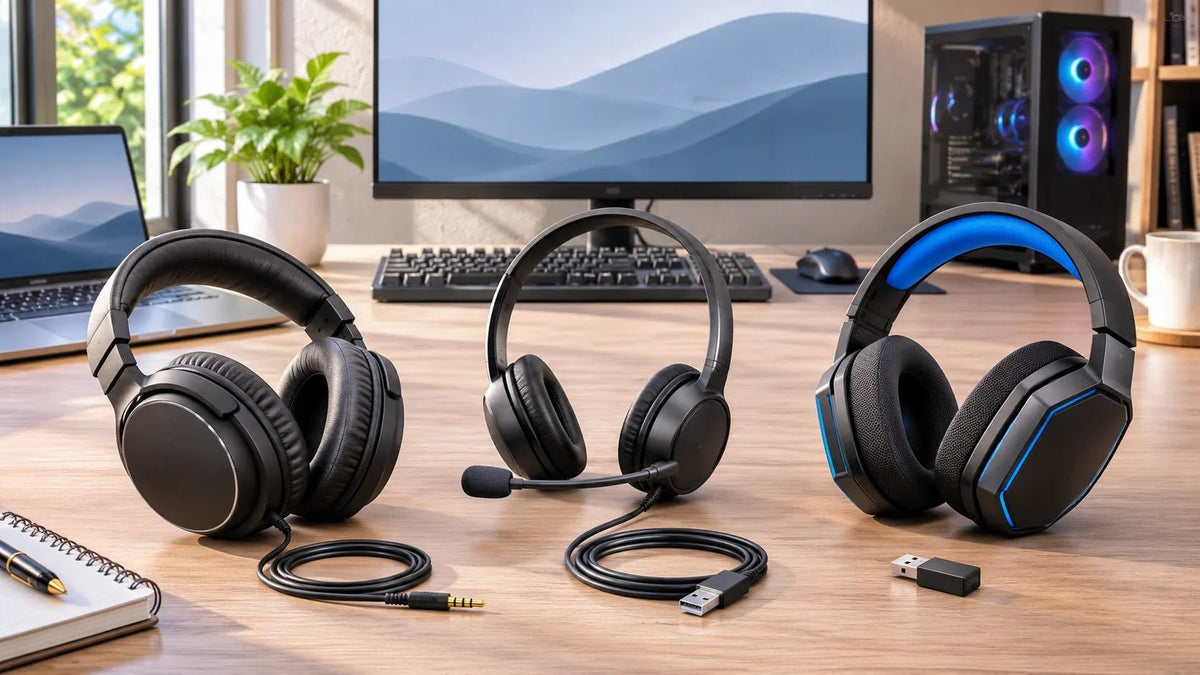
The top headphones for PC are not necessarily the most expensive or the ones with the biggest drivers. For work calls, start with a headset that has a usable microphone and controls. For multiplayer gaming, check latency and chat connectivity. For music or editing, you may be better off with listening-focused headphones and a separate microphone.
Quick answer: Choose a wired USB headset for a fixed call workstation; a Bluetooth work headset when moving around matters; a wired 3.5 mm or supported 2.4 GHz headset for PC gaming; and open-back or closed-back listening headphones when you do not need a built-in microphone. Confirm the exact PC port and microphone path before buying.
Which PC headphones fit your main task?
Start with what the headset must do, not a blanket “best” label. The examples below are selected for different connection types and purposes using published specifications. They are not a hands-on sound, comfort, or microphone-performance ranking.
| Your main use | Example to consider | What to check |
|---|---|---|
| Work calls at a desk | Wantek H882 — wired USB / 3.5 mm, boom mic | Exact connector, microphone input and in-line controls |
| Wireless work calls | Wantek WK882BT — Bluetooth work headset | PC Bluetooth support, call mode and microphone behavior |
| Wired PC gaming | Voistek V9 Pro — 3.5 mm game audio, boom mic | Combo jack or splitter; USB powers lights, not game audio |
| Wired gaming with USB options | HyperX Cloud III Wired — 3.5 mm and USB connection options | Adapter included with the chosen package and device support |
| Quiet-room music and listening | Sennheiser HD 560S — open-back wired headphones | Sound leakage, separate microphone and PC headphone output |
These five examples do not cover every price tier or every PC headphone on the market. The useful first step is to identify which design category fits your setup. If you only want a comparison of corded options, the five wired PC headphones guide goes into model-level details.
Pick the right connection before comparing sound features
| Connection | Good starting use | Compatibility check |
|---|---|---|
| 3.5 mm analog | Wired headphones or gaming headsets | A combo headset jack can support audio and mic; separate PC jacks may need a compatible splitter |
| USB-A or USB-C | Wired office or gaming headsets | Check the headset's supported digital audio connection, OS, input and output routing |
| Bluetooth | Wireless work calls and everyday listening | Check PC Bluetooth support and how mic use affects playback mode and quality |
| Dedicated 2.4 GHz receiver | Wireless gaming when supported | Receiver and headset must be designed to work together; check the exact platform |
A USB-shaped plug does not always mean USB audio. On the Voistek V9 Pro, for example, the manufacturer specifies 3.5 mm for game audio and USB only for RGB-light power. For a more detailed connection walkthrough, see the wired PC setup guide.
What should you prioritize for calls, games and music?
For calls: microphone routing and accessible controls
A dedicated boom microphone puts the pickup closer to your mouth, which can simplify placement for meetings and customer calls. Check whether you can mute from the headset, whether Windows sees the microphone as an input, and whether your calling app uses that same input. The Wantek H882 specification lists a boom mic, in-line volume adjustment and one-key mute. Those features do not establish a measured microphone-quality ranking.
For gaming: an audio path that fits your PC and game
A standard wired connection avoids radio-link setup and headset battery management. If you want to move away from the desk, a supported dedicated wireless receiver may better fit your workflow. Do not assume ordinary Bluetooth has the same latency or two-way audio behavior as a dedicated gaming wireless system. See the PC gaming headset comparison for more specific model and platform choices.
For music and editing: open-back, closed-back and a separate mic
Open-back headphones such as the Sennheiser HD 560S allow more sound to pass between the headphones and the room. That can suit a quiet personal space but is a poor match when coworkers need quiet or you need isolation. Closed-back headphones generally leak less, though the exact sound and fit depend on the model. A listening-focused headphone without a built-in microphone requires another microphone for voice calls or streaming.
For extended sessions: fit, heat and repairability
Compare ear-pad shape, headband adjustment, clamping feel, cable length and replaceable parts. A published weight is useful, but weight alone cannot predict comfort. If glasses, heat or one-ear awareness matter, evaluate those needs before paying extra for simulated surround effects or more driver features.
How to verify a headset works on Windows 11
- Identify the PC's actual headphone, headset, USB or wireless connection and the headset's required plug or receiver.
- Connect or pair the device using its own instructions. Do not treat a 3.5 mm headphone-only jack as proof of microphone support.
- Open Settings → System → Sound. Select the headset under Output, then choose its microphone under Input if available.
- Play a short sample, record a microphone test, and check that your meeting or game app uses the same input and output.
- If either direction fails, check the connector, mute control, app permissions and device selection before replacing the headset. Microsoft's microphone troubleshooting guidance covers Windows input failures.
Need a PC headset for work calls?
Compare Wantek's corded PC headsets by wearing style, microphone controls and connector. Verify the exact product variant and availability on its listing.
Frequently asked questions
Are headphones or a headset better for a PC?
For listening without calls, headphones may be enough. Choose a headset with an integrated microphone for frequent meetings or game chat, unless you already have a separate mic.
Is USB always better than a 3.5 mm connection?
No. Either can work well when the PC and headset are compatible. USB usually exposes a separate digital audio device; 3.5 mm relies on the computer's analog audio connection and correct mic wiring.
Will Bluetooth headphones work for PC gaming?
They can play PC audio on a compatible Bluetooth computer, but game latency and microphone behavior depend on the hardware and audio profile. For latency-sensitive multiplayer use, check wired or dedicated gaming-wireless options.

