
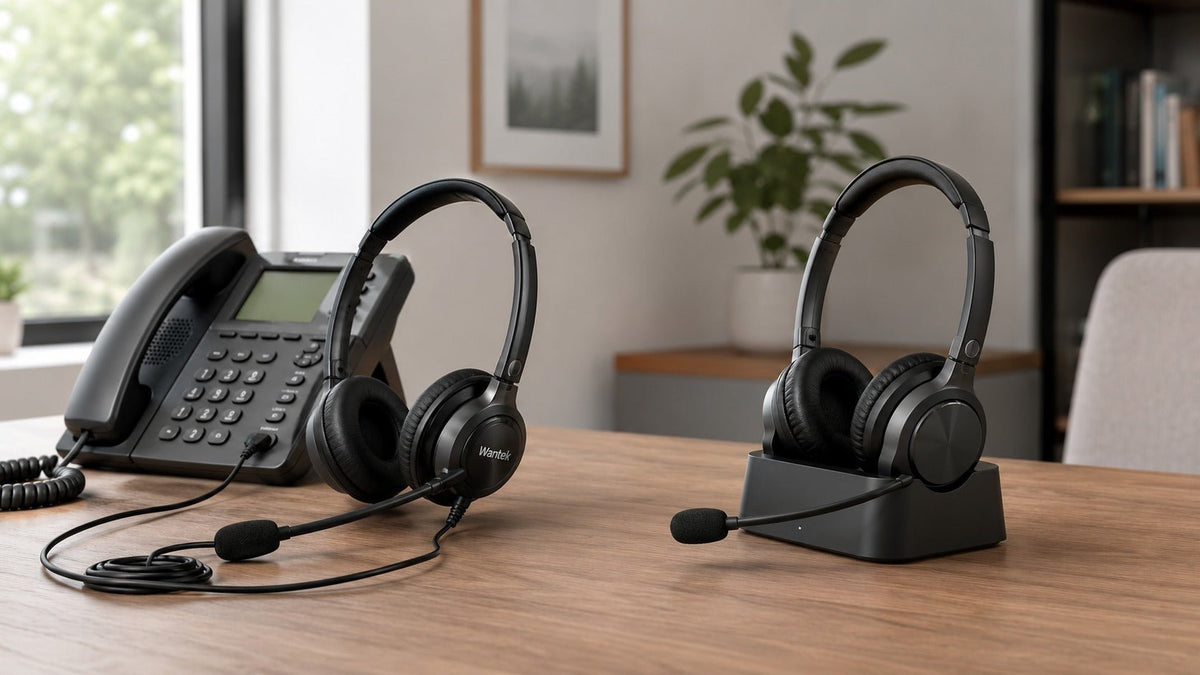
A home phone headset should be chosen in this order: confirm the exact phone and connection first, then compare microphone design, wearing style, mobility, battery requirements, and call controls. A headset with the right features is still the wrong purchase if the phone cannot support its connection or wiring.
Quick answer: Choose wired when calls stay at one verified workstation and you want a direct connection without charging. Choose a supported Bluetooth or DECT-based setup when movement matters. For either path, verify the full phone model, available port, required wiring or accessories, and the call-control functions you expect to use.

Start With the Exact Phone, Not the Headset
The most important buying step is compatibility. Two phones from the same brand can support different headset ports, wiring arrangements, firmware requirements, wireless accessories, or remote call-control functions. A modular plug that physically fits is not proof that the speaker, microphone, mute button, or answer/end controls will work.
Record the full manufacturer and model number, then identify where the call is actually handled: on the physical phone, on a computer softphone, on a mobile device, or across more than one device. If you use a desk phone, Wantek's desk-phone headset compatibility path starts with the model and supported connection instead of guessing from plug shape.
This device-first approach also matters for comfort. The U.S. Occupational Safety and Health Administration recommends a speakerphone or headset for long telephone conversations and notes that holding a phone between the head and shoulder can stress the neck. A hands-free setup can help, but only after the connection itself is correct.
Do not buy from the connector name alone. RJ-style plugs, 2.5 mm, 3.5 mm, USB-A, USB-C, Bluetooth, and dedicated wireless bases are different connection paths. Even matching physical connectors can require different wiring or device support.
Wired, Bluetooth, or DECT: Which Connection Fits Your Routine?
| Connection | When it makes sense | Verify before buying |
|---|---|---|
| Wired | Calls stay at a fixed desk and you want a direct connection without headset charging. | Exact phone model, supported port, wiring or adapter, microphone audio, and call controls. |
| Bluetooth | You need mobility and the phone, base, computer, or mobile device explicitly supports the headset connection. | Pairing support, profiles, range in your rooms, battery life, switching behavior, and call controls. |
| DECT / dedicated wireless base | You need a professional wireless path built around a compatible base station. | Phone support, base and headset pairing, EHS or handset-lifter requirements, firmware, and remote call control. |
Wired Headsets: Simple Once Compatibility Is Confirmed
A wired headset does not need Bluetooth pairing or a headset battery. That can make it a practical choice for reception desks, customer-service positions, and home offices where calls happen in one place. A physical cable also avoids the wireless audio transmission step, although the phone, application, codec, network, and remote endpoint can still add latency.
The limitation is movement. Cable length defines how far you can move, and different phones may require different wired paths. If your setup includes a desk phone, computer, or both, treat each device as a separate compatibility requirement rather than assuming one plug covers everything.
Bluetooth Headsets: Mobility With More Variables
A Bluetooth headset is useful when you need to stand, walk, retrieve documents, or move between nearby work areas. The phone or base still has to support the required Bluetooth headset function. Traditional landline and cordless-phone systems vary widely; some pair directly, while others require an adapter, a separate wireless base, or a computer-based call path.
If mobility is your main requirement, compare wireless headset options only after the phone or calling device is confirmed. Do not infer multipoint, remote call control, or a specific usable range from the Bluetooth version number alone.
DECT and Dedicated Wireless Bases
DECT-based professional headset systems use a dedicated wireless base rather than relying on the same connection path as a conventional Bluetooth headset. They can be useful for users who need broader movement around a home or office, but compatibility still depends on the complete system: headset, base, phone, firmware, and any required electronic hook switch or handset lifter.
Wireless range should be treated as a manufacturer-tested figure, not a guaranteed distance in every building. Walls, floors, metal, interference, antenna placement, and radio design can change real-world coverage.
Sound Quality and Noise Control Are Separate Buying Questions
For phone calls, a wide advertised frequency range does not automatically mean clearer speech. The receiver tuning, phone bandwidth, codec, volume, ear-cushion seal, microphone placement, and network all affect the conversation. Start with intelligibility and connection stability rather than chasing the largest specification number.
Passive Noise Isolation
Passive isolation comes from the physical design of the headset and its contact with the ear. Closed cushions can reduce some environmental sound without electronic processing. The result depends on fit, cushion condition, glasses, hair, and the amount of the ear the headset covers.
Active Noise Cancellation
Active Noise Cancellation, or ANC, reduces environmental sound reaching the wearer. It is generally most useful for steady background noise such as ventilation or low-frequency rumble. It does not mean the person on the other end of the call will hear less background noise from your room.

Microphone Noise Reduction
Microphone-side noise reduction affects the outgoing voice signal. Directional microphones, multi-microphone systems, and digital processing can reduce some background sound, but the result varies by headset, room, and noise type. Keep ANC and microphone noise suppression separate when reading product specifications.
The Microphone Matters as Much as the Earpiece
A communication headset benefits from consistent microphone placement. A boom microphone can position the pickup element closer to the mouth than a laptop microphone, speakerphone, or microphone embedded farther away in an earcup. That physical advantage does not guarantee perfect call quality, but it gives the headset a more controlled starting point.
When comparing office and desk-phone headset options, look for a stable adjustable boom, accessible mute and volume controls, clear manufacturer guidance, and compatibility with the device handling the call. If recorded microphone samples are available, compare them under a noise level similar to your own environment.
Battery Life and Charging for Wireless Users
There is no universal battery-life target for a home phone headset. Choose a rated talk time that comfortably exceeds your longest expected calling period and leave margin for battery aging, volume level, signal conditions, and processing features.
- Check whether the published figure is talk time, listening time, or standby time.
- Confirm charging time and whether a dock is included or optional.
- Check whether the headset can be used while charging.
- Consider how obvious the low-battery warning is during calls.
- For all-day wireless use, plan a charging routine instead of relying on a best-case rating.
Choose a Wearing Style You Can Tolerate for Real Calls
Comfort depends on more than weight. Clamping pressure, cushion size, headband adjustment, heat buildup, pressure distribution, glasses, and the length of a typical call all matter.
Monaural: Keep One Ear Open
A single-ear headset leaves one ear uncovered. It can suit caregivers, reception staff, or anyone who needs to hear doorbells, colleagues, family members, alarms, or other activity nearby. The tradeoff is less isolation from surrounding sound.
Binaural: Audio in Both Ears
A dual-ear headset can make it easier to focus on the call in a busy environment and can provide more passive isolation. It may also reduce awareness of nearby activity and feel warmer during long sessions.
On-Ear, Over-Ear, and In-Ear
On-ear cushions rest on the outer ear and can feel compact but create pressure for some users. Over-ear cushions surround the ear and may improve isolation at the cost of size and heat. In-ear models are light and compact, but long-call comfort and stability vary strongly by individual fit.
Match the Headset to the Actual User
Remote Professional
For calls from a computer or VoIP application, prioritize a predictable computer connection, microphone clarity, comfortable long-session fit, and the controls you use during meetings. Wired can remove charging and pairing from the workflow; wireless can be worthwhile when movement is part of the job.

Caregiver or Household Communicator
A lightweight single-ear design can provide hands-free calling while keeping one ear open to the room. Cordless phone headset options can add mobility, but only when the phone supports the required wired, Bluetooth, DECT, or base-station path.
Fixed-Desk Professional
A wired single- or dual-ear communication headset is often a practical starting point when the desk phone is known and movement is not important. Model-level documentation matters: Cisco's current headset compatibility guide for Desk Phone 9800 models, for example, shows that connection type, minimum firmware, and available headset features can differ by phone model.
Latency-Sensitive VoIP User
If the same headset is used for live production, games, or other timing-sensitive work, compare the complete audio path. A wired headset avoids wireless transmission delay, but the computer, application, codec, network, and remote service can still add latency. “Zero latency” is not an accurate description of an end-to-end call.
Final Home Phone Headset Checklist
- Record the complete phone model. Use the label, settings menu, or official documentation.
- Identify where the call happens. Physical phone, computer, mobile device, or more than one device.
- Confirm the supported connection. RJ-style modular, 2.5 mm, 3.5 mm, USB-A, USB-C, Bluetooth, DECT, or a dedicated base.
- Check wiring and accessories. Verify any base, adapter, EHS cable, handset lifter, or lower cable.
- Confirm call controls. Answer/end, mute, volume, and remote call-control support can vary.
- Evaluate microphone design. Check boom placement, voice pickup, and noise-reduction behavior.
- Choose the wearing style. Single-ear or dual-ear; on-ear, over-ear, or in-ear.
- Validate wireless range where you will use it. Do not treat the published maximum as a guarantee.
- Match battery life to the calling schedule. Leave margin rather than planning around the maximum rating.
- Check return and support options. Compatibility can be correct while fit is still wrong for the individual user.
Frequently Asked Questions
Why use a headset with a home phone?
A compatible headset provides hands-free calling and more consistent microphone placement than holding a handset. It can also reduce awkward neck posture during long conversations.
Is a wired or wireless home phone headset better?
Neither is universally better. Wired suits fixed, verified workstations without charging; wireless suits users who need mobility and have confirmed phone, base, adapter, and call-control compatibility.
Can any Bluetooth headset connect to a home phone?
No. The phone or base must support the required Bluetooth headset function. Some systems need an adapter or dedicated wireless base, while others do not support third-party Bluetooth headsets.
Does ANC remove background noise for the person I call?
Not by itself. ANC mainly reduces sound reaching the wearer. Microphone noise reduction is a separate system that affects the outgoing voice signal.
Are all RJ-style phone headsets compatible?
No. Similar-looking modular connectors can use different wiring, phone settings, or accessories. Verify the complete phone model and the required headset variant before ordering.
What should I check before buying?
Confirm the phone model, call path, connection, wiring or accessories, microphone needs, wearing style, call controls, and battery requirements before comparing secondary features.
Check Your Phone Before Choosing a Headset
Have the phone brand, full model number, connection type, and a clear port photo ready. Use Wantek's compatibility path to identify the safest starting point.

