
If earbuds loosen when you move, start with the tips supplied for your model. When the tip fits but the earbud still shifts, a compatible add-on ear hook or wing may add another point of support. Check the exact earbud model before buying: an accessory that fits one stem or housing may cover the controls or charging contacts on another.
Quick choice: Try the included tip sizes first. Choose a model-specific hook when an in-ear earbud needs support around the outer ear; consider a wing if the earbud already supports one. If you want an open ear canal, look at a complete open-ear design instead of an attachment for sealed earbuds.
Ear clip, ear hook, or clip-on earbud?
Product names overlap, but these are different purchases. An add-on ear hook attaches to an earbud you already own and loops around the outer ear. An ear wing or fin braces the earbud against part of the outer ear. A clip-on or ear-hook earbud is a complete listening device with its own speaker and a built-in retention shape. You cannot detach its clip and fit it to another pair of earbuds.
These designs also affect listening differently. An add-on hook can help retain a sealed in-ear earbud, but the existing ear tip still determines much of its seal. An open-ear clip-on model leaves the ear canal unsealed and generally provides less isolation. Shokz describes add-on hooks and wings as accessories alongside replacement ear tips, which helps separate them from complete earbuds.
| Option | What it does | Check before buying |
|---|---|---|
| Add-on ear hook | Attaches to a compatible earbud and loops around the outer ear. | Exact model fit, clear controls, and charging-case clearance. |
| Ear wing or fin | Braces a compatible earbud against part of the outer ear. | Housing fit and a comfortable contact point. |
| Complete clip-on earbud | Includes its own speaker and built-in retention shape; it is not an accessory for another earbud. | Whether its open-ear or sealed design suits your need for isolation. |

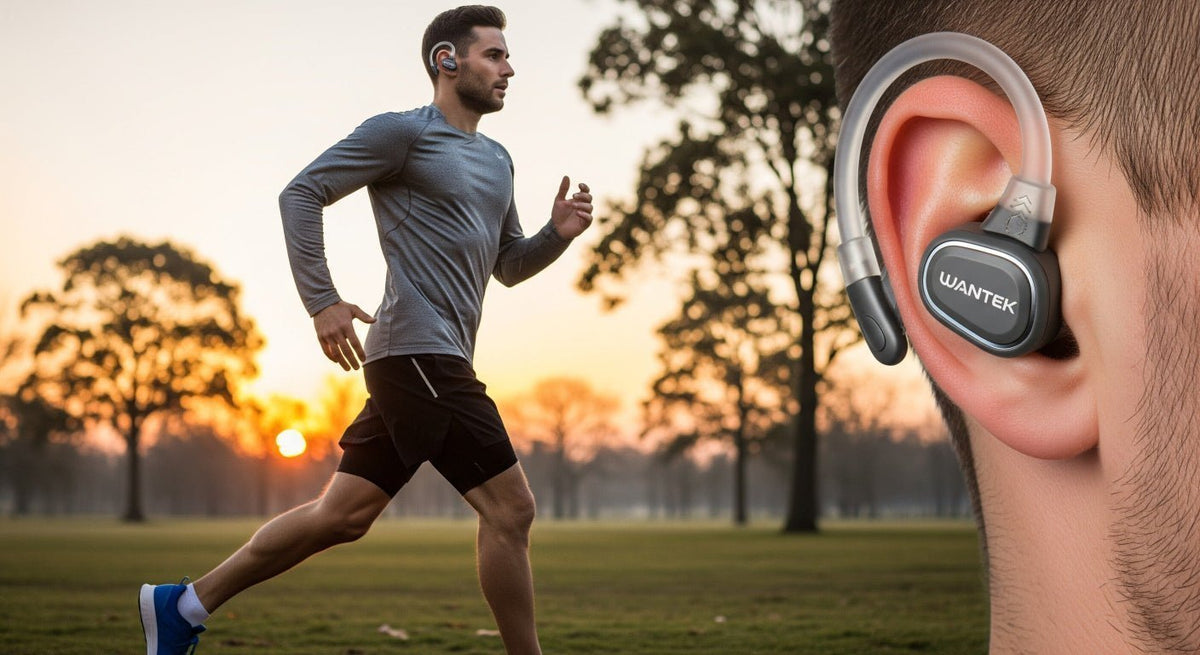
The existing illustration shows a complete ear-hook earbud. It does not show an add-on hook that can be fitted to another earbud.
Check fit before adding an accessory
A hook cannot fix a tip that is too small to seal or a housing that sits at the wrong angle. Try every included tip size, adjusting each ear independently. The right size should sit comfortably and securely without painful pressure. For AirPods Pro, Apple recommends changing tip sizes and using its model-specific ear-tip fit or acoustic seal test when needed; follow your own earbud maker's instructions for other models.
If the tip seals while you are still but slips as you walk or run, an additional retention point may be useful. If the tip itself never seals comfortably, solve that fit problem first. For a fuller diagnosis during exercise, use Wantek's running-earbud fit check.
How to choose add-on ear clips for earbuds
Match the exact housing
Look for the make, model, and generation in the accessory's compatibility list. Check how it attaches to the stem or body and whether it leaves the speaker opening, microphones, sensors, buttons, and touch surface clear. A listing that says “universal” is not proof that it fits your earbuds. Check the manufacturer's photos and return terms if the shape is uncertain.
Check the case and the way you wear them
Many add-on hooks must be removed before the earbuds go into their charging case. Check that the case closes fully and the earbuds contact the charging pins; never force it shut. If you wear glasses, a hat, or a helmet, test where the hook rests so it does not crowd the same area behind your ear.
Choose comfort and cleaning over material claims
A flexible hook can accommodate some movement around the ear; a firmer design may feel more stable on a particular earbud. Neither material guarantees a secure fit for every person or activity. Avoid a shape that pinches, shifts, or pushes the earbud tip into an uncomfortable position. Follow the accessory and earbud makers' cleaning instructions, especially before using liquids or cleaning agents on electronic parts.
Fit and test an add-on hook
- Check the accessory's left and right markings and fit instructions. Attach it only to a compatible earbud, without covering openings or controls.
- Seat the earbud as its maker directs, then settle the hook gently around the outer ear. Adjust its position without pushing the tip deeper to make the hook fit.
- Walk, turn your head, and bend forward. If it is for exercise, try a short session before relying on it for a longer workout.
- Remove the accessory before charging if the maker requires it. Confirm that the case closes and charging begins normally.
Recheck the sound after fitting the hook. If bass or isolation suddenly changes on a sealed earbud, its tip may have shifted; adjust the tip and hook separately. A hook helps with retention but does not create an acoustic seal by itself.
When a complete clip-on earbud makes more sense
If in-ear tips remain uncomfortable or you prefer to hear more of your surroundings, a complete open-ear model addresses a different need. Wantek's OBT030 open-ear clip-on earbuds sit outside the ear canal and include the audio hardware. They are not retrofit ear clips for earbuds you already own. Open-ear listening also gives up the passive seal of an in-ear tip, so weigh that against your need for isolation.
Considering a complete open-ear pair?
Check the OBT030 design and current product details if you would rather change earbuds than fit an accessory to your existing pair.
Frequently asked questions
Do universal ear hooks fit every pair of earbuds?
No. Stem shape, housing size, microphones, controls, and charging-case clearance vary by model. Confirm the exact earbud generation in the accessory's compatibility information and check where the hook attaches before buying.
Can ear clips improve sound quality?
An add-on hook may keep an in-ear earbud from moving, which can help its existing tip maintain a consistent seal. The hook does not improve the earbud's driver or create a seal on an open-ear model.
Can I charge earbuds with the hooks attached?
Only if the accessory maker confirms that the hooks fit in your exact charging case without blocking its contacts or closure. Otherwise, remove them before charging and check that both earbuds begin charging normally.

