
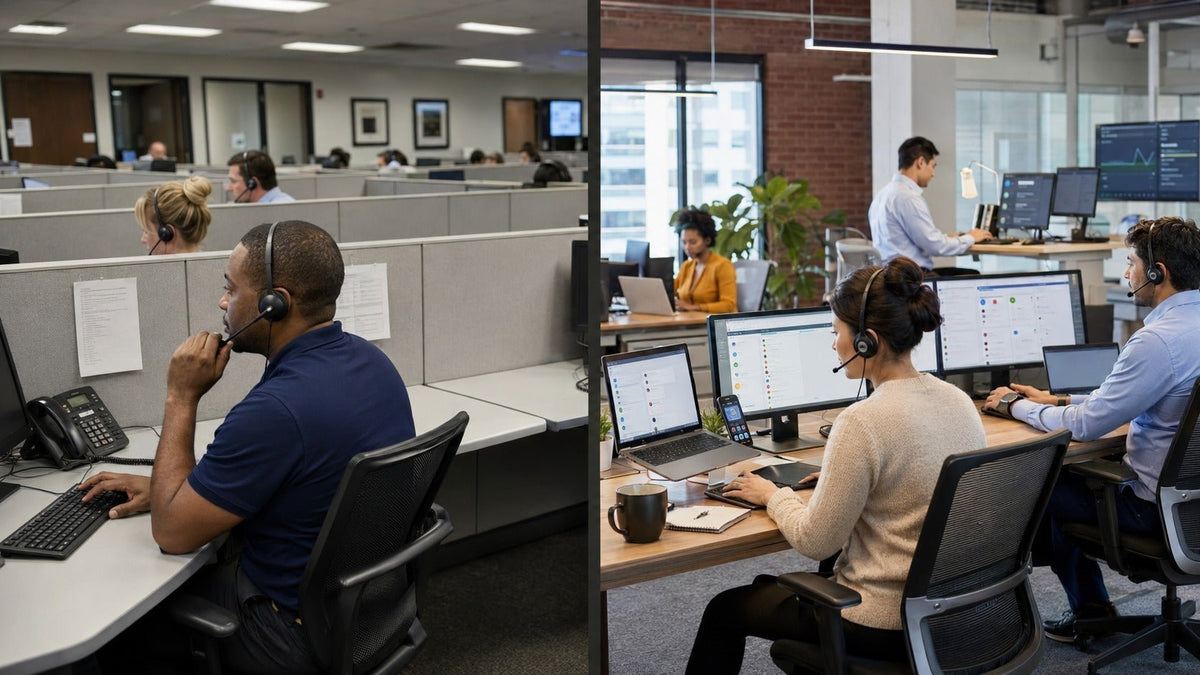
A call center is primarily organized around telephone calls. A contact center manages customer interactions across multiple channels, which can include voice, email, web chat, messaging, and social media.
Quick answer: the practical difference is channel scope and how interactions are managed. A call center is voice-centered; a contact center can coordinate voice and digital interactions. Modern call centers can still use CRM, automation, analytics, and cloud software, so those technologies alone do not define the difference.
Cisco's contact-center overview similarly distinguishes phone-centered call centers from broader contact centers that add channels such as chat, social media, and SMS.
Call Center vs. Contact Center at a Glance
| Area | Call center | Contact center |
|---|---|---|
| Primary channels | Mainly inbound and outbound voice calls. | Voice plus one or more digital channels such as email, chat, messaging, or social. |
| Routing | Primarily routes telephone interactions. | Can route interactions across voice and digital queues. |
| Agent work | Usually voice-heavy. | May combine calls, messages, email, and other tasks. |
| Customer context | Can use CRM and customer history, typically around voice-centered workflows. | Can connect customer context across voice and digital channels when those systems are integrated. |
| Technology scope | Telephony, IVR, call routing, recording, CRM integration, automation, analytics, and workforce tools can all be used. | Adds digital-channel routing and coordination across voice, email, chat, messaging, and other supported channels. |
What Is a Call Center?
A call center is an operation built primarily to handle a high volume of inbound, outbound, or blended telephone calls.
Common workflows include:
- customer support;
- sales calls;
- appointment scheduling;
- collections;
- technical support;
- service dispatch; and
- other voice-based customer interactions.
Typical call-center systems can include an Automatic Call Distributor (ACD), Interactive Voice Response (IVR), call queues, call recording, workforce management, CRM, reporting, analytics, and automation.
A call center can still use modern cloud software and sophisticated analytics. The term does not mean the operation is outdated; it describes the central role of voice.
What Is a Contact Center?
A contact center expands the interaction model beyond telephone calls. It can manage customer conversations across channels such as voice, email, chat, messaging, and social media.
The goal is not simply to add more inboxes. A well-integrated contact center can route work, preserve relevant customer information, and help agents handle interactions from different channels within a coordinated system. IBM's contact-center overview describes contact centers as hubs that can handle voice, email, live chat, social media, and automated services.
Multichannel and Omnichannel Are Not the Same Thing
Multiple channels do not automatically create an omnichannel experience.
Multichannel
Multichannel means customers can contact the organization through more than one channel. Voice, email, and chat may all exist, but each can still operate as a separate workflow.
Omnichannel
Omnichannel goes further by connecting channels and customer context so an interaction can continue across touchpoints with less fragmentation.
For example, a customer might begin with digital self-service, move to chat, and then escalate to a voice agent. In an integrated omnichannel environment, the agent can have access to relevant context from the earlier interaction. IBM's omnichannel explanation distinguishes independent multichannel touchpoints from interconnected channels designed to provide a unified experience.
Does Every Business Need a Contact Center?
No. More channels create value only when they match how customers actually need to communicate and when the organization can support those channels effectively.
| Situation | Likely fit | Reason |
|---|---|---|
| Most customer interactions are telephone calls | Call-center model | A voice-focused operation can be simpler to manage when digital demand is limited. |
| Customers regularly use phone, chat, and email | Contact-center model | Several channels need coordinated routing and staffing. |
| Customers frequently switch channels during one issue | Integrated omnichannel contact center | Preserving context across channels becomes more important. |
| A small team handles low interaction volume | Depends on actual demand | A larger platform may add unnecessary complexity if existing channels already meet the user task. |
Technology Used in Call Centers and Contact Centers
Automatic Call Distribution
ACD systems route incoming voice calls according to queues, agent availability, skills, or other configured rules.
Interactive Voice Response
IVR allows callers to navigate options or provide information before reaching an agent. It can also support self-service workflows.
Customer Relationship Management
CRM integration can give agents access to customer records and previous activity while an interaction is in progress. CRM is not exclusive to contact centers; voice-focused call centers can use it too.
Digital Interaction Routing
Contact centers may route chat, messaging, email, and other digital interactions in addition to calls.
Workforce Management
Workforce tools help teams forecast demand, schedule agents, and manage staffing across the periods and skills the operation needs.
Quality Management and Analytics
Recording, evaluation, reporting, and analytics help organizations review interaction quality and operational performance. The appropriate measurements depend on the channel and business objective.
Contact Center as a Service: Where CCaaS Fits
CCaaS is a cloud-delivered approach to contact-center software. It can provide voice and digital interaction management without requiring the organization to operate the entire contact-center platform on its own infrastructure.
CCaaS and contact center are not interchangeable terms: one describes a delivery model for technology, while the other describes the customer-interaction operation itself. IBM defines CCaaS as a cloud-based customer-service solution that can integrate communication channels and existing business systems.
How Agent Work Differs
A voice-focused call-center agent may spend most of a shift moving from one telephone interaction to the next.
A contact-center agent can have a more mixed workload. One agent might handle calls plus asynchronous messages, while another team may specialize by channel, language, product, or skill.
This difference can affect workstation design, staffing, software, training, and headset requirements. It does not create a universal split where every call-center agent is voice-only or every contact-center agent handles every channel.
What the Difference Means for Headset Selection
The move from a call center to a contact center does not automatically require a different headset. The important question is where the voice interaction actually occurs.
If you are choosing hardware for a voice-heavy operation, start with the actual calling endpoint rather than the label “call center” or “contact center.” Our call center headset buying guide covers connection type, workstation setup, wearing style, microphone design, controls, and mobility in more detail.
Start with the endpoint:
- Computer softphone: check USB-A, USB-C, Bluetooth, or another documented computer connection.
- Desk phone: verify the exact phone model, headset port, wiring, and any required EHS connection path.
- Multiple devices: check whether simultaneous connection, switching, or a dedicated base is required.
- Fixed workstation: a wired headset can avoid charging and pairing requirements. Teams planning larger computer-based deployments can also review bulk USB headsets for call centers .
- Mobile agent: a supported wireless system may be more appropriate when movement during calls is part of the workflow.
For teams comparing headset formats specifically for support and service work, the customer service headset guide provides a more product-focused next step.
Compatibility check: basic audio, headset-button integration, and platform certification are separate requirements. A headset that passes audio is not automatically certified for every collaboration or contact-center platform.
Noise-Canceling Microphone vs. ANC
These solve different problems. Microphone noise reduction is intended to reduce unwanted sound reaching the far end of the call. Active Noise Cancellation (ANC) is intended to reduce some ambient sound heard by the headset wearer.
Do not treat either feature as proof of the other. Choose the headset from the actual call workflow: start with the device and connector, then compare microphone design, mono or dual-ear fit, controls, and mobility.
Call Center Metrics vs. Contact Center Metrics
Voice operations commonly monitor measures related to queues and calls, such as service level, wait time, abandonment, handle time, and first-contact resolution.
Contact centers may still use those voice metrics but can also need channel-specific measurements for messaging, email, chat, self-service, and cross-channel journeys.
No single metric determines whether a service operation is successful. Metrics should reflect the customer task, service objective, and channel being measured.
Can a Call Center Become a Contact Center?
Yes. A voice operation can add digital channels and evolve toward a contact-center model.
The difficult part is not simply installing chat software. Teams may need to change:
- interaction routing;
- agent roles and skills;
- staffing models;
- customer-history integration;
- quality processes;
- reporting; and
- supervisor workflows.
If several channels remain isolated, the organization is better described as multichannel than fully omnichannel.
How to Choose Between a Call-Center and Contact-Center Model
Map current interaction volume by channel.
Identify how customers actually contact the organization.
Identify channel-switching problems.
Determine whether customers repeatedly have to restart conversations.
Define routing requirements.
Decide whether interactions should be routed by skill, priority, channel, or customer context.
Review agent workloads.
Determine whether agents specialize or work across channels.
Check integration requirements.
CRM, workforce tools, reporting, and knowledge systems may need to share data.
Choose technology after the workflow is clear.
Do not buy a platform simply because “omnichannel” appears on the feature list.
Frequently Asked Questions
What is the main difference between a call center and a contact center?
A call center focuses primarily on telephone calls. A contact center can manage voice plus digital interactions such as email, chat, messaging, and social channels.
Is a contact center always omnichannel?
No. A contact center can support several channels without integrating them into a continuous omnichannel experience. Multichannel availability and omnichannel continuity are different capabilities.
Are call centers obsolete?
No. Voice-focused operations remain appropriate when phone calls are the primary customer interaction. A contact-center model is useful when the business must coordinate additional channels.
What does CCaaS mean?
Contact Center as a Service is a cloud-delivered contact-center technology model. It can provide voice, digital routing, and related capabilities without requiring all platform infrastructure to be operated on premises.
Do contact-center agents still use headsets?
Yes, when their role includes voice interactions. Headset selection should be based on the actual calling device, connection, work environment, controls, and mobility requirements.
Does a contact center need wireless headsets?
Not automatically. Wired headsets can suit fixed workstations, while wireless headsets are useful when agents genuinely need mobility. Compatibility and workflow should decide the connection type.

