
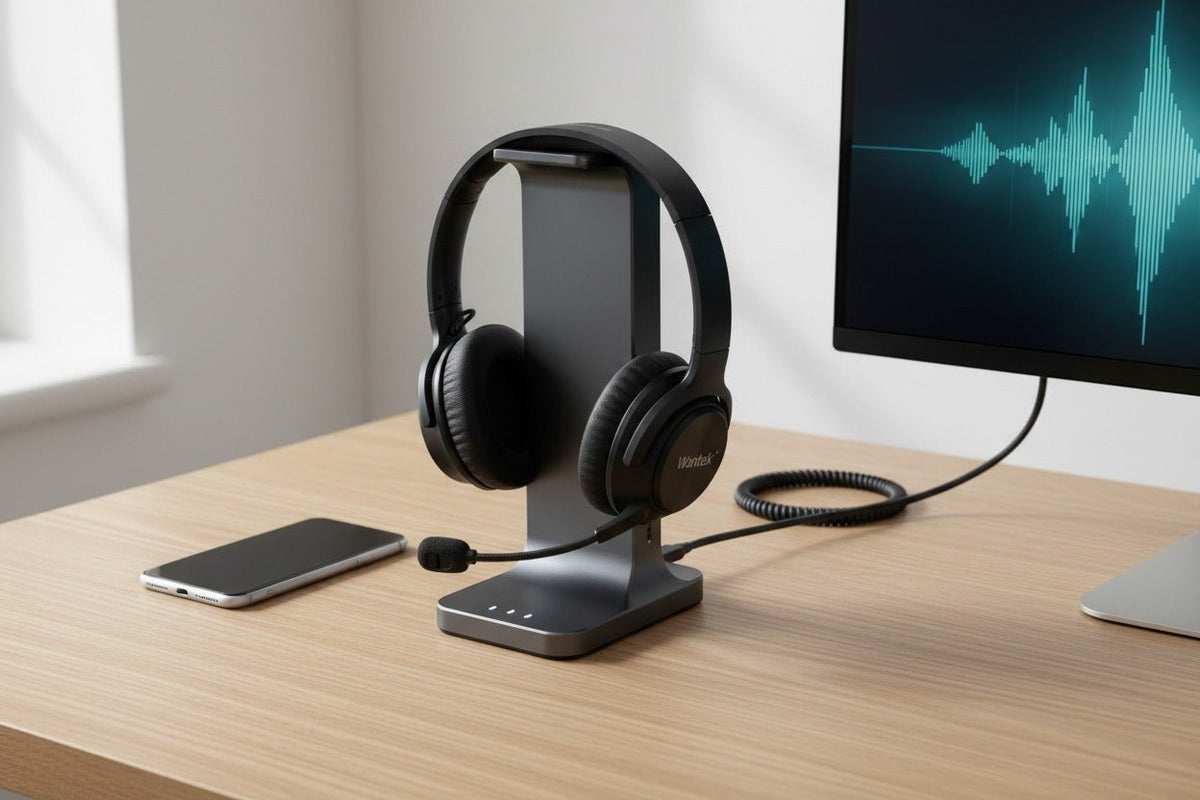
For 2026, the best customer service headset is the one that fits the team’s actual call path. A fixed computer workstation may be better served by wired USB because there is no battery or wireless pairing to manage. Agents who need to move around an office may benefit from DECT. Hybrid workers who split calls between a laptop and mobile device may prefer Bluetooth.
This guide compares five representative business headsets across those workflows. It is a specification-based buying comparison, not a controlled side-by-side microphone or comfort test. Before standardizing any model, confirm the exact SKU, connection path, call controls, and device support you intend to deploy.
One distinction matters throughout the guide: active noise cancellation (ANC) mainly changes what the wearer hears, while microphone noise reduction changes what the caller hears. A headset can provide one without the other.
Quick comparison: five customer service headset options
| Model | Connection | Consider it when | Verify before deployment |
|---|---|---|---|
| Jabra Engage 65 SE | Connection: DECT base; desk phone + PC/softphone | Consider it when: Agents need office mobility across desk-phone and computer calls | Verify: No Bluetooth; stated range is up to 150 m / 490 ft |
| Poly Voyager Focus 2 | Connection: Bluetooth or BT700 for PC; Bluetooth mobile; optional office base | Consider it when: Hybrid or remote users want Bluetooth plus wearer-side ANC | Verify: The 25-hour talk-time figure is specified with ANC off and the online indicator off |
| EPOS IMPACT 5000 | Connection: DECT family with PC/softphone, desk-phone, and mobile workflows in applicable configurations | Consider it when: Teams need long-range office mobility and multi-device call handling | Verify: Exact wearing style, base, and certification depend on the configuration |
| Wantek H600 USB | Connection: Wired USB | Consider it when: Fixed computer workstations need a simple single-ear wired setup | Verify: No Quick Disconnect; confirm the workstation’s compatible USB connection |
| Yealink WH62 | Connection: DECT base; PC + desk phone | Consider it when: Agents need DECT mobility between a computer and compatible desk phone | Verify: No Bluetooth; phone integration and accessories must match the exact setup |

What matters most in a customer service headset
Separate caller-side microphone performance from wearer-side ANC
For customer service, the microphone is the part of the headset the customer experiences most directly. Boom position, microphone design, signal processing, and the acoustic environment all influence how much nearby speech, typing, or room noise reaches the far end.
ANC solves a different problem. It reduces some of the sound reaching the wearer’s ears. That can help concentration, but it does not prove that the microphone rejects nearby voices well. When a product says “noise cancelling,” check whether the claim refers to the microphone, the earcups, or both.
Choose the connection before comparing secondary features
Wired USB is a clean fit for fixed computer workstations. It removes headset charging and Bluetooth pairing from the daily routine, although cable reach, port compatibility, operating-system settings, and application controls still need testing.
DECT is common in professional office-headset systems built around a base. It can provide more office mobility than a cable and may support desk-phone and computer calling, depending on the model and accessories.
Bluetooth is useful when a headset must work with a laptop, mobile device, or both. Do not assume every Bluetooth headset supports the same multipoint behavior, call controls, USB receiver, or desk-phone path.
QD, RJ9, USB, and wireless bases are not interchangeable concepts. For a physical desk phone, verify the exact phone model and full connection path rather than buying from plug shape alone. Wantek’s desk-phone compatibility guide covers that check in more detail.
Treat comfort as a pilot-test question
Weight matters, but it is not enough to predict long-session comfort. Headband pressure, cushion material, heat buildup, mono versus stereo fit, eyeglasses, boom position, and individual head shape can change the result.
For team purchases, have representative users wear the final configuration during realistic call blocks. A short wearer trial is more useful than assuming that a published weight or “all-day comfort” label will fit everyone.
Five headsets matched to different customer-service workflows
Jabra Engage 65 SE: DECT for desk phone and PC
The Jabra Engage 65 SE is built around a DECT base for desk-phone and softphone workflows. Jabra lists up to 150 m / 490 ft of wireless range and up to 13 hours of talk time. The headset also includes a busylight and on-headset call controls.
Its clearest purchasing distinction is connectivity: Jabra lists the Engage 65 SE as a DECT device with desk-phone and PC softphone support, while the technical specifications list Bluetooth device: No. That makes it a better fit for a desk-centered office workflow than for someone who specifically needs direct Bluetooth mobile connectivity.
Treat the maximum range as a published upper limit, not a promise for every floor plan. Walls, interference, base position, and the route the employee actually walks can reduce usable range.
Poly Voyager Focus 2: Bluetooth flexibility with ANC
The Poly Voyager Focus 2 fits a different job. HP lists Bluetooth connectivity for mobile devices and PC/Mac connectivity through Bluetooth or a BT700 USB adapter. A Voyager Office base can add desk-phone connectivity in supported configurations.
For listening-side noise control, the headset provides three levels of digital hybrid ANC. HP also describes a four-microphone Acoustic Fence system for call-side noise reduction and lists up to 50 m / 164 ft of wireless range.
The battery footnote matters. HP’s product page states up to 25 hours of talk time with ANC off and the online indicator off. Do not turn that number into an unconditional full-shift promise with every feature enabled.
This combination makes the Focus 2 worth considering for hybrid or remote users who need laptop/mobile flexibility and want ANC, provided the organization validates the exact adapter, application controls, and battery conditions it will use.
EPOS IMPACT 5000: DECT mobility for multi-device office calling
The EPOS IMPACT 5000 is a DECT family rather than one universal configuration. EPOS lists up to 180 m / 590 ft of wireless range, a two-microphone noise-cancelling system, and triple-connectivity workflows spanning PC/softphone, desk phone, and mobile phone.
That combination can suit offices where agents must move farther from a workstation while still managing business calls. It also makes the exact configuration important: wearing style, base, included accessories, and certification can vary across the family.
Do not generalize a label from one IMPACT 5000 variant to the entire series. If a procurement requirement depends on Microsoft Teams certification or a specific open-office microphone qualification, verify the exact model number rather than the family name.
Wantek H600 USB: simple wired USB for fixed computer desks
The Wantek H600 USB takes the opposite approach. It is a single-ear corded USB headset listed at 85 g / 3 oz, with a boom microphone, inline volume control, and one-key mute. The current specification also lists Quick disconnection: No.
For a fixed customer-support computer, that simplicity can be useful: there is no headset battery to charge and no wireless pairing record to maintain. The single-ear design also leaves one ear uncovered, which some roles prefer for local awareness.
The H600 should not be described as a universal “budget winner” without a defined price comparison. Its defensible role in this guide is narrower: it is a straightforward wired option for computer-based calls. Confirm the workstation’s USB connection and test hardware controls in the actual calling application before a larger rollout.
Yealink WH62: DECT for simultaneous PC and desk-phone workflows
The Yealink WH62 is available in mono and dual-ear DECT versions. Yealink documents simultaneous connection to a PC and desk phone, a dual-microphone Acoustic Shield system, and separate Teams and UC variants.
Yealink lists up to 13 hours of talk time for the mono version, 14 hours for the dual version, and up to 160 m / 525 ft of range from the base. The manufacturer also notes that physical obstructions can shorten real-world range.
The WH62 is not a Bluetooth hybrid. If the office needs remote desk-phone control, confirm the phone model and any required EHS accessory; Yealink’s compatibility path varies by phone brand and model.
Choosing for a fixed support desk or call-center workstation? Compare current Wantek call-center headset options by connection and wearing style.
Choose by workflow, not by brand
| Work pattern | Start with | Why | Representative option |
|---|---|---|---|
| Fixed computer workstation | Start with: Wired USB | Why: Removes headset charging and wireless pairing | Option: Wantek H600 USB |
| Hybrid laptop + mobile work | Start with: Bluetooth | Why: Flexible computer/mobile connection path | Option: Poly Voyager Focus 2 |
| Desk phone + computer | Start with: DECT base system | Why: Supports office mobility while working across two call devices | Option: Jabra Engage 65 SE or Yealink WH62 |
| Longer office movement | Start with: DECT | Why: Designed around a dedicated office wireless base | Option: EPOS IMPACT 5000, Jabra Engage 65 SE, or Yealink WH62 |
| Noisy shared workspace | Start with: Documented microphone noise reduction; add ANC if wearer-side noise is also a problem | Why: Caller-side and wearer-side noise control solve different problems | Option: Validate the exact model in the real acoustic environment |
If the team has not yet defined its device and connector requirements, start with the broader Call Center Headset Buying Guide. For the wired-versus-wireless decision specifically, use the Wired vs. Wireless Office Headsets guide.
Run a deployment test before standardizing a headset
A specification sheet can narrow the shortlist, but it cannot reproduce your office, software stack, head shapes, or support process. Use the final hardware configuration—not a similar model—for the pilot.
- Map the call path. List every computer, softphone, physical desk phone, and mobile device the headset must support.
- Use the exact adapters and bases. Test the receiver, EHS cable, lower cable, dock, and base that employees would actually receive.
- Make real calls. Check the microphone with normal speech, typing, and nearby conversation. Have the remote listener report whether words remain understandable.
- Verify controls. Test answer/end, mute, volume, and any meeting-platform behavior that matters to the role.
- Wear it long enough to expose fit problems. Note pressure, heat, slipping, cable pull, and eyeglass interaction.
- Walk the required route for wireless models. Do not buy from a maximum range number alone.
- Record service requirements. Include cushions, cables, batteries, replacement parts, firmware/software administration, and the process for failed units.

2026 procurement checks that are more useful than trend labels
Platform certification is a deployment requirement, not a sound-quality shortcut
Microsoft’s device program says certified Teams peripherals are intended to provide plug-and-play operation and Teams call controls. If those behaviors matter to IT, certification can reduce uncertainty—but check the exact model and variant on Microsoft’s current certified-device list.
Certification should not be stretched into a claim that every non-certified headset is unusable with Teams. Passing audio and providing the complete certified control experience are different questions.
“AI-ready” starts with a clean, stable input path
Contact-center software may perform transcription, summaries, quality assurance, or real-time guidance downstream. The headset’s job is to deliver usable audio into that system.
Evaluate the full chain: microphone placement → headset processing → operating system or softphone → communications platform → analytics software. A headset should not be credited with sentiment analysis, coaching, or transcription unless that function is documented for the headset itself.
Standardization should reduce operational variance
A fleet headset is not automatically the model with the most features. Standardization works when the chosen configuration is repeatable: the correct connectors are known, controls behave as expected, users can wear it for the required call duration, and replacement parts or support procedures are defined.
Buying for multiple fixed workstations? Document quantity, computer ports, calling platform, mono/stereo preference, and required controls before requesting a team price.
Frequently asked questions
What are the best customer service headsets in 2026?
There is no universal winner. Jabra Engage 65 SE and Yealink WH62 fit desk-phone/PC DECT workflows, Poly Voyager Focus 2 fits Bluetooth hybrid work, EPOS IMPACT 5000 emphasizes DECT mobility, and Wantek H600 is a simple wired USB option.
Are wired or wireless headsets better for customer service?
Wired USB is practical for fixed computer workstations because it removes charging and wireless pairing. DECT or Bluetooth is more useful when movement or multi-device calling is a real job requirement.
Does ANC make my voice clearer to the customer?
Not by itself. ANC primarily reduces some ambient sound heard by the wearer; microphone design and microphone-side noise reduction are the features more directly related to what the caller hears.
Is Microsoft Teams certification necessary?
Only when your deployment requires the certified Teams control and interoperability experience. Confirm the exact model and variant; a non-certified headset may still pass audio without providing every certified control behavior.
Should we buy the same headset for every agent?
Only when devices and work patterns are genuinely similar. Fixed PC users, desk-phone users, hybrid workers, and highly mobile agents can need different connection systems even within one support organization.
Can a gaming headset be used for customer service?
It can if it meets the actual microphone, comfort, connection, control, durability, and support requirements. A gaming label does not prove poor call quality, and a business label does not prove superior performance.
Final decision
Start with the call path, not the brand. A fixed PC points toward wired USB; desk-phone and computer mobility often points toward DECT; laptop-and-mobile work often points toward Bluetooth.
Then validate the shortlist in the environment where calls actually happen. The better purchasing decision is the headset that reliably matches the team’s devices, acoustic conditions, mobility, call controls, fit, and service process—not the model with the longest specification sheet.

