
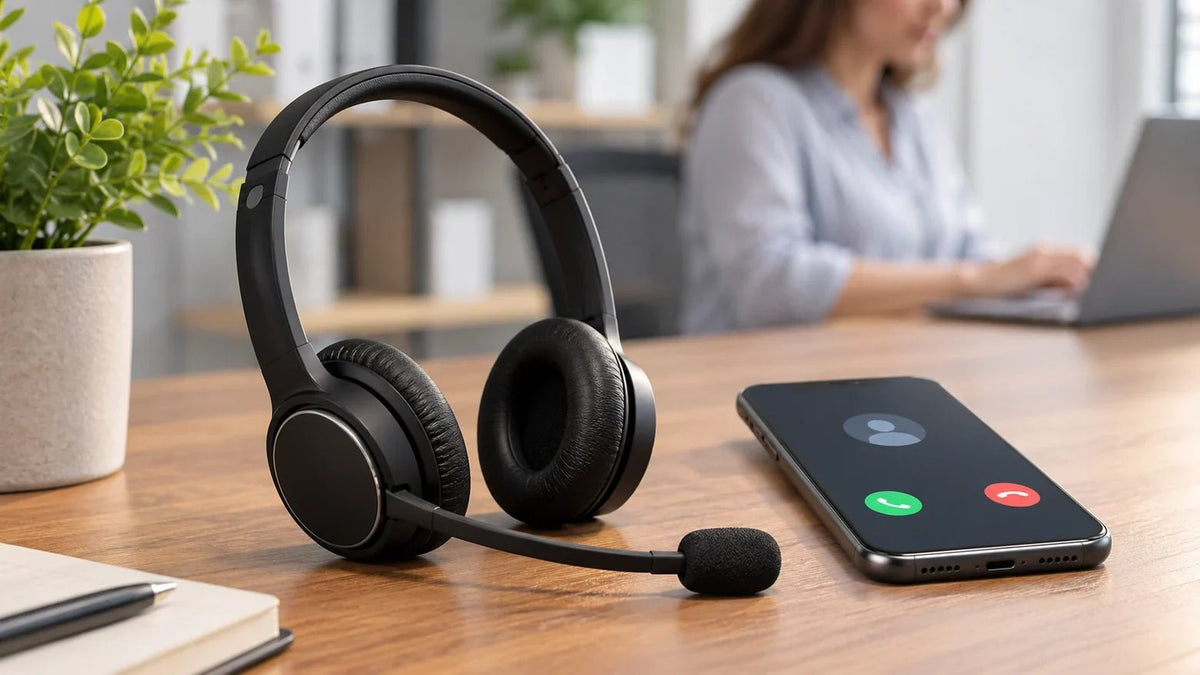
A wireless headset for a mobile phone usually connects over Bluetooth and needs to support both call audio and microphone input. Confirm those basics on your iPhone or Android phone first. Then compare microphone placement, mono or dual-ear fit, call controls, multipoint switching, and charging for your actual calling routine.
Quick answer: For phone-only calls, compare directly paired Bluetooth headsets. Choose mono when hearing nearby people matters, or dual-ear when you want more separation from surrounding sound. For phone-and-laptop calls, verify multipoint and switching on both devices rather than assuming every Bluetooth headset behaves the same way.
What does “mobile headset” mean?
In this guide, a mobile headset means a headset used directly with a smartphone for calls, usually over Bluetooth. Bluetooth's Hands-Free Profile defines the voice connection and remote-control functions used between a mobile phone and a hands-free device such as a headset.
That is different from a wireless desk-phone system whose Bluetooth radio may live in a base on the desk. If the headset only works through a desk base, it may support a mobile phone while you stay near that base without being a truly portable mobile headset.
If your priority is a wired connection to a phone instead of Bluetooth, the wired headset for mobile guide is the narrower match.
Hands-free cell phone devices: headset or car kit?
“Hands-free” describes a way to make or take phone calls without holding the phone. It does not mean every device works the same way. Choose the setup for where you usually take calls:

- Bluetooth headset or earbud: A wearable option for private calls at work or on the go. Confirm the phone supports both call audio and microphone input, plus the controls you need.
- Bluetooth car speakerphone: A separate microphone and speaker, often clipped to a vehicle's sun visor. Check pairing, charging, and how calls are answered.
- In-car hands-free system or adapter: Routes calls through compatible vehicle audio equipment. Check the car's inputs, microphone arrangement, and phone support before buying an adapter.
- Phone speakerphone: Uses the phone's built-in speaker and microphone without another accessory. It offers less privacy than a headset and may pick up more surrounding sound.
For calls away from a vehicle, a Bluetooth headset is usually the more portable choice. If you plan to use an earpiece while driving, check the headphone-wearing and phone-use rules along your route. Hands-free calling can still cause cognitive distraction, as the NTSB explains.
Start with phone compatibility, not the headset shape
| Call setup | Typical connection | Verify before buying |
|---|---|---|
| Smartphone calls only | Bluetooth headset paired directly to the phone. | Call audio, microphone, mute, answer/end behavior, comfort, and charging. |
| Phone + laptop | Bluetooth multipoint or another supported dual-device arrangement. | Whether two devices can stay connected and how calls and media switch between them. |
| Phone + desk phone | Bluetooth, a wireless base, or a separate phone-specific path. | The exact desk-phone model, base or adapter requirements, and remote call controls. |
| Phone with a wired headset | USB-C or another supported wired audio path. | Audio output, microphone input, control support, and any required adapter. |
Will a mobile headset work with iPhone and Android?
Both iPhone and Android support Bluetooth accessories. Apple documents pairing third-party Bluetooth accessories for calls and other audio, while Android provides system-level pairing for Bluetooth devices. That establishes the basic connection path; it does not mean every headset button or advanced feature behaves identically on every phone.
For phone-side pairing, use Apple's Bluetooth accessory instructions or Android's Bluetooth pairing instructions. After pairing, place a real call and verify speaker audio, microphone input, mute, answer/end controls, reconnection, and any app-specific behavior you depend on.
Choose mono or dual-ear by the environment
Mono keeps one ear open
A single-ear mobile headset can make sense for sales, reception, field work, dispatch, and other roles where you need to hear people or activity around you. Mono describes the listening style; it does not guarantee stronger microphone performance.
Dual-ear gives you more separation
A dual-ear headset puts call audio in both ears and usually gives more passive separation from nearby conversation. It can be useful for remote work and busy offices, but comfort still depends on clamp pressure, cushion material, weight distribution, glasses, and the length of your normal call blocks.
Microphone position matters more than a broad noise-cancelling label
For call-heavy use, a boom microphone keeps the microphone position more consistent relative to the mouth. Built-in microphones can be more compact, but outgoing voice quality depends on microphone placement, processing, wind, surrounding noise, the phone, and the calling app.
Also separate listener-side noise control from microphone noise reduction. ANC changes some of the sound the wearer hears. Microphone processing affects the signal sent to the other person. One does not prove the other.
Multipoint is useful when your phone shares the headset with a laptop
Multipoint can let a compatible headset stay connected to two Bluetooth devices. Android's current multipoint guidance describes a two-device setup where the headphones can switch between audio sources, including moving from media on one device to a call on another.
The important detail is switching behavior. “Connected to two devices” does not mean two audio streams play at once, and different headsets handle call priority differently. If phone-and-laptop switching is central to your work, see the dual-connectivity headset guide for the distinction between compatibility, simultaneous connection, switching, and mixing.
Battery and charging should match the real call pattern
For a call-focused mobile headset, a published talk-time figure is more directly useful than music playback when the manufacturer provides one. If a product page only states a general battery-life rating, do not convert it into talk time without evidence.
A charging dock is convenient at a fixed desk because it gives the headset a repeatable place to recharge. Cable charging is easier to carry between locations. Leave practical charging margin above your longest normal calling period rather than planning around the maximum published number.
Current Wantek mobile-call headsets to compare
These Wantek models cover three common mobile-work patterns. The listed details below are drawn from the current Wantek product pages and store data; phone and app behavior should still be tested with the exact devices you use.
| Model | Current verified details | Best starting use case |
|---|---|---|
| WK881BT | Single-ear Bluetooth 5.2 headset, boom microphone, one-key mute, up to 45 hours of listed battery life, approximately two-hour charge. | Mobile calls where room awareness and a mono wearing style matter. |
| WK882BT | Dual-ear Bluetooth 5.2 headset, boom microphone, one-key mute, passive noise cancellation, up to 45 hours of listed battery life, approximately two-hour charge. | Phone or computer calls where dual-ear focus is more useful than open-ear awareness. |
| 186BTC | Bluetooth multipoint positioning, over-ear design, adjustable boom microphone, passive noise cancellation, and approximately two-hour charging. | People who move between compatible phone and computer call workflows. |
For the wider current range, compare Wantek wireless work headsets by single-ear, dual-ear, multipoint, ANC, open-ear, and other use cases.
Use a short mobile-headset test before standardizing
Pair the exact phone and headset
Confirm that the phone recognizes the headset for both call audio and microphone input.
Place a real incoming and outgoing call
Check speaker level, microphone pickup, mute, answer/end, and reconnection rather than relying on pairing alone.
Test the normal environment
Use the headset where calls actually happen: office, home, vehicle while parked, retail floor, or another representative location.
Test a realistic wearing block
Check pressure, heat, stability, glasses interaction, and whether mono or dual-ear fits the level of awareness you need.
If you use two devices, test switching
Keep the phone and computer connected, then test incoming calls, active media, and return-to-audio behavior on the exact apps you use.
Compare Mobile-Friendly Wireless Headsets
Start with your phone, wearing style, and whether you also need a computer connection, then compare the current Wantek wireless models that fit that workflow.
Mobile headset FAQ
What is a mobile headset?
A mobile headset is a headset used with a smartphone for calls, usually over Bluetooth. For work use, check call audio, microphone input, controls, fit, battery information, and any phone-to-laptop switching you need.
Will a Bluetooth headset work with both iPhone and Android?
Both platforms support Bluetooth accessories, but exact call controls and advanced features can vary by phone, operating system, headset, and app. Pair and test the exact combination before relying on it.
Is a mono mobile headset better for calls?
Mono keeps one ear open, which can help with awareness. Dual-ear designs provide call audio on both sides and usually more passive isolation. Neither wearing style automatically guarantees better microphone performance.
What does multipoint mean on a mobile headset?
Multipoint lets a compatible headset stay connected to more than one Bluetooth device. Switching rules still vary, so test what happens when a call arrives while another device is playing audio.
Can a mobile Bluetooth headset also work with a desk phone?
Only when the exact desk phone supports the required Bluetooth connection or another compatible base or adapter path. A headset working with a smartphone does not prove desk-phone compatibility.

