
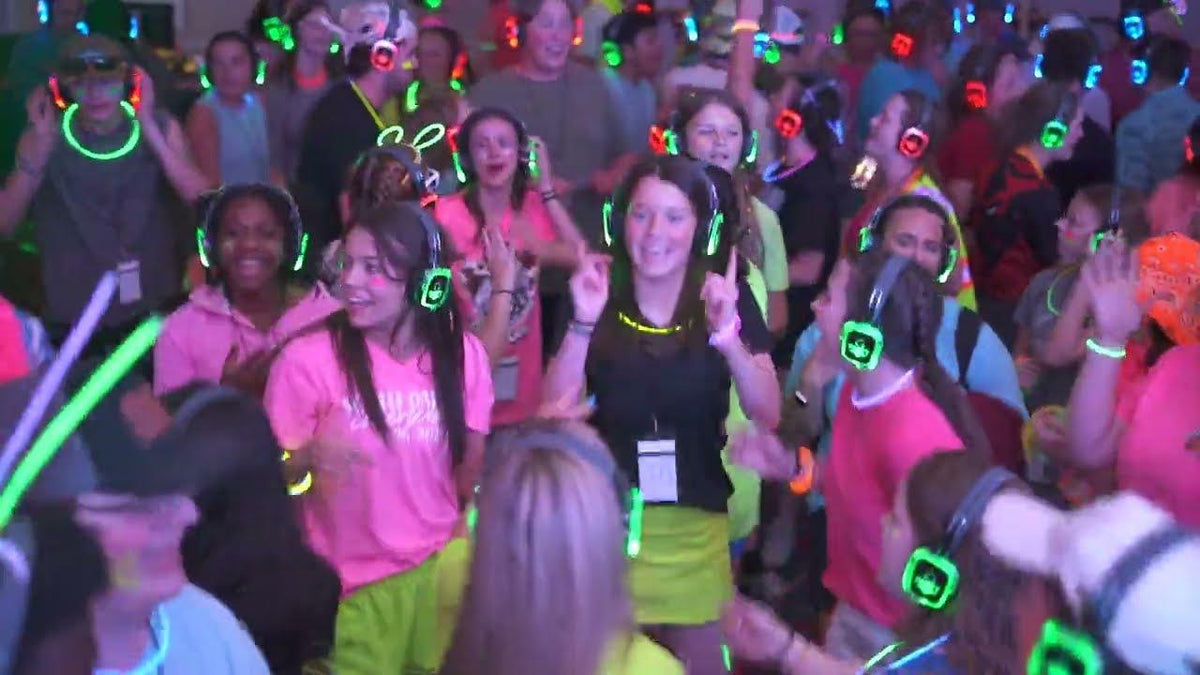
The best silent disco headphones are not ordinary Bluetooth headphones. They are receivers inside a complete event system: compatible transmitters send one or more channels, guests switch among those channels, and the organizer manages charging, sanitation, spares, range, and returns. For a one-off party, renting a matched system is usually simpler than assembling unrelated components.
Quick answer: for a typical party, look for a matched 3-channel system with enough fully charged headphones for every guest plus spares, transmitter range that fits the actual venue, 10–12 hours of battery for a full event day, simple channel controls, and a clear rental support/return process.

Silent Disco Headphones Are Part of a System
A silent disco transmitter takes audio from a DJ mixer, laptop, phone, or other source and broadcasts it to compatible wireless receivers in the headphones. Multi-channel headphones let guests change between different transmitters, which can carry different DJs, playlists, languages, or program feeds.
That is why normal Bluetooth headphones are not a drop-in replacement. A fleet needs to share the same receiver/transmitter protocol, channel plan, charging workflow, and controls.
What to Compare Before You Rent or Buy
| Requirement | Why it matters | What to verify |
|---|---|---|
| Channels | Guests may want multiple DJs or program feeds. | Number of supported channels and one transmitter/source per active channel. |
| Headphone quantity | Every participating guest needs a receiver. | Guest count plus spare units for failures or late additions. |
| Battery | Headphones must last through setup and the event. | Rated runtime, charging time, pre-event charging, and charger count. |
| Range | Walls, floors and transmitter placement can affect coverage. | Vendor-rated range plus the actual venue layout and planned transmitter location. |
| Comfort | Guests may wear the headset for several hours. | Adjustment range, cushion condition, clamp, weight, and fit across adults/children if applicable. |
| Sanitation | Rental fleets are reused. | Cleaning process, replaceable contact parts, and how units arrive packaged. |
| Support & return | A missing cable or failed transmitter can stop a channel. | Included cables, setup instructions, event support, return labels, loss/damage terms. |
Three Channels Are Common, but More Are Available
Three-channel systems are common because they give guests a meaningful choice without making the event complicated. Party Headphones, for example, rents 3-channel headphones with three transmitters; each transmitter carries one audio source. The company lists 10–12 hours of headphone battery life at full volume.
Quiet Events also rents 3-channel systems, and its broader fleet includes 10- and 45-channel options for conferences, tours, fitness, and other events. More channels are useful only when the event actually has more simultaneous feeds to manage.
Range Claims Need Venue Context
Vendor range is a useful ceiling, not a promise that every venue will behave the same way. Quiet Events currently advertises up to 1,500 feet for selected systems, while Silent Disco King lists different transmitters with different reach, including a 100–150 m mains-powered option.
Walls, floors, crowd density, RF conditions, transmitter height, and placement can reduce usable coverage. For a large or multi-room venue, ask the rental provider how many transmitters or repeaters are needed rather than choosing from a headline range number alone.

Rental vs. Purchase
Renting is usually the lower-friction option for a birthday, wedding, school event, or occasional corporate session because the vendor can supply a matched fleet, transmitters, chargers, cables, return logistics, and support. Buying becomes more attractive when the same organization runs frequent events and can maintain the equipment.
Current rental packages vary. Party Headphones says its kits include charged 3-channel headphones, three transmitters, RCA-to-aux cables, a setup guide, zip ties, and return labels. Quiet Events publishes rental packages with headphones, transmitter options, charging equipment, shipping/returns, and support; its 2026 pricing guide notes that rates and add-ons vary by quantity, days, and equipment type. Verify the live quote rather than copying an old per-headphone rate into an event budget.
How Many Headphones Should You Order?
Start with the maximum number of people who could be listening at the same time, then add a small operational spare pool. The exact spare percentage depends on event size, vendor policy, and whether extra units are automatically included.
- Ticketed event: base the main quantity on sold/expected attendance and the number of people who will actually use headphones.
- Wedding or private party: account for guests who may join later and people who swap units because of fit or battery.
- Conference: separate simultaneous-room requirements from total attendee count.
- Rental kit: ask whether the provider ships extra units and how unused or damaged units are handled.
Audio Sources and Adapters
Each active channel needs an audio source and a compatible transmitter input. Many rental transmitters accept analog RCA/3.5 mm feeds, but a modern phone or laptop may need an adapter. A USB-C port, HDMI port, or Bluetooth connection should not be assumed to work unless the exact transmitter supports it.
Test the full signal path before guests arrive: source → mixer if used → transmitter → headphone channel. Then walk the venue with a headset on every active channel.
Event-Day Setup Checklist
- Charge every headphone and transmitter/battery pack required by the system.
- Label each audio source and transmitter channel.
- Run a full audio test on every channel before doors open.
- Walk the expected coverage area and check for dropouts.
- Keep spare headphones and charging accessories accessible.
- Show staff how to change channels, adjust volume, and identify a failed unit.
- Create a checkout/return method so headphones are not lost at exits.
- Sanitize and count the fleet after the event according to the rental or ownership procedure.
For a deeper system-level planning checklist, see Wantek’s silent disco event system buying and rental guide. It covers transmitter compatibility, sanitation, charging, spares, and event support as one deployment rather than as isolated headphone features.
Frequently Asked Questions
Can I use normal Bluetooth headphones for a silent disco?
Not as a general replacement for a rental fleet. Silent disco headphones are designed to receive the event transmitter’s channels. Ordinary Bluetooth headphones use a different pairing model and are not automatically compatible.
How many channels do silent disco headphones need?
Three channels are common for parties, but one or two can be enough if you have fewer audio feeds. Larger conference and production systems can support more channels when the event requires them.
How long do silent disco headphones last on a charge?
Runtime varies by system. Current Party Headphones rentals list 10–12 hours at full volume, while Quiet Events advertises about 12 hours for selected equipment. Charge and test the fleet before the event.
Should I rent or buy silent disco headphones?
Renting is usually simpler for occasional events because the provider handles matched equipment and return logistics. Buying can make sense for frequent events if you can manage charging, cleaning, storage, repairs, and inventory.

