
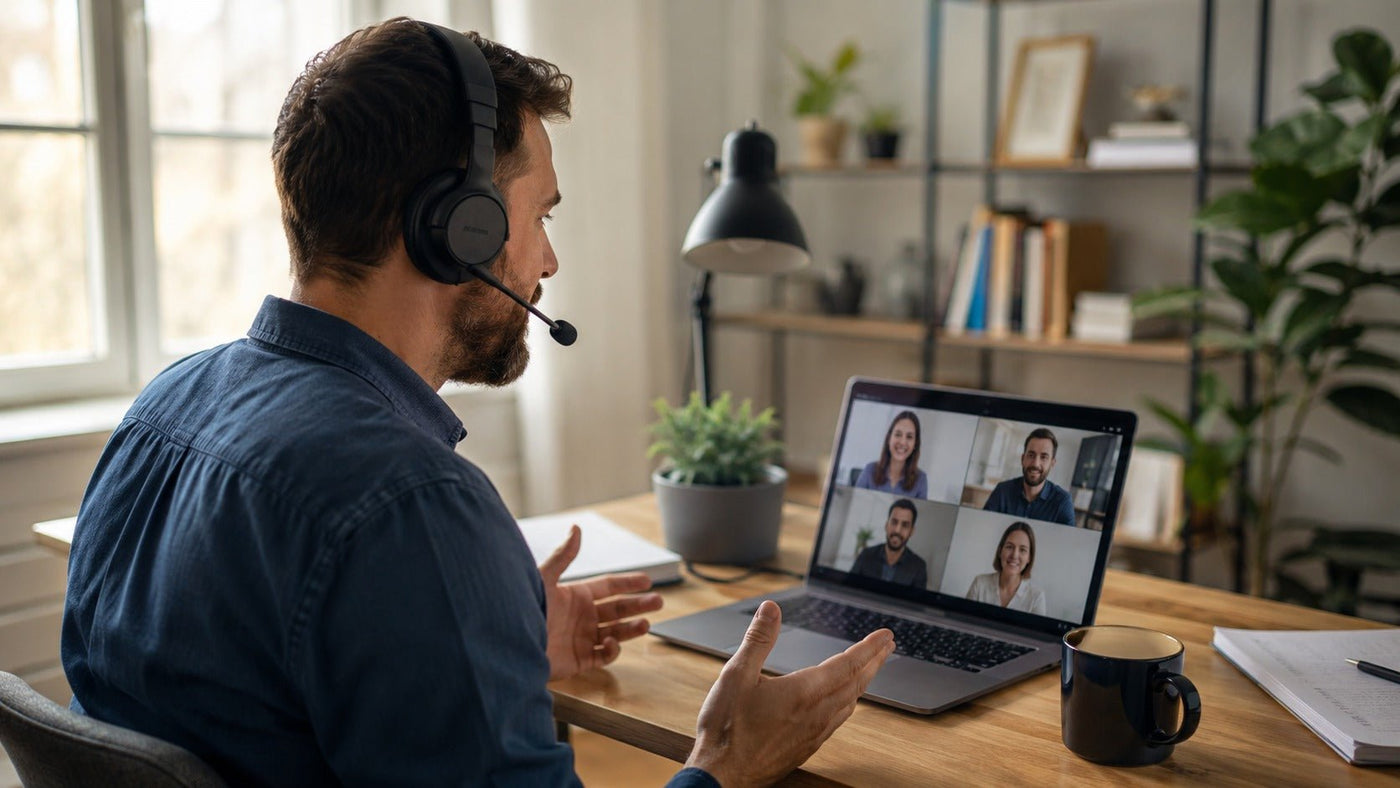
Let me paint you a picture. I’m hunched over my laptop, coffee cold, deadline looming. My neighbor decides this exact moment is perfect for leaf blower practice. My cat starts yowling for attention. And my cheap earbuds—those $15 gas station specials—pick up every single sound except my voice.
My coworker asks, “Is that a chainsaw?” No, Brenda, that’s my life now.
That was the moment I realized: finding the best headphones for remote work isn’t a luxury. It’s survival. I’ve burned through four pairs in three years. Some died tragically. Others deserved their fate. This guide? It’s born from those failures. Blood, sweat, and terrible Zoom calls.
The Brutal Truth: Your Desk Setup Is Overrated
Everyone loses their mind over standing desks. Monitors. Ergonomic chairs that cost more than my first car. You know what nobody talks about? The headset. That little plastic-and-foam contraption perched on your skull all day.
Think about it. Your ears process every meeting. Every client call. Every passive-aggressive Slack message read aloud. Bad audio makes you sound unprofessional. Bad comfort makes you miserable. Bad noise isolation? You’ll hear your roommate’s TikTok obsession whether you want to or not.
I once took a call from my closet during a thunderstorm. Spoiler: it didn’t work. My boss thought I was broadcasting from a tin can. I learned two things that day. First, closets aren’t soundproof. Second, cheap headphones are a career liability.
The Hidden Cost of Bad Audio
Here’s what nobody tells you. Poor microphone quality erodes trust. Seriously. When your voice cuts out, sounds scratchy, or picks up background chaos, people subconsciously judge you. They think you’re careless. Unprepared. Maybe even incompetent.
That’s harsh. But it’s true.
I noticed it myself. On calls with crisp audio, I felt respected. Engaged. My ideas landed better. On calls where I sounded like distant static, I got interrupted more. Ignored. “Can you repeat that?” became my personal anthem.
Don’t let your headphones sabotage your reputation. Spend smart. Not cheap.

The Feature Matrix: What Actually Matters
Walk into any electronics store. You’ll see hundreds of headphones. Flashy ads. Big numbers. “40-hour battery!” “Deep bass!” “Gamer mode!” Most of it is noise—pun intended.
Here’s what I’ve learned after obsessive research and too many return receipts.
Microphone Quality: Your Voice Is Your Brand
This isn’t negotiable. If you speak for a living—meetings, sales, support, coaching—your microphone is your most important tool. Period.
Look for headsets with noise-canceling microphones. These use multiple tiny mics to isolate your voice. They filter out keyboard clatter, ambient hum, and that guy eating chips on the other line.
Boom mics are best. They sit inches from your mouth. They capture clean, warm audio. They make you sound like a professional. Yes, they look dorky. Yes, you should wear them anyway.
I tested a pair of earbuds once. My colleague asked if I was “calling from inside a dryer.” The next week, I bought a headset with a boom mic. No more dryer comments.
Pro tip: Look at frequency response. For voice, you want strong mids. Typically 300Hz to 3kHz. That’s where human speech lives. Avoid headphones that boost bass too much. Your voice will sound muffled.
Comfort: The 8-Hour Test
You’ll wear these things for hours. If they hurt, you’ll hate them. If they slip, you’ll adjust them constantly. If they make your ears sweat, you’ll develop a complex.
Over-ear headphones are the safest bet. They surround your ears with plush padding. They distribute weight evenly. They don’t crush your cartilage.
On-ear models press against your ears. They’re lighter. But after two hours, they start to ache. I’ve felt that pain. It feels like your ears are being slowly sacrificed to a tiny, angry god.
In-ear monitors (IEMs) or earbuds are convenient. But they fall out. They get uncomfortable. They isolate you from the world, which can be disorienting for long stretches.
My rule: If you can’t wear them for 4 hours without noticing, they’re not for work.
What About Glasses?
You wear glasses? So do I. This matters. Look for headphones with deep ear cups. Soft memory foam. Minimal clamping force. Otherwise, you’ll end up with red pressure marks on your temples. You’ll look like you have a sunburn only on your face. Not a good look.
I’ve had good luck with models that feature “zero-clamp” designs. They hover gently rather than squeeze. Check reviews from other four-eyes folks. They’ll tell you the truth.
Wired vs. Wireless: Choose Your Sacrifice
Wired headphones are reliable. Zero latency. Never run out of battery. Sound quality is generally better for the price. But you’re tied to your desk. You can’t wander to refill your water without unplugging. You’ll yank your laptop off the desk eventually.
Wireless headphones are liberating. You can pace during calls. Grab snacks. They’re freeing. But they need charging. Bluetooth can lag. Some laptops have terrible wireless chips that drop audio randomly.
Here’s my compromise: Get a headset with both options. Many wireless models include a detachable cable. Best of both worlds.
Battery life: Aim for 20+ hours minimum. The best headphones for work calls often hit 30-40 hours. Some even support quick charge—10 minutes gives you 2-3 hours. This is a lifesaver when you forget to charge. And you will forget. Trust me.
Noise Cancellation: Active vs. Passive
Active noise cancellation (ANC) uses microphones to generate opposite sound waves. It cancels out constant background hums—fans, engines, air conditioners. It works amazing for open offices or busy homes.
But ANC is not perfect. It struggles with sudden noises. Doors slamming. Dogs barking. Kids screaming. It also creates a weird pressure sensation for some people. I personally find it slightly disorienting after hours of use.
Passive noise isolation relies on physical blocking. Thick ear cups. Tight seals. It’s simple and effective for quiet environments. But it won’t save you from a loud cafe or a roommate’s drum practice.
My advice: If you’re in a noisy space, get ANC. Just test it first. Make sure the pressure feeling doesn’t bother you.

The Reddit Wisdom: What Real Users Say
I’ve spent an embarrassing amount of time on Reddit. Scrolling threads. Debating specs. Arguing with strangers about diaphragm materials. If you search for best headphones for remote work reddit, you’ll find a few recurring champions.
- Sony WH-1000XM5: Legendary ANC. Fantastic sound. But the mic is mediocre for calls. Also doesn’t fold. Annoying for travel.
- Bose 700: Excellent call quality. Comfortable. Great mic array. But weird charging port and expensive.
- Jabra Evolve2 85: The gold standard for office headsets. Boom mic. Dedicated mute button with red light. But costs as much as a decent laptop.
- Poly Voyager Focus 2: Lightweight. Comfortable. Good for long days. Battery life is solid.
- Anker Soundcore Life Q30: Budget king. Decent ANC. Surprisingly good mic. The best headphones for remote work under $100, according to many Redditors.
One thread I still remember: A guy used dollar-store earbuds for six months. Everyone hated him. He wondered why. I laughed. I cried. I checked my own setup.
Reddit’s consensus: Read the comments, but make your own decisions. Half the people are shilling their favorite brands. The other half have never tried the models they recommend.
Matching Headphones to Your Work Style
Not all remote jobs are the same. A coder needs different things than a sales rep. Let’s get specific so you don’t waste money.
The Meeting Marathoner
You live in calls. Six to eight hours daily. Sales, support, management. You need:
- Dedicated mute button on the headset. Physical, not software. Trust me, fumbling with your keyboard when you need to cough is a disaster.
- Multi-device pairing. Switch from laptop to phone seamlessly. You’ll take calls walking to the bathroom.
- Long battery life. Nothing worse than dying mid-meeting.
- Comfort. You’ll wear these for hours. They shouldn’t hurt.
Best picks: Jabra Evolve2 85, Poly Voyager Focus 2, Bose 700.
The Deep Focus Worker
You spend hours coding, writing, designing. Calls are occasional. You need noise cancellation to concentrate. Mic quality is secondary.
- Excellent ANC. Block out distractions.
- Comfort for all-day wear.
- Great sound for music or white noise.
- Good enough mic for occasional calls.
Best picks: Sony WH-1000XM5, Bose QuietComfort Ultra, Sennheiser Momentum 4.
The Hybrid Commuter
You split time between home, coffee shops, and an office. Portability matters.
- Foldable or compact design.
- Good ANC for noisy environments.
- Wireless for freedom of movement.
- Decent mic for professional calls.
Best picks: Apple AirPods Pro 2 (if you’re in the Apple ecosystem), Sony WH-1000XM5 (be careful about the non-fold), Sennheiser Momentum 4.
Sound Quality: Why It Actually Matters
People obsess over bass. Deep, thumping bass. For music, fine. For work, bad.
Voice frequencies live in the mids. 300Hz to 3.4kHz. If your headphones are too bass-heavy, voices get muddy. You’ll miss words. You’ll ask people to repeat themselves. That gets annoying fast.
Look for “neutral” or “reference” sound signatures. These reproduce audio accurately. Not exciting, but functional.
Also, avoid gaming headsets for serious work. They boost bass for explosions. They add treble for footsteps. They make voices sound artificial. Plus, RGB lights look ridiculous on Zoom. Nobody needs their headset to be a Christmas decoration.
The Budget Trap: Cheaper Is More Expensive
I bought a $30 headset once. The foam peeled within two months. The mic stopped working after four. The left ear died at six. I spent $30 again. Then $40. Then another $50.
Within one year, I had spent $150 on trash.
Then I bought $150 headphones. They lasted two years. That’s $6.25 per month. My cheap ones cost $12.50 per month. Made no sense.
The math is simple: Spending more upfront saves money long-term. The best headphones for remote work sit in the $80-$250 range. That’s your sweet spot.
Think of it this way: a good headset costs less than a week of your salary. If it helps you focus, communicate, and appear professional, it pays for itself in your first month of productivity gains. Don’t be penny-wise and pound-foolish.
My Personal Picks: What I Actually Recommend
I’ve tried too many headsets. I’ve returned half of them. Here’s my current top three, no fluff.
1. Jabra Evolve2 85
Overkill for most people. But if you have serious meetings, it’s worth every penny. The microphone is incredible. The mute light is genius. The comfort is cloud-like. Battery life is massive.
Downsides: Expensive. Heavy. Looks like you’re about to air traffic control something.
2. Bose 700
My daily driver for most people. Balanced. Reliable. The mic is solid for calls. ANC is excellent. Comfort is above average. Design is sleek without being ridiculous.
Downsides: Charging port is weird. Not foldable. Earcups get warm after hours.
3. Anker Soundcore Life Q30
Budget champ. At $80-$90, it’s absurdly good. ANC works well for the price. Mic is decent. Comfort is acceptable. If you’re on a tight budget, start here. Then upgrade later.
Reddit loves these for a reason. They’re the best headphones for remote work under $100, hands down.
Other honorable mentions:
- Sennheiser Momentum 4: Lovely sound. Solid overall. But the mic could be better.
- Sony WH-1000XM5: Best ANC. But mic drags it down for calls.
- Poly Voyager Focus 2: Great for all-day wear.
Final Thoughts Without Being Cheesy
I’m not going to wrap this up with a pretty bow. Buying the right headphones won’t fix your work life. You’ll still have awkward silences. Still have that one coworker who never mutes. Still have days where you want to throw everything out the window.
But good headphones remove one obstacle. They let your voice be heard. They protect your ears from fatigue. They block out chaos so you can think.
Don’t overthink this. Pick a pair that fits your budget. Prioritize microphones and comfort. Ignore the hype. Read best headphones for remote work reddit threads for opinions, but trust your own experience.
Oh, and mute yourself when you cough. Please. For all of us.
FAQ: Choosing Headphones for Your Remote Job: Key Features to Consider
1. Which type of microphone is best for clear communication in virtual meetings?
A microphone with a boom arm is generally best, as it positions the mic close to your mouth. Look for a “noise-canceling” microphone feature, which reduces background sounds like typing or household noise for your listeners.
2. Should I prioritize wired or wireless headphones for remote work?
If you require zero latency and don’t want to worry about battery life, wired (USB or 3.5mm) headphones are reliable. Wireless Bluetooth headphones are better for mobility but ensure they support low-latency codecs (like aptX) to avoid audio lag during calls.
3. What is active noise cancellation (ANC) and do I need it?
ANC uses built-in microphones to create anti-noise waves that block out constant low-frequency sounds (e.g., fans, traffic). It is highly recommended if you work in a noisy environment, but note that it does not block human voices completely. It also adds to the cost and requires battery power.
4. How important is comfort and build quality for all-day use?
Extremely important. Look for plush ear cushions (memory foam, leather or velour), a lightweight design (under 250 grams), and an adjustable headband. Over-ear headphones are typically more comfortable for 8+ hour wear than on-ear or in-ear models.
Still Comparing Options?
Find the Right Headset for Your Actual Workday
Whether you live in meetings, handle customer calls, or need a reliable home-office setup, compare Wantek office headsets built for clear voice pickup, comfort, and work-call compatibility.
Compare Office Headsets
