
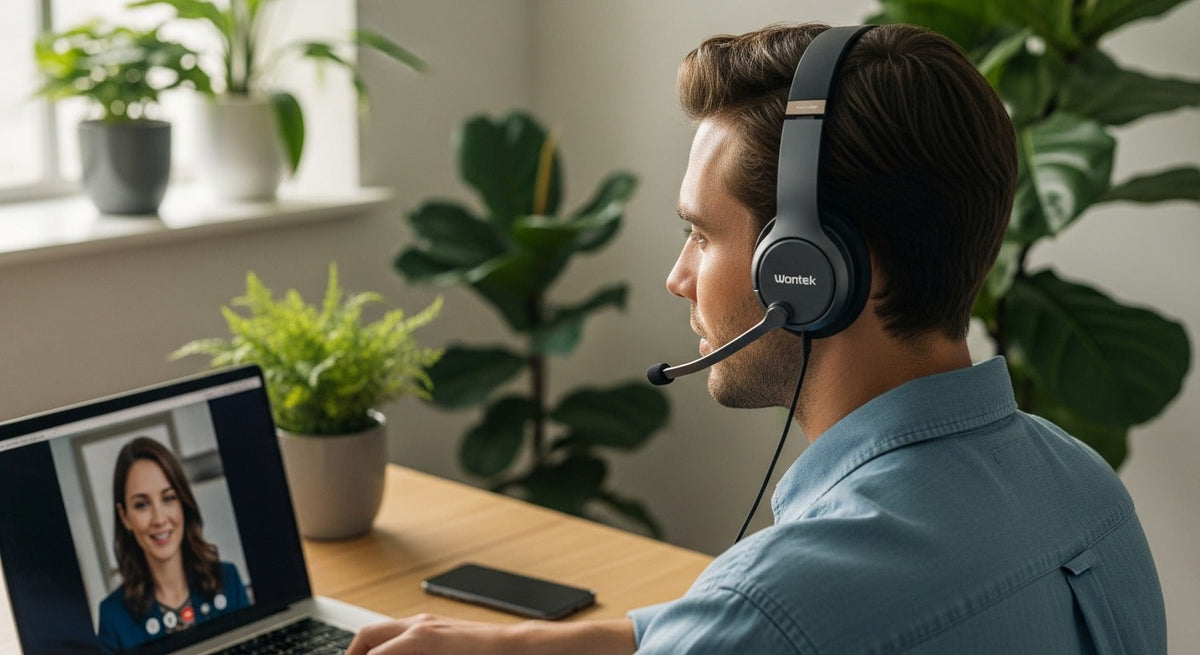
For business calls, choose a Bluetooth headset that connects reliably to your calling device and fits how you listen and speak. Within Wantek's work-headset range, compare the single-ear WK881BT for room awareness, the dual-ear WK882BT for listening focus, and the 186BTC for a laptop-and-phone multipoint workflow. These are feature-based starting points, not head-to-head microphone test winners.
Connection comes first. A headset that pairs with a smartphone is not automatically the right choice for a desk phone, and “multipoint” should be verified on the exact model instead of inferred from its Bluetooth version.
Start With the Device That Handles Your Calls
| Call setup | Useful starting point | Verify before buying |
|---|---|---|
| Smartphone calls | Native Bluetooth headset | Phone OS, call controls, microphone behavior, wearing style, and battery |
| Laptop softphone or meetings | Bluetooth work headset | Computer Bluetooth path, app behavior, mute controls, and any required USB adapter |
| Laptop + smartphone | Headset with documented multipoint or switching | How many devices stay connected, call priority, and whether audio switches the way you expect |
| Desk phone | Only a headset with a supported desk-phone connection path | Exact phone model, Bluetooth support, base/adapter requirements, and remote call-control needs |
Single-Ear or Dual-Ear?
A single-ear headset keeps one ear uncovered, which can be useful when you need to hear nearby coworkers, customers, or household activity. A dual-ear headset puts call audio in both ears and can be a better fit when listening focus matters more.

Neither style is automatically clearer to the person on the other end. Microphone placement, processing, room noise, connection, and the calling app all affect the outgoing signal.
Look at the Microphone and Controls Separately
A boom microphone keeps the pickup point in a repeatable position near the mouth. That makes it a practical starting point for frequent calls, but a boom alone does not prove strong background-noise rejection.

Check whether mute is available on the headset, in an inline control, or only inside the calling app. If you mute often during meetings or customer calls, a physical control can be more useful than an extra listening feature you rarely touch.
For business calls on Microsoft Teams, Zoom, or a softphone, test headset mute and answer/end controls in the actual app. Bluetooth audio support alone does not guarantee app-level call controls or platform certification. If Teams certification is required, check the exact headset model and connection method against Microsoft's certified personal peripherals list. If you are outfitting a team, test the exact headset and accessory package on your usual computers before placing a larger order.
Do Not Confuse ANC With Microphone Noise Reduction
Active noise cancellation primarily reduces environmental sound heard by the wearer. Microphone-side noise reduction affects what is sent to the caller. Passive noise cancellation or isolation is different again: it comes from the physical design and fit.
When a product says “noise cancelling,” check which part of the call path it describes instead of assuming both the listener and microphone receive the same benefit.
Multipoint Is a Workflow Feature, Not a Bluetooth-Version Guarantee
If you take calls from both a laptop and smartphone, look for explicit multipoint or multi-device documentation. A newer Bluetooth version does not by itself tell you whether a headset maintains the connections, how it switches between them, or what happens when two devices request audio.
For practical pairing and call-handoff checks, see the multipoint laptop-and-phone guide, including its guidance on receiver limitations.
Current Wantek Bluetooth Call-Headset Starting Points
The models below are examples from Wantek’s current work-headset range. They are not results from a head-to-head microphone test, so use the documented features as a starting point and verify the exact connection you need.
| Model | Documented features | Good reason to compare it |
|---|---|---|
| WK881BT | Single-ear, Bluetooth 5.2, boom mic, one-key mute, up to 45 hours of listed battery life | You want one ear uncovered during work calls |
| WK882BT | Dual-ear, Bluetooth 5.2, boom mic, one-key mute, up to 45 hours of listed battery life | You prefer call audio in both ears |
| 186BTC | Bluetooth multipoint positioning, Bluetooth 6.0, over-ear design, boom mic, PNC | You regularly work across more than one Bluetooth device |
For the WK881BT and WK882BT, the product pages use inconsistent noise-control labels between their specification and FAQ sections. Confirm the exact function before assuming ANC or microphone noise reduction; their 45-hour figures are listed as general battery life, not continuous talk time.
The 186BTC product page links a BT-16 user guide. It documents two Bluetooth connections in Bluetooth mode but treats its 2.4 GHz receiver as a separate mode. Because the guide and product listing use different identifiers, confirm that these connection instructions apply to the exact package you plan to buy.
Desk-phone note: Bluetooth support alone does not confirm compatibility with a landline or office phone. Check the exact phone model and the required base, adapter, or headset connection before ordering.
How to Test a Bluetooth Headset for Calls
- Pair or connect the headset using the same device you will use for real calls.
- Select it as both the input and output device in the phone, operating system, or calling app where applicable.
- Make a test call at a normal speaking volume rather than judging the microphone from music playback.
- Test the call in your real environment, including keyboard noise, nearby conversation, or moderate background sound.
- Check mute, volume, reconnection, and device switching if those functions matter to your workflow.
Battery Numbers Need the Right Label
Do not compare a general “battery life” figure directly with another product’s continuous talk-time figure. Manufacturers may publish music playback, talk time, standby time, or a combined headline number under different conditions.
For call-heavy work, confirm that the published metric covers the duration you actually need, then leave enough reserve for longer meetings or days away from a charger.
Compare Wantek Wireless Work Headsets
Use wearing style, microphone design, connection, multipoint needs, mute controls, and current product specifications to narrow the options.
Frequently Asked Questions
What is the best Bluetooth headset for phone calls?
There is no universal winner. In Wantek's range, consider the WK881BT for single-ear calls, WK882BT for dual-ear listening, or 186BTC for a multi-device workflow. Verify phone or computer compatibility and test the microphone in your actual calling environment.
Is a single-ear or dual-ear Bluetooth headset better for calls?
Single-ear designs keep one ear open to the room. Dual-ear designs put call audio in both ears. Choose by awareness and listening-focus needs rather than assuming one style has a better microphone.
Does Bluetooth multipoint mean two devices can play audio at once?
Not necessarily. Multipoint implementations vary. Check how the exact headset handles connected devices, call priority, switching, and simultaneous audio rather than assuming all multipoint products behave the same way.
Will a Bluetooth headset work with my desk phone?
Only if the complete connection path is supported. Confirm the exact desk-phone model, its Bluetooth capability, and any required base, adapter, cable, or remote call-control accessory.

