
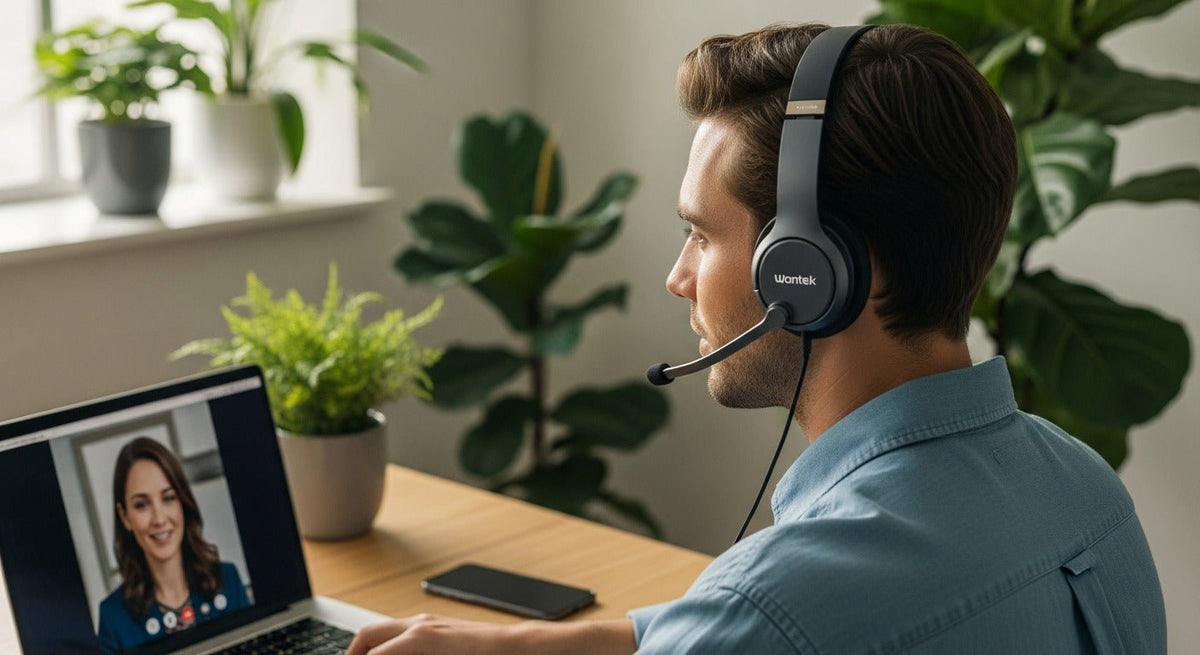
The best Bluetooth headset for cell phone calls is the one that matches your phone, call environment, wearing preference, and switching needs. A boom microphone can help keep the mic close to your mouth, but call clarity also depends on microphone processing, Bluetooth behavior, call controls, and the noise around you.
Quick answer: If most calls happen on a cell phone, start with the wearing style and microphone you want, then confirm the headset is intended for mobile Bluetooth calling. For dual-ear work calls, compare the Wantek WK882BT. If you want one ear open, compare the WK881BT. For a phone-and-laptop workflow, the 186BTC is the Wantek model positioned around Bluetooth multipoint. Premium business options such as the Jabra Evolve3 85 add documented adaptive ANC, platform certifications, and two simultaneous Bluetooth connections. The Poly Voyager 5200 UC remains a compact mono option built around mobile calling and wind-noise reduction.

Best Bluetooth Headsets for Cell Phone Calls at a Glance
| Headset | Consider it for | Verified details and limits |
|---|---|---|
| Wantek WK882BT | Dual-ear work calls | Bluetooth 5.2, boom mic, passive noise cancellation, one-key mute, and up to 45 hours of listed battery life. The current page does not claim active noise cancellation. |
| Wantek WK881BT | Single-ear work calls | Single-ear design, Bluetooth 5.2, boom mic, passive noise cancellation, one-key mute, and up to 45 hours of listed battery life. |
| Wantek 186BTC | Multi-device Bluetooth work | Bluetooth multipoint positioning, over-ear design, boom mic, passive noise cancellation, and a current Bluetooth 6.0 listing. The current product page does not publish a battery-life figure. |
| Jabra Evolve3 85 | Premium over-ear business calls | Bluetooth 5.3, multipoint, two simultaneous Bluetooth connections, adaptive ANC, and Teams, Google Meet, and Zoom certifications. Jabra lists up to 25 hours of talk time with ANC and busylight off. |
| Poly Voyager 5200 UC | Compact mono calling and mobility | Four adaptive microphones, WindSmart technology, Bluetooth connection to PC or mobile phone, and a mono wearing style. Verify the exact bundle and adapter before ordering. |
Do not treat “noise cancelling” as one feature. ANC mainly reduces some ambient sound heard by the wearer. Microphone noise reduction addresses what the person on the other end hears. Passive noise cancellation or isolation comes from the physical fit and ear coverage.
What Matters Most for Clear Phone Calls?
Microphone design and placement
For work calls, microphone performance matters at least as much as speaker sound. A boom microphone places the pickup closer to your mouth, which can help the headset separate speech from room sound. That does not guarantee strong noise rejection, so manufacturer claims and independent testing should be read separately.
If your main problem is that callers hear keyboards, conversations, traffic, or wind, focus on the microphone system and its noise-handling claims. If your main problem is that you cannot hear the caller in a noisy room, compare passive isolation or wearer-side ANC instead.
Single-ear or dual-ear
A single-ear headset keeps one ear open for coworkers, customers, or household sounds. A dual-ear headset sends call audio to both ears and can provide more physical separation from the room. Neither style is universally better; the right choice depends on whether awareness or listening focus matters more during calls. If you are choosing a mono design specifically for smartphone calls, Wantek's single-ear Bluetooth headset for phone calls guide covers that narrower decision.
Bluetooth multipoint and switching behavior
Multipoint is useful when one headset needs to stay connected to more than one compatible Bluetooth device, such as a phone and laptop. It does not automatically mean both sources can play audio at the same time, and switching rules can differ by headset, operating system, receiver, and calling app.

For a multi-device setup, verify the exact workflow you need: whether both devices remain connected, what happens when a phone call arrives during a computer meeting, how media resumes afterward, and whether a USB Bluetooth adapter is part of the intended configuration.
Battery life, charging, and call controls
Battery figures are only useful when you know what the manufacturer measured. “Up to” battery life is a maximum under stated conditions, not a guaranteed workday result. Also check charging time, mute behavior, call-answer controls, and whether those controls work in the apps you use.
How to Choose a Bluetooth Headset for a Cell Phone
Start by confirming that the headset is documented for mobile Bluetooth calling and that your cell phone can use it for both speaker and microphone audio. Then test answer/end, mute, volume, voice-assistant behavior, and reconnection. Those controls can vary even when basic Bluetooth pairing works.
If the same headset also needs to handle laptop calls, check multipoint or USB-adapter behavior separately. A headset can work well with a phone yet behave differently in a computer meeting app.
Which Bluetooth Phone Headset Fits Your Work Style?
Wantek WK882BT: dual-ear work calls
The WK882BT is the Wantek starting point for users who prefer a dual-ear Bluetooth work headset with a boom microphone. Wantek currently lists Bluetooth 5.2, passive noise cancellation, one-key mute, up to 45 hours of battery life, and about two hours of charging.
The important limitation is the noise-control label: its current specification is passive noise cancellation, not ANC. If reducing the sound you hear in a loud office is a hard requirement, compare an explicitly documented ANC headset.
Wantek WK881BT: one ear stays open
The WK881BT uses a single-ear design and keeps the other ear uncovered. Its current product page lists Bluetooth 5.2, a boom microphone, one-key mute, passive noise cancellation, up to 45 hours of battery life, and about two hours of charging.
That makes it a practical model to compare for home-office calls, customer conversations, or other workflows where you need to hear what is happening around you.
Wantek 186BTC: a multipoint work-headset path
The 186BTC is positioned as a Bluetooth multipoint work headset. Wantek currently lists Bluetooth 6.0, a boom microphone with 220-degree rotation, passive noise cancellation, and about two hours of charging.
The current page does not publish a battery-life figure, so it is better to leave that field unclaimed than reuse an older number from another source. Multipoint positioning also does not prove every switching rule for every phone, computer, or meeting app.
Jabra Evolve3 85: premium over-ear business features
Jabra's current Evolve3 85 documentation lists Bluetooth 5.3, Bluetooth multipoint, two simultaneous Bluetooth connections, adaptive ANC, and certifications for Microsoft Teams, Google Meet, and Zoom. Jabra lists up to 25 hours of talk time with ANC and busylight off.
This is the kind of model to compare when formal platform certification, wearer-side ANC, enterprise software, or a documented two-device Bluetooth workflow is part of the requirement rather than an optional extra.
Poly Voyager 5200 UC: compact mono calling
The Poly Voyager 5200 UC uses a compact mono form factor built around mobile calling. HP Poly documents four adaptive microphones, WindSmart technology, Bluetooth connectivity for PC or mobile phone, and certification for common collaboration platforms.
It is a different fit from a dual-ear office headset: the emphasis is portability, one-ear wear, and voice pickup in mobile environments. Check the exact package because USB adapters and accessories can vary by bundle.
Cell Phone, Computer, and Desk Phone Compatibility Are Different Problems
A Bluetooth headset that pairs with a smartphone is not automatically compatible with every desk phone. Traditional office phones can require a dedicated base, supported Bluetooth adapter, USB path, EHS accessory, or a wired headset connection. The exact phone model matters.

If your calls run through a physical office phone, use Wantek's desk-phone headset compatibility checker to verify the model and connection path before ordering. A matching connector or a Bluetooth logo alone is not enough to establish compatibility.
A Simple Buying Checklist
Identify the device that carries the call
Start with the smartphone, computer, physical desk phone, or combination you actually use. Connection requirements should be settled before extra features.
Separate microphone noise reduction from ANC
Decide whether the problem is what callers hear, what you hear, or both. Then compare the relevant microphone and noise-control features.
Choose single-ear or dual-ear wear
Keep one ear open when room awareness matters. Choose dual-ear when listening focus is more important.
Verify multipoint and call-control behavior
If you use two devices, check the real switching workflow. If you rely on mute, answer, or meeting controls, confirm that those controls work with your apps.
Check the current product page before buying
Battery claims, bundles, adapters, firmware, certifications, and availability can change. Use the current model page as the source of record.
Compare Wantek Wireless Headsets
Start with wearing style, microphone design, Bluetooth features, noise control, and the devices that need to handle your calls.
Frequently Asked Questions
What is the best Bluetooth headset for phone calls?
There is no single best model for every caller. Match the headset to your phone or computer, microphone needs, wearing style, noise level, battery requirements, and whether you need multipoint or formal platform certification.
Does ANC make my voice clearer to the other caller?
Not necessarily. ANC mainly reduces ambient sound heard by the wearer. Clearer outgoing voice depends on the microphone system, microphone placement, processing, and the noise around you.
Can one Bluetooth headset stay connected to my phone and laptop?
Yes, if the headset supports the required multipoint setup. Check how it handles incoming calls, computer meetings, media, and switching because connection behavior varies by model and software.
Can I use a Bluetooth headset with an iPhone or Android phone?
Yes, when the headset supports Bluetooth calling with your phone. Confirm call audio, microphone, mute, and answer/end controls on the exact model, because successful pairing does not prove every call-control function works.
Will a Bluetooth headset work with a landline or office desk phone?
Only when the phone and headset have a supported connection path. Verify the exact desk-phone model, Bluetooth or USB support, and any required base, adapter, or EHS accessory.
Is a single-ear or dual-ear Bluetooth headset better for work?
Single-ear designs help you stay aware of the room. Dual-ear designs provide call audio to both ears and can offer more physical separation from surrounding sound. Choose based on your work environment.

