
Welcome to Wantek online store!

Announcement: Free shipping in USA, UK, FR, DE, IT, ES

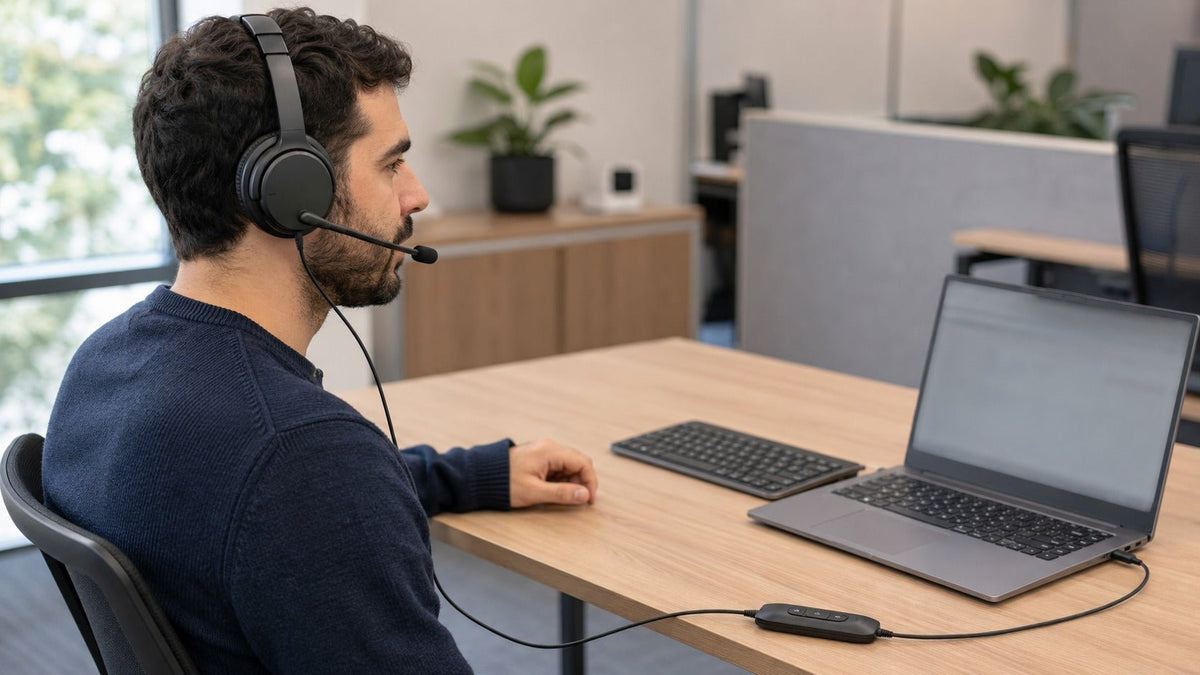
Wantek dual-ear wired work headset connected by USB-C at a fixed office workstation

Amazon Approved Work Headphones: What “Approved” Really Means and How to Choose

Discover the ultimate guide to Amazon approved work headphones. Compare Wantek corded headsets vs. wireless earbuds for UC platforms, noise cancellation, and hybrid office use.

Joe Steve |

Amazon approved work headphones is a common shopping phrase, but it is not a formal technical certification for office headsets. Amazon marketplace labels, Amazon Renewed status, employer workplace policies, and certifications from Microsoft Teams or Zoom are separate things and should not be treated as interchangeable.

For work calls, the better buying approach is to verify the headset itself: microphone design, connection type, platform certification, wearing style, noise control, device compatibility, controls, warranty, and replacement-part availability.

This guide explains what Amazon-related labels actually mean, how professional headset technologies differ, and which specifications matter when choosing a headset for office, call-center, remote, or hybrid work.


Understanding the “Amazon Approved” Ecosystem

When shoppers search for amazon approved headphones, they are usually looking for one or more of these signals:

  • A well-established product sold on Amazon
  • An Amazon marketplace badge such as Amazon’s Choice
  • A refurbished product sold through Amazon Renewed
  • A used or open-box product sold through Amazon Resale
  • A headset certified for Microsoft Teams, Zoom, or another communications platform
  • A headset permitted by an employer for a particular workplace

These signals answer different questions. None should be used as a substitute for checking the product’s actual specifications.

Amazon’s Choice: A Marketplace Badge, Not a Headset Certification

Amazon’s Choice is a marketplace merchandising badge associated with particular product listings or searches. It should not be interpreted as an independent certification of:

  • Audio quality
  • Microphone performance
  • Durability
  • Workplace safety
  • Microsoft Teams compatibility
  • Zoom compatibility
  • OSHA compliance
  • Call-center suitability

The badge can also change over time. For a professional headset purchase, treat it as one marketplace signal—not evidence that a product meets your organization’s technical requirements.

If you are using the phrase amazon approved work headphones simply to find dependable work-call equipment, compare the actual connection, microphone, wearing style, and control specifications instead of assuming an “approval” label guarantees suitability.

Amazon Renewed: Refurbished Products Under a Defined Program

Amazon Renewed is a genuine Amazon program for refurbished, pre-owned, and open-box products. Amazon currently lists headphones among eligible product categories.

Amazon states that qualifying Renewed products must be inspected, repaired when necessary, cleaned, tested, and repackaged as applicable so that they meet the program’s quality requirements. Renewed sellers must also support their products through the Amazon Renewed Guarantee. Amazon’s current seller documentation requires Renewed products to be priced at least 5% below the corresponding new product.

That is significantly different from claiming that every Renewed headset has passed a fixed “25-point inspection” or that every listing receives the same percentage discount.

For buyers, check the individual listing for:

  1. Exact model and variant
  2. Condition
  3. Included accessories
  4. Seller
  5. Guarantee terms
  6. Return eligibility
  7. Current price relative to a new unit

Amazon Resale: The Current Name for Amazon Warehouse

What many shoppers still call “Amazon Warehouse” is now Amazon Resale. Amazon describes it as its marketplace for quality used, pre-owned, and open-box products and states that items are inspected and graded before resale. Amazon’s current Resale guidance also confirms that the program was previously called Amazon Warehouse.

That distinction matters because Amazon Resale and Amazon Renewed are not the same program.

Program or Label What It Tells You What It Does Not Prove
Amazon’s Choice Marketplace recommendation signal Professional headset certification
Amazon Renewed Product is sold under Amazon’s refurbishment program That it is new or identical to every other Renewed listing
Amazon Resale Used, pre-owned, or open-box item inspected and graded for resale Manufacturer refurbishment or UC certification
Teams Certified Device has passed Microsoft’s device-certification requirements Compatibility with every non-Teams platform
Zoom Certified Device is certified for specified Zoom use cases Compatibility with every phone, computer, or application

Searches for amazon warehouse approved headphones should therefore be interpreted carefully: “Amazon Warehouse” is older terminology, and neither Warehouse nor Resale is a professional audio certification.

Wantek dual-ear wired work headset connected by USB-C at a fixed office workstation


Why Brand and Product Documentation Matter

A recognizable brand can simplify support, replacement parts, documentation, and model identification, but the specific model and SKU matter more than brand reputation alone.

Two headsets from the same manufacturer may use different:

  • Connectors
  • Microphones
  • Wearing styles
  • Platform certifications
  • Control layouts
  • Bluetooth capabilities
  • Noise-control systems

Always verify the exact variant rather than assuming all models in a product family have identical specifications.

Wantek and Professional Headsets

According to its current company information, Wantek was founded in 2018 and develops wired and wireless headset products for communication, office, call-center, multimedia, and related audio applications.

Current Wantek ranges include USB and USB-C work headsets, RJ-style desk-phone headsets, Bluetooth office headsets, gaming models, open-ear earbuds, and other specialized designs.

For professional use, the important question is not whether a brand appears in an Amazon search. It is whether the exact headset matches your equipment and workflow.

Specifications Worth Verifying Before Purchase

For a wired work headset, check:

  • USB-A, USB-C, 3.5 mm, RJ9, or another connector
  • Mono or dual-ear design
  • Boom or built-in microphone
  • Inline mute and volume controls
  • Passive noise isolation or other documented noise-control features
  • Replaceable ear cushions or microphone covers
  • Computer, phone, or platform compatibility

For a wireless model, also check:

  • Bluetooth version
  • Supported device types
  • Multipoint capability
  • Talk-time specification
  • Charging method
  • USB adapter requirements
  • Wireless range
  • Whether Teams or another certification applies to the exact SKU

The IT Administrator’s Perspective

For individual buyers, comfort and microphone quality may dominate the decision. For an IT administrator buying dozens or hundreds of units, other factors become equally important:

  • Standardized connection type
  • Predictable device detection
  • Platform certification
  • Replacement-part availability
  • Firmware-management requirements
  • Physical durability
  • Consistent SKU availability
  • Warranty administration
  • User training requirements

A slightly less feature-heavy wired USB headset can sometimes be easier to deploy at scale than a Bluetooth model requiring pairing, charging, firmware management, or adapters.


Critical Distinction: Microphone Noise Reduction, Passive Isolation, and ANC

One of the most important improvements you can make when comparing work headsets is to separate three technologies that are frequently grouped under the phrase “noise cancelling.”

They solve different problems.

Noise-Reducing or Noise-Canceling Microphones

Microphone noise reduction affects the audio transmitted to the other person on the call.

Depending on the headset, this may use:

  • Directional microphone placement
  • Multiple microphones
  • Digital signal processing
  • Beamforming
  • Manufacturer-specific voice-isolation algorithms

The objective is to preserve speech while reducing unwanted environmental sound entering the microphone signal.

Performance varies substantially between products, so a “noise-canceling microphone” label should not be interpreted as a guarantee that all background sound disappears.

For call centers, customer support, sales calls, and meetings, outgoing microphone performance is usually more important than ANC.

Passive Noise Isolation

Passive isolation uses physical design rather than electronic processing to reduce how much external sound reaches the wearer.

Relevant factors include:

  • Ear-cushion shape
  • Cushion material
  • Ear-cup coverage
  • Clamping force
  • Fit

Passive isolation can improve concentration without requiring batteries, but effectiveness depends heavily on fit and headset construction.

When shoppers use amazon approved headphones as shorthand for work-focused noise-control models, this distinction is important: a headset may provide passive isolation without containing electronic ANC.

Active Noise Cancellation

Active Noise Cancellation, or ANC, uses microphones to detect environmental sound and generates an opposing signal intended to reduce some of that sound before it reaches the listener.

Common architectures include:

  • Feedforward ANC
  • Feedback ANC
  • Hybrid ANC

ANC primarily addresses what the wearer hears.

It does not automatically improve the microphone signal sent to the other participant. A headset can therefore have excellent ANC but mediocre call microphone performance—or excellent microphone noise reduction without ANC.

Choosing the Right Noise Technology

Work Environment Prioritize
Quiet home office Clear boom mic, comfort, reliable connection
Shared office Strong microphone noise reduction and passive isolation
Noisy open office Microphone noise reduction plus passive isolation or ANC
Call center Boom mic performance, controls, durability, platform compatibility
Frequent travel ANC, wireless connectivity, microphone quality, battery life
Awareness-sensitive environment Mono or open-ear design where workplace policy permits

Avoid buying solely on the presence of “ANC.” For professional calls, the microphone system deserves equal or greater attention.


Connectivity Standards: USB, Bluetooth, 3.5 mm, RJ9, and DECT

Connection type affects compatibility, mobility, power requirements, call controls, and deployment complexity.

There is no universally superior connection. The right option depends on the device and workflow.

USB Connectivity

USB headsets are common for desktop and laptop work because they can provide:

  • Digital audio
  • Power through the computer
  • Physical mute and volume controls
  • No headset battery requirement
  • Straightforward deployment when the operating system supports standard USB audio

USB-A remains common on desktops and older laptops, while USB-C is increasingly common on newer systems.

However, a USB-C connector alone does not guarantee compatibility. The connected device must support the required USB audio functionality.

For fixed workstations, USB remains one of the simplest choices because users do not need to pair or charge the headset.

3.5 mm Connections

A 3.5 mm headset can be useful with:

  • Laptops
  • Phones
  • Tablets
  • Controllers
  • Other equipment with compatible combination audio ports

However, a physically matching jack does not guarantee that every microphone and control function will work. Device wiring and supported controls can differ.

If microphone functionality matters, confirm that the target device supports the headset’s connector configuration.

Bluetooth for Professional Calls

Bluetooth provides mobility and can support connections to laptops, smartphones, and other devices, but call quality depends on more than the Bluetooth version number.

The Bluetooth SIG’s Hands-Free Profile specification defines the framework used for hands-free voice communication. Real-world call performance depends on the headset, host device, supported profile and codec implementation, application, radio environment, and microphone processing.

Therefore, claims such as “Bluetooth calls are always limited to 8 kHz” are too broad.

A newer Bluetooth version can improve capabilities and interoperability, but it does not automatically guarantee superior microphone quality.

For work use, consider:

  • Stability
  • Talk time
  • Multipoint capability
  • USB dongle availability
  • Mute controls
  • Platform certification
  • Ability to use the headset while charging
  • Host-device compatibility

RJ9 and Desk-Phone Headsets

RJ-style telephone connectors require particular care.

Two connectors can look physically identical while using different electrical pinouts. An RJ9-style headset designed for one phone family therefore should not be assumed to work with every Cisco, Avaya, Yealink, Poly, or other desk phone.

Verify:

  1. Exact phone manufacturer
  2. Exact phone model
  3. Required headset port
  4. Required wiring or connector variant
  5. Whether an amplifier, cable, or adapter is needed

For desk phones, exact model compatibility is more important than connector appearance.


Connection first

Using a Desk Phone? Verify Compatibility First

Check the exact phone model, supported connection, and required wiring before choosing an RJ9 headset. Matching plug shapes alone do not confirm compatibility.

DECT Headsets

DECT is a cordless communications technology commonly used in professional telephone and headset systems.

Compared with a basic Bluetooth headset, a DECT solution may provide advantages such as:

  • A dedicated base station
  • Longer working range in some implementations
  • Integration with desk phones
  • Multi-device office workflows
  • Standardized security mechanisms

The tradeoff is additional hardware and a less portable setup.

DECT is most relevant when users need to move around an office while remaining connected to a fixed desk-phone or communications system.

Connection Type at a Glance

Connection Primary Strength Main Tradeoff
USB-A/USB-C Simple desk deployment Physical cable
3.5 mm Broad analog-device usefulness Controls and microphone compatibility vary
Bluetooth Mobility and phone/computer flexibility Battery and pairing management
RJ-style Direct connection to compatible desk phones Pinouts and phone compatibility vary
DECT Office mobility with dedicated base Additional hardware

Platform Integration: Microsoft Teams, Zoom, and UC Applications

For business communications, “works with” and “certified for” should not be treated as identical statements.

A generic USB headset may provide basic microphone and speaker functionality in an application without receiving official certification.

Microsoft Teams Certified Headsets

Microsoft maintains a formal device-certification program.

According to Microsoft’s Teams device certification documentation, certified audio devices can provide features such as:

  • Basic call control
  • Mute and volume control
  • Wideband audio
  • Echo-control requirements
  • Automatic registration with Teams
  • Dedicated Teams button and LED functionality on applicable certified devices

Certification can also be SKU-specific. A product family may include both a Microsoft Teams version and a general UC version.

If those integrated controls matter, verify the exact model number before purchase.

Zoom-Certified Headsets

Zoom also maintains a hardware-certification program that includes workplace and contact-center headset categories.

Its Zoom Certified Hardware directory distinguishes certified equipment from devices that simply provide standard audio input and output.

A headset does not need Zoom certification merely to function as a microphone and speaker in Zoom, but certification can be useful for organizations that want a tested deployment path.

Softphone and UC Compatibility

Business users may also work with:

  • Cisco Webex
  • RingCentral
  • 8x8
  • Avaya environments
  • GoTo
  • Contact-center platforms
  • Browser-based calling systems

Do not assume that a headset with working audio automatically supports every advanced call-control feature.

Before a large deployment, test:

  • Answer/end
  • Mute synchronization
  • Volume control
  • Device selection
  • Firmware requirements
  • USB adapter behavior
  • Bluetooth reconnection
  • Application-specific controls

For high-volume purchasing, test the exact hardware and software combination before standardizing it across the organization.


Form Factor Analysis: Mono, Dual-Ear, and Earbuds

Wearing style affects concentration, environmental awareness, comfort, portability, and microphone positioning.

Mono Headsets

A mono or single-ear headset leaves one ear uncovered.

Best suited to:

  • Reception desks
  • Supervisory roles
  • Front-office environments
  • Users who regularly alternate between calls and in-person conversations

Potential advantages include:

  • Better awareness of nearby conversation
  • Less enclosed feeling
  • Lower physical bulk
  • Easier transitions between headset and face-to-face communication

The tradeoff is less acoustic separation from the surrounding environment.

A mono headset should not be treated as hearing protection, and workplace safety rules should always take precedence over personal listening preferences.

Dual-Ear Headsets

Dual-ear or binaural headsets cover both ears.

Best suited to:

  • Call-center agents
  • Remote workers
  • Video meetings
  • Shared offices
  • Users who need more separation from surrounding conversation

Potential advantages include:

  • Greater passive isolation
  • More consistent stereo playback
  • Better concentration in some environments

The appropriate choice depends on whether the user needs awareness of nearby conversations.

“Dual-ear” or “binaural” is clearer terminology than using “duplex” to describe the physical headset design.

True Wireless and Open-Ear Earbuds

Earbuds can be appropriate for users who prioritize portability, but their microphone location is typically farther from the mouth than a traditional boom microphone.

When evaluating earbuds for work, check:

  • Microphone design
  • Call-quality performance
  • Multipoint capability
  • Talk time
  • Charging-case capacity
  • Fit
  • Computer compatibility
  • Mute behavior
  • Platform certification where required

Open-ear models introduce another tradeoff: they can keep the ear canal unobstructed but generally provide less acoustic isolation.

If your search begins with amazon approved earbuds, treat “approved” as shopping terminology rather than proof of workplace certification. Verify the exact earbud model and your employer’s policy before relying on it for professional or safety-sensitive use.


Physical Ergonomics: Comfort for Extended Wear

A professional headset may be worn for hours at a time, so comfort should be evaluated as a system rather than reduced to one specification.

Headband Design

Look for:

  • Adequate adjustment range
  • Stable positioning
  • Even pressure distribution
  • Padding where appropriate
  • Hinges or joints that do not create pressure points

A lighter headset is not automatically more comfortable. Clamp pressure, ear-cushion shape, head size, and weight distribution can matter just as much.

Ear Cushions

Common cushion designs include:

  • Leatherette
  • Foam
  • Memory-foam-based constructions
  • Fabric or mesh surfaces

Material affects:

  • Heat buildup
  • Cleaning
  • Passive isolation
  • Durability
  • Feel against the skin

For shared equipment, replaceable cushions simplify maintenance.

Microphone Positioning

Boom microphones generally allow the microphone to sit closer to the mouth than microphones built into an earbud or ear cup.

Look for:

  • Adjustable boom position
  • Stable placement
  • Adequate rotation
  • Easy access to mute
  • Clear mute indication where available

The microphone should be positioned according to the manufacturer’s instructions rather than assuming one universal distance works for every design.

Replacement Parts

For business deployment, replaceable consumable components can extend useful service life.

Check availability of:

  • Ear cushions
  • Microphone covers
  • Cables
  • USB adapters
  • Charging stands
  • Batteries, where replaceable

Replacement-part availability can matter more over several years than a small difference in the initial purchase price.


Pricing and Value: Compare Total Cost, Not Just Purchase Price

Headset prices change frequently across retailers, sellers, promotions, regions, and product variants. Fixed price bands become outdated quickly.

A more reliable comparison is total value.

Entry-Level Wired Headsets

These typically prioritize:

  • USB or 3.5 mm connectivity
  • Basic inline controls
  • Boom microphone
  • Lightweight construction
  • No battery management

They can be effective for fixed desks where wireless mobility and ANC are unnecessary.

Business UC Headsets

Higher-cost professional models may add:

  • Teams or Zoom certification
  • More advanced microphone processing
  • Bluetooth
  • Multipoint
  • USB wireless adapters
  • Better management software
  • ANC
  • Replaceable accessories
  • Charging stands

Pay for those features only when they solve an actual workflow problem.

Premium Wireless Headsets

Premium models often combine:

  • ANC
  • Advanced microphone arrays
  • Wireless mobility
  • Long battery life
  • Multi-device support
  • UC certification
  • Software customization

They make the most sense for employees who spend substantial time on calls, change locations frequently, or work in environments where ANC provides meaningful value.


Buying Amazon Renewed or Amazon Resale Work Headsets

Refurbished or open-box equipment can reduce acquisition cost, but the buying process should be more careful than for a new sealed product.

Check:

  1. Exact model number Similar-looking variants may differ in USB connector, certification, included dongle, or wearing style.

  2. Included accessories A missing proprietary Bluetooth adapter or charging stand can materially affect functionality.

  3. Condition Distinguish Renewed listings from Amazon Resale used or open-box condition grades.

  4. Battery condition Battery health matters for older wireless headsets.

  5. Ear cushions Plan to replace worn cushions where appropriate.

  6. Return and guarantee terms Read the terms shown on the individual listing rather than relying on an assumed universal period.

  7. Current new-product price A used or Renewed listing is not automatically the better value.

For team deployment, consistency may be more valuable than maximizing the discount on individual units.


Expert Buying Checklist

Before choosing a work headset, verify the following.

1. Microphone

Determine whether the product documents:

  • Boom microphone
  • Directional microphone
  • Multiple microphones
  • DSP or voice-isolation technology
  • Microphone noise reduction

Do not confuse microphone processing with ANC.

2. Connection

Match the headset to the actual device:

  • USB-A
  • USB-C
  • 3.5 mm
  • Bluetooth
  • RJ-style phone connector
  • DECT base

3. Platform Requirements

Determine whether you need:

  • Basic audio compatibility
  • Microsoft Teams certification
  • Zoom certification
  • Dedicated call controls
  • Centralized device management

4. Wearing Style

Choose:

  • Mono for environmental interaction
  • Dual-ear for more isolation
  • Wireless for mobility
  • Earbuds for portability
  • Open-ear where awareness is important and workplace policy permits

5. Controls

Check for:

  • Mute
  • Volume
  • Answer/end
  • Teams button
  • Bluetooth pairing
  • ANC mode controls

6. Replacement Parts

For long-term use, verify availability of cushions, microphone covers, dongles, cables, or other components.

7. Warranty and Returns

Check the manufacturer or seller terms for the exact product rather than assuming all professional headsets carry the same warranty.

8. Compatibility

For desk phones and specialized systems, confirm the exact device model before ordering.


Single-ear Wantek work headset with inline controls and disconnected 3.5 mm plug beside a laptop

Comparative Analysis: Work Headsets with Verifiable Specifications

The following products illustrate different approaches to professional headset design. Prices are intentionally omitted because they fluctuate.

Model Connection Form Factor Verified Highlights Best Fit
Wantek H602 3-in-1 USB-C, USB-A, 3.5 mm Dual-ear wired 85 g, boom mic, passive noise control listed as PNC, inline volume and mute, replaceable cushions/mic covers Fixed computer or compatible 3.5 mm workstations
Jabra Evolve2 40 SE USB depending SKU Dual-ear or mono variants Three-microphone call technology, noise-isolating design, UC/Zoom and Teams-certified variants Meeting-heavy wired UC environments
Poly Voyager 4320 Bluetooth 5.1 + BT700 USB adapter Dual-ear wireless Noise-canceling microphone, Acoustic Fence, up to two paired devices, Teams and Zoom certification Hybrid workers requiring mobility
Logitech H570e USB-A or USB-C depending variant Mono or stereo Noise-canceling microphone, inline controller, Teams variants, two-year limited hardware warranty Standardized business desktop deployment

Wantek H602 3-in-1

The current Wantek H602 3-in-1 product specification lists:

  • Dual-ear corded design
  • USB-C, USB-A, and 3.5 mm connection options
  • 85 g weight
  • Boom microphone
  • PNC as the listed noise-control type
  • Inline volume control
  • One-key mute
  • Replaceable ear cushions and microphone covers

Its strength is connection flexibility without a battery or Bluetooth pairing workflow.

The important limitation is that passive noise control should not be described as ANC.

Jabra Evolve2 40 SE

The Evolve2 40 SE is a wired professional headset family.

Current manufacturer documentation lists:

  • USB connection
  • Three-microphone call technology
  • Noise-isolating design
  • Microsoft Teams-certified variants
  • UC variants with Zoom certification
  • Mono and stereo configurations depending on SKU

It is a stronger fit when formal UC certification is a purchasing requirement.

Poly Voyager 4320

The Poly Voyager 4320 is a wireless Bluetooth headset, not a wired-only model.

Current HP documentation lists:

  • Bluetooth 5.1
  • BT700 USB adapter connection
  • Noise-canceling microphone
  • Acoustic Fence technology
  • Pairing with up to two devices
  • Microsoft Teams and Zoom certification
  • Up to 24 hours of listed talk time under specified conditions

This makes it better suited to users who need mobility between workspaces.

Logitech H570e

The Logitech H570e is a wired business headset available in multiple variants.

Current Logitech specifications include:

  • USB connectivity
  • Mono and stereo options
  • Noise-canceling microphone
  • Inline controller
  • Teams-specific variants
  • Two-year limited hardware warranty

Some versions use USB-A while newer Teams versions are available with USB-A or USB-C, so the exact part number should be checked before deployment.

Choose by workflow

Compare Office Headsets by How You Work

Start with your calling device and connection, then compare wired, wireless, mono, and dual-ear options that fit your workflow.


How to Evaluate a Work Headset Before Standardizing It

Specifications narrow the field, but a short real-world test is still valuable.

Microphone Test

Record speech under the conditions where the headset will actually be used.

Check:

  • Voice intelligibility
  • Background keyboard noise
  • Nearby conversation pickup
  • Plosive sounds
  • Microphone level consistency

Call Test

Use the actual communications software.

Confirm:

  • Input device selection
  • Output device selection
  • Mute synchronization
  • Volume control
  • Answer/end behavior where supported

Connection Test

For wireless devices, verify:

  • Pairing
  • Reconnection
  • Range in the actual workspace
  • USB dongle behavior
  • Switching between devices

For wired devices, verify:

  • Connector fit
  • Cable routing
  • Inline controls
  • Port availability

Comfort Test

Wear the headset through a representative work session.

Look for:

  • Clamp pressure
  • Ear heat
  • Headband pressure
  • Microphone drift
  • Cable pulling
  • Ear-cushion discomfort

A headset that looks comfortable in specifications may not suit every user.


Professional wearing a dual-ear Wantek wireless work headset while moving beside a laptop workstation

Workplace Security, Accessibility, and Compliance

Professional-headset articles often overstate regulatory requirements.

The headset itself is only one component of a workplace communications system.

HIPAA

HIPAA does not create a general category of “HIPAA-certified headsets.”

Healthcare organizations handling electronic protected health information need appropriate administrative, physical, and technical safeguards across the communications environment.

The relevant security assessment includes the software, network, device configuration, access control, and workflow—not merely whether the headset is encrypted.

SOC 2

SOC 2 applies to controls at service organizations. It is not a certification that a conventional headset receives.

If a headset depends on cloud management software, an organization may evaluate the software provider’s security controls separately from the physical headset.

FCC Requirements

Wireless equipment sold in the United States may be subject to applicable FCC equipment-authorization requirements.

Do not advertise a headset as “FCC certified” unless the exact model has the corresponding documentation.

UL and Other Safety Marks

Likewise, only claim a specific UL, ETL, CE, or other conformity status when it is documented for the exact product or SKU.

Accessibility

Volume controls, mono configurations, compatible assistive-listening systems, and other features can be valuable for accessibility, but there is no generic rule that ordinary office headsets become “ADA approved.”

Purchasing decisions should be based on the needs of the user and the applicable workplace or facility requirements.


Frequently Asked Questions

What does “Amazon approved work headphones” actually mean?

There is no universal Amazon technical certification called “Amazon approved work headphones.” The phrase is commonly used by shoppers to describe work headsets found or recommended on Amazon, but actual suitability depends on product specifications, employer policy, and any required platform certification.

Does Amazon’s Choice mean a headset is certified for professional work?

No. Amazon’s Choice is a marketplace badge, not a certification for call quality, workplace safety, Microsoft Teams, Zoom, or professional communications.

What is the difference between Amazon Renewed and Amazon Resale?

Amazon Renewed is a defined refurbishment program with quality requirements and a Renewed Guarantee. Amazon Resale, formerly Amazon Warehouse, sells inspected and graded used, pre-owned, and open-box products.

Are Amazon Renewed work headsets suitable for daily use?

They can be, but check the exact model, seller, condition, included accessories, battery condition for wireless models, guarantee, and return terms. A Renewed designation does not remove the need to verify compatibility.

What is the difference between a noise-canceling microphone and ANC?

A noise-reducing microphone attempts to reduce unwanted sound in the signal transmitted to the caller. ANC reduces environmental sound heard by the headset wearer. A headset can provide one without the other.

Is USB better than Bluetooth for work calls?

Neither is universally better. USB avoids battery and pairing management and works well at fixed desks, while Bluetooth provides mobility. Microphone quality depends on the complete headset implementation, not the connection type alone.

Do I need a Microsoft Teams-certified headset?

Not necessarily. Standard USB or Bluetooth audio devices may work for basic Teams calls. Certification matters more when your organization requires tested integration, synchronized controls, Teams buttons, device management, or standardized deployment.

Can professional earbuds replace a boom-mic headset?

Sometimes. Business earbuds offer greater portability, but the microphone sits farther from the mouth. Compare microphone processing, call performance, battery life, multipoint support, mute behavior, and platform compatibility before choosing them for frequent client calls.

How should I configure a headset for Zoom?

Connect or pair the headset, open Zoom’s Audio settings, select the headset as both speaker and microphone, run the built-in speaker and microphone tests, and adjust input settings based on actual voice level and environment.

Avoid applying one universal microphone-volume percentage to every headset.

What matters most for call-center work?

Prioritize microphone clarity, correct connection type, reliable mute and volume controls, comfort, replaceable parts, durability, and verified compatibility with the organization’s phone or contact-center software.

How can I test a headset before deploying it to a team?

Run real calls using the intended software, record microphone samples in the actual workspace, test controls and reconnection, wear the headset for a representative work period, and verify the exact device and software combination.


Final Recommendations and Purchase Paths

The best work headset depends on the environment rather than an Amazon badge.

Scenario 1: Fixed Desk and Simple Deployment

Choose a wired USB headset when:

  • Users remain at their desks
  • Battery management is unnecessary
  • Simple connection is important
  • Wireless mobility provides little value

A model such as the Wantek H602 3-in-1 adds USB-C, USB-A, and 3.5 mm options for users who work across compatible devices.

Scenario 2: Teams or Zoom Standardization

Choose a model with the appropriate certified SKU when:

  • Call-control integration matters
  • IT is standardizing equipment
  • Teams or Zoom is the primary communications platform

Jabra Evolve2 40 SE, Poly Voyager 4320, and specific Logitech H570e variants illustrate different wired and wireless approaches.

Scenario 3: Hybrid Work and Mobility

A wireless headset is usually more useful when users:

  • Move between rooms
  • Alternate between phone and computer
  • Need freedom from a fixed desk
  • Regularly switch work locations

Verify battery life, multipoint behavior, USB adapter requirements, microphone performance, and certification rather than selecting by Bluetooth version alone.

Scenario 4: Noisy Workplace

Start with the microphone.

Prioritize:

  1. Strong outgoing voice pickup
  2. Appropriate boom microphone
  3. Passive isolation
  4. ANC when the wearer also needs environmental noise reduction

ANC should not compensate for a weak microphone.

Scenario 5: Budget-Conscious Purchase

Compare:

  • New
  • Amazon Renewed
  • Amazon Resale
  • Manufacturer-direct pricing

Do not assume the used option is automatically cheaper or better. Compare the exact SKU, included accessories, guarantee, battery condition, and current new-product price.

Scenario 6: Earbuds or Open-Ear Designs

Choose these only when portability or environmental awareness outweighs the benefits of a traditional boom microphone.

For frequent customer calls, test microphone performance before committing to a large deployment.


Final Buying Checklist

Before ordering any work headset:

  1. Identify the primary device. Laptop, desktop, smartphone, desk phone, or multiple devices?

  2. Confirm the physical connection. USB-A, USB-C, 3.5 mm, Bluetooth, RJ-style, or DECT?

  3. Verify exact compatibility. Especially for desk phones and specialized UC controls.

  4. Separate microphone noise reduction from ANC. Decide whether the problem is what the caller hears, what the wearer hears, or both.

  5. Check certification only when needed. Teams Certified and Zoom Certified have specific meanings.

  6. Choose the appropriate wearing style. Mono, dual-ear, earbud, or open-ear.

  7. Evaluate controls. Mute, volume, call answer/end, and platform-specific controls.

  8. Check replaceable parts. Especially for shared or high-volume deployments.

  9. Verify warranty, guarantee, and returns. Use the current terms for the exact listing.

  10. Test before deploying at scale. Confirm microphone quality, comfort, software behavior, and device compatibility in the real work environment.


Choose Specifications, Not Labels

Selecting Amazon approved work headphones should not begin and end with an Amazon badge.

“Amazon approved” is primarily a search and shopping phrase, while Amazon Renewed, Amazon Resale, Microsoft Teams certification, Zoom certification, employer policies, and product specifications all represent different concepts.

For professional communication, focus on evidence that directly affects the job:

  • Microphone performance
  • Correct device connection
  • Platform compatibility
  • Appropriate noise control
  • Comfortable wearing style
  • Reliable controls
  • Replacement-part availability
  • Verified certification where required

For fixed desks, a wired USB headset can provide a simple battery-free workflow. For hybrid users, Bluetooth and multipoint capabilities may justify the additional complexity. In noisy environments, evaluate microphone noise reduction separately from ANC. For desk phones, confirm exact connector and phone-model compatibility rather than relying on the appearance of the plug.

Marketplace badges can help narrow a shopping list, but they do not replace product-level verification.

Compare the headset against your actual devices, communication platform, work environment, and mobility needs first. That is a more reliable path to a professional work headset than treating “Amazon approved” as a technical certification.

Joe Steve

Joe Steve writes about business headsets, workplace audio, device compatibility, and headset buying decisions at Wantek. His work focuses on turning product specifications and connection details into practical guidance, helping readers choose the right headset for their devices, work environments, and communication needs.

Leave a comment

Please note: comments must be approved before they are published.