
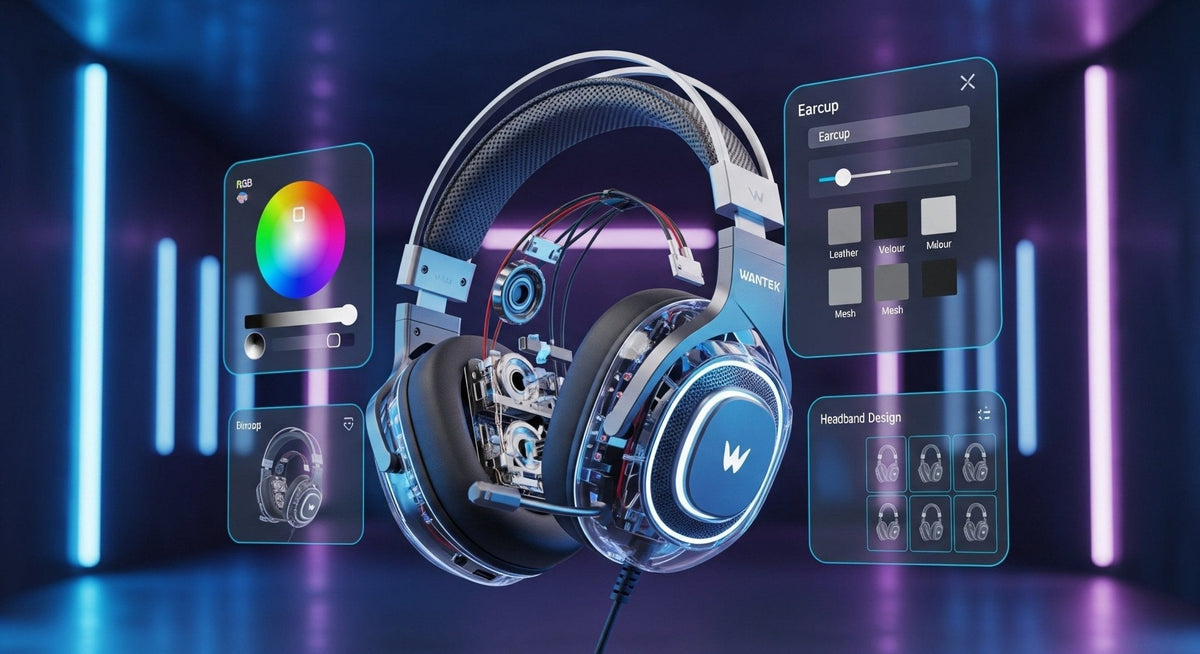
A personalized gaming headset starts with a headset that already fits your head and works with your gaming platform. Then you can adjust its sound, microphone settings, replaceable comfort parts, and appearance. A new skin cannot fix an incompatible connection, and replacement ear pads can change both fit and sound.
Start here: confirm game audio and microphone support, test the stock fit, and change one thing at a time. Keep the original parts so you can compare the result.
Decide what you want to customize
“Custom” can mean choosing colors, adding a gamertag, changing pads, or saving an EQ preset. It does not necessarily mean the headset was built to your measurements. Before paying for a modification, identify the problem you want it to solve.
| Goal | First step | What to check |
|---|---|---|
| More comfortable fit | Adjust the headband and cup position | Pressure, slipping, and ear clearance |
| Different sound | Try a small EQ adjustment | Whether the setting works on your gaming device |
| Clearer voice chat | Check microphone position and input level | A recording and an actual party-chat test |
| Personal appearance | Choose a model-specific removable skin or plate | Access to vents, controls, ports, and hinges |
| Replacement cable or mic | Find the exact compatible part | Connector wiring, mounting, and supported functions |
Choose a compatible base headset
Write down the exact console or computer, controller, and connection you will use. Check playback and microphone support separately. A cable or wireless adapter that provides sound may not also provide chat, hardware mute, or game/chat balance.
Xbox
Buy the Xbox-compatible version when a headset is sold in separate platform editions. Do not assume that Bluetooth support or a USB plug means it connects to an Xbox console. The Xbox Wireless Headset product page, for example, distinguishes its console support from Bluetooth use with other devices and documents its Xbox Accessories app controls.
For a wired controller setup, check that the headset plug and microphone wiring match the controller's headset connection. Separate headphone and microphone plugs may need a suitable combiner. If Xbox compatibility is your first buying filter, use our Xbox headset guide before choosing cosmetic accessories.
PlayStation and PC
Check the manufacturer's support for your exact PlayStation console. Sony's PS5 audio settings guide explains output selection, microphone level, and headset volume; available controls depend on the connected device.
On PC, check the operating system, available ports, and any required software. A headset's Windows EQ app may not run on a console, and a preset may not carry over unless the device stores it. Confirm this before buying a headset mainly for its software features.
Improve fit before replacing parts
Try the original headset with your usual glasses and hairstyle. Center the ear cups, shorten or extend both sides evenly, and check whether the pads press on your ears. If the cups sit too low at the shortest setting, see the fit checks in our guide to headphones for small heads.

Replacement ear pads and headband covers
Match the pad attachment, shape, and model revision. Greater depth may create more ear clearance, but it can also alter the seal and distance from the driver. Treat a pad swap as an acoustic change as well as a comfort change: compare familiar audio at a similar volume before deciding to keep it.
A headband cover adds thickness and can reduce available adjustment. Check that it does not obstruct sliders, hinges, or charging contacts. If the basic shape is wrong for you, returning the headset may be more effective than buying several accessories.
Use the adjustment methods described by the manufacturer. Bending the frame or forcing the hinges can damage the headset; a metal-looking finish does not establish that the internal structure is designed to bend.
Personalize the appearance without blocking hardware
Choose skins and interchangeable plates made for the exact model. Keep microphone openings, acoustic vents, sensors, charging contacts, and moving joints clear. Ask the seller whether a personalized item can be returned before adding a name or permanent design.
Painting, disassembly, and glued-on printed parts are more involved modifications. They can affect assembly, servicing, and moving clearances. Check the manufacturer's maintenance instructions and applicable warranty terms before proceeding. Cosmetic changes should not be presented as a proven way to improve gaming performance.
Set up EQ and voice chat
- Save a baseline. Start with the default sound profile and note which spatial-audio options are enabled.
- Make one small change. Adjust the part of the sound that bothers you, then compare it with the original at a similar volume. There is no universal footstep preset for every game and headset.
- Check the microphone. Follow the placement instructions, select the correct input, and record normal speech. Listen for clipping, breath noise, and keyboard noise.
- Test in the game. Check party chat, mute, and game/chat balance with the connection you will actually use.
- Confirm persistence. Restart the headset or move to the console to see whether the settings remain active.
Sony documents console EQ controls for specific PULSE models, so those controls should not be assumed to work with every PS5 headset. Microsoft lists EQ, bass boost, auto-mute, and mic-monitoring adjustments for its Xbox Wireless Headset. Use your model's documentation to establish what is available.
Plan the complete cost
Add the headset, compatible replacement parts, any required adapter, shipping, and personalization charges before ordering. Confirm the return conditions for each item. Keeping the original cable, microphone, pads, and packaging also makes it easier to identify which modification caused a problem.
Frequently asked questions
Can any gaming headset be customized?
Most allow basic fit adjustments, but replaceable parts and software controls vary. Confirm exact-model support before ordering pads, a microphone, plates, or a cable.
Will new ear pads improve the sound?
They may change it. Pad material, depth, and seal affect the listening result, so compare the new pads with the originals rather than assuming they are an upgrade.
Does a custom Xbox headset need different electronics?
Cosmetic changes do not add Xbox compatibility. Start with a supported headset and connection, then choose accessories that preserve its controls, microphone openings, and moving parts.
Compare Gaming Headsets
Start with platform and connector compatibility, then compare current gaming headset options for fit, microphone, and controls.

