
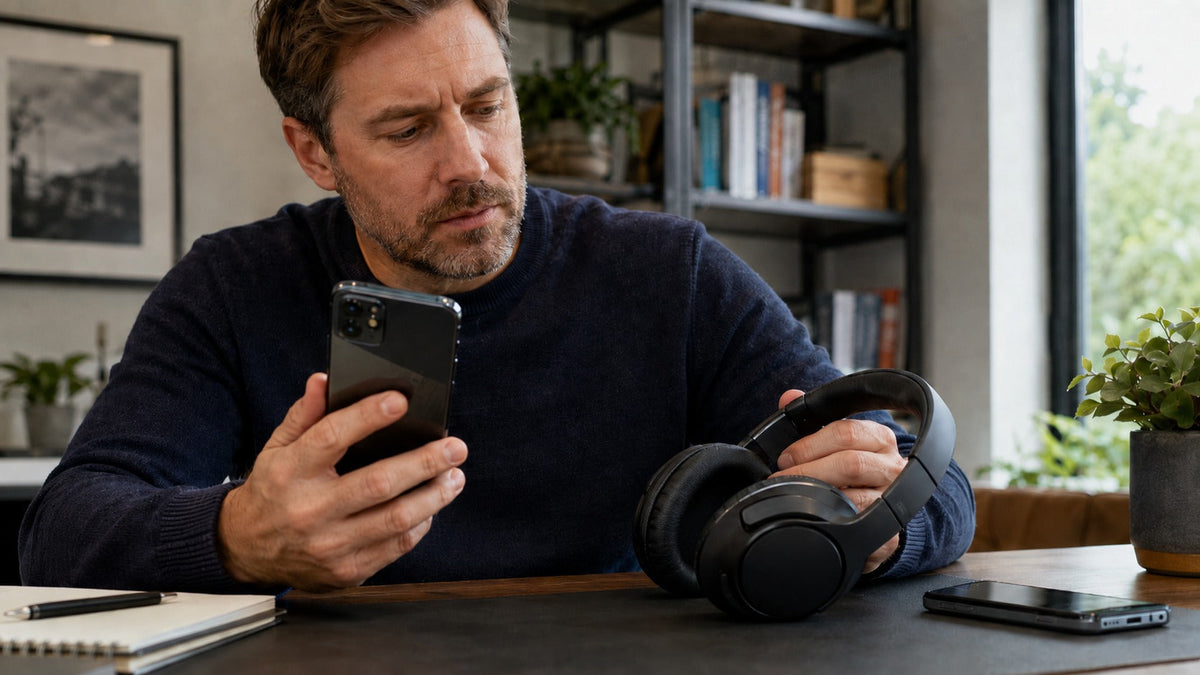
Bluetooth headphones for cell phones should fit the way you actually use your phone. For music and commuting, start with comfort, sound isolation, and battery life. For frequent calls, give microphone placement and call controls more weight. If you alternate between an iPhone or Android phone and a laptop, check how the headphones switch devices before buying.
Quick answer: Most modern smartphones can pair with standard Bluetooth audio headphones, but pairing alone does not guarantee every app feature or call control will work. Choose over-ear ANC headphones for focused listening, open-ear earbuds when you want to hear your surroundings, or a boom-mic headset when calls dominate your day. Check the exact model's phone compatibility, microphone, battery claims, and device-switching features.
Which Bluetooth Headphone Style Works Best With a Cell Phone?
Your main use case is a better starting point than a Bluetooth version number. The categories below describe tradeoffs, not a tested sound-quality ranking.
| Phone use | Style to consider | Tradeoff to check |
|---|---|---|
| Music, travel, commuting | Over-ear headphones with ANC | Less compact to carry; ANC performance and battery life vary by model. |
| Casual audio and outdoor awareness | Open-ear earbuds | You can hear more of your surroundings, but also more environmental noise; sound leakage can matter. |
| Regular mobile work calls | Single-ear or dual-ear boom-mic headset | Less discreet than earbuds; check call controls and phone support. |
| Phone and laptop throughout the day | Headset with verified multipoint support | Multipoint may handle switching, not simultaneous mixing of both devices' audio. |
If you are deciding between small earbuds and larger headphones, compare fit, portability, calls, and listening needs rather than assuming one format is universally better.
Wantek Models to Compare for Smartphone Use
These examples reflect published product specifications and intended use, not side-by-side microphone or audio measurements. Confirm your chosen phone and the product variant before ordering.
T3: Over-ear listening and active noise cancellation
The Wantek T3 ANC headphones list Bluetooth 5.3, ANC, transparency mode, an inline microphone, and up to 60 hours of battery life. Consider this format for music, travel, or reducing the noise you hear. The listed maximum battery life is a manufacturer specification, not a guarantee for every listening mode.

OBT030: Open-ear audio with a compact case
The Wantek OBT030 open-ear earbuds sit outside the ear canal. The product lists Bluetooth 5.4, a built-in microphone, up to eight hours of earbud battery life, and up to 50 hours total with the charging case. They are worth comparing when you prefer not to seal the ear canal, but open-ear listening will not isolate you from nearby noise.

WK881BT and WK882BT: Headsets for frequent calls
The WK881BT uses a single-ear design, while the WK882BT covers both ears. Their published specifications list Bluetooth 5.2, boom microphones, one-key mute, passive noise cancellation, and up to 45 hours of battery life. These are work-call starting points rather than substitutes for independent mobile-call testing.
186BTC: When a phone shares your attention with a computer
The Wantek 186BTC is positioned as a Bluetooth multipoint work headset with a boom microphone and passive noise cancellation. Its product page lists Bluetooth 6.0. Verify exactly how it changes between your phone and computer; multipoint should not be taken to mean both audio streams play at once.

Will Bluetooth Headphones Work With an iPhone or Android Phone?
For ordinary wireless music playback, standard Bluetooth headphones can pair with compatible iPhones and Android phones without a headphone jack or a separate cellular connection. The headphones use Bluetooth to communicate with your phone; your phone still handles mobile calls and app connectivity.
Check these separately: basic pairing, stereo media playback, microphone input for calls, on-headset controls, and optional companion-app features. A successful pairing test confirms only the behavior you actually tried. Features such as device finding, spatial audio, codec choices, or automatic switching may depend on the phone, operating system, and headset ecosystem.
If your priority is speaking clearly on mobile calls, the more focused Bluetooth headset guide for cell phone calls compares microphone styles and call-oriented models in more detail.
What Matters Beyond Bluetooth Version?
Microphone performance versus noise cancellation
ANC reduces sound heard by the listener. It does not, by itself, establish how well the microphone removes background noise for the person on the other end. Boom placement can keep the microphone nearer your mouth, while integrated microphones prioritize a smaller design. Actual call clarity depends on the headset, environment, phone, and calling app.
Battery numbers and portability
Compare like with like. Earbud listening time on one charge differs from total listening time including the case. A manufacturer's “up to” figure is an upper-limit claim under its conditions; ANC, volume, call use, and other settings can change actual runtime. Think about charging convenience as well as maximum hours.
Multipoint and switching
If you use one headset for a cell phone and work laptop, confirm two simultaneous device connections are supported for the particular model. Multipoint is useful for changing which device has priority, but handoff behavior can depend on the devices and apps. Basic multi-device pairing is not the same thing as an active multipoint connection.
Fit and awareness
Over-ear cushions may be preferable for longer listening, but comfort depends on headband pressure, earcup shape, and heat buildup. In-ear and open-ear options are easier to carry; open-ear designs leave more ambient sound audible. Choose based on where you listen, not a general claim that one design is always safer or more comfortable.
How to Connect Bluetooth Headphones to a Cell Phone
Prepare the headphones
Charge them and follow the exact model's instructions to enter pairing or discovery mode. The button sequence is not universal.
Open Bluetooth settings
On iPhone, open Settings > Bluetooth. On Android, open Bluetooth settings and choose Pair new device where available; labels can vary by phone.
Select the correct device
Tap the headphones' advertised device name and complete any confirmation required by the phone.
Test music and a call separately
Check where audio plays, whether your voice is captured through the intended microphone, and which headset controls actually work.
For device-specific instructions, see Apple's Bluetooth accessory pairing guide and Google's Android Bluetooth connection guide.
If the Headphones Pair but Don't Work as Expected
- No sound: Check the phone's audio-output selection, media volume, and whether another connected device has taken over playback.
- Calls sound different from music: Test a normal call and a music app separately. Bluetooth call and media paths can behave differently.
- The headset is missing from the list: Confirm pairing mode, move the devices closer, and check whether it has already connected to another nearby device.
- Switching is unreliable: Review the model's multipoint instructions. If needed, disconnect one device before connecting the other.
Frequently Asked Questions
Can Bluetooth headphones make regular cell phone calls?
Yes, if the headphones and phone support Bluetooth calling with a microphone. Check the model's calling support and test audio output and microphone input separately; music playback alone does not verify call behavior.
Do Bluetooth headphones need Wi-Fi or mobile data?
No. Bluetooth connects the headphones to your phone over a short-range wireless link. Streaming services and internet calling apps may need data, but ordinary Bluetooth pairing itself does not.
Are Android and iPhone Bluetooth headphones interchangeable?
Many standard Bluetooth audio headphones work with both, but platform-specific features can differ. Verify the exact model's support for calls, controls, app features, and device switching on your phone.
Is ANC important for phone calls?
ANC mainly reduces noise you hear. For clearer transmitted speech, evaluate the microphone and its noise handling separately. A headset can offer ANC without being the strongest choice for calls in noise.
Compare Wantek Wireless Listening and Calling Options
Browse the current models and confirm the exact wearing style, microphone, and connection features before choosing.

