
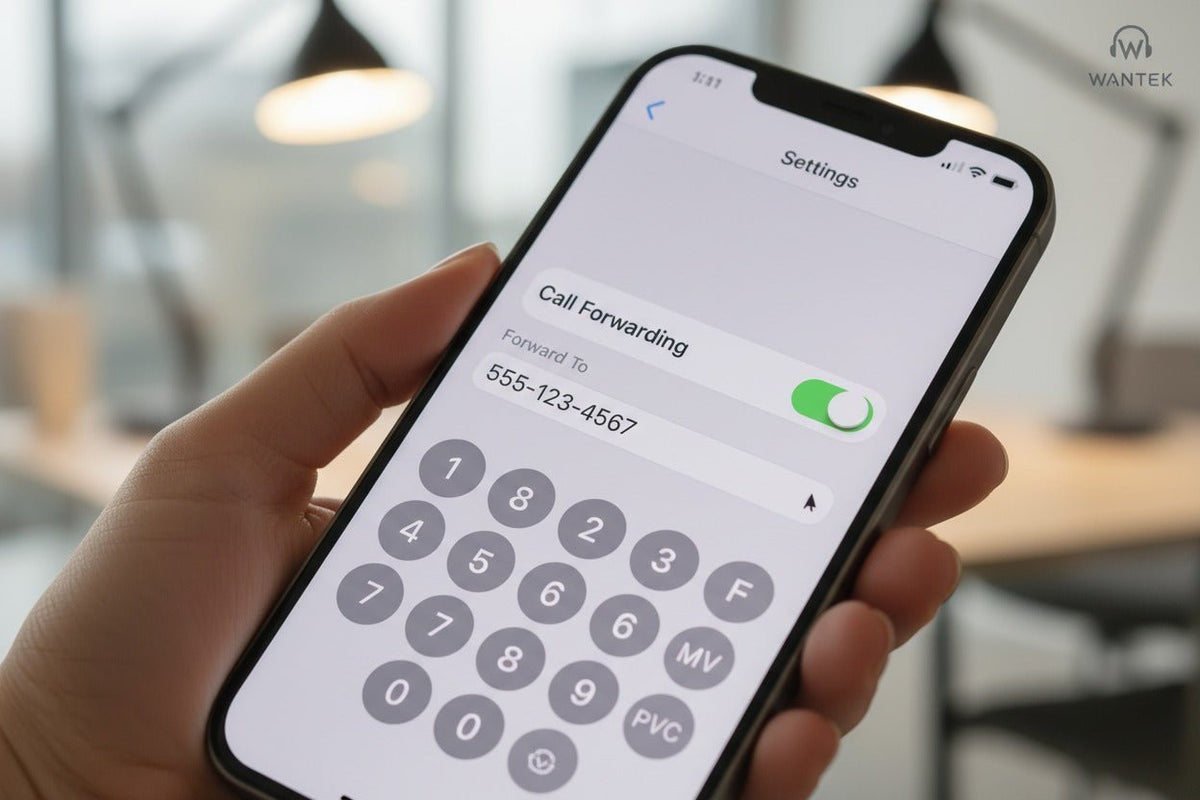
To forward calls on an iPhone, open Settings > Apps > Phone > Call Forwarding, turn the feature on, choose a line if you use Dual SIM, and enter the destination number. Apple notes that you must be within cellular network range when you set forwarding. If the option is missing, use your carrier's instructions instead of assuming one dial code works on every network.
Quick answer: The iPhone menu handles standard all-call forwarding when your carrier exposes the feature in iOS. Conditional forwarding and dial codes are carrier-specific, so verify the method for your line before using star or hash codes.

How to Forward Calls on iPhone in Settings
Apple's current iPhone call-forwarding instructions use the Apps section of Settings. The exact carrier implementation still matters, but the iPhone steps are straightforward when the option is available.
Open the Phone settings
Go to Settings > Apps > Phone.
Open Call Forwarding
Tap Call Forwarding, then turn it on.
Choose the line if needed
On Dual SIM models, select the cellular line you want to configure.
Enter the destination number
Tap Forward To, enter the number that should receive your calls, then go back to save the setting.
When forwarding is active, Apple shows a call-forwarding icon in the status bar. To turn forwarding off, return to the same screen and disable the toggle.
Important: Apple says the iPhone must be within cellular network range when you configure forwarding. If the setting is unavailable or does not register, check your carrier's method for that line.
Carrier Differences: Verizon, AT&T, and T-Mobile
Do not treat generic GSM-style codes as universal. U.S. carriers publish different activation methods, restrictions, and short-code syntax. Use the carrier-specific path below.
| Carrier | Published method | Important notes |
|---|---|---|
| Verizon |
*72 + 10-digit number forwards all calls; *71 + 10-digit number forwards unanswered calls; *73 turns forwarding off. |
Verizon says mobile calls cannot be forwarded to an international number and setup must be done while in Verizon mobile coverage. |
| AT&T | AT&T's current iPhone instructions use Settings > Apps > Phone > Call Forwarding and the Forward To field. | AT&T says forwarded calls may incur usage, long-distance, or roaming charges and cannot be forwarded to an international number. |
| T-Mobile |
**21*1+PhoneNumber# enables unconditional forwarding. T-Mobile also publishes separate codes for no reply, unreachable, and busy conditions. |
T-Mobile says forwarding is limited to 10- or 11-digit numbers and cannot be set to international numbers. |
Carrier documentation can change. If a code fails, stop retrying alternate codes from third-party lists and use the carrier's current support page or account support for the specific line.
Conditional Call Forwarding: Busy, Unanswered, or Unreachable
Conditional forwarding is different from forwarding every call. Apple advises contacting the carrier for setup information when the line is busy or unavailable. The exact options depend on the network.
-
Verizon:
*71plus the 10-digit destination forwards calls that you do not answer while allowing the phone to ring first. -
T-Mobile:
**61*1+PhoneNumber#handles no reply,**62*1+PhoneNumber#handles unreachable status, and**67*1+PhoneNumber#handles busy status. T-Mobile publishes matching##61#,##62#, and##67#disable codes. - AT&T: use the device-specific support path for your iPhone and line rather than borrowing another carrier's short codes.
Dual SIM and eSIM: Choose the Correct Line
On iPhones with Dual SIM, call forwarding is configured per line. Apple's guide explicitly tells Dual SIM users to choose a line before entering the forwarding number. This means the important distinction is the active carrier line, not whether the phone is an iPhone 14, 15, 16, 17, or another supported model.
If one line shows Call Forwarding and another does not, treat that as a carrier or line-level difference first. Check the support documentation for the affected line before changing unrelated phone settings.
What to Do If Call Forwarding Is Missing or Not Working

- Confirm that the line and carrier support the feature. If the iPhone menu is missing, the carrier may require a different setup method.
- Make sure the iPhone has cellular network access. Apple says forwarding must be configured while the phone is in cellular range.
- Check for a carrier settings update. Apple says to go to Settings > General > About and follow the onscreen prompt if an update is available.
- Verify the destination number and carrier method. Re-enter the number using the format your carrier requires, then place a test call from another phone.
- Restart the iPhone if the setting appears stuck. Then recheck the carrier's instructions before trying a different code.
- Use Reset Network Settings only as a later troubleshooting step. Apple documents this under Settings > General > Transfer or Reset iPhone > Reset > Reset Network Settings. It removes saved Wi-Fi passwords, preferred networks, and VPN/APN settings, so it should not be the first fix.
Call Forwarding Limits and Billing to Know
- Text messages are separate. Verizon states that call forwarding redirects calls, not text messages.
- Forwarded calls can still be billable. AT&T notes that forwarded calls may count toward usage and can incur long-distance or roaming charges depending on the plan and situation.
- International forwarding is not universal. Verizon, AT&T, and T-Mobile currently state that their U.S. mobile call-forwarding service cannot forward to international numbers.
- One iPhone setting does not define every carrier feature. The built-in screen covers the forwarding option exposed by your carrier; conditional routing and advanced business call flows may require carrier or business-phone features.
How to Verify Call Forwarding Before You Rely on It
After enabling forwarding, call your iPhone number from another phone and confirm the intended destination rings. Then turn forwarding off and test again. This verifies the actual call path instead of relying only on an icon or confirmation message.
If you are configuring forwarding before travel or before handing a phone in for repair, test the setup while you still have access to both the iPhone and the destination number.
iPhone Call Forwarding FAQ
Where is Call Forwarding on iPhone?
On current iOS versions, go to Settings > Apps > Phone > Call Forwarding. If the option is unavailable, check your carrier's setup instructions for that line.
Why can't I find Call Forwarding on my iPhone?
The carrier may not expose the setting through iOS or may require a carrier-specific method. Confirm support for your exact line before using dial codes from another network.
Does iPhone call forwarding also forward text messages?
No. Call forwarding redirects voice calls, not SMS or MMS. Message forwarding and multi-device messaging use separate services and settings.
Can I forward iPhone calls to an international number?
Not on the current U.S. mobile forwarding services documented by Verizon, AT&T, and T-Mobile. Other carriers can have different restrictions, so verify the destination rules first.
Will Reset Network Settings delete my photos?
No, but it removes network settings such as saved Wi-Fi passwords and VPN/APN settings. Use it only after simpler carrier and configuration checks have failed.
Managing Routed Calls for a Support Team?
If call forwarding is part of a desk-based support workflow, choose the headset only after confirming the calling device and connection.

