
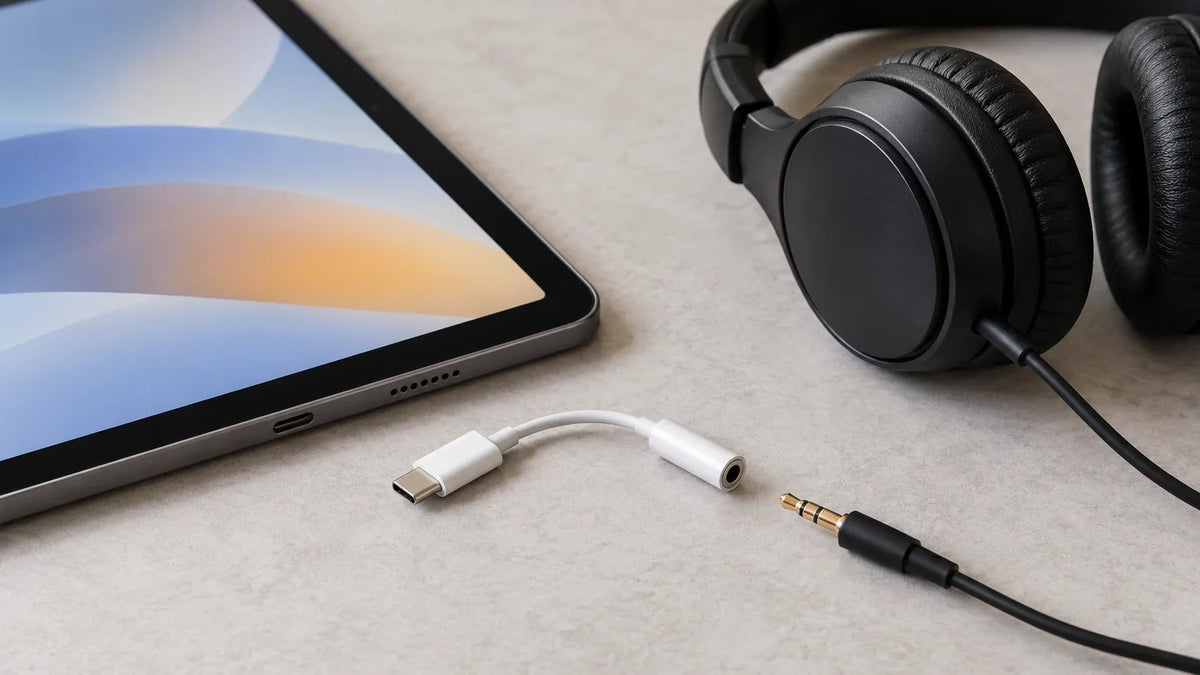
Does your iPad have a headphone jack? It depends on the model. The iPad (9th generation) has a built-in 3.5 mm headphone jack, while the iPad (10th generation) and iPad (A16) do not. For an iPad without one, you can still use wired headphones through its USB-C port and a compatible adapter.
Quick check: Open Settings > General > About and read Model Name. Then use the table below to find out whether you can plug in 3.5 mm headphones directly or need an adapter.
Which iPad Models Have a Headphone Jack?
These common models show where Apple's connector changes occurred. The list is a practical comparison, not a catalog of every iPad ever made. For an exact model, see Apple's iPad identification guide.
| iPad model | 3.5 mm jack? | Wired connection |
|---|---|---|
| iPad (9th generation) | Yes | Plug 3.5 mm headphones directly into the jack. |
| iPad (10th generation) and iPad (A16) | No | USB-C headphones or a USB-C to 3.5 mm adapter. |
| iPad Air (3rd generation) | Yes | Built-in 3.5 mm jack; Lightning port also present. |
| iPad Air (4th generation and later) | No | USB-C audio or a compatible adapter. |
| iPad mini (5th generation) | Yes | Built-in 3.5 mm jack. |
| iPad mini (6th generation and later) | No | USB-C audio or a compatible adapter. |
| iPad Pro 10.5-inch; 12.9-inch (1st or 2nd generation) | Yes | Built-in 3.5 mm jack. |
| iPad Pro 11-inch models; 12.9-inch (3rd generation and later); 13-inch models | No | USB-C audio or a compatible adapter. |
Apple documents the 9th-generation iPad's headphone jack and the USB-C connector on the 12.9-inch iPad Pro (3rd generation). For older or less familiar versions, confirm the exact model rather than relying on screen size alone.

How to Use Wired Headphones With an iPad That Has No Jack
For USB-C iPads
- Use USB-C headphones directly if they're compatible with your iPad's USB-C audio connection.
- Keep your 3.5 mm headphones: insert a compatible USB-C to 3.5 mm headphone jack adapter into the iPad, then connect the headphone plug.
- Test your setup: play audio at low volume. If you need a headset microphone or inline controls, confirm those functions separately; a compatible headphone output alone doesn't guarantee every headset control works.
Apple explicitly supports its USB-C to 3.5 mm headphone jack adapter for compatible USB-C devices. For the differences between digital USB-C audio adapters, DACs, and headset mic support, read our USB-C to 3.5 mm adapter guide.
For older Lightning iPads
On a Lightning-equipped iPad with a working 3.5 mm jack, use the jack directly. Apple also supports Lightning EarPods and its Lightning to 3.5 mm adapter on compatible Lightning devices, but you do not need an adapter simply to use an existing headphone jack. Lightning and USB-C connectors are not interchangeable.
How to Find Your iPad Model and Its Audio Port
- Open Settings > General > About and check the model name.
- Look at the edge of the iPad for a small, round 3.5 mm socket. Don't mistake the charging port for a headphone jack.
- If the model name is unclear, use the model number with Apple's identification list.
- Match the adapter to your iPad's actual connector, not the connector on the cable used to charge it.
What If Headphones Are Plugged In but There's No Sound?
Start with the connection before replacing your headphones. Remove a case that prevents the plug from seating fully, check the volume, and reconnect the adapter or headset. Inspect the port and plug for visible debris or damage; use a clean, dry, soft brush rather than inserting sharp objects.
Try another compatible pair of headphones or adapter to separate a device issue from an accessory fault. If audio works but the microphone does not, verify that the adapter supports headset microphone input and that your app has microphone permission. Apple's headphone troubleshooting steps cover loose connections, one-sided audio, and microphone checks.
iPad Headphone Jack FAQ
Does the iPad 9 have a headphone jack?
Yes. The iPad (9th generation) has a built-in 3.5 mm headphone jack, so standard 3.5 mm headphones connect without an adapter.
Does the iPad 10 or iPad (A16) have a headphone jack?
No. Both have USB-C instead of a separate 3.5 mm jack. Use compatible USB-C headphones or a USB-C to 3.5 mm audio adapter.
Can I use Bluetooth headphones without a headphone jack?
Yes. Bluetooth audio doesn't use the physical headphone jack. Pair compatible Bluetooth headphones through your iPad's Bluetooth settings.
Do 3.5 mm headphones need a special adapter for iPad Pro?
That depends on the generation. Older iPad Pro models with a built-in 3.5 mm jack don't need one. USB-C iPad Pro models need a compatible USB-C to 3.5 mm adapter for analog headphones.

