
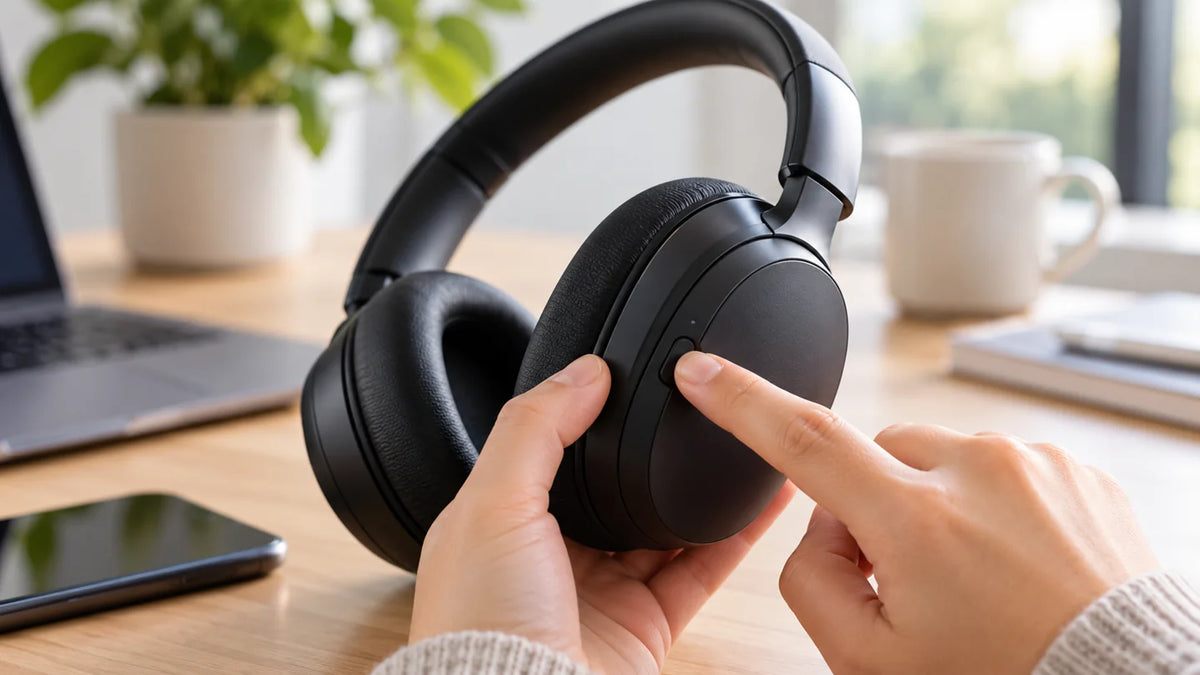
To turn on noise cancelling, put on your headphones, power them on, then select Noise Cancellation or ANC using the headphones' button, touch control, or companion app. The exact control depends on the model. Some headphones start with ANC already enabled.
Quick check: If your headphones only advertise a “noise-cancelling microphone,” they may reduce noise for people on your calls without offering active noise cancellation for what you hear.
Turn On Active Noise Cancellation in Three Steps
- Confirm your model supports ANC. Look for “Active Noise Cancellation,” “ANC,” or a documented noise-control mode in the model's manual. Passive noise isolation and microphone noise reduction are different features.
- Wear and power on the headphones. Check the charge and fit. For earbuds, insert them correctly; some models require both earbuds to be worn before ANC can activate.
- Select the ANC mode. Press the marked ANC/NC button, use the model's supported touch gesture, or open its companion app and choose Noise Cancellation. Listen for a tone or voice prompt, or check the mode shown in the app. A button may cycle through ANC, Transparency/Ambient, and Off instead of acting as a simple switch.
If pressing a control seems to do nothing, check whether that control has been customized for a voice assistant, volume, or another command. Use the manufacturer's instructions for your exact model rather than trying a universal press-and-hold duration.

How to Turn On Noise Cancelling by Headphone Brand
| Headphone family | How to turn on ANC |
|---|---|
| AirPods with ANC / AirPods Max | On an iPhone or iPad, use Control Center’s volume control and select Noise Cancellation; supported models also have a listening-mode control. |
| Sony headphones with ANC | On models with an NC or NC/AMBIENT button, use it to switch modes. Other models may use touch controls or the Sony app. |
| Galaxy Buds with ANC | Wear the earbuds as required by your model, then select Active noise canceling in Galaxy Wearable or use its assigned control. |
| Pixel Buds with Active Noise Control | Select Noise Cancellation in Pixel Buds settings or use the configured touch-and-hold gesture on supported models. |
Apple AirPods and AirPods Max
On supported AirPods, wear and connect the earbuds or headphones. On an iPhone or iPad, open Control Center, touch and hold the volume slider, then select Noise Cancellation. For supported AirPods earbuds, you can also press and hold the stem's force sensor to cycle listening modes; on AirPods Max, use the listening-mode button. Available modes and controls vary by model and settings. See Apple's AirPods noise-control instructions.
Sony noise-cancelling headphones
On compatible Sony models, power on the headset, then use the NC or NC/AMBIENT control to select noise cancelling. Certain models enable it automatically at startup, and repeated presses cycle to Ambient Sound or Off. Check your specific model's guide rather than assuming the same button sequence applies to every Sony headset. Sony explains the mode switching in its noise-cancelling support guide.
Samsung Galaxy Buds
For supported Galaxy Buds, wear the earbuds and open the Galaxy Wearable app. Select Active noise canceling; the location and available options vary by Buds model. Many compatible models also support a customizable touch-and-hold command. Original Galaxy Buds and Buds+ do not have ANC, and most compatible models require both earbuds to be in your ears. Consult Samsung's model-specific instructions.
Google Pixel Buds
On Pixel Buds models with Active Noise Control, choose Noise Cancellation in the Pixel Buds controls while the earbuds are connected. On supported models, touching and holding an earbud can switch between ANC and Transparency, but this gesture can be reassigned. Check your model and selected controls in Google's Active Noise Control guide.
How to Tell Whether Noise Cancelling Is On
Check the companion app or listen for the model's confirmation sound first. Then compare ANC and Off while a steady background sound, such as a fan or air conditioner, is present. Active noise cancellation generally has a more noticeable effect on low, continuous sounds than on voices, sudden impacts, or sharp noises. The result also depends on fit and the headphone design.
Transparency or Ambient mode is not ANC. Transparency intentionally lets outside sound through so you can remain aware of your surroundings. Choose Noise Cancellation, not Transparency, when you want the headset to reduce surrounding sound.
What to Do If ANC Will Not Turn On
- Check feature support. Read the specific model name and manual. A label such as “noise-cancelling mic” does not establish that the speakers offer ANC.
- Check power, fit, and wearing conditions. Charge the headphones and reseat the earcups or ear tips. Where required, wear both earbuds.
- Check the selected mode. Open the manufacturer's companion app if available. Turn off Transparency/Ambient mode and select ANC; confirm that any physical control is assigned to noise control.
- Test a consistent sound. Compare ANC with Off around a steady fan or ventilation hum at a reasonable listening level. Do not judge ANC solely by how much conversation disappears.
- Use the model's support instructions. If the ANC setting is missing or unresponsive, check for a documented firmware update, reset, or model-specific limitation. Avoid assuming Bluetooth pairing alone enables ANC.
ANC vs. Microphone Noise Cancellation
ANC changes what you hear; microphone noise reduction changes the signal other people hear during a call. A wired office headset may advertise a noise-cancelling microphone without having a listening-mode switch at all. Passive isolation comes from the physical earcups or ear tips and does not require an ANC button.
For the underlying differences and what each technology can reduce, see our guide to active noise cancellation and passive isolation.
Frequently Asked Questions
Does Bluetooth need to be on for ANC to work?
Not always. Some ANC headphones can reduce outside noise without an active Bluetooth audio connection, but others require specific power or operating modes. Check the model's instructions.
Why can I still hear people when ANC is on?
ANC is more effective against steady low-frequency sound than speech or sudden noise. Correct fit and a good ear-tip or earcup seal still matter; ANC does not create complete silence.
Can I enable ANC from Windows or an Android phone?
Use a supported headphone control or manufacturer app. Some earbuds also expose noise-control shortcuts on a connected phone. There is no universal Windows or Android switch that adds ANC to unsupported headphones.

