
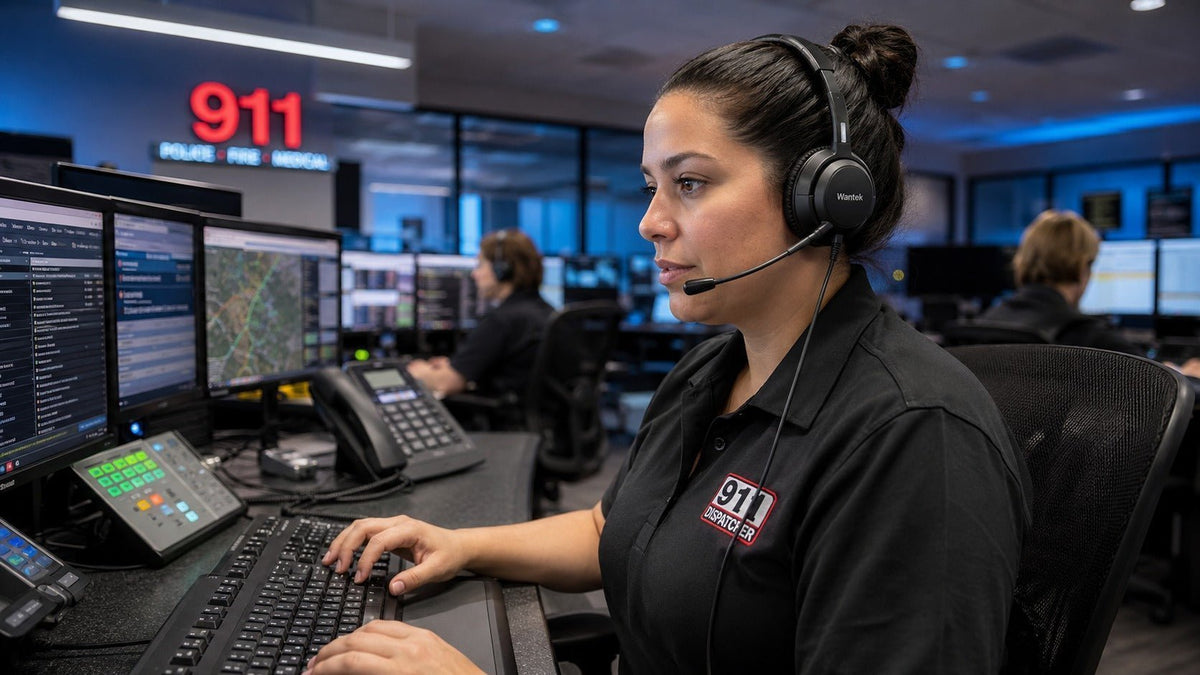
The best 911 dispatch headset is not a universal model. It is the headset and connection path that work correctly with the dispatch workstation, support the required communication workflow, remain comfortable during realistic wear periods, and can be maintained over time.
Start with the system before comparing brands. Identify the console or calling device, push-to-talk or audio interface, connector and lower-cable requirements. Then compare wearing style, microphone design, listener-side noise control, comfort, durability and maintenance.
Quick answer: Compatibility comes first. Communication performance comes second. Comfort and maintainability follow. Price should be considered after those requirements are satisfied.

Start with the dispatch system, not the headset
A 911 dispatch headset is part of a larger communication chain. Depending on the workstation, that chain may include a dispatch console, telephone interface, push-to-talk device, amplifier, USB audio interface, Quick Disconnect cable or other system-specific hardware.
A connector that physically fits is not enough to establish compatibility. Before creating a product shortlist, document:
- Console or workstation: Record the exact manufacturer and model.
- PTT or audio interface: Identify any amplifier, adapter, interface or lower cable already in use.
- Headset connection: Confirm the required connector and wiring rather than judging by connector shape.
- Audio path: Confirm microphone, receive-audio and required transmit behavior.
- USB support: Verify whether the actual workstation supports the intended USB audio configuration.
This compatibility check should happen before comfort, price or brand preference. A headset can provide good audio and still be the wrong purchase if it does not integrate correctly with the workstation.
Check console, PTT and connector compatibility
Dispatch installations do not all use the same headset architecture. Some systems use dedicated PTT hardware between the headset and console. Others may involve USB audio, analog interfaces or manufacturer-specific modules.
Motorola Solutions, for example, documents dedicated audio-interface hardware within dispatch-console configurations. This illustrates why headset procurement has to consider the complete system rather than the headset connector alone. See the Motorola Solutions dispatch-console documentation.
Quick Disconnect also does not describe one universal electrical standard. A QD headset, lower cable and interface must form a compatible connection path.
Identify the workstation
Record the exact console and communications configuration.
Identify the interface
Record the current PTT, amplifier or other audio hardware.
Confirm the headset connection
Check both the connector and wiring requirements.
Verify the complete path
Match the headset with the required lower cable or adapter.
Test before standardizing
Validate the complete configuration before deploying it across multiple positions.
Verify the connection path first. If your workflow includes a desk phone or RJ-style connection, confirm the exact phone model and wiring before choosing a headset. Dedicated dispatch-console and PTT interfaces should be verified separately.
Mono vs. dual-ear dispatch headsets
Wearing style should follow the operating environment. A mono headset leaves one ear uncovered and can be useful when the dispatcher needs to hear nearby colleagues or other room activity.
A dual-ear headset covers both ears and may provide greater passive separation from surrounding sound, depending on the headset design and fit. Neither design is automatically better.
| Requirement | Starting direction | What to verify |
|---|---|---|
| Frequent communication with nearby staff | Consider mono | Room awareness and center procedures |
| High surrounding conversation noise | Compare dual-ear options | Actual passive isolation and speech intelligibility |
| Shared workstations | Test multiple fits | Comfort, adjustment and hygiene workflow |
| Long wear periods | Compare both styles | Pressure, heat, stability and boom position |
| Strong situational-awareness requirement | Evaluate mono first | Local procedures and actual workflow |
Microphone noise reduction and listener-side noise control are different
“Noise cancelling” can describe different functions. A noise-reducing microphone is intended to reduce unwanted sound transmitted from the dispatch position. It does not automatically reduce the room noise heard by the dispatcher.
Listener-side noise reduction is separate. It may come from physical ear-cup fit, passive isolation or, on products that specifically document it, active noise cancellation.
Key distinction: Do not infer ANC from a noise-cancelling microphone description.
What does the remote party or radio system hear?
Test the boom microphone with normal conversations, keyboard activity and representative room noise around the workstation. The target is intelligible speech with acceptable background-noise pickup, not artificial silence.
What does the dispatcher hear?
Evaluate speech intelligibility at a comfortable listening level rather than simply increasing volume to overcome surrounding noise.
NIOSH has published guidance concerning noise hazards for workers using headsets in call and dispatch centers. Review the NIOSH call and dispatch center noise guidance.
ITU-T Recommendation P.360 addresses excessive acoustic pressure from telephone receivers and headsets and discusses acoustic-pressure limiting. See the ITU-T P.360 summary.
These sources establish why headset sound exposure deserves consideration. They do not establish that a specific Wantek model implements a particular acoustic-limiting standard or certification.
Wired vs. wireless for 911 dispatch
Neither architecture is automatically correct. A wired headset avoids headset charging and wireless pairing, which can simplify a fixed-position deployment. Its cable, adapter, QD path and console interface still have to be correct.
Wireless can provide mobility, but it introduces additional variables including battery management, radio behavior, charging procedures, base or host integration, PTT implementation and recovery after an interruption.
A wireless office headset should not be assumed to work in a dispatch system simply because it supports Bluetooth or DECT. Evaluate the complete supported architecture rather than the wireless technology name.
If you are comparing fixed and mobile work arrangements more broadly, see Wantek’s wired vs. wireless office headset guide.
Comfort and maintainability for long shifts
Weight alone does not determine comfort. A lighter headset can still become distracting if its clamping pressure, balance or cushion fit is poor.
- Headset balance and headband pressure
- Ear-cushion pressure and heat buildup
- Boom position and stability
- Cable pull at a fixed workstation
- Interaction with glasses or other worn equipment
- Comfort during representative wear periods
Maintenance also matters in shared or continuously operated workstations. Inspect cable strain relief, adjustment points, boom joints, connectors, cushions, microphone covers and the availability of replaceable components.
How to test a dispatch headset before standardizing it
Start only with candidates that have already passed the technical compatibility check. Then test the complete configuration at representative workstations using the same criteria for every candidate.
| Test | What to evaluate |
|---|---|
| Receive audio | Speech remains intelligible at a comfortable listening level. |
| Microphone | Normal speech remains clear with representative room activity. |
| PTT workflow | Required transmit behavior works correctly with the actual system. |
| Wearing comfort | Pressure, heat, stability and boom position remain acceptable. |
| Controls | Required mute, volume or PTT functions behave as expected. |
| Cable and interface | No unwanted pull, loose connection or impractical routing. |
| Wireless system | Required mobility, charging and recovery behavior are validated. |
| Maintenance | Frequently worn or stressed components can be inspected and replaced as needed. |

Wantek RJ-style options: what the current specifications support
Wantek’s current 911 headset collection includes three wired RJ-style Quick Disconnect variants. Their product pages document wearing style, connector wiring, weight, boom microphone, inline controls and replaceable components.
| Model | Wearing style | Connection | Published details |
|---|---|---|---|
| H600 RJ4 QD | Single ear | RJ4 with QD | 90 g / 3.2 oz; boom microphone; inline controls |
| H602 RJ2 QD | Dual ear | RJ2 with QD | 90 g / 3.2 oz; boom microphone; inline controls |
| H600 RJ1 QD | Single ear | RJ1 with QD | 110 g / 3.9 oz; boom microphone; inline controls |
The published specifications do not by themselves establish compatibility with a particular 911 dispatch console, PTT device or public-safety communications system.
RJ1, RJ2 and RJ4 represent different Wantek wiring configurations for supported devices. Similar-looking modular connectors should not be treated as interchangeable.
If the workflow includes a compatible desk-phone connection, verify the exact device and wiring first. If the headset connects through a dedicated dispatch console or PTT system, verify that interface separately before ordering.
Compare 911 headset options after verifying the connection path
Review Wantek’s current mono and dual-ear RJ-style options, then confirm the complete workstation, PTT or interface path before standardizing a model.
Replacing legacy dispatch headset hardware
A legacy installation should be treated as a system-migration problem rather than a simple brand substitution. Record the existing configuration before evaluating replacement hardware.
- Existing headset model and wearing style
- QD or other connection standard
- PTT device, amplifier or audio interface
- Console and workstation connection
- Required lower cable or adapter
- Wired or wireless architecture
- Replacement cushions, microphone covers and other service parts
Do not assume that replacing only the headset preserves the operating behavior of an older system. Verify the complete replacement path before changing equipment across multiple positions.
Frequently asked questions
Do 911 dispatch headsets plug directly into the console?
Not always. Some systems use PTT devices, amplifiers, lower cables, USB interfaces or manufacturer-specific hardware between the headset and workstation. Verify the complete connection path for the actual console.
What should I check before buying a 911 dispatcher headset?
Start with the console or workstation model, PTT or audio interface, connector and required cable. Then compare wearing style, microphone performance, comfort, maintainability and operational controls.
Is Quick Disconnect universal between headset brands?
No. A QD connection should not be treated as universally interchangeable. Confirm that the headset, lower cable, amplifier or other interface are designed to work together.
Are mono or dual-ear headsets better for 911 dispatchers?
Neither is universally better. Mono keeps one ear open to nearby activity, while dual-ear designs can provide more physical separation from surrounding sound. Choose according to workflow and comfort.
Is a noise-cancelling microphone the same as ANC?
No. Microphone noise reduction affects sound transmitted from the user, while ANC is a listener-side technology designed to reduce surrounding noise heard through compatible headphones or headsets.
Are wired headsets better for 911 dispatch?
Wired systems can simplify fixed workstations by avoiding headset charging and pairing. They still require correct cables, interfaces, PTT behavior and console compatibility.
How should a dispatch center evaluate headsets before a larger rollout?
Test technically compatible candidates at representative workstations. Compare receive speech, microphone performance, PTT behavior, comfort, controls, cables or wireless operation, and maintenance using the same scorecard.
Final recommendation
Choose a 911 dispatch headset in this order: compatibility, communication performance, comfort and maintainability, then price.
For a fixed workstation, a technically compatible wired system can reduce charging and pairing requirements. For an environment that requires mobility, evaluate a complete supported wireless architecture rather than substituting a generic Bluetooth headset.
For mono versus dual-ear designs, use the room environment, operating procedures and representative dispatcher feedback to make the decision.
Most importantly, test the exact headset, cable, PTT or interface, and workstation combination that will actually be deployed.

