
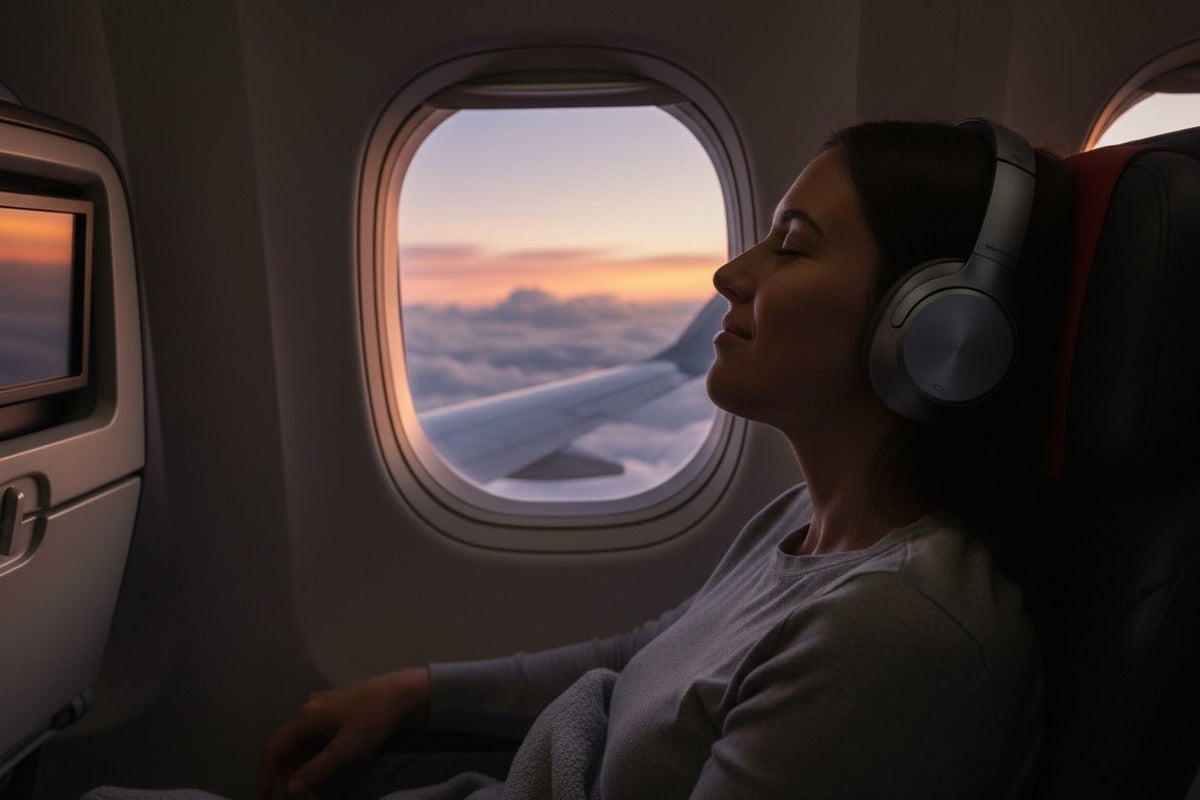
Ja, Sie können Bluetooth-Kopfhörer in der Regel im Flugzeug verwenden. Die praktische Vorgehensweise bei einem Smartphone oder Tablet besteht darin, den Flugmodus zu aktivieren, sicherzustellen, dass die Mobilfunkverbindung deaktiviert ist, und anschließend bei Bedarf Bluetooth einzuschalten und Ihre Kopfhörer zu koppeln. Die Fluggesellschaft und das Bordpersonal entscheiden jedoch jederzeit, wann und wie tragbare elektronische Geräte auf dem jeweiligen Flug genutzt werden dürfen.
Kurzantwort: Für Bluetooth gibt es keine universelle Regel wie „nur während des Reiseflugs“ oder „erst ab 10.000 Fuß Höhe“. US-Fluggesellschaften können die Nutzung zugelassener tragbarer elektronischer Geräte während aller Flugphasen gestatten, nachdem sie ihr Flugzeug und ihre Verfahren bewertet haben. Lassen Sie Ihr Gerät im Flugmodus, befolgen Sie die Anweisungen der Fluggesellschaft und achten Sie auf die Sicherheitseinweisung.
Wenn Sie den Ton über den Bildschirm am Vordersitz hören möchten, hängt die Verbindungsmethode vom Flugzeugtyp ab: Einige Systeme unterstützen Bluetooth nativ, während andere ein kabelgebundenes System oder einen Bluetooth-Sender erfordern.

Darf man 2026 Bluetooth-Kopfhörer im Flugzeug verwenden?
Bei Flügen in den USA schreibt die Federal Aviation Administration (FAA) vor, dass Mobiltelefone und tragbare elektronische Geräte im Flugmodus oder bei deaktivierter Mobilfunkverbindung verwendet werden müssen. Ihre aktuellen Richtlinien für tragbare elektronische Geräte machen zudem den Betreiber des Flugzeugs dafür verantwortlich, zu entscheiden, welche Geräte und Betriebsarten zugelassen sind, wann diese genutzt werden dürfen und wann sie gesichert oder verstaut werden müssen.
Das bedeutet, dass die alte pauschale Empfehlung, bis zu einer Höhe von über 10.000 Fuß zu warten, keine verlässliche allgemeine Regel mehr ist. Die FAA hat es Fluggesellschaften erlaubt, die Nutzung zugelassener tragbarer elektronischer Geräte auf alle Flugphasen auszuweiten, aber die genaue Richtlinie liegt weiterhin bei der Fluggesellschaft und der Crew. Informationen zu den Richtlinien finden Sie in Wanteks Leitfaden zu Bluetooth-Regeln im Flugzeug.
Die europäischen Vorschriften folgen dem gleichen betreiberorientierten Prinzip. Die aktuellen EASA-Flugbetriebsvorschriften verpflichten Betreiber dazu, sicherzustellen, dass tragbare elektronische Geräte die Flugzeugsysteme nicht beeinträchtigen, und die Bedingungen für deren Nutzung festzulegen.
Praktische Regel: Erst Flugmodus, dann Bluetooth, und immer die Anweisungen der Fluggesellschaft befolgen. Wenn ein Besatzungsmitglied Sie bittet, ein Gerät auszuschalten, zu entfernen, zu sichern oder die Verbindung zu trennen, leisten Sie dieser Anweisung Folge, auch wenn Bluetooth normalerweise gestattet ist.
So verbinden Sie Bluetooth-Kopfhörer mit Ihrem Smartphone oder Tablet
Wenn Sie heruntergeladene Musik, Podcasts, Filme oder andere auf Ihrem Gerät gespeicherte Inhalte hören, ist die Einrichtung ganz einfach.
Flugmodus aktivieren
Aktivieren Sie den Flugmodus auf Ihrem Smartphone oder Tablet. Vergewissern Sie sich, dass die Mobilfunkverbindung deaktiviert ist.
Bluetooth prüfen
Je nach Gerät und gespeicherten Einstellungen bleibt Bluetooth verfügbar oder muss nach dem Aktivieren des Flugmodus manuell wieder eingeschaltet werden.
Kopfhörer koppeln
Öffnen Sie die Bluetooth-Einstellungen, versetzen Sie die Kopfhörer bei Bedarf in den Kopplungsmodus und wählen Sie sie aus der Liste der verfügbaren Geräte aus.
Audio vor dem Abflug testen
Spielen Sie ein heruntergeladenes Lied oder Video ab, stellen Sie sicher, dass der Ton über die Kopfhörer ausgegeben wird, und wählen Sie eine angenehme Lautstärke, bevor es in der Kabine hektisch wird.
Anweisungen der Crew befolgen
Halten Sie die Audiowiedergabe an und achten Sie auf Sicherheitseinweisungen und Durchsagen. Flugspezifische Regeln können es zudem erfordern, dass Kopfhörer oder größere Geräte zu bestimmten Zeiten entfernt oder verstaut werden müssen.

So verwenden Sie Bluetooth-Kopfhörer mit dem Bordunterhaltungssystem
Ihre Kopfhörer lassen sich direkt mit Ihrem Smartphone oder Tablet koppeln, aber ein Bordunterhaltungssystem ist eine separate Audioquelle. Die richtige Methode hängt vom Flugzeug und der spezifischen Hardware am Sitzplatz ab.
| System am Vordersitz | Verbindung | Vorgehensweise |
|---|---|---|
| Natives Bluetooth | Drahtlos | Öffnen Sie das Audio- oder Bluetooth-Menü auf dem Bildschirm, versetzen Sie die Kopfhörer in den Kopplungsmodus und folgen Sie den Anweisungen auf dem Bildschirm. |
| 3,5-mm-Klinkenanschluss | Kabelgebunden | Falls Ihre Kopfhörer analoge kabelgebundene Wiedergabe unterstützen, schließen Sie ein kompatibles 3,5-mm-Kabel direkt an den Sitz an. |
| 3,5-mm-Anschluss ohne Kabel | Bluetooth-Sender | Stecken Sie einen kompatiblen Sender in den Audioanschluss des Sitzes, koppeln Sie den Sender mit Ihren Kopfhörern und folgen Sie den Anweisungen der Fluggesellschaft zur Gerätenutzung. |
Natives Bluetooth am Vordersitz wird immer häufiger angeboten, ist aber nicht universell. United hat Bluetooth-Konnektivität auf hunderten neuen und umgerüsteten Flugzeugen mit ihrer speziellen Innenausstattung dokumentiert, während Delta bei neuen Kabinenprogrammen zunehmend Bluetooth-fähige Bildschirmsysteme integriert. Deshalb ist es verlässlicher, das Menü am Vordersitz zu prüfen, als vorauszusetzen, dass ein Flugzeugtyp automatisch drahtloses Audio unterstützt.
Wenn Ihr Sitz nur einen analogen Audioanschluss bietet, kann ein Sender den kabelgebundenen Ausgang für Bluetooth-Kopfhörer nutzbar machen. Wanteks Leitfaden zur Einrichtung von Bluetooth-Sendern deckt den allgemeinen Kopplungsvorgang und Verbindungstests im Detail ab.
Start, Landung und Sicherheitseinweisungen: Was wirklich zählt
Es gibt keine universelle FAA-Regel, die besagt, dass Bluetooth-Kopfhörer allein deshalb ausgeschaltet werden müssen, weil sich das Flugzeug unter 10.000 Fuß befindet. Der Rahmen für tragbare Geräte der FAA erlaubt es Fluggesellschaften, die Nutzung von Geräten auf Basis des Flugzeugtyps, der Betriebsverfahren und einer Sicherheitsbewertung zu genehmigen. Die Fluggesellschaft kann dennoch strengere Grenzen festlegen, und die Anweisungen der Crew haben Vorrang.
Unterscheiden Sie zwischen der Funkfrage und der Verstauungsfrage. Ein kleines Smartphone kann unter Umständen erlaubt sein, während ein größerer Laptop oder andere lose Gegenstände für den Start oder die Landung verstaut werden müssen. Die Regeln zur Kopfhörernutzung können ebenfalls variieren, da Passagiere in der Lage sein müssen, Sicherheitsinformationen zu empfangen. Wenn die Crew Sie bittet, Ihre Kopfhörer für eine Einweisung oder Durchsage abzunehmen, tun Sie dies bitte.
Die aktuelle AC 91.21-1D-Richtlinie der FAA fordert ausdrücklich, dass Verfahren des Betreibers für zugelassene Geräte, zugelassene Nutzungszeiten, Verstauung, Betriebsmodi und Passagierkommunikation festgelegt werden.
Was Sie für ein reibungsloses Flugerlebnis einpacken sollten
- Heruntergeladene Medien: Speichern Sie Musik, Filme, Podcasts oder Hörbücher vor Abflug, damit Ihre Unterhaltung nicht vom Internet an Bord abhängt.
- Ein kabelgebundenes Backup: Falls Ihre Kopfhörer analoge Wiedergabe unterstützen, kann ein 3,5-mm-Kabel die einfachste Rückfallebene für ältere Systeme sein.
- Ein kompatibler Sender: Nützlich, wenn der Vordersitz einen kabelgebundenen Audioausgang hat, Ihre Kopfhörer aber nur drahtlos funktionieren oder Sie kein Kabel verwenden möchten.
- Ausreichend Akkulaufzeit für den ganzen Flug: Laden Sie Kopfhörer, Smartphone, Tablet und Sender vor dem Boarding auf.
- Vorsicht bei Powerbanks: Wenn Sie mit einem mobilen Ladegerät reisen, schreibt die FAA vor, dass zusätzliche Lithiumbatterien und Powerbanks im Handgepäck und nicht im aufgegebenen Gepäck transportiert werden müssen.
Suchen Sie eine ANC-Option für Ihre Reisen?
Das Wantek T3 ist ein Bluetooth-5.3-Over-Ear-Modell mit aktiver Geräuschunterdrückung (ANC), Transparenzmodus und einer angegebenen Akkulaufzeit von bis zu 60 Stunden. Prüfen Sie die Produktseite für aktuelle Verfügbarkeit und Spezifikationen.

Häufige Bluetooth-Probleme an Bord und deren Lösung
Meine Kopfhörer verbinden sich nach dem Einschalten des Flugmodus nicht wieder
Öffnen Sie die Bluetooth-Einstellungen, stellen Sie sicher, dass Bluetooth aktiviert ist, und verbinden Sie sich manuell erneut. Wenn die Kopfhörer bereits mit einem anderen Gerät in der Nähe gekoppelt sind, trennen Sie die Verbindung zu diesem Gerät oder deaktivieren Sie dort kurzzeitig Bluetooth.
Der Bildschirm am Vordersitz findet meine Kopfhörer nicht
Prüfen Sie zuerst, ob der Bildschirm tatsächlich Bluetooth-Audio bietet. Wenn er nur einen Kopfhöreranschluss hat, funktioniert eine direkte Bluetooth-Kopplung nicht; verwenden Sie stattdessen ein kompatibles Kabel oder einen Sender.
Es gibt eine merkliche Verzögerung zwischen Bild und Ton
Bluetooth-Sender und Kopfhörer können Latenzen verursachen. Probieren Sie einen verfügbaren Modus für geringe Latenz aus, starten Sie die Verbindung neu oder wechseln Sie auf eine kabelgebundene Verbindung, wenn die Lippensynchronität wichtiger ist als der Komfort.
Meine Kopfhörer sind verbunden, aber der Ton kommt weiterhin aus dem Telefon
Überprüfen Sie den Audioausgang Ihres Smartphones oder Tablets und wählen Sie die Bluetooth-Kopfhörer aus. Einige Geräte verbinden sich für Telefonate neu, schalten aber nicht automatisch das Medien-Audio um.
Ich kann Durchsagen nicht klar hören
Halten Sie die Wiedergabe an und nehmen Sie die Kopfhörer ab oder verringern Sie die Lautstärke, wenn die Crew spricht. Transparenz- oder Umgebungsmodi können beim Verständnis helfen, sie ersetzen jedoch nicht das aufmerksame Verfolgen von Sicherheitsdurchsagen.
Häufig gestellte Fragen
Darf ich Bluetooth-Kopfhörer während Start und Landung verwenden?
Oft ja, wenn die Fluggesellschaft den Einsatz zugelassener kleiner elektronischer Geräte während dieser Phasen gestattet, aber es gibt keine einheitliche Regel für jeden Flug. Befolgen Sie die Richtlinien der Fluggesellschaft und alle Anweisungen der Crew, Geräte zu entfernen, die Verbindung zu trennen oder zu verstauen.
Funktionieren Bluetooth-Kopfhörer, wenn der Flugmodus aktiviert ist?
Ja. Schalten Sie den Flugmodus ein, um den Mobilfunkdienst zu deaktivieren, bestätigen Sie dann, dass Bluetooth eingeschaltet ist, und koppeln Sie Ihre Kopfhörer. Das genaue Verhalten des Bluetooth-Schalters kann je nach Gerät und gespeicherten Einstellungen variieren.
Benötige ich WLAN, um Bluetooth-Kopfhörer im Flugzeug zu verwenden?
Nein. Bluetooth kann Ihre Kopfhörer direkt mit einem Smartphone oder Tablet verbinden, ohne WLAN. WLAN wird nur für Onlinedienste oder das Bordnetzwerk der Fluggesellschaft benötigt, falls Sie dieses nutzen möchten.
Kann ich Bluetooth-Kopfhörer direkt mit dem Bildschirm am Vordersitz verbinden?
Nur, wenn dieses spezifische Bordunterhaltungssystem Bluetooth-Audio unterstützt. Andernfalls verwenden Sie eine kompatible kabelgebundene Verbindung oder einen Bluetooth-Sender, der an den Audioanschluss des Sitzes angeschlossen wird.
Benötige ich immer einen Bluetooth-Sender für das Unterhaltungssystem an Bord?
Nein. Ein Sender ist nützlich für rein kabelgebundene Audiosysteme, wenn Sie kabellos hören möchten. Sie benötigen keinen Sender, wenn der Vordersitz natives Bluetooth unterstützt oder sich Ihre Kopfhörer per Kabel verbinden lassen.


1 Kommentar
This information is completely outdated. I came across this looking for a way to pair my beats with United wifi on bluetooth enabled planes. I have no problem connected via bluetooth with cheap ear buds bought in Germany for €20. However, my beats won‘t connect. It cannot be the need for a separate transmitter.