
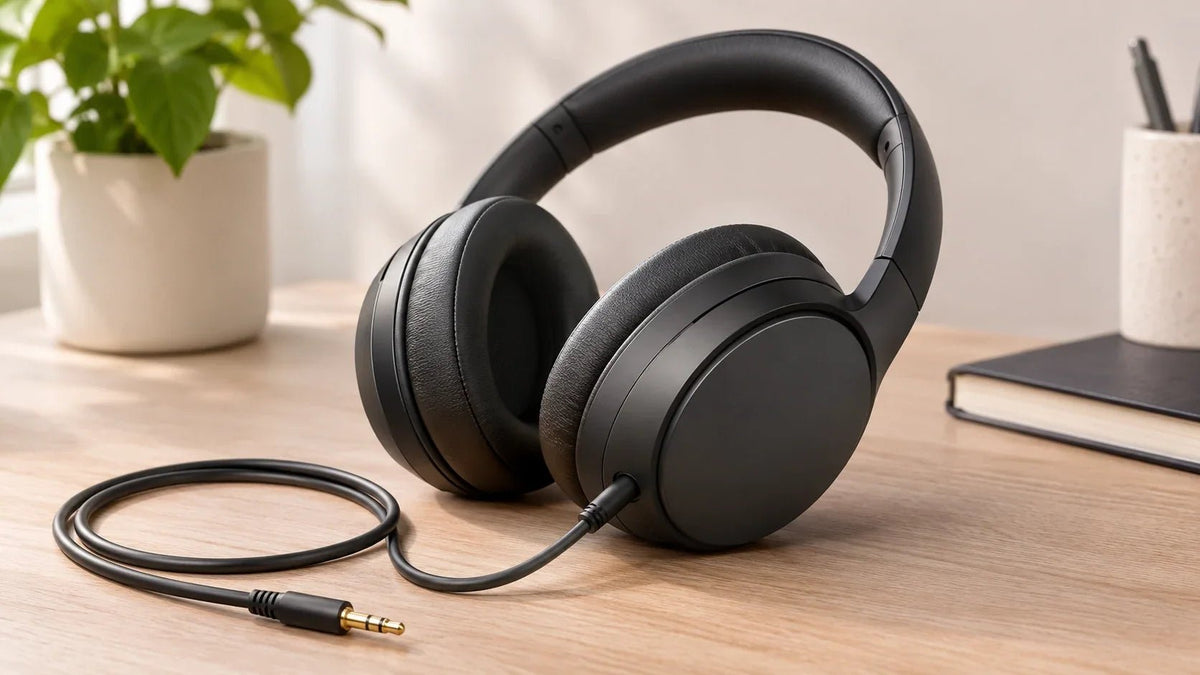
Yes, some headphones work both wirelessly over Bluetooth and through a detachable audio cable. Often called hybrid or dual-mode headphones, they let you switch connections for different devices and situations. For USB-C wired listening, the exact model must support USB audio; a USB-C charging port alone is not enough. A cable also does not guarantee playback with the power off or access to every wireless feature.
Quick answer: A hybrid wired/wireless headset is useful when you want Bluetooth mobility but also need a direct audio fallback. For Bluetooth plus USB-C playback, look for explicit USB audio support. Then verify power requirements, wired microphone support, and the cable or adapter your source device needs.
What “Wireless Headphones with a Cord” Usually Means
Most hybrid models use Bluetooth for wireless audio and a detachable analog cable for wired listening. That does not mean both modes have identical features. Active noise cancellation, equalization, microphone processing, touch controls, and spatial-audio functions may depend on power or a particular connection.
Sony’s WH-1000XM5 is one verified example: Sony lists a stereo mini jack, a detachable connection cable, passive operation, and separate impedance figures for powered and unpowered cable use. Sony also lists Bluetooth 5.2 for wireless operation. See the WH-1000XM5 specifications.
Hybrid Headphones with USB-C: Audio vs. Charging
“Hybrid” can describe wired and wireless listening, but it can also refer to a headphone's noise-cancellation system. Hybrid ANC does not establish USB-C audio support. Check the connection specifications separately.
For Bluetooth headphones that also play through USB-C, look for an explicit USB audio or wired USB-C playback statement in the exact model's manual. A charging cable plugged into the earcup may only replenish the battery while audio continues over Bluetooth.

- Bose QuietComfort Ultra Headphones (2nd Gen): Bose documents wired USB-C audio from compatible sources. See the 2nd Gen USB audio details; do not apply them to another generation.
- Nothing Headphone (1): Nothing confirms USB-C audio and 3.5 mm Aux-In support. That confirms the wired inputs, not identical microphone or control behavior across connections.
These are documented connection examples, not a sound-quality ranking. USB-C playback does not by itself confirm microphone input, ANC availability, passive operation, or simultaneous Bluetooth audio. If calls matter, verify those functions for the connection you will use.
To compare direct-wired earbuds and work headsets as well, see the USB-C wired headphone comparison guide.
Wired and Wireless Modes Solve Different Problems
| Factor | Wireless mode | Wired mode |
|---|---|---|
| Movement | No source-to-headphone cable | Cable limits movement |
| Battery | Requires headset power | Some models support passive listening; verify the exact model |
| Microphone | Uses the headset’s wireless microphone system | May be unavailable unless the cable and headset support microphone signals |
| Latency | Depends on Bluetooth implementation, codec, source, and app | A direct analog path avoids Bluetooth radio transmission, though the source can still add processing latency |
| Controls | Headset buttons/touch controls may be active | Feature availability varies; inline controls require compatible wiring |
Can You Use Wired and Wireless Audio at the Same Time?
Do not assume a dual-mode headphone can play two sources at once. In many designs, plugging in the audio cable switches the listening path away from Bluetooth. Sony, for example, says Bluetooth cannot be used on the WH-1000XM5 while its supplied headphone cable is connected. See Sony's wired-mode instructions.
If you need to hear a wired game system and a Bluetooth phone simultaneously, look for explicit simultaneous-input or audio-mixing support in the manufacturer's documentation. Also distinguish USB-C charging from USB-C audio: a charging port alone does not establish that the headphones accept wired digital sound.
Three Compatibility Checks Matter Most
1. Does wired mode work with the power off?
Some headphones can play analog audio passively; others require power for part or all of the signal path. The manufacturer’s manual or specifications should say so.
2. Does the cable carry a microphone signal?
USB-C playback and microphone input are separate capabilities: confirm both if you need a single cable for calls. A stereo 3.5 mm cable may carry only left and right headphone audio. Headset microphone support usually requires compatible TRRS wiring or a separate USB/digital path. Do not assume that a headphone jack automatically carries the headset microphone. For example, Sony instructs WH-1000XM5 users to talk through the phone's microphone when making calls with the headphone cable connected.
3. Does your source device have the right port?
Many current phones and some laptops use USB-C rather than a 3.5 mm jack. To connect analog 3.5 mm headphones, a digital-only USB-C source needs a compatible adapter with a DAC. If calls matter, also verify microphone pass-through. Wantek's USB-C headphone jack guide explains the difference between digital and passive adapters.
Do Not Assume Wired Automatically Means Better Sound
A wired connection removes the Bluetooth radio and codec stage, but the total sound still depends on the headphone drivers, tuning, fit, source, DAC, amplification, DSP, and whether the headphones are powered. A good wireless implementation can sound better than a poor wired headphone, and a cable does not fix weak transducer design.
For a broader sound-quality and use-case comparison, see Wantek's wired vs. wireless headphones for music guide.
When a Wired Backup Is Most Useful
- Flights and seat-back systems: a 3.5 mm cable can connect to compatible entertainment systems when Bluetooth is unavailable.
- Long work sessions: passive wired operation can keep audio available after the wireless battery is depleted, if the model supports it.
- Gaming or instruments: a direct wired path can avoid Bluetooth transmission latency, although platform and microphone compatibility still need checking.
- Older audio equipment: amplifiers, receivers, and some computers still provide standard analog headphone outputs.
Buying Checklist
- Detachable cable included or supported
- Passive operation with power off, if required
- Microphone behavior in wired mode
- Whether inserting the cable disables Bluetooth playback
- Whether USB-C supports audio or charging only
- 3.5 mm TRS/TRRS or USB-C requirements
- Wireless battery life under the conditions you use
- Multipoint or device switching, if required
- Comfort and replacement-pad availability
Hybrid Headphones FAQ
Can wireless headphones work when the battery is dead?
Some models support passive wired listening with the power off, while others do not. Check the manufacturer’s specifications for the exact model.
Will the microphone work when I plug in the cable?
Not always. A stereo cable can carry headphone audio without carrying a microphone signal. Verify the headset, cable wiring, and source jack.
Can Bluetooth and a wired source play at the same time?
Not necessarily. Some models disable Bluetooth when a cable is attached. If simultaneous audio matters, verify that the exact model explicitly supports mixing both inputs.
Does wired mode remove all latency?
It removes the Bluetooth radio path, but the source device, software, DSP, DAC, or display can still add delay.
Can hybrid headphones play audio through USB-C?
Some can, but USB-C charging alone does not prove wired playback. Look for explicit USB audio support, then check microphone input, power requirements, and source-device compatibility.
Is a 3.5 mm cable future-proof?
It remains widely useful, but many mobile devices require USB-C or another adapter. Choose based on the ports you actually use.
Explore Wantek Headsets
Compare Wantek's wired and Bluetooth headsets. If you need both connections in one pair, check the exact model's wired-audio specifications before choosing.

