
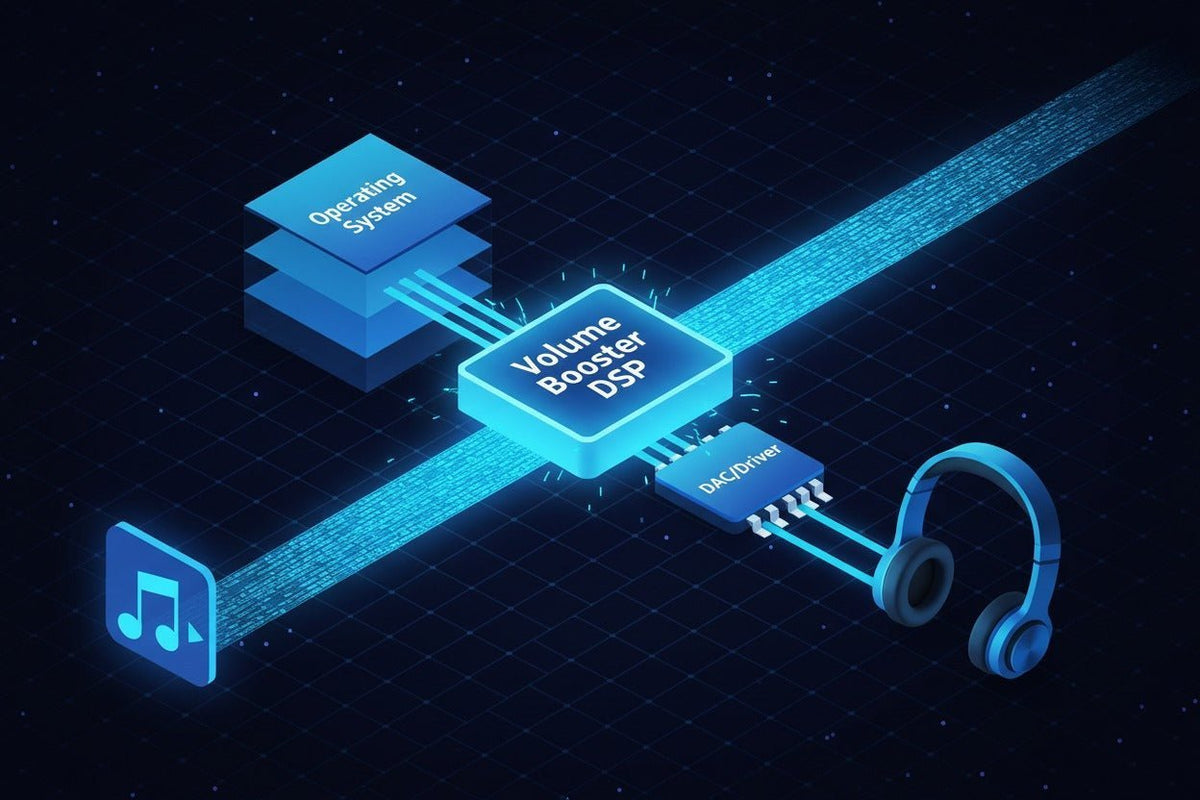
Un'app di potenziamento del volume può rendere più udibile l'audio basso, ma la soluzione giusta dipende da dove ha origine il livello ridotto. Windows può supportare l'elaborazione audio a livello di sistema, le app di potenziamento Android possono influenzare la riproduzione multimediale sui dispositivi supportati e gli strumenti per iPhone spesso funzionano tramite le impostazioni audio integrate di Apple o all'interno di un flusso di lavoro specifico di un'app, anziché agire come un interruttore universale "volume oltre il 100%".
Risposta rapida: controlla prima l'app sorgente, il mixer di sistema, il dispositivo di output e le impostazioni audio integrate. Se il segnale è ancora troppo basso, utilizza un guadagno software controllato o l'equalizzazione. Se un guadagno extra causa clipping o se il dispositivo di output è già al limite fisico, il software non è più la soluzione giusta.

Cosa fa effettivamente un'app di potenziamento del volume
La maggior parte dei potenziatori software funziona modificando il segnale digitale prima che raggiunga gli altoparlanti o le cuffie. L'approccio più semplice aggiunge guadagno. Strumenti più avanzati possono anche utilizzare equalizzazione, limitazione, compressione, routing o preset.
Questa distinzione è importante perché un volume più alto non è sempre più pulito. Se il segnale originale è già vicino al suo tetto digitale, aggiungere guadagno può spingere i picchi nel clipping. Un limitatore può controllare i picchi, ma non può trasformare un altoparlante poco potente, un'uscita cuffie debole o un driver danneggiato in hardware più performante.
| Tipo di strumento | Esempio | Cosa cambia | Limitazione principale |
|---|---|---|---|
| Processore Windows | FxSound | Aggiunge EQ, effetti, preset e controllo del volume alla riproduzione su Windows. | Solo Windows; l'elaborazione extra non può superare la capacità di output pulito dell'hardware. |
| EQ Windows | Equalizer APO | Applica un'equalizzazione parametrica o grafica attraverso il percorso degli effetti audio di Windows. | Le app che utilizzano la modalità esclusiva ASIO o WASAPI potrebbero ignorarlo. |
| Potenziatore Android | Volume Booster GOODEV | Aumenta la riproduzione multimediale su altoparlanti o cuffie supportati. | Il supporto varia; lo sviluppatore afferma che non è per il volume delle chiamate in vivavoce. |
| Impostazioni audio iPhone | Impostazioni audio Apple | Amplifica i suoni deboli e regola le frequenze su cuffie Apple e Beats supportate. | Funziona con cuffie supportate; non è un potenziatore generico per ogni output. |
| Browser o strumento multimediale | Estensione, lettore o editor | Cambia la riproduzione all'interno di un browser, un lettore o un flusso di lavoro di file multimediali importati. | Potrebbe non influenzare altre app o l'intero sistema. |
| Amplificatore hardware | Dispositivo audio USB o amplificatore per cuffie | Cambia il percorso di riproduzione fisico, non solo il livello del segnale digitale. | Non risolve un file sorgente a volume basso, un problema del mixer dell'app o di configurazione. |
Quale approccio di potenziamento del volume dovresti usare?
PC Windows: correggi il mixer e il percorso di output prima di aggiungere guadagno
Su Windows 11, inizia da Impostazioni > Sistema > Audio > Mixer volume. Microsoft consiglia di controllare sia il livello di sistema che l'app interessata, verificando che nessuno sia disattivato e testando con i miglioramenti audio disabilitati se l'output è inaspettatamente basso o distorto. Anche modificare il formato audio o aggiornare il driver audio può aiutare quando il problema è legato alla configurazione. Consulta la guida alla risoluzione dei problemi di audio basso o debole di Microsoft.
Se i livelli del sistema e dell'app sono corretti ma hai ancora bisogno di ulteriore elaborazione, FxSound fornisce un'interfaccia Windows più semplice per volume, EQ, effetti e preset. Equalizer APO è un'opzione più tecnica per l'equalizzazione a livello di sistema e il controllo del preamplificatore. La sua documentazione sottolinea che le applicazioni che utilizzano percorsi audio esclusivi possono aggirare l'elaborazione.
Android: controlla il volume multimediale, il Bluetooth e il comportamento dell'app
Il comportamento del potenziatore Android varia in base al dispositivo e al percorso audio. Un esempio attuale è Volume Booster GOODEV, la cui scheda su Google Play afferma che aumenta la riproduzione multimediale tramite altoparlanti o cuffie su dispositivi supportati. La stessa scheda avverte che livelli molto alti possono danneggiare gli altoparlanti o l'udito, che non tutti i dispositivi supportano l'app e che non è progettata per aumentare il volume del vivavoce durante le chiamate.
Considera questi limiti come parte del processo di selezione. Se solo un'app di streaming è a volume basso, correggi prima quell'app. Se l'output Bluetooth è basso su ogni app, confronta il telefono, le cuffie e un altro dispositivo di output prima di installare un potenziatore.
iPhone e iPad: usa prima i controlli integrati
Apple fornisce diversi controlli che dovrebbero essere verificati prima di installare un potenziatore di terze parti. Il volume multimediale standard può essere regolato tramite i controlli del volume o il Centro di Controllo, mentre Sicurezza cuffie può ridurre l'audio ad alto volume sopra un livello selezionato.
Per le cuffie Apple e Beats supportate, Regolazioni cuffie può amplificare i suoni deboli e regolare le frequenze selezionate per l'audio di telefono e contenuti multimediali. Le app per iPhone di terze parti variano in termini di portata, quindi verifica attentamente la descrizione invece di presumere che un'app possa aumentare l'output di sistema di ogni altra app.
Solo browser o un singolo file a volume basso: risolvi il problema più circoscritto
Se il problema esiste solo in una scheda del browser, in un video o in una registrazione, un controllo specifico per il browser, un lettore multimediale, un editor o la normalizzazione a livello di sorgente è solitamente più mirato rispetto alla modifica dell'intero sistema. Questo riduce anche il rischio di rendere inaspettatamente rumorose tutte le altre notifiche, giochi o chiamate.
Volume, EQ, normalizzazione e audio spaziale sono diversi
Diverse funzionalità audio vengono spesso raggruppate insieme anche se risolvono problemi differenti. Il guadagno alza o abbassa il livello del segnale. L'EQ modifica intervalli di frequenza selezionati. La normalizzazione mira a rendere il volume del programma più coerente. L'audio spaziale cambia la presentazione direzionale o immersiva invece di limitarsi a rendere il segnale più alto.

Ecco perché un preset EQ può far sembrare il parlato più facile da capire senza produrre lo stesso risultato di un grande aumento del guadagno a banda larga. È anche il motivo per cui l'elaborazione surround virtuale o spaziale non dovrebbe essere giudicata solo come un potenziatore di volume.
Quando il software è la soluzione sbagliata
Un potenziatore è utile solo quando il livello software è effettivamente il collo di bottiglia. Se il problema segue un paio di cuffie, un cavo, una porta o un'uscita analogica, aggiungere più guadagno digitale potrebbe solo rendere più evidente la debolezza.
- Solo un'app è a volume basso: controlla il volume, la normalizzazione, l'accessibilità o le impostazioni di riproduzione di quell'app.
- Ogni app è a volume basso su un dispositivo di output: testa un altro paio di cuffie, altoparlante, porta o computer prima di modificare il guadagno a livello di sistema.
- Un'uscita da 3,5 mm sembra debole: il DAC e l'amplificatore per cuffie del dispositivo host fanno parte del risultato. La guida alle cuffie USB vs. 3,5 mm spiega come spostare la conversione e l'amplificazione in un percorso audio USB cambi quale hardware influenza il segnale.
- Le cuffie stesse non sono più adatte: usa la guida alla scelta delle cuffie per confrontare compatibilità, fattore di forma, suono, comfort e caratteristiche pratiche invece di acquistare intorno a un'incompatibilità hardware persistente.
Un ordine di risoluzione dei problemi più sicuro
Identifica l'ambito del problema.
Determina se il livello basso influisce su un file, un'app, un dispositivo di output o sull'intero sistema.
Controlla i controlli integrati del volume e del mixer.
Conferma i controlli di sistema, app, multimediali, Bluetooth e accessibilità applicabili al dispositivo che stai effettivamente utilizzando.
Testa un altro percorso di output.
Confronta un altro paio di cuffie, altoparlante, cavo, porta o dispositivo. Se il problema si sposta con un componente, il software potrebbe non essere la causa.
Usa l'EQ solo quando il problema è la chiarezza tonale.
Regola le frequenze che stanno mascherando il parlato o i dettagli invece di alzare ogni frequenza della stessa quantità.
Aggiungi guadagno gradualmente.
Aumenta il livello solo finché il contenuto è comodamente intelligibile. Se senti clipping, asprezza, pompaggio o distorsione evidente, riduci il guadagno.
Cambia il percorso hardware quando necessario.
Se il guadagno software pulito è esaurito, agisci sull'hardware di output, sulla connessione o sulle cuffie piuttosto che continuare a spingere il segnale.
L'ascolto sicuro conta più della percentuale sul cursore
Un'impostazione software al “100%” o “150%” non ti indica il livello di pressione sonora che raggiunge le tue orecchie. Il rischio per l'udito dipende dal livello effettivo e da quanto tempo ascolti.
La guida all'ascolto sicuro dell'Organizzazione Mondiale della Sanità utilizza 80 dB per 40 ore a settimana come esposizione di riferimento per gli adulti nello standard OMS-ITU, con un tempo di ascolto consentito che diminuisce all'aumentare del livello. Consulta lo standard di ascolto sicuro dell'OMS. Apple fornisce anche il monitoraggio del livello delle cuffie e controlli per Ridurre suoni forti su iPhone.
Per le app di potenziamento, la regola pratica è semplice: non trattare la distorsione come prova che l'app sta “lavorando sodo”. La distorsione è un motivo per ridurre il guadagno e ricontrollare la sorgente, la catena di elaborazione o l'hardware.
Domande frequenti
Le app di potenziamento del volume sono sicure?
Possono essere utilizzate in modo conservativo, ma il guadagno aggiunto può causare clipping e può aumentare il livello di ascolto. Usa la regolazione minima utile, fermati se l'audio distorce e monitora l'esposizione alle cuffie quando il tuo dispositivo fornisce tale funzione.
Windows può andare oltre il cursore del volume normale?
Gli strumenti di elaborazione audio di Windows possono applicare guadagno extra o EQ, ma controlla prima il Mixer volume, il livello dell'app, il dispositivo di output, i miglioramenti, il formato e il driver. Il guadagno software extra non garantisce un output acustico aggiuntivo pulito.
Le app di potenziamento del volume per iPhone funzionano a livello di sistema?
Non darlo per scontato. Le funzionalità delle app variano. Le opzioni integrate documentate da Apple includono normali controlli del volume, Sicurezza cuffie e Regolazioni cuffie per le cuffie supportate. Verifica l'esatta portata della riproduzione di ogni app di terze parti.
Perché l'audio potenziato suona distorto?
Il guadagno digitale extra può spingere i picchi oltre l'headroom disponibile e creare clipping. La limitazione o la compressione possono controllare i picchi, ma un'elaborazione eccessiva può comunque ridurre la dinamica e suonare innaturale.
Un potenziatore può riparare cuffie a volume basso?
A volte, se il problema è il livello della sorgente. Se le cuffie sono limitate dall'output dell'host, dalla connessione, dalla sensibilità, dalle condizioni dell'hardware o dall'adattamento, il guadagno software potrebbe non risolvere il problema di fondo.
L'EQ è uguale a un potenziatore di volume?
No. L'EQ cambia bande di frequenza selezionate, mentre un potenziatore di volume in genere aumenta il guadagno complessivo. L'EQ può migliorare la chiarezza percepita quando un intervallo di frequenza maschera il contenuto che vuoi ascoltare.
In sintesi
Scegli un potenziatore di volume in base al livello che è effettivamente troppo basso. Windows offre le opzioni di elaborazione di sistema più ampie, le app Android possono funzionare per i contenuti multimediali su dispositivi supportati e gli utenti iPhone dovrebbero iniziare con i controlli integrati di Apple e verificare l'esatta portata di qualsiasi app di terze parti. Se il guadagno aggiunto produce distorsione o l'hardware è già al limite, smetti di potenziare e correggi invece la sorgente o il percorso di output.

