
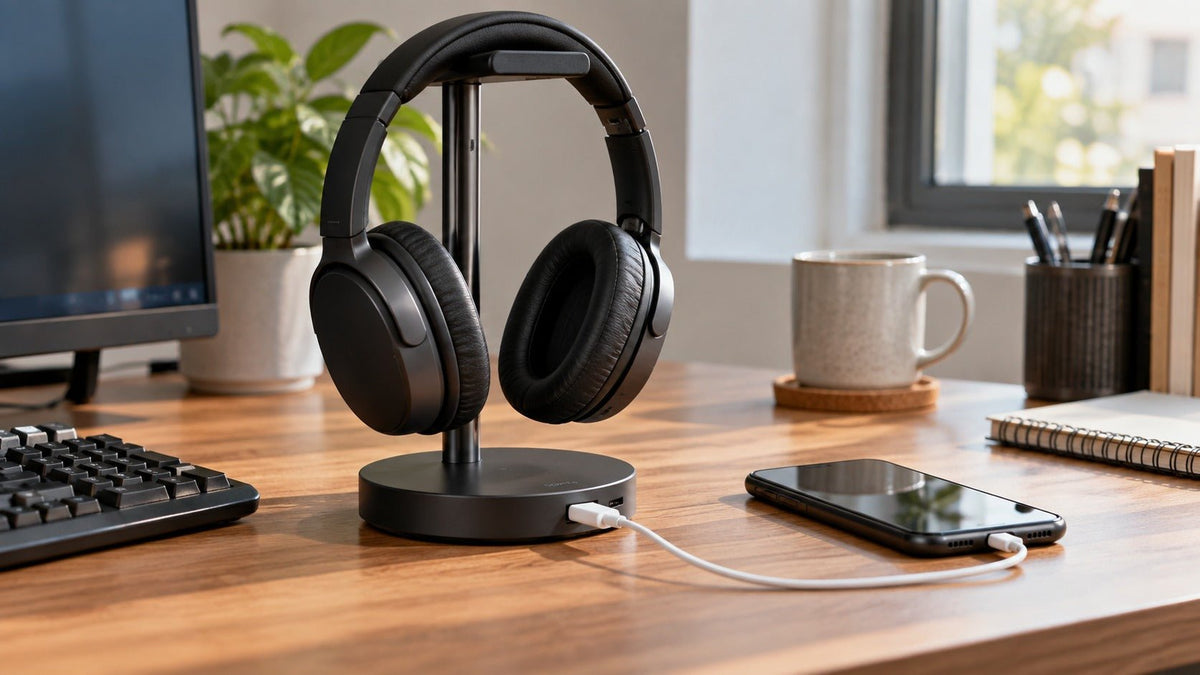
A headphone stand with charging can tidy your desk and put power within reach, but the phrase does not describe one standard feature. One stand may offer USB charging ports, another may add a Qi wireless charging pad, and a headset dock may charge only a specific compatible headset.
Quick answer: before buying, check exactly what the stand charges, how it receives power, the output available from each charging port or pad, and whether the headset itself is compatible with that charging method. A USB-C port or wireless-charging symbol does not automatically mean the stand will charge your headphones.
What Does “Headphone Stand With Charging” Actually Mean?
The term usually describes a stand that combines headphone storage with one or more power features. The charging function may be completely separate from the headphone cradle.
That distinction matters because many stands are designed to hold a headset while their USB ports charge a phone, earbuds, controller, or another accessory. The headset may still need its normal charging cable. A true charging dock is different: it has a defined charging path for a compatible device, often through a cable, dedicated connector, or model-specific contact points.
| Stand type | What it can charge | What to verify |
|---|---|---|
| USB charging stand | Devices connected to its USB-A or USB-C charging ports | Port output, total shared power, input power source, and whether a port is for charging, data, or both |
| Wireless charging stand | Compatible devices placed on the charging pad, commonly phones or charging cases | Qi or Qi2 compatibility, supported charging output, alignment, and power-adapter requirements |
| Dedicated headset charging dock | A specific headset or headset family designed for that dock | Exact model compatibility and the charging-contact or connector design |
| Passive headphone stand | Nothing; it only stores the headphones | Cradle shape, stability, desk space, cable routing, and material |

Does a Charging Headphone Stand Charge the Headphones Themselves?
Not necessarily. The safest buying rule is to treat storage and charging as separate functions until the product documentation explicitly connects them.
If the stand has ordinary USB ports, a rechargeable headset can often use one of them only when you connect the headset with the correct charging cable. If the stand uses exposed charging contacts or a shaped dock, compatibility is usually more specific. Do not assume a headset will charge just because it physically fits on the stand.
If you only need a secure place to store headphones, a simple holder may be cheaper and easier. Our headphone holder buying guide compares desktop stands, under-desk mounts, and other storage styles without making charging a requirement.
USB-A and USB-C Charging: Check the Power, Not Just the Port Shape
A USB-C connector can carry power, data, or both, and USB Power Delivery adds a defined way for compatible devices and power sources to negotiate higher power. That does not mean every USB-C port on a headphone stand supports the same charging mode or output. The USB-IF overview of USB Power Delivery explains that USB PD is a specific power-delivery system rather than a promise attached to every USB connector.
Check These Four USB Details
- Port role: is the port for charging only, data only, or both?
- Per-port output: what power does each port provide under the manufacturer’s stated conditions?
- Total output: if several devices are connected, is power shared across the ports?
- Stand input: does the stand use a wall adapter, a USB connection to the computer, or another power source?
Practical rule: do not buy from the connector photo alone. If the listing does not state the charging output and power-source requirements clearly, treat the charging capability as unverified.
Wireless Charging Pads: Look for Qi or Qi2 Compatibility
Some headphone stands place a wireless charging pad in the base. That feature is usually intended for a compatible phone, earbud case, or other small device rather than the headphones hanging above it.
The Wireless Power Consortium says Qi-certified products are tested for interoperability and safety requirements within the Qi ecosystem. If wireless charging matters to you, check the exact product in the Wireless Power Consortium’s Qi information and certification resources instead of relying only on a generic “wireless charging” label.
Also confirm what power adapter the stand requires. A charging pad cannot deliver its advertised behavior if the stand is connected to an inadequate power source.
Charging Stand vs. Charging Dock
A charging stand usually describes a general-purpose desk stand with charging features around the base. A charging dock more often implies a defined interface for a particular device. The words are not regulated product categories, so the product specification matters more than the name.
For a wireless gaming headset, a model-specific dock can be convenient because it creates a repeatable place to store and recharge the headset. If you are still choosing the headset itself, start with platform and connection requirements first. Our gaming headset buying guide covers wired, dedicated wireless, Bluetooth, microphone, comfort, and platform checks before accessories.
What Makes a Good Headphone Stand Beyond Charging?
Charging features are only useful if the stand is also a good place to leave your headphones. Check the physical design before comparing extra ports or lighting.
- Headband support: use a smooth, reasonably broad contact area instead of a sharp edge that concentrates pressure.
- Base stability: the stand should remain stable when you remove the headphones with one hand.
- Height and clearance: earcups and cables should not rest awkwardly on the desk.
- Cable routing: a useful path for the charging or audio cable can matter more than decorative lighting.
- Desk footprint: extra controller hooks, phone slots, or charging pads increase the space the stand occupies.
How to Choose the Right Headphone Stand With Charging
Decide what you actually want to charge.
Write down the devices that need power: the headset, phone, earbuds, controller, or another accessory. This immediately separates general USB stands from Qi stands and model-specific docks.
Match the charging method.
Check the headset’s actual charging input or dock requirement. For phones or cases, verify USB or Qi/Qi2 support rather than assuming compatibility from appearance.
Verify power specifications.
Look for documented per-port output, shared-power limits, wireless charging output, and the required input adapter or cable.
Check the stand as a stand.
Confirm the cradle shape, base stability, height, desk footprint, and cable routing before paying extra for charging features.
Which Type Fits Your Desk?
| Use case | Good starting point | Main caution |
|---|---|---|
| Simple headphone storage | Passive desk stand or under-desk holder | Do not pay for charging hardware you will not use |
| Phone plus headset desk setup | Stand with clearly specified USB charging or a Qi/Qi2 pad | Confirm whether the headset still needs its own cable |
| Gaming station | Stable stand with the ports or dedicated dock your actual devices require | RGB and extra hubs do not prove charging compatibility |
| One specific wireless headset | Manufacturer-supported charging dock when available | Model-specific docks are not automatically cross-compatible |
Still Choosing the Wireless Headset?
If the stand is only one part of a work or everyday audio setup, compare the headset’s wearing style, microphone, battery, connection, and device compatibility before choosing the accessory around it.
Headphone Stand With Charging FAQ
Will any charging headphone stand charge my wireless headset?
No. A stand may only provide USB power for a cable, while a dedicated dock may require a specific compatible headset and charging interface.
Does USB-C on a headphone stand mean fast charging?
No. USB-C describes the connector. Check the stand’s documented power output and whether it supports USB Power Delivery or another charging mode.
Can a headphone stand charge a phone and headset at the same time?
Some can, but only if the stand provides the required ports or wireless pad and enough stated output for the connected devices. Check per-port and total power limits.
Is a wireless charging pad useful for headphones?
Only when the device you place on the pad supports the relevant Qi charging standard. Many stands use the pad mainly for phones or compatible earbud cases.
Is a charging stand better than a regular headphone stand?
Only if the charging feature solves a real desk need. For storage alone, a stable passive stand or holder can be simpler, cheaper, and easier to position.

