

Wantek
Wantek® h600 3 in 1 Earphones USB-C with Noise Cancellation
3.0 oz
In stock (491 units)Regular price $2650Unit price-

Wantek
Wantek® h600 3.5mm Mono Headset with Mic for Office Calls
3.0 lb
In stock (186 units)Regular price $2600Unit price
Wantek
Wantek® h602 3-in-1 Wired Office Headset with USB-C, USB-A & 3.5mm
3.0 oz
In stock (467 units)Regular price $2850Unit price
Wantek
Wantek® h602 3.5mm Dual-Ear Headset with Microphone
3.0 oz
In stock (99 units)Regular price $2800Unit price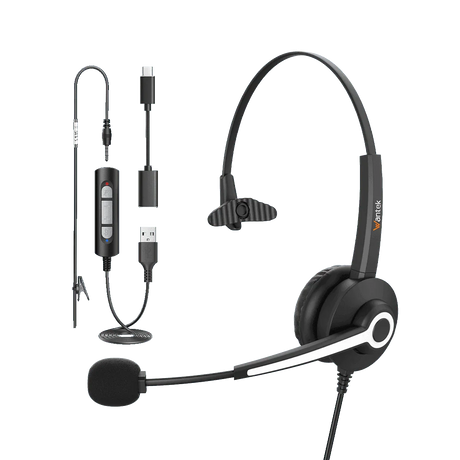
Wantek
Wantek® h681 mono 3-in-1 USB Headset with Microphone
3.7 oz
In stock (497 units)Regular price $2200Unit price- Sold out
Wantek
Wantek® h681 Mono 3.5mm Headset with Noise-Cancelling Mic
3.7 oz
Regular price $1900Unit price -

Wantek
Wantek® h682 dual 3-in-1 USB Headset with Microphone
3.7 oz
In stock (494 units)Regular price $2400Unit price
Wantek
Wantek® h682 Dual-Ear 3.5mm Office Headset with Mic
3.7 oz
In stock (28 units)Regular price $2000Unit price- Sold out
-
Wantek
Wantek® h786 dual 3-in-1 Wired Headset USB
In stock (497 units)Regular price $3000Unit price-

Wantek
Wantek® h881 mono 3-in-1 USB Noise Cancelling Headset
6.5 oz
In stock (495 units)Regular price $2900Unit price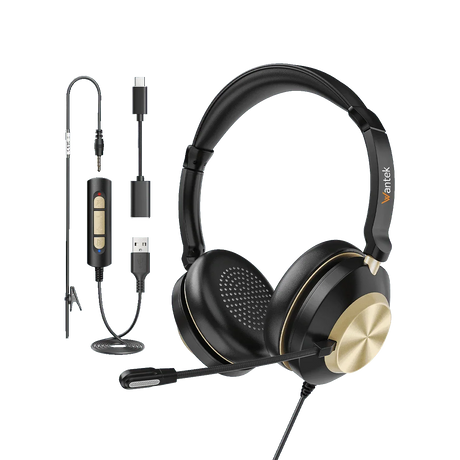
Wantek
Wantek® h882 stereo 3-in-1 Headset with Mic with USB
6.7 oz
In stock (487 units)Regular price $3000Unit price


Frequently Asked Questions
What does QD mean on a corded headset?
What does QD mean on a corded headset?
QD stands for Quick Disconnect. It allows you to separate the headset from its lower cable without removing the headset or unplugging the cable from your desk phone.
Are corded QD headsets compatible with all desk phones?
Are corded QD headsets compatible with all desk phones?
No. Compatibility depends on your exact phone model, headset port, cable, and wiring configuration. Confirm the required RJ1, RJ2, or RJ4 version before purchasing a Wantek QD headset.
What is the difference between QD and RJ9?
What is the difference between QD and RJ9?
QD is a detachable connection between the headset and its lower cable. RJ9 refers to a modular connector commonly used with desk phones. They serve different purposes and are not interchangeable.
What is the difference between Wantek H600 and H602 QD headsets?
What is the difference between Wantek H600 and H602 QD headsets?
The H600 is a single-ear headset that keeps one ear open to nearby activity. The H602 is a dual-ear headset that delivers call audio to both ears. Both have QD versions.
Do I need a separate cable for a QD headset?
Do I need a separate cable for a QD headset?
A QD headset needs a compatible lower cable to connect to your calling device. Check the selected product's included accessories, QD connector, and required phone-side wiring before ordering.
Can I connect a corded QD headset directly to a computer?
Can I connect a corded QD headset directly to a computer?
The RJ9 versions in this collection are designed for compatible desk phones, not direct USB computer connections. Computer use would require a specifically supported adapter or connection solution.
Does disconnecting the QD cable automatically put a call on hold?
Does disconnecting the QD cable automatically put a call on hold?
Not necessarily. Disconnecting the QD connection separates the headset from the phone's audio path, but it does not guarantee that the call is placed on hold. Use your phone's call controls to manage the call.
