
Wantek
6.7 oz
Disponibles (487 unidades)Precio normal $2900Precio unitarioAgotado-
Wantek
Disponibles (29 unidades)Precio normal $2500Precio unitarioAgotado-
Wantek
3.0 lb
Disponibles (189 unidades)Precio normal $2600Precio unitarioAgotado-
Voistek
Disponibles (1089 unidades)Precio normal $3000Precio unitarioAgotado-
- Agotado
Wantek
Auriculares USB mono 3 en 1 Wantek® h783 con micrófono para llamadas de trabajo remoto nítidas
7.0 oz
Precio normal $2900Precio unitarioAgotado -
Wantek
Auriculares Wantek® h602 con micrófono y USB: Plug-and-Play para llamadas y teletrabajo
3.0 oz
Disponibles (400 unidades)Precio normal $2800Precio unitarioAgotado-
Wantek
3.0 oz
Disponibles (99 unidades)Precio normal $2800Precio unitarioAgotado-
Wantek
6.5 oz
Disponibles (495 unidades)Precio normal $2800Precio unitarioAgotado-
Wantek
Disponibles (497 unidades)Precio normal $3000Precio unitarioAgotado-
Wantek
Auriculares USB Wantek® h600 con micrófono: llamadas nítidas para teletrabajo y centros de llamadas
3.0 oz
Disponibles (99 unidades)Precio normal $2600Precio unitarioAgotado-










📊 The Stakes
According to Owl Labs' State of Remote Work research, roughly two-thirds of remote employees say poor audio has caused misunderstandings in meetings, and nearly 1 in 3 have lost a client, deal, or opportunity because of it. A USB headset with mic for PC is the lowest-cost fix for the highest-leverage communication problem in hybrid work.
🧭 At-a-Glance Comparison: All 10 USB Headsets with Mic for PC
| Model | Best For | Connection | Ear Style | Weight | Mic Style | Price | Rating |
|---|---|---|---|---|---|---|---|
| h882 ⭐ Best Seller | Teams/Zoom pros | USB-A + USB-C + 3.5mm | Stereo on-ear | 6.7 oz | Cardioid boom | $29 | 4.8 (164) |
| h881 | Home office | USB-A + USB-C + 3.5mm | Mono on-ear | 6.5 oz | Cardioid boom | $28 | 4.7 (100) |
| h786 | Call centers | USB-A + USB-C + 3.5mm | Dual over-ear | — | Noise-reducing boom | $30 | 4.7 (16) |
| h783 | Remote work | USB-A + USB-C + 3.5mm | Mono over-ear | 7.0 oz | Noise-reducing boom | $29 | 4.6 (15) |
| h682 | Budget dual | USB-A + USB-C + 3.5mm | Dual on-ear | 3.7 oz | Noise-reducing boom | $23 | 4.7 (105) |
| h681 💰 Cheapest | Entry level | USB-A + USB-C + 3.5mm | Mono on-ear | 3.7 oz | Noise-reducing boom | $22 | 4.7 (102) |
| h602 USB | Lightweight calls | USB-A | On-ear | 3.0 oz | Boom | $28 | 4.6 (13) |
| h600 USB | Call centers | USB-A | On-ear | 3.0 oz | Boom | $26 | 4.7 (21) |
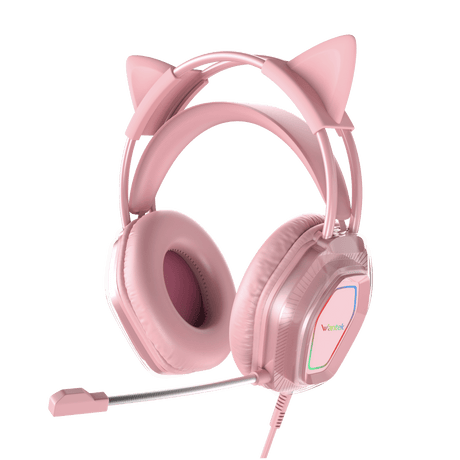
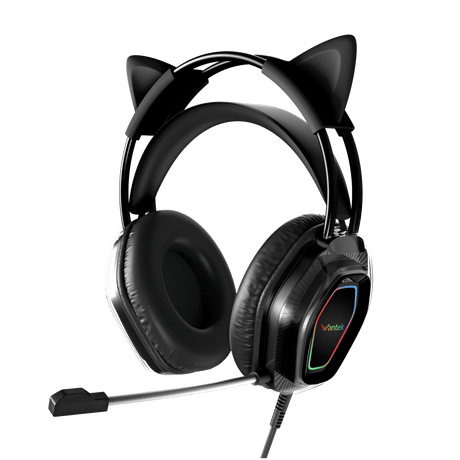
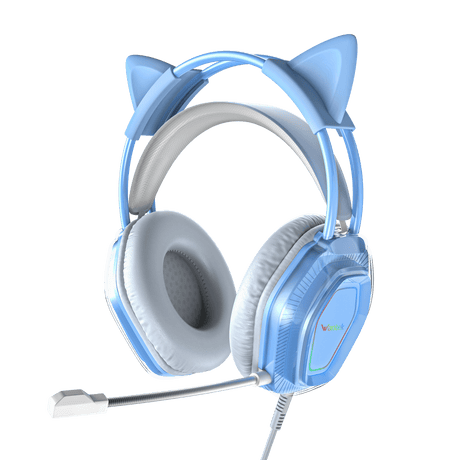
| V10 Cat Ear | RGB gamers | USB / 3.5mm | Over-ear | — | Flexible boom | $25 | 4.8 (30) |
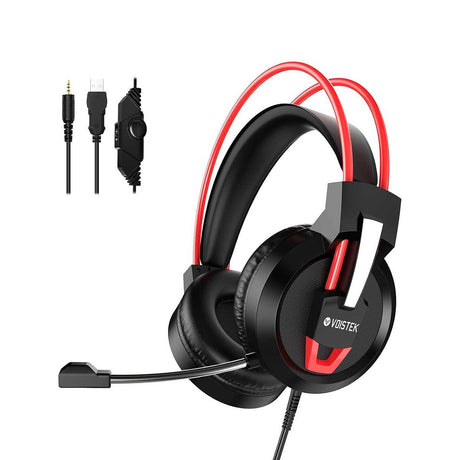
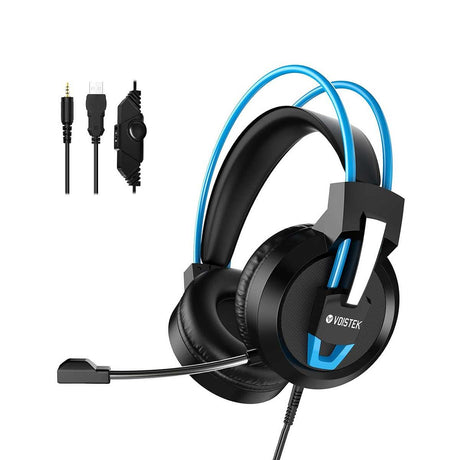
| Voistek V9 Pro | Cross-platform gaming | USB / 3.5mm | Over-ear | — | Flexible boom | $30 | 4.7 (38) |
Updated monthly. Prices in USD. See full product details below.
🎯 60-Second Chooser: Which USB Headset with Mic for PC Is Right for You?
- Primarily Zoom / Teams / Google Meet → Wantek h882 — cardioid boom + inline mute, the model 164 pros already rated 4.8★.
- Call center, 6–8 hrs/day → h786 dual — over-ear passive isolation + 36-month warranty built for enterprise lifecycle.
- **Tight budget (< 25) →** **[h681 mono](#h681)** at 22 — still delivers a 3-in-1 connection and 4.7★ reviews.
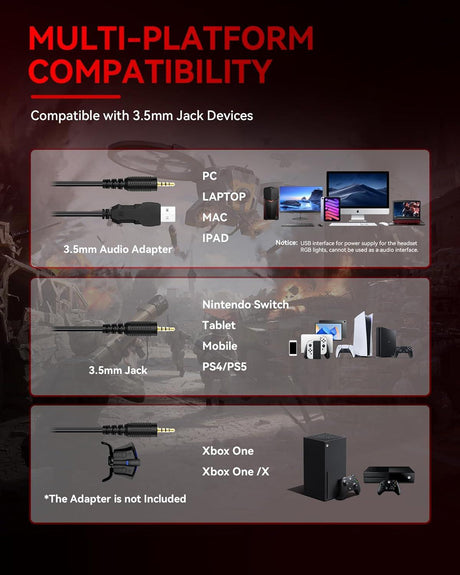
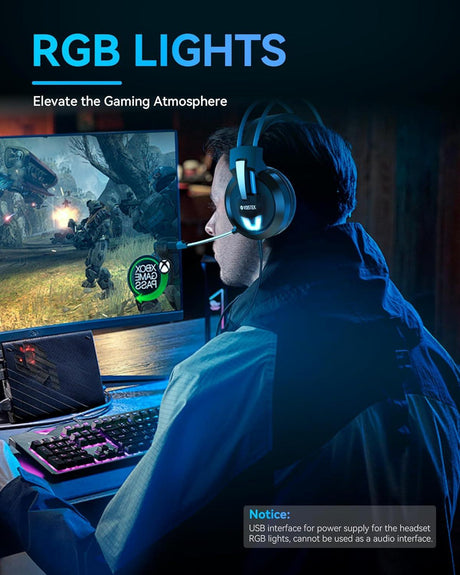
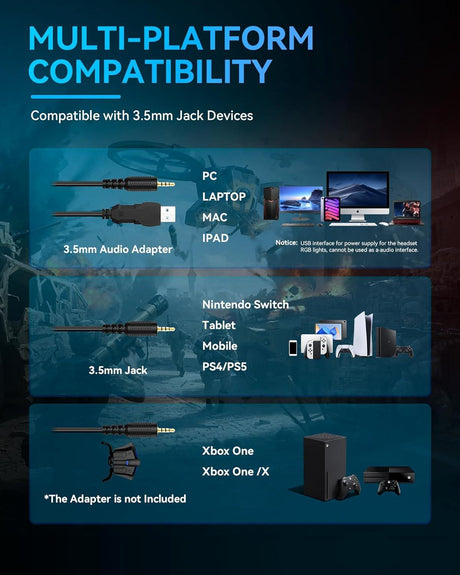
- PC + PS5 / Switch gaming → Voistek V9 Pro (cross-platform USB + 3.5mm). For Xbox Series X/S, use the 3.5mm cable into the controller.
- Lightest for travel/laptop → h602 USB at 3.0 oz — lighter than most phones.
- Online teaching / tutoring → h881 mono — one ear open for the room, clear boom for students.
🆚 USB vs. 3.5mm vs. Wireless — Which Connection Wins on PC?
| Factor | USB (our pick) | 3.5mm | Wireless (BT / 2.4G) |
|---|---|---|---|
| Plug-and-play on Windows/Mac | ✅ Yes | ✅ Yes | ⚠️ Pairing required |
| Built-in DAC (bypasses noisy PC sound card) | ✅ Yes | ❌ No | ✅ Yes |
| Stable connection under load | ✅ Yes | ✅ Yes | ⚠️ Dropouts possible |
| Works with Teams/Zoom out of the box | ✅ Yes | ⚠️ Varies | ⚠️ Varies |
| Battery required | ❌ No | ❌ No | ✅ Yes |
| Best for desk-based PC work | 🏆 Winner | Runner-up | Best only for mobility |
Verdict: For a desk-bound PC setup — calls, gaming, streaming, or teaching — a USB headset with mic for PC is objectively the best choice. It's the only option combining a built-in DAC, rock-solid wired reliability, no drivers, and zero charging.
Mono vs. Stereo — Quick Rule of Thumb
- Mono (single ear): Best for call centers, customer service, and teachers who need to hear the room. Models: h681, h881, h783, h600, h602.
- Stereo (dual ear): Best for Zoom focus, gaming, streaming, and podcasting — full immersion, directional audio. Models: h882, h682, h786, V10, V9 Pro.
🔬 What Makes a Great USB Headset with Mic for PC?
After analyzing thousands of customer reviews across our 10-model range, five factors consistently separate "fine" from "flawless":
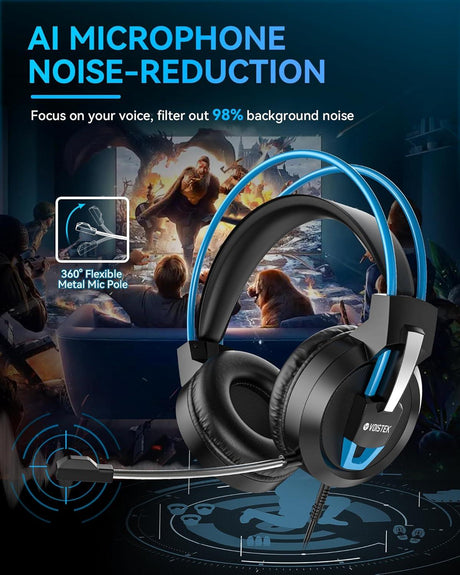
- Directional (cardioid) boom mic — rejects keyboard, fan, and room noise by design.
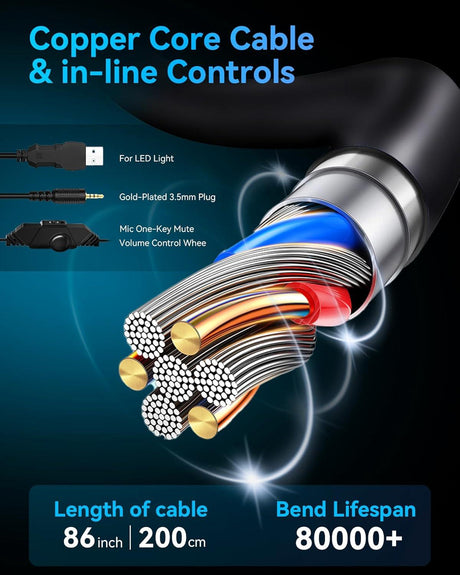
- Effective DSP noise reduction — marketed as TripleClear™ Voice Isolation on Wantek's h881/h882, combining cardioid pickup, DSP filtering, and foam wind/pop reduction.
- Plug-and-play USB-A + USB-C + 3.5mm (3-in-1) — one headset, every device. 8 of our 10 models are 3-in-1.
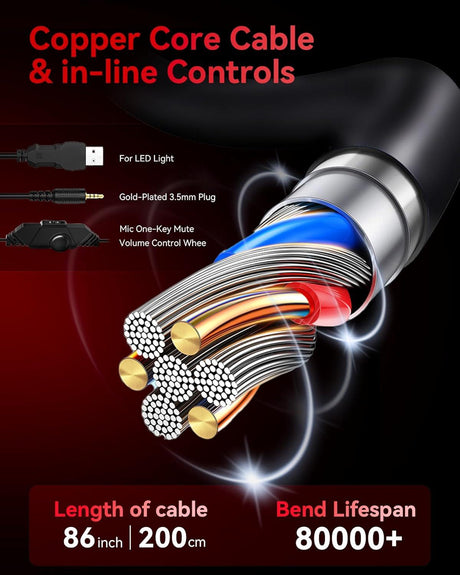
- Inline hardware mute & volume — physical controls reduce live-call mistakes vs. software-only toggles.
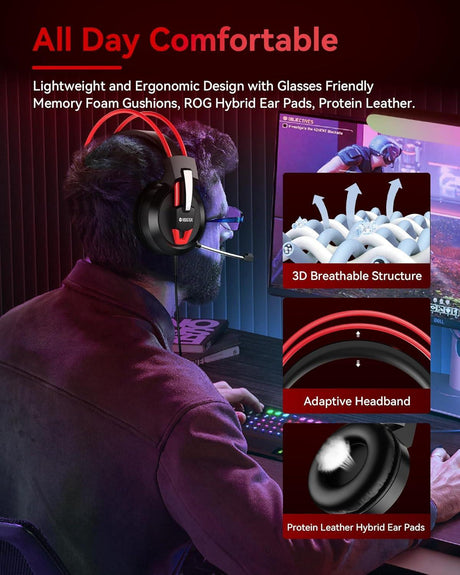
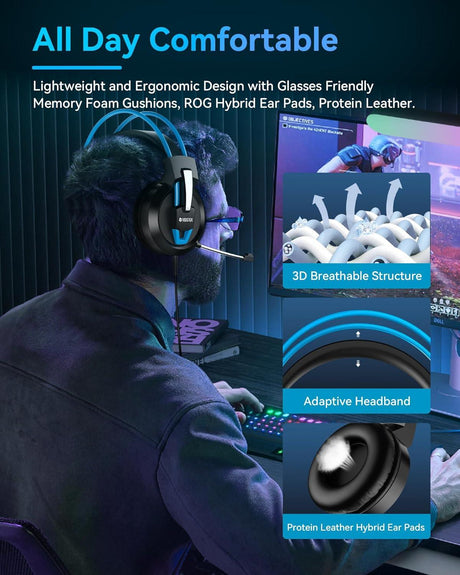
- Lightweight build + memory-foam cushions — the difference between "I forgot I was wearing it" and "I have a headache."
🏆 Top 3 Recommended USB Headsets with Mic for PC
🥇 #1 Best Overall — Wantek h882 Stereo 3-in-1 — $29 {#h882}
4.8★ · 164 verified reviews
- TripleClear™ cardioid boom mic
- USB-A + USB-C + 3.5mm (three cables in one)
- Memory-foam cushions, 6.7 oz
- Inline volume, mic mute, speaker mute + LED indicator
- Works with Teams, Zoom, Meet, Skype, Webex, Slack
- 36-month warranty · Free US/UK shipping
"I work from home and the noise cancellation is absolutely wonderful. Lightweight with a long cord to move around my desk." — Olivia W., verified buyer
🥈 #2 Best Value — Wantek h681 Mono 3-in-1 — $22 {#h681} · 4.7★ · 102 reviews — our cheapest USB headset with mic for PC.
🥉 #3 Best Gaming — Voistek V9 Pro Cross-Platform — $30 {#v9pro} · 4.7★ · 38 reviews — works on PC, PS5, Switch (docked), and Xbox Series X/S (via 3.5mm into controller).
🖥️ How to Set Up a USB Headset with Mic on PC (Windows & Mac)
Windows 10 / 11
- Plug the USB-A connector into your PC (or use USB-C on newer laptops). Windows auto-installs drivers in 5–10 seconds.
- Right-click the taskbar speaker icon → Sound settings → select "Wantek" as both Output and Input.
- Open Device Properties and set mic level to 75–85% to prevent clipping.
- Optional: enable System → Sound → Microphone → Voice Isolation (Windows 11) to stack with the hardware DSP.
- Inside Zoom/Teams/Discord, explicitly select "Wantek" — don't rely on "Default."
- Test under Settings → System → Sound → Test your microphone.
macOS (10.6+)
- Plug the headset in. No drivers needed.
- System Settings → Sound → select the headset under Output and Input.
- Confirm the headset is selected inside your meeting app.
Troubleshooting — mic not working? In order of frequency: (1) wrong default input in OS Sound Settings, (2) inline mute is on, (3) the app lacks mic permission (Windows Privacy → Microphone / macOS Privacy → Microphone), (4) the meeting app is still set to "Default." Check all four before assuming a hardware fault.
🔒 Why 10,000+ Professionals Trust Wantek
- ⭐ 4.7/5 average across 500+ verified reviews on this collection
- 🛡️ 36-month warranty (industry average: 12 months)
- 🚚 Free shipping across the US, UK, DE, FR, IT, ES
- 💰 30-day money-back returns
- 🏢 Deployed in call centers across healthcare, legal, telemedicine, and education
- 🎧 Designed for Teams, Zoom, Meet, Webex, Slack, and major softphones
Wantek does not claim formal Microsoft Teams, Zoom, or Webex certification unless independently listed on those platforms' certified-device registries. All models are tested for compatibility; verify current certification on each product page before enterprise purchase.
📚 Sources & Related Collections
- Microsoft Teams certified devices(opens in new tab) · Zoom certified hardware(opens in new tab)
- Related collections: All USB Headsets · Gaming Headsets with Mic · Call Center Headsets · Noise-Cancelling Office Headsets
- Support: Compatibility guide · Bulk/corporate orders · Contact support
Written by the Wantek Audio Engineering Team · Technical review by Marcus L., 18-year VoIP & call-center acoustics consultant · Last updated: 2026.5.6
Preguntas frecuentes
¿Estos auriculares para PC son compatibles con PlayStation, Xbox y Mac?
¿Estos auriculares para PC son compatibles con PlayStation, Xbox y Mac?
Sí, nuestros auriculares Wantek para PC están diseñados con compatibilidad universal. Aunque están optimizados para PC, también funcionan a la perfección con ordenadores Mac, consolas PlayStation y Xbox al conectarlos mediante el conector de audio estándar de 3,5 mm, lo que proporciona una funcionalidad de audio y chat versátil en todos tus dispositivos.
¿Cómo funciona el micrófono con cancelación de ruido en estos auriculares para PC?
¿Cómo funciona el micrófono con cancelación de ruido en estos auriculares para PC?
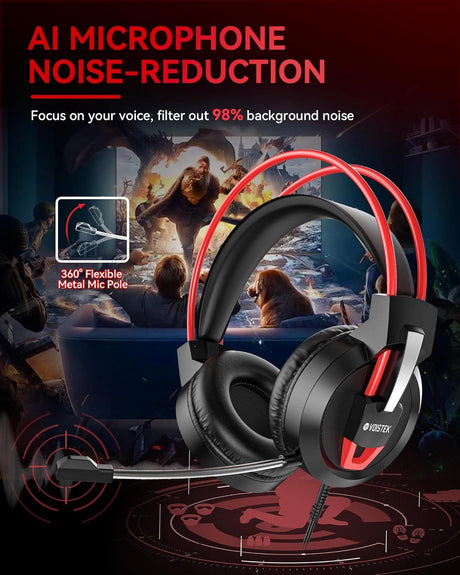
El micrófono con cancelación de ruido utiliza un patrón de captación unidireccional para centrarse en el sonido de tu voz desde corta distancia. Filtra activamente los ruidos ambientales de fondo, como los clics del teclado y el sonido de los ventiladores, lo que garantiza que tu comunicación se mantenga nítida durante las llamadas y el chat de juego.
¿Son cómodos estos auriculares para usarlos durante todo el día en el trabajo o durante largas sesiones de juego?
¿Son cómodos estos auriculares para usarlos durante todo el día en el trabajo o durante largas sesiones de juego?
Por supuesto. Priorizamos la comodidad con características como diademas ajustables, almohadillas suaves que se adaptan a la forma de la cabeza y materiales ligeros. Este diseño ergonómico minimiza la presión en las orejas y la cabeza, lo que hace que nuestros auriculares sean ideales para un uso prolongado sin molestias.
¿Cuál es la vida útil y durabilidad promedio de estos auriculares para PC?
¿Cuál es la vida útil y durabilidad promedio de estos auriculares para PC?
Nuestros auriculares Wantek están fabricados con materiales duraderos de alta calidad, incluyendo cables reforzados y una construcción robusta en los puntos de tensión. Si bien su vida útil depende del uso y el cuidado, están diseñados para ofrecer una fiabilidad a largo plazo, proporcionando un alto rendimiento constante para el uso diario durante muchos años.
¿La configuración de estos auriculares y micrófono para PC es plug-and-play?
¿La configuración de estos auriculares y micrófono para PC es plug-and-play?
Sí, la configuración es increíblemente sencilla. La mayoría de los modelos son verdaderamente plug-and-play. Simplemente conecta el conector de 3,5 mm al puerto de audio de tu PC o usa el conector USB, y tu ordenador reconocerá automáticamente los auriculares con micrófono, sin necesidad de software adicional ni controladores complicados para empezar a usarlos de inmediato.
Do Wantek USB headsets work on PS5, Xbox, or Switch?
Do Wantek USB headsets work on PS5, Xbox, or Switch?
USB models work on PS5 and Switch (docked) natively. For Xbox Series X/S, use the included 3.5mm cable into the controller jack.
Why is my PC USB headset mic not working?
Why is my PC USB headset mic not working?
In order of frequency: (1) wrong default input in OS Sound Settings, (2) inline mute engaged, (3) app missing mic permission, (4) app set to "Default" audio. Check all four before assuming hardware failure.
Is USB-A or USB-C better for a PC headset?
Is USB-A or USB-C better for a PC headset?
It depends on your ports. USB-A is still the dominant desktop port; USB-C is standard on new laptops. A 3-in-1 headset (USB-A + USB-C + 3.5mm) future-proofs you across both.
Do I still need a standalone mic if my USB headset already has one?
Do I still need a standalone mic if my USB headset already has one?
For meetings, calls, classes, and most streaming, no — a cardioid boom mic 1 inch from your mouth outperforms almost any desk condenser placed 12+ inches away. Standalone mics only win for studio music or broadcast-grade podcasting.
What's the best wired USB headset for Microsoft Teams?
What's the best wired USB headset for Microsoft Teams?
The Wantek h882 and h881 are engineered specifically for Teams and Zoom workflows, with dedicated inline mute, Teams-friendly mic tuning, and no driver dependencies.
How long do Wantek USB PC headsets last?
How long do Wantek USB PC headsets last?
With normal 6–8 hrs/day use, Wantek USB PC headsets are rated for 3+ years and backed by a 36-month warranty.
Are USB headsets good for gaming on PC?
Are USB headsets good for gaming on PC?
Yes — USB headsets use a built-in DAC that often sounds cleaner than a budget PC's onboard audio, with negligible latency. For competitive gaming on PC + console, choose a cross-platform model like the V9 Pro.
